Affordable E‑Signature for Small Business: How QuickSign Keeps Costs Low and Workflows Fast
Discover affordable e-signature for small business with QuickSign—cut costs, speed up approvals, and streamline workflows without sacrificing security.
Affordable E‑Signature for Small Business: How QuickSign Keeps Costs Low and Workflows Fast
If you run a small business, you’ve probably felt the pain of chasing signatures: printing contracts, waiting on scanned PDFs, following up by email, and wondering if that deal is stalled in someone’s inbox. You also may have looked at legacy e‑signature tools, only to discover per‑seat pricing that makes no sense for a lean team.
QuickSign was built specifically to solve this problem for small businesses: simple, modern e‑signatures with flat, affordable pricing and built‑in AI to generate your contracts from scratch. In this guide, you’ll learn how to get enterprise‑grade e‑signing without the enterprise‑grade bill.
Key idea: Small businesses don’t just need e‑signatures—they need affordable, fast, and simple e‑signatures that remove admin work, not add to it.
Why E‑Signatures Matter So Much for Small Businesses
For small companies, every hour and dollar counts. Paper‑based signing quietly drains both:
- Printing, mailing, and storage costs on every contract
- Delays waiting for clients to print, sign, scan, or mail documents
- Lost or incomplete paperwork and back‑and‑forth corrections
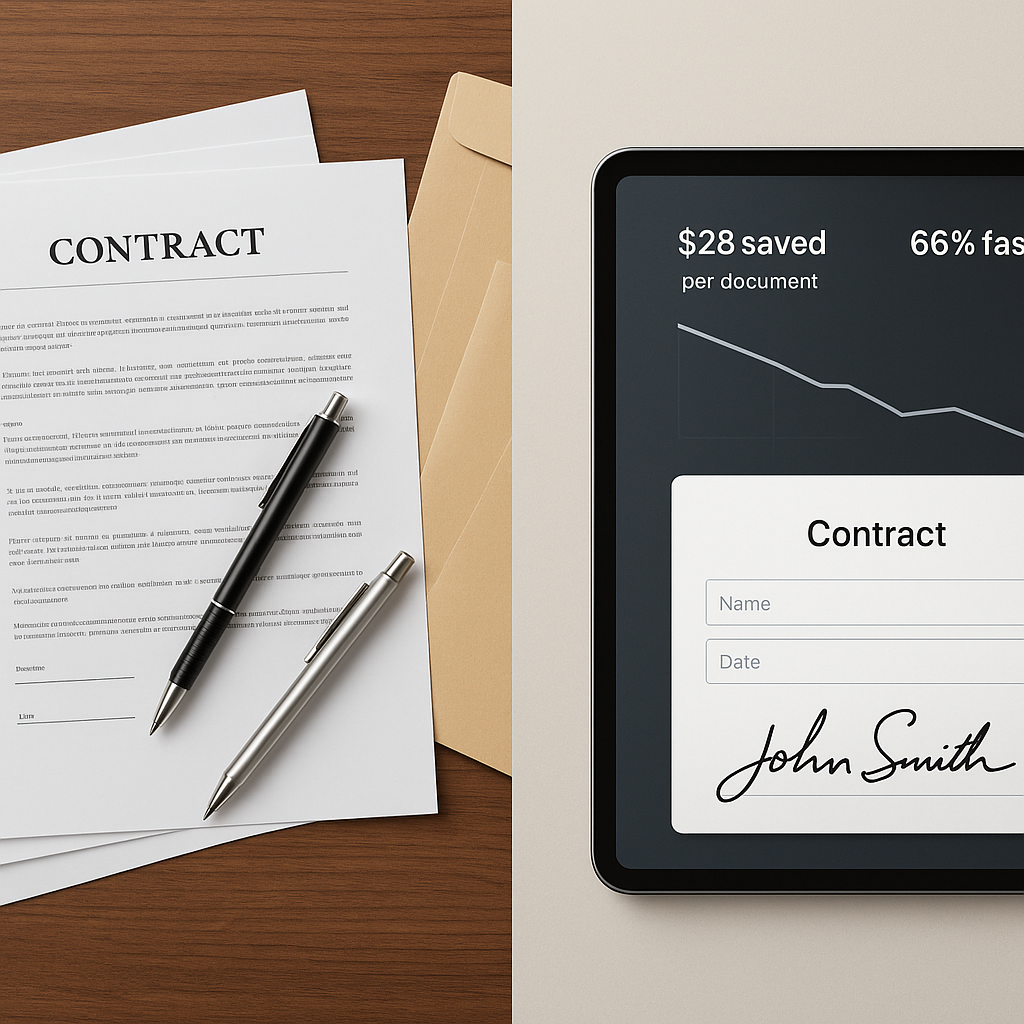
Recent research shows that businesses can save up to $28 per document by switching from paper to e‑signatures, and reduce document processing costs from about $6–$8 per document down to roughly $0.50–$1.00. (certinal.com) Many small businesses also report cutting administrative and shipping costs by more than half when they move to digital signing. (esignly.com)
Time savings are just as significant. Studies indicate that e‑signatures can reduce contract processing time by 28–80% and speed up time‑to‑revenue by roughly 28–30%. (fujifilm.com) For a small business closing a handful of deals every week, that’s the difference between sluggish cash flow and predictable revenue.
Legally, e‑signatures are recognized in all 50 U.S. states under the federal ESIGN Act and the Uniform Electronic Transactions Act (UETA), which confirm that contracts can’t be denied legal effect just because they’re electronic. (en.wikipedia.org) So you get speed and savings without sacrificing enforceability.
The Cost Problem with Many E‑Signature Tools
Plenty of e‑signature platforms exist—but many are designed (and priced) for large enterprises. Small businesses often run into issues like:
- Per‑seat pricing that charges for each user, even if they only send a few documents a month
- Plan limits on the number of sends, templates, or recipients
- Complex add‑ons for basic needs like audit trails or advanced fields
Industry anecdotes and reviews frequently highlight small teams overpaying for feature‑heavy plans when all they really need is fast, reliable signing and core workflow tools. Many YouTube reviewers now actively look for “budget” or “free” e‑signature options, underscoring how sensitive small businesses are to these recurring software costs

QuickSign tackles this differently: instead of metering your usage or charging per seat, it offers a simple, flat‑rate plan starting at $15/month for your whole team—plus a generous free tier to get started.
What Makes QuickSign Affordable for Small Businesses?
QuickSign is designed around the economics and realities of smaller organizations. Here’s how it keeps e‑signatures both powerful and budget‑friendly.
1. Flat‑Rate Pricing at $15/Month for the Whole Team
Unlike traditional per‑seat solutions, QuickSign offers flat‑rate pricing at $15/month for your entire team. Whether you’re a solo founder or a 10‑person agency, you pay the same predictable amount.
- No per‑seat fees: Invite teammates without worrying about the bill climbing.
- No per‑recipient limits: Send a document to as many signers as you need.
- Scales with your growth: As you add staff or departments, your e‑signature cost stays stable.
For context, if each paper contract costs around $4–$10 in materials and handling, and typical e‑signature usage saves up to $28 per document, (certinal.com) a small business sending just 5–10 contracts a month can more than pay for QuickSign’s monthly subscription from savings alone.
2. A Free Tier That Actually Helps You Test the Workflow
Before you commit, you can try QuickSign at no cost:
- Generate 2 documents with AI
- Send 1 document to unlimited recipients
This lets you run a real‑world pilot—like sending a client contract or an NDA—without entering a credit card or worrying about trial expiration dates.
Pro tip: Use your free QuickSign send on a high‑impact workflow (for example, your main client agreement). You’ll see exactly how much time and friction you save versus your current process.
3. AI Document Generation: Skip the Legal Templates Hunt
One of the hidden costs in contract workflows is drafting documents in the first place. Many small businesses:
- Pay lawyers to create standard agreements
- Copy‑paste from old contracts, risking outdated or incorrect clauses
- Waste time searching for “free contract templates” online
With AI Document Generation in QuickSign, you can describe what you need in plain language—“A simple service agreement for a marketing consultant in California, monthly retainer, 30‑day cancellation”—and the system drafts a document for you to review and customize.
This feature is especially powerful for:
- Client service agreements
- Non‑disclosure agreements (NDAs)
- Freelancer and contractor contracts
- Simple partnership or referral agreements
You should still have a legal professional review your most important documents, but AI generation dramatically cuts the time (and often the billable hours) required to get to a solid first draft.
How Small Businesses Use QuickSign Day‑to‑Day
E‑signatures aren’t just for big, complex deals. Small businesses use QuickSign across dozens of everyday scenarios.
Common Use Cases
- Sales & client services: Proposals, master service agreements, retainers, renewals
- HR & hiring: Offer letters, onboarding forms, policy acknowledgments, contractor agreements
- Operations: Vendor contracts, purchase approvals, maintenance agreements
- Legal/Compliance: NDAs with partners, data‑processing addenda, consent forms
Recent industry reports show that small business e‑signature users often see a document turnaround time improvement of 50% or more, with especially large gains in finance, HR, and facilities approvals. (fujifilm.com) QuickSign brings those efficiency gains into a streamlined, low‑cost package tailored for SMBs.
Real‑World Workflow Example: A 5‑Person Marketing Agency
Imagine a 5‑person digital marketing agency that signs 15–20 new or renewing client contracts per month.
- Draft the contract with AI: The agency owner opens QuickSign, describes the engagement terms (monthly retainer, scope of work, payment terms), and lets the AI Document Generation feature create a draft service agreement.
- Customize and finalize: They tweak the scope and fees, then save the document.
- Drag‑and‑drop fields: They upload the PDF into QuickSign and use the drag‑and‑drop field placement tool to add signature, date, and initials fields exactly where needed.
- Seamless sending: With seamless sending, they enter the client’s email, add a short note, and click send—the whole setup takes under 60 seconds once the template is saved.
- Real‑time tracking: Using real‑time tracking, they see when the client opens the document, views it, and completes the signature.
- Automatic record‑keeping: Both parties receive a copy, and the signed document is stored in their QuickSign account for easy retrieval.
Compared to the old method of editing Word files, exporting PDFs, emailing, and waiting for scanned signatures, this agency now closes contracts days faster. Assuming each contract used to cost around $5–$10 in overhead (time, printing, scanning, corrections) and now costs nearly zero, the monthly software fee is quickly offset by savings and faster revenue recognition.
Step‑by‑Step: Sending Your First Document with QuickSign
Here’s a practical walkthrough of how a small business can use QuickSign to send documents for signature in minutes.
Step 1: Generate or Upload Your Document
- Option A – Use AI Document Generation: From your QuickSign dashboard, choose to generate a new document. Describe the type of agreement, parties involved, and key terms. Review and edit the draft as needed.
- Option B – Upload an existing PDF: If you already have a contract, upload it directly to QuickSign.
Step 2: Add Signature and Form Fields with Drag‑and‑Drop
Use QuickSign’s drag‑and‑drop field placement tool to add:
- Signature fields
- Initials
- Dates
- Text fields (for titles, addresses, etc.)
You simply click where you want each field to appear and assign it to the appropriate signer. This reduces errors like missed initials or incomplete signatures, which studies show are common in manual workflows. (valcaresystems.com)
Step 3: Add Recipients and Send
With seamless sending, you just:
- Enter recipient names and email addresses
- Define signing order (if needed)
- Include a brief message or instructions
- Click “Send”
Because QuickSign doesn’t restrict the number of recipients, you can send the same document to multiple signers—useful for multi‑party agreements, board approvals, or consent forms.
Step 4: Track in Real Time
One of the biggest frustrations with traditional signing is not knowing where a document stands. QuickSign’s real‑time tracking shows you:
- When the document was delivered
- When each recipient opened it
- When they viewed and signed
This visibility lets you follow up strategically—no more “just checking in” emails when the client hasn’t even opened the document yet.
Step 5: Store and Reuse
Once signed, your document is stored in QuickSign for easy access. You can also save it as a template, so future sends take less than a minute: generate (or open) the template, adjust details, and send.
Key takeaway: After you build your first few templates in QuickSign, sending a contract becomes a 60‑second task instead of a 30‑minute chore.
Where Educational Content Fits: Learning About Affordable E‑Signatures
Many small business owners first learn about affordable digital signatures from YouTube reviews and tutorials. Videos like “Request Digital Signatures for FREE with Signwell (Don’t Pay for DocuSign!)” and “Best Contract Platforms for E‑Signatures? (PandaDoc, signNow, DocuSign)” show just how much attention cost and usability get in this space.
These reviews make one thing clear: small businesses want tools that are affordable, easy to understand, and fast to set up. QuickSign takes those same priorities and adds something many platforms still lack for SMBs—built‑in AI document generation and simple flat‑rate pricing.
Time and Cost Savings: What to Expect with QuickSign
To evaluate whether an e‑signature tool is affordable, look at total time and cost savings, not just the monthly subscription.
Direct Cost Savings
- Per‑document savings: Industry data suggests savings up to $28 per document when moving from paper to e‑signatures. (certinal.com)
- Lower overhead: Less money spent on paper, ink, printer leases, and storage.
- Fewer mailing/shipping fees: Contracts are delivered instantly via email.
Even at just 10 signed documents a month, a small business may save hundreds of dollars annually—far more than the cost of QuickSign’s $15/month flat‑rate plan.
Time Savings and Revenue Impact
- Faster turnaround: Studies show e‑signatures can cut turnaround times by ~30–80%. (fujifilm.com)
- Less admin time: No more chasing missing signatures, re‑sending corrected versions, or tracking contracts via spreadsheets.
- Faster cash flow: The sooner agreements are signed, the sooner work begins and invoices go out.
For many SMBs, reducing a typical 5‑day contract cycle to 1–2 days can directly improve cash flow and client satisfaction.
Why QuickSign Is a Smart Fit for Small Business Teams
When evaluating affordable e‑signature options, small businesses should look beyond the price tag and consider how the platform fits their everyday workflows.
- Designed for speed: From AI Document Generation to drag‑and‑drop fields and seamless sending, QuickSign is optimized to get documents out the door in under 60 seconds.
- Built for teams, not just individuals: The flat‑rate model means your whole team can send and track documents without extra licensing complexity.
- AI‑powered from day one: Generating contracts from simple prompts saves countless hours and reduces dependency on cobbled‑together templates.
- Transparent, predictable pricing: No surprise overages because you added one more sender or a few more recipients.
Small business advantage: QuickSign combines AI document generation, fast e‑signatures, and flat‑rate pricing, so you get enterprise‑style workflows without enterprise‑level costs or complexity.
For business professionals who need to move quickly, keep operational costs in check, and present a polished, modern experience to clients, QuickSign offers a compelling, small‑business‑friendly path to full digital signing.
Ready to simplify your document signing? Try QuickSign for free - generate 2 documents and send 1 document to unlimited recipients at no cost. No credit card required.