AI-Powered Contract Assistants Gain Traction Among Small Firms
Discover how an AI contract assistant helps small firms draft, review, and manage agreements faster, cut legal costs, and reduce risk with smarter automation.

AI-Powered Contract Assistants Gain Traction Among Small Firms
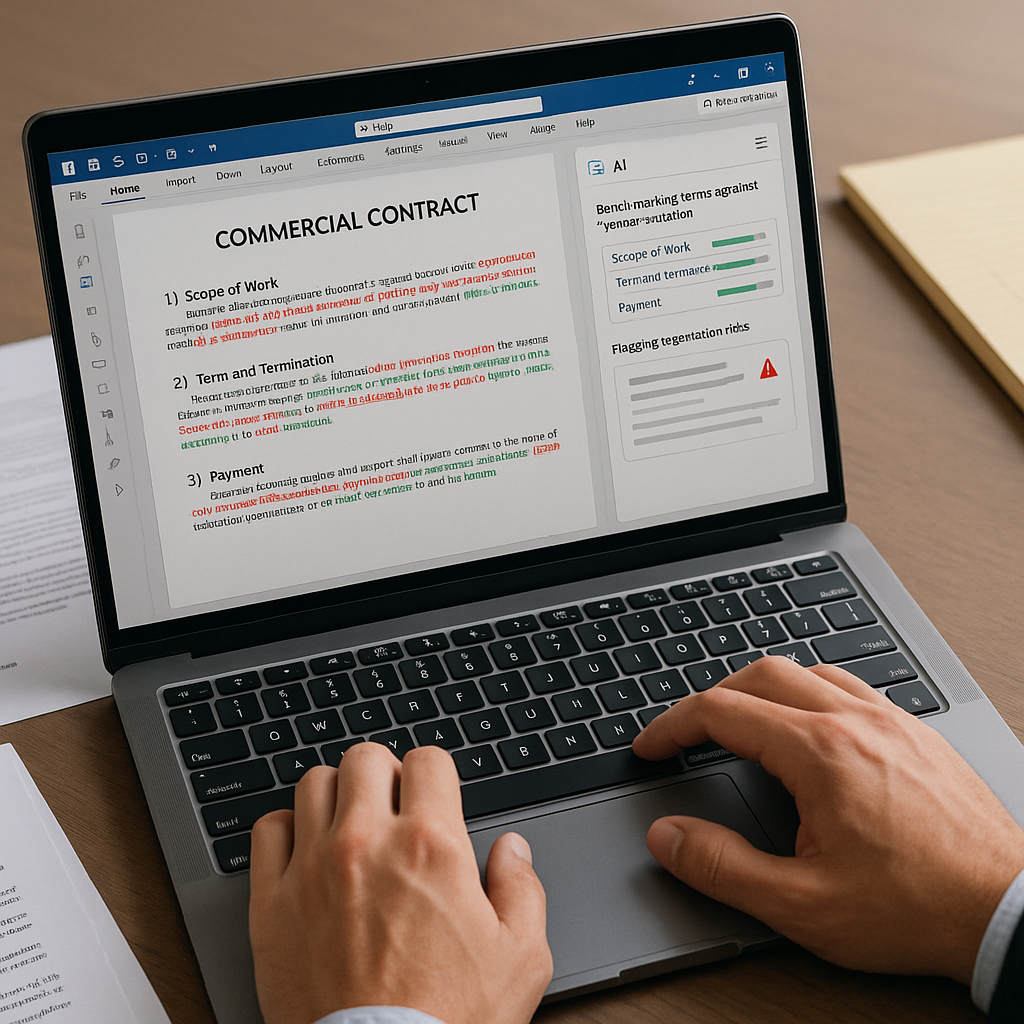
Artificial intelligence is quietly reshaping how small law firms, solo practitioners, and independent professionals draft and negotiate contracts. A new wave of AI-powered contract assistants—often delivered as Microsoft Word plugins—now helps lawyers redline clauses, benchmark terms against market standards, and surface negotiation risks without leaving their existing workflows. For small teams under constant time and pricing pressure, these tools are starting to level the playing field with far larger competitors.
Why AI Contract Assistants Matter for Small Firms
Multiple recent surveys point to a sharp rise in AI adoption across the legal sector, with small firms no longer sitting on the sidelines. Smokeball’s 2025 State of Law Report, for example, found that generative AI use among small firms and solo practices in the United States has nearly doubled in a year, with 53% now integrating AI into their workflows, up from 27% in 2023.(lawnext.com)
At the same time, AI for contract review specifically is surging. LegalOn’s 2026 State of AI for In-House Legal reports that active use of AI in contract review has roughly doubled year over year and nearly quadrupled since 2024, with a majority of teams now using or evaluating such tools.(legalontech.com) While much of that data focuses on in-house departments, the same capabilities—fast clause review, automated redlining, and standards-based risk checks—are increasingly accessible to smaller firms via cloud tools and Word-based add-ins.
For small practices and independent professionals, the pressure is straightforward: clients expect enterprise-grade speed and precision on contracts, but hourly rates and staffing levels often can’t match larger firms. AI contract assistants promise three tangible advantages:
- Speed: Drafting, reviewing, and revising contracts in minutes instead of hours.
- Consistency: Applying the same playbook and risk thresholds to every deal.
- Market awareness: Comparing clauses to “what’s standard” in the market without separate research.
How Word-Based AI Contract Assistants Work
Unlike earlier generations of legal tech that required learning entirely new platforms, today’s contract assistants are increasingly embedded where lawyers already work—most notably inside Microsoft Word. Many appear as a side panel that can analyze the current document, suggest edits, or generate alternative clause wording on demand.
Common capabilities include:
- Drafting from prompts: Lawyers can describe a transaction (“mutual NDA for early-stage fundraising” or “commercial services agreement with U.S.-only data hosting”) and have a first draft generated in Word, ready for review and customization.
- Redlining and review: The assistant scans a counterparty draft, flags high-risk clauses (like uncapped liability, aggressive indemnities, or broad IP assignments), and suggests redlines that align with the firm’s preferred positions.
- Playbook alignment: Many tools now let firms embed their own clause libraries and playbooks so suggested edits follow house style rather than generic templates.
- Benchmarking against market standards: By training on large corpora of contracts and publicly available agreements, AI assistants can highlight when language is “off-market” and propose more balanced alternatives.
According to a recent synthesis of four major AI adoption surveys, document creation and contract-related drafting are emerging among the top three AI use cases in small legal practices, alongside research and e-discovery.(
/04/an-ai-assisted-look-at-four-new-surveys-on-ai-adoption-in-law-how-do-they-compare-differ.html?utm_source=openai" target="_blank" rel="noopener noreferrer">lawnext.com) This aligns with feedback from small-firm lawyers who see contract work as both time-consuming and highly repeatable—an ideal target for AI assistance.What the Latest Data Says About Small-Firm Adoption
Despite rapidly growing interest, small firms still lag behind larger organizations in fully deploying AI tools, largely due to cost, implementation overhead, and data-security concerns. An American Bar Association analysis notes that only around 20% of small firms report active use of AI, compared to nearly 40% among larger firms.(allaboutai.com) Yet the growth curve is unmistakable: both ABA and independent surveys show adoption rates for AI-based tools in solo and small firms roughly doubling over the last few years.
Several trends are driving this acceleration:
- Competitive necessity: LawNext’s coverage of the Smokeball survey quotes small-firm leaders describing AI as a “competitive necessity” rather than a buzzword, particularly in areas like document automation and contract work.(lawnext.com)
- Time pressure and burnout: With many lawyers handling 100–1,000 contracts annually and spending 2–4 hours per contract, AI-driven review can reclaim weeks of working time each year.(legalontech.com)
- Improving perceptions of AI: Recent survey data shows a growing share of attorneys viewing AI’s role in the profession positively, with more lawyers reporting that tools are maturing and guardrails are improving.(law360.com)
“AI is no longer a buzzword in legal circles, but a competitive necessity… What’s most encouraging is seeing small firms and solo practitioners leading this technological step forward.”(lawnext.com)
Inside the Workflow: From Redlines to E-Signature
For small firms, the real value emerges when AI contract assistants don’t just live inside Word, but connect smoothly to the rest of the document lifecycle—collaboration, approval, and e-signature.
A typical end-to-end workflow now looks like this:
- Draft: Generate a first draft in Word using an AI assistant trained on your preferred templates and style.
- Review & redline: Run the assistant on counterparty drafts to identify risks, suggest redlines, and benchmark clauses against market norms.
- Finalize: Accept or tweak AI suggestions, lock in final language, and export a clean PDF.
- Sign & track: Upload the PDF into an e-signature platform like QuickSign.it, place signature and date fields, send to all parties, and monitor real-time status.
This integration between AI drafting/redlining and digital signature tools is particularly important for small businesses who lack back-office staff. Instead of juggling clunky email threads, manual signature pages, and opaque status tracking, firms can keep everything digital—from the first AI-assisted clause to the final signed contract.
The QuickSign Perspective: Bringing AI to Everyday Contract Work
While some legal AI tools target large enterprises with complex, per-seat licensing, small firms and freelancers often need something simpler and more predictable. That’s where modern e-signature platforms like QuickSign are positioning themselves as accessible entry points into AI-assisted workflows.
QuickSign.it combines e-signature with AI Document Generation, allowing small businesses to generate contracts, NDAs, and other legal documents with AI before sending them out for signature. That means a solo consultant, a two-partner boutique firm, or a growing startup can:
- Use AI to draft tailored agreements based on a short description of the deal.
- Export or refine those drafts in Word for deeper redlining and negotiation.
- Upload the final PDF back into QuickSign, drag and drop signature fields, and send in a few clicks.
Unlike many enterprise-focused solutions that charge by the seat, QuickSign offers flat-rate pricing at $15/month for the whole team, plus a generous free tier that includes 2 AI document generations and 1 document send to unlimited recipients. That predictable cost structure is specifically designed for small businesses, independent professionals, and lean legal teams who can’t justify multi-seat enterprise contracts.
On top of AI generation, QuickSign’s real-time tracking gives immediate visibility into who has opened, viewed, or signed a document—critical intelligence when managing tight deal timelines or juggling multiple closings at once.
Practical Takeaways for Small Firms and Independent Professionals
For small practices considering AI contract assistants and related tools, several practical lessons are emerging from early adopters:
1. Start with your highest-volume, most repeatable contracts
AI shines where language is structured and repetitive but still needs careful human supervision—NDAs, engagement letters, SaaS agreements, and standard services contracts. By focusing on these first, small firms can see immediate time savings while keeping risk manageable.
2. Keep everything inside existing tools where possible
Adoption friction is one of the biggest barriers for small firms, which lack dedicated IT staff. Word plugins and browser-based tools that integrate easily with your document system and e-signature platform are more likely to stick than standalone systems that require new logins, training, and complex configuration.(americanbar.org)
3. Build a simple AI playbook—not a 50-page manual
Even small teams should document a lightweight playbook for AI contract review. This might include:
- “Red lines” the firm will not cross (e.g., uncapped liability, broad IP assignments, or unilateral termination).
- Fallback clause options the assistant can draw from.
- Required human review steps before anything is sent to clients or counterparties.
Most modern assistants can be configured to align suggestions with this playbook, turning AI into a repeatable extension of the firm’s drafting style rather than a generic text generator.
4. Address confidentiality and client data concerns head-on
Data security remains a leading concern: roughly four in ten lawyers report privacy worries around AI, particularly when using public models.(bestlawfirms.com) Small firms should:
- Verify whether AI tools train on user data by default, and how data is stored.
- Prefer tools that offer clear confidentiality commitments and, where possible, dedicated or isolated environments.
- Redact or anonymize sensitive client information when testing new systems.
5. Connect drafting and signature into a single, digital pipeline
The gains from AI drafting and redlining multiply when they flow straight into e-signature rather than back into manual, paper-heavy processes. Once a contract is finalized in Word, small firms should be able to:
- Generate a clean PDF.
- Upload and configure signature fields in seconds.
- Send to all signers and receive real-time status alerts.
Platforms like QuickSign.it are designed specifically around this seamless pipeline—AI document generation, effortless PDF upload, drag-and-drop fields, and transparent tracking—without forcing small teams into complex enterprise stacks.
What Comes Next: From Early Experimentation to Daily Use
Recent reports from the ABA and other legal industry observers suggest that AI tools are moving from experimentation to daily use, with a growing majority of lawyers expecting AI to be mainstream in their workflows within the next few years.(lawnext.com) Contract drafting and review—especially through familiar tools like Word—are poised to remain at the center of that shift.
For small firms and independent professionals, the opportunity is clear: AI contract assistants can turn a historically manual, time-intensive process into a faster, more standardized, and more predictable workflow. Paired with affordable e-signature solutions, they enable small practices to deliver the same speed and polish clients expect from much larger teams—without the enterprise price tag.
Looking for an affordable e-signature solution? Try QuickSign for free - no credit card required.