AI-Powered Process Documentation Tools Target Solo and Small-Team Workflows
Streamline workflow documentation with AI-powered tools built for solos and small teams. Capture, optimize, and share processes faster—without extra effort.

AI-Powered Process Documentation Tools Target Solo and Small-Team Workflows
AI is quietly transforming one of the most painful chores in small business operations: writing standard operating procedures. A new wave of workflow-capture tools now turns on-screen actions into step‑by‑step guides automatically, making it far easier for freelancers and small teams to document repeatable processes, train contractors, and standardize remote work—without ever opening a blank Google Doc.
Why Workflow Documentation Is Suddenly a Front-Burner Issue
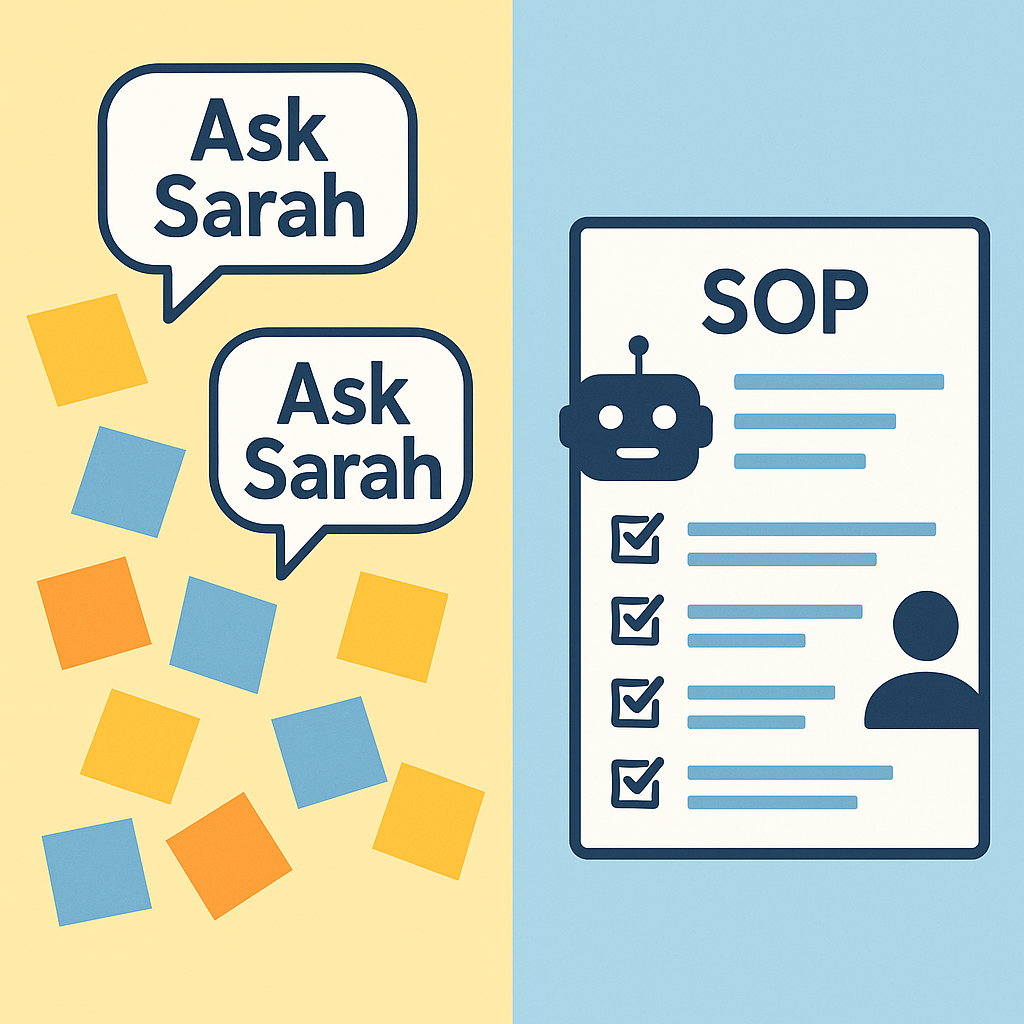
For years, formal SOPs were seen as an enterprise problem. Small agencies, solopreneurs, and lean startups typically relied on tribal knowledge, ad‑hoc Loom videos, or “ask Sarah, she knows how to do it.” That approach is increasingly risky in a world where work is distributed, client expectations are rising, and compliance demands are creeping down-market.
Onboarding is a prime example. A global survey from Enboarder found that only 26% of employees felt fully informed, engaged, and confident during their most recent onboarding—and remote hires were the most likely to describe the experience as “truly terrible.” (businesswire.com) A separate compilation of onboarding statistics reports that roughly half of respondents say remote onboarding is a challenge, and 36% found their onboarding with a new remote employer confusing. (fitsmallbusiness.com)
These problems are magnified in small businesses where:
- No one owns process documentation as a formal role.
- Team members wear multiple hats and don’t have hours to spend writing guides.
- Key workflows—like sending contracts, collecting signatures, or handling client handoffs—live in one person’s head.
At the same time, regulatory and recordkeeping pressure keeps growing. Over half of small businesses say compliance requirements are directly hindering their growth, and nearly as many say they spend “too much time” on compliance-related tasks. (uschamber.com) Having accurate, up‑to‑date written procedures is becoming less of a “nice to have” and more of a survival skill.
From Blank Page to “Record and Done”
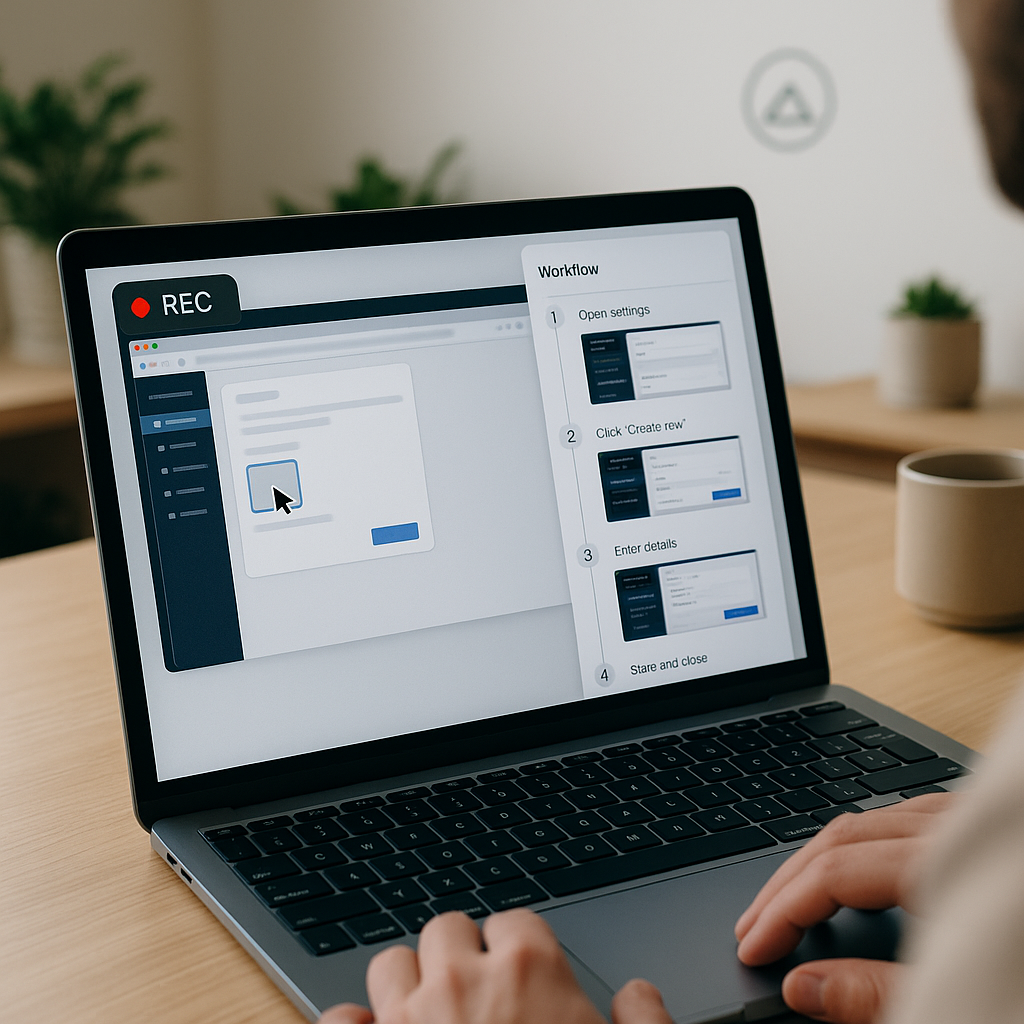
AI-powered process documentation tools attack the problem at its source: instead of asking busy owners to sit down and write SOPs, they quietly capture the work as it happens.
Modern platforms such as Scribe and similar tools let a user click “record,” perform a task—like setting up a client in the CRM, running a weekly reporting workflow, or preparing a contract for e-signature—and then click “stop.” The software automatically generates a visual guide with screenshots, cursor highlights, and step-by-step written instructions. (us.fitgap.com)
Analysts describe these systems as “record and done” experiences because they remove 90% of the manual friction traditionally associated with SOP creation. (modelgate.ai) For small teams, the value is straightforward:
- No more manual screenshots: The tool captures UI steps as you work.
- Automatic text instructions: AI converts clicks and keystrokes into human-readable steps.
- Searchable SOP libraries: Guides can be tagged, titled, and shared across tools like Notion or wikis.
- Easy redaction and editing: Sensitive data can be blurred, and owners can add context or branding.
Underlying academic work shows why this isn’t a niche gimmick. Recent research on automatic workflow generation with large language models (LLMs) demonstrates that models can infer reliable multi-step processes from demonstrations and structured text, especially when grounded with APIs and tool calls. (arxiv.org) Other studies focus specifically on automating standard operating procedures, using agentic LLM workflows to decide next actions based on a simple, text-based SOP description. (arxiv.org) That same core capability—turning sequences of actions into structured instructions—is now landing
“The big shift is that you no longer have to be the kind of business that writes manuals. The software watches what you do and turns it into the manual for you.”
How Solo Operators and Micro-Teams Are Actually Using AI SOP Tools
1. Documenting Client-Delivery Workflows
For freelancers and boutique agencies, client work is only scalable if delivery is repeatable. Process-capture tools make it trivial to document:
- How a social media manager sets up a new client’s content calendar.
- The exact steps a bookkeeping consultant follows to reconcile a client’s accounts each month.
- How a web designer prepares a site handoff, including exporting assets and configuring DNS.
Instead of carving out time to write “how we do things,” owners can run the process once while recording. The generated guide can then be used to train a VA, an offshore contractor, or a junior hire.
2. Smoother Remote Onboarding and Handoffs
Onboarding statistics underline how fragile the early days of a new hire can be—81% of new employees report feeling overwhelmed by information during onboarding. (loom.com) For small teams without HR staff, that overwhelm usually translates into a flood of Slack questions and bottlenecks around the one person “who knows how X works.”
With AI workflow documentation, owners can:
- Capture “day 1” workflows—how to access systems, run basic tasks, and follow security steps.
- Attach on-screen guides to onboarding checklists so new hires can replay them anytime.
- Standardize remote handoffs between roles (for example, from sales to account management) so nothing falls through the cracks.
Combined with simple video walkthroughs (like those used in business process mapping tutorials on YouTube), these SOPs can form a lightweight “operations academy” tailored to each role, not a generic HR binder.
3. Faster Compliance and Audit Readiness
While most small businesses are not under the same regime as regulated enterprises, they increasingly face vendor security questionnaires, SOC 2-aligned expectations, or industry-specific rules. Clear SOPs make it easier to show “this is how we handle client data,” or “here’s our approval process for contracts,” without hiring a full-time compliance lead.
AI-generated SOPs also create an audit trail of how work is supposed to be done, which can be updated quickly as tools or regulations change—critical for lean teams that can’t afford stale documentation.
Where E‑Signatures and Document Workflows Fit In
One of the most common—and most error-prone—small business workflows involves contracts: creating them, sending them for signature, and making sure nothing slips through the cracks.
Process-capture tools can document the routine operational steps (“Open contract template, customize key fields, upload to e-signature platform, add signer fields, send, track status, file the signed copy”). But to make that documented workflow actually work day-to-day, small businesses still need an e‑signature solution that’s simple and affordable enough for small teams.
This is where QuickSign positions itself as a modern, small-business-friendly alternative. Unlike enterprise-focused solutions that charge per seat, QuickSign offers flat-rate pricing at $15 per month for the whole team, with a free tier that includes two AI document generations and one document send to unlimited recipients.
QuickSign: Connecting AI SOPs to Real-World Contracts
The rise of AI-powered SOP automation dovetails with what QuickSign is building on the document side:
- AI Document Generation: Instead of manually drafting contracts or NDAs every time, teams can use QuickSign’s AI to generate legal documents from a few prompts—perfect for workflows that AI SOP tools have already captured.
- Effortless Sending: The documented process can be as simple as “Upload PDF → Drag & drop fields → Send,” which maps neatly to how QuickSign’s interface is designed.
- Real-time Tracking: SOP steps that used to involve manual follow-up (“check if the client signed”) can be replaced with QuickSign’s live status updates on document views, signatures, and completions.
For a small agency that’s just built out its SOP library with process-capture tools, plugging in QuickSign ensures that the “sign and approve” parts of those workflows are just as streamlined as the steps before and after.
Practical Takeaways for Small Business Owners
1. Start by Capturing, Not Designing, Processes
Traditional process work starts with designing the “ideal” workflow. That’s overkill for most small teams. A practical first step is simply to record your next run-through of critical tasks:
- Client onboarding and kickoff.
- Sending and signing proposals and contracts.
- Monthly reporting or recurring service delivery.
- Invoice and payment follow-up.
Use an AI process capture tool to turn those sessions into quick SOPs, then refine only the ones that are actually used.
2. Pair SOP Automation With Simple, Centralized Storage
Automatically generated guides only help if people can find them. Whether you use a shared drive, a project management tool, or a lightweight wiki, make sure your SOPs are:
- Organized by role (Sales, Ops, Client Success) or by lifecycle (Lead → Client → Renewal).
- Linked from onboarding checklists and recurring tasks.
- Versioned or dated, so outdated workflows can be retired.
Think of this as your internal “how we work” product—easy to browse, not buried in random folders.
3. Close the Loop With Your Contract and Signature Workflow
Many process bottlenecks show up right where work meets paperwork: proposals, NDAs, MSAs, and change orders. To fully benefit from SOP automation:
- Ensure your SOPs clearly define when a document needs to be generated, approved, and signed.
- Adopt a small-business-friendly e-signature tool like QuickSign that supports your documented process without per-seat pricing surprises.
- Standardize 1–2 contract templates (e.g., a master services agreement and a simple NDA) that your AI tools and your team can reuse consistently.
By combining AI document generation with AI SOP capture, you can move from “every contract is bespoke and stressful” to “this is how we do contracts here”—and anyone on the team can follow the script.
4. Use Metrics to Decide What to Document Next
Not every task deserves a fully documented workflow. Focus your AI capture efforts on processes that:
- Cause frequent questions from new hires or contractors.
- Are critical to cash flow (sales, invoicing, renewals).
- Have compliance or security implications (data handling, approvals).
Once those are covered, you can gradually extend your SOP automation to secondary processes like marketing experiments, one-off campaigns, or internal admin.
The Bigger Picture: SOP Automation as a Force Multiplier
In the past, “process” was something small businesses promised to tackle “once things slow down.” AI-powered workflow documentation flips that equation by making process capture a side effect of doing the work you were going to do anyway.
For solo operators and small teams, the benefits stack up:
- Faster onboarding: New hires and contractors ramp with less handholding.
- Reduced key-person risk: Critical workflows don’t vanish when someone goes on vacation.
- Higher client confidence: Clear internal processes often translate into smoother, more professional client experiences.
- Stronger compliance posture: Documented procedures make it easier to respond to audits and questionnaires.
As generative AI continues to mature, expect more convergence between tools that capture how work gets done and platforms that execute the resulting documents and approvals. For now, small businesses can get ahead of the curve by pairing AI SOP tools with accessible workflow solutions like QuickSign, building a lightweight but powerful operations backbone without enterprise complexity or pricing.
Looking for an affordable e-signature solution? Try QuickSign for free - no credit card required.