AI-Powered Workflow Research Points to Next Wave of Automated Document Tasks for Small Teams
Discover how AI document workflows automate tedious tasks, boost small-team efficiency, and unlock the next wave of smart, streamlined document management.

AI-Powered Workflow Research Points to Next Wave of Automated Document Tasks for Small Teams
New academic research into AI-powered document workflows suggests that the next generation of automation tools will be far more reliable at handling complex, multi-step tasks than today’s basic “fill and sign” systems. A newly published framework called AutoDW (Automating Complex Document Workflows) shows that AI agents can orchestrate long, document-heavy workflows with built-in rollback, verification, and error correction—capabilities that map closely to how small businesses and freelancers actually work with contracts, proposals, and agreements. (arxiv.org)
Why this matters for small businesses and freelancers
For lean teams, document workflows are often an invisible tax on productivity. Surveys show that employees spend around 2.5 hours per day on document creation and editing alone, with up to 35% of that time lost to formatting and styling tasks rather than actual thinking or client work. (sci-tech-today.com) Other research finds that inefficient paper or manual document processes can drive over 20% productivity loss in organizations. (foxit.com)
Small business owners feel this acutely: one recent study found they lose roughly 96 minutes of productivity every day to distractions and fragmented tools—including chasing document status updates across multiple apps. (salesforce.com) Entrepreneurs report spending about 30% of their weekly workflow on document management, and many say they feel burned out by repetitive administrative tasks. (adobe.com)
In that context, the promise of AI systems that can reliably manage multi-step document workflows end-to-end—rather than just one-off tasks—is especially significant for small teams that lack dedicated operations or legal staff.
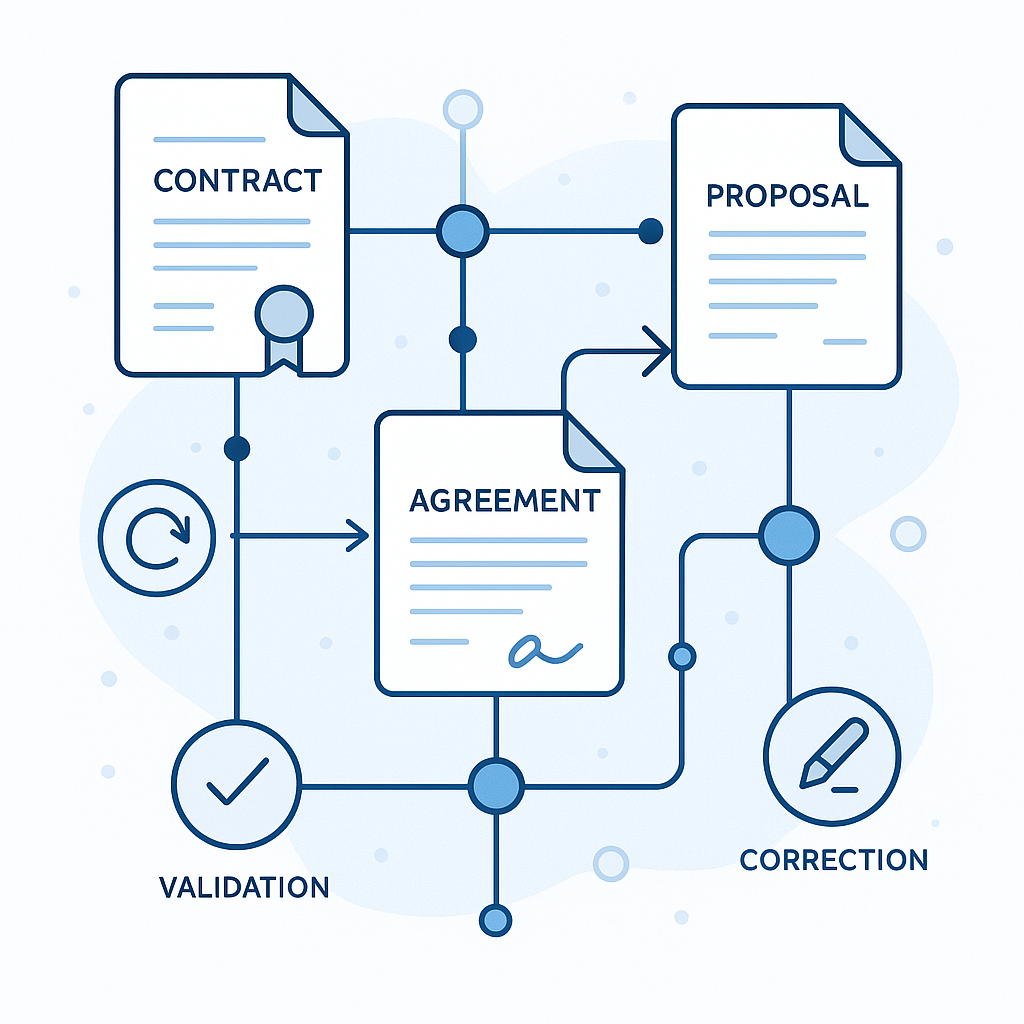
Inside AutoDW: Stepwise automation with rollback and error correction
The AutoDW framework, introduced in a December 2025 research paper, tackles one of the hardest problems in AI automation: how to keep a long sequence of document operations on track without constant human babysitting. (arxiv.org)
Unlike earlier AI “agents” that execute single instructions (e.g., “summarize this PDF”), AutoDW is designed for session-level workflows—the kinds of multi-step processes that define everyday business tasks, such as:
- Drafting a contract from a template
- Inserting client-specific terms
- Reviewing clauses for risk or compliance
- Generating a clean final version
- Routing it for signature and archiving
According to the paper, AutoDW works by:
- Incremental planning: It selects the next API actions step-by-step, based on user instructions, filtered tool options, and the evolving state of the document.
- Rollback-enabled orchestration: If a step goes wrong—because the AI misinterprets an instruction or a tool produces an unexpected result—the system can roll back at the argument level or the API level, undoing specific changes instead of restarting from scratch. (arxiv.org)
- Verification and fault tolerance: AutoDW analyzes intermediate states to keep execution aligned with the user’s intent and the document’s context, reducing error propagation over long workflows.
On a new benchmark of 250 document-processing sessions with 1,708 human-annotated instructions, AutoDW achieved 90% completion at the instruction level and 62% at the session level, significantly outperforming strong baseline systems. (arxiv.org) That’s important, because long workflows are where most real-world business processes live—and where traditional AI tools tend to fail.
“AutoDW incrementally plans API actions conditioned on user instructions and evolving document state, while robust rollback mechanisms enable dynamic correction and fault tolerance across long-horizon workflows.” (arxiv.org)

Part of a broader shift: AI agents that can safely “undo” mistakes
AutoDW is part of a growing body of research focused on reliable, error-aware AI workflows. Other recent work includes:
- AgentGit, which brings Git-like commit, revert, and branching to multi-agent AI workflows so systems can backtrack and explore alternative solution paths. (arxiv.org)
- Sherlock, which selectively verifies the most error-prone steps in an AI workflow and rolls back when verification fails, improving accuracy while keeping latency in check. (arxiv.org)
- ReUseIt, which learns reusable workflows from successful and failed AI runs, embedding “execution guards” that help agents detect and fix errors in repetitive web tasks. (arxiv.org)
Together, these efforts suggest that the future of AI automation for documents is not just about generating text, but about controlling entire processes—with versioning, verification, and rollback baked in.
From research lab to real-world use: What this means for small teams
For small businesses, freelancers, and independent professionals, the AutoDW approach is especially relevant because it mirrors how they already handle documents today:
- A client emails a draft contract.
- The business owner reviews and redlines key clauses.
- The document goes through one or two more rounds of edits.
- The final version is sent for e-signature and archived.
Each of these steps involves multiple sub-tasks—renaming files, copying text, inserting boilerplate language, checking dates, routing to the right stakeholder, and more. Today, most of this is still done manually, or spread across multiple tools that don’t talk to one another.
Industry surveys show that 83% of companies plan to improve their document workflows in the next 12 months, and that nearly half of businesses struggle with approvals and reviews—often because they still rely on physical signatures and ad hoc email threads. (tomorrowsoffice.com) Workflow automation, where it has been adopted, already cuts administrative time; accounting firms that implemented workflow automation report major reductions in scheduling time and faster document collection from clients. (financial-cents.com)
AI-powered, rollback-enabled frameworks like AutoDW point to a near future where small teams can:
- Automate multi-step contract workflows—from draft to signature—without custom IT projects.
- Let AI agents propose changes and route documents, with the safety net of automated undo and error checks.
- Standardize processes (e.g., NDAs, service agreements, SOWs) while keeping humans in control of final approvals.
QuickSign Perspective: Turning research into practical gains for small teams
While AutoDW and related frameworks are still research projects, their ideas are already influencing modern, small-business-friendly tools. At QuickSign, the focus is on bringing these advanced concepts into a package that solo professionals and small teams can actually use day-to-day—without enterprise budgets, consultants, or complex IT setups.
Key capabilities that speak directly to the AutoDW vision include:
- AI Document Generation: Instead of starting from a blank page, small teams can use QuickSign to generate contracts, NDAs, and other legal documents with AI, cutting down the hours spent drafting and redrafting boilerplate language.
- Effortless sending and routing: The workflow is intentionally simple: upload a PDF, drag and drop signature and form fields, and send. This maps cleanly onto the “stepwise” orchestration seen in AutoDW, but in a way that’s accessible to non-technical users.
- Real-time tracking: Built-in status updates show when a document has been opened, viewed, and signed, reducing the time small business owners spend chasing manual status updates across inboxes and messaging tools.
Unlike enterprise-focused solutions that charge per seat and often require multi-layer approvals to roll out new automation, QuickSign offers a flat-rate pricing model of $15/month for the whole team. For many small businesses, that cost structure is what makes it realistic to start experimenting with more advanced, AI-assisted workflows without worrying about adding “one more license.”
There is also a generous free tier: small teams can generate two documents with AI and send one document for signature to unlimited recipients, giving them a low-risk way to test what automated workflows could look like in their own operations.
How today’s tools foreshadow AutoDW-style workflows
Many small businesses are already using basic automation tools—such as low-code workflow builders—to streamline routine document tasks like approvals, reminders, and file storage. Platforms like Microsoft Power Automate, for example, show how non-technical users can chain together triggers (like “new file uploaded”) with actions (like “send for approval” or “store in folder”). Tutorials aimed at beginners emphasize how a few simple flows can save hours each week on repetitive tasks.
What’s changing with research like AutoDW is the level of intelligence and reliability that can be layered on top of these flows. Instead of manually designing every path and exception case, small teams could rely on AI agents that:
- Interpret high-level instructions (“Finalize and send this contract to the client, then save a signed copy in our ‘2026 Agreements’ folder”).
- Choose the right sequence of actions across multiple tools.
- Automatically detect when something has gone wrong—and roll back to a safe state without data loss.
In effect, AI moves from being a tool you call once (e.g., “summarize this document”) to a coordinator of the entire lifecycle of your contracts and agreements.
Practical takeaways for small business document workflows
For business owners and freelancers who want to prepare for this next wave of automation, a few practical steps stand out:
- Map your real workflows, not just your files. Identify your common multi-step processes—such as onboarding a new client, renewing a retainer, or hiring a contractor. Where do documents get created, reviewed, approved, and signed?
- Standardize key artifacts. Use AI document generation in tools like QuickSign to create standard templates for NDAs, service agreements, or engagement letters. This makes it easier for future AI agents to automate reliably.
- Start with lightweight automation. Even before AutoDW-style agents are productized, you can automate reminders, filing, and simple approval steps with existing tools—and then layer in AI for drafting and summarizing.
- Look for error resilience. As more AI-driven workflow products emerge, pay attention to features like version history, undo, and validation checks. These are the practical equivalents of AutoDW’s rollback and verification mechanisms and are crucial for trust.
- Choose pricing models that don’t penalize growth. For small teams, flat-rate services like QuickSign—$15/month for the whole team, with a free tier to start—make it easier to scale document automation without surprise license costs.
The road ahead: From research prototype to everyday utility
AutoDW and related frameworks won’t land in off-the-shelf products overnight. But they offer a clear blueprint for where document automation is headed: AI agents that can plan, execute, and safely revise entire workflows—not just isolated tasks.
For small businesses and independent professionals, that future could mean:
- Less time formatting, searching for, and routing documents
- Fewer errors in contracts and client communications
- More predictable, repeatable processes without hiring additional operations staff
The good news is that you don’t have to wait for the full promise of AutoDW to start benefiting. By adopting AI-assisted document tools and simple automations today—and by choosing platforms like QuickSign that are built with small teams in mind—you can lay the groundwork for more advanced AI workflows as they become available.
Looking for an affordable e-signature solution? Try QuickSign for free - no credit card required.