All‑in‑One CRMs Add Document and Task Automation for Small Real Estate Teams
Boost your small real estate team’s efficiency with an all‑in‑one CRM that unifies client data, document workflows, and task automation in one smart hub.

All‑in‑One CRMs Add Document and Task Automation for Small Real Estate Teams
Small real estate teams are quietly undergoing a major workflow upgrade. A new generation of all‑in‑one CRMs is bundling lead management, task plans, transaction tracking, and document automation into a single cloud dashboard — giving lean brokerages the kind of operational discipline that once required enterprise software and back‑office staff.
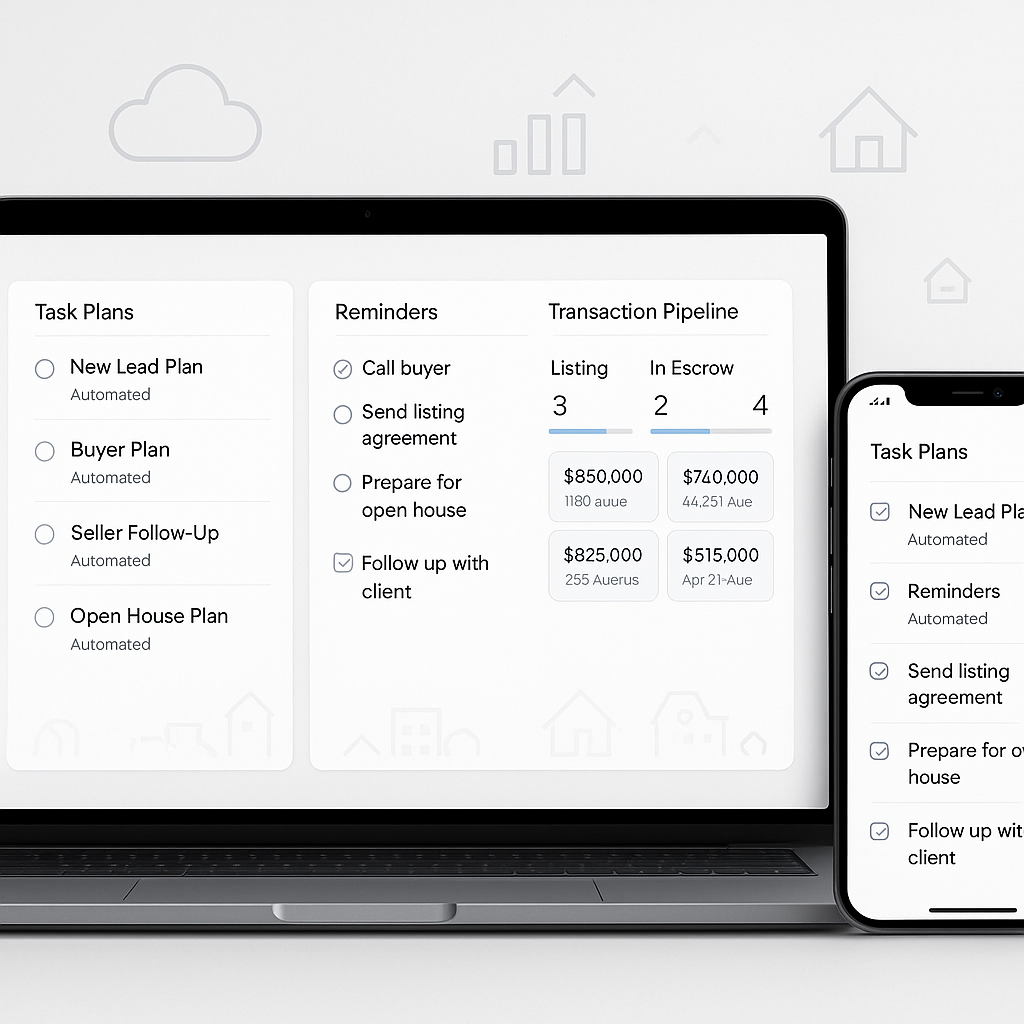
Recent reviews of real estate‑centric CRMs highlight built‑in task plans, automated reminders, and transaction dashboards designed specifically to standardize paperwork‑heavy processes for listing, escrow, and closing. For small teams and boutique brokerages, these tools can turn chaotic email chains and spreadsheet trackers into a structured, auditable pipeline — from first inquiry to signed contract.
Why CRM Automation Matters for Small Real Estate Teams
The real estate industry has rapidly embraced digital tools, and CRMs sit at the center of that shift. Studies show that more than 60% of real estate companies have adopted CRM software, with cloud‑based platforms increasingly preferred for their scalability and remote access capabilities.(globalgrowthinsights.com) Among brokers and agents specifically, CRM adoption now exceeds 70%, helping teams automate lead nurturing, email integration, and mobile access — and closing deals up to 25% faster.(verifiedmarketreports.com)
At the same time, digital transformation is reshaping client expectations. Around 65% of real estate firms have adopted CRMs as part of broader digital initiatives, and about 40% of transactions already involve online document signing.(gitnux.org) Buyers and sellers increasingly expect instant responses, digital paperwork, and clear visibility into every step of the transaction.
For small teams, the question is no longer whether to use a CRM, but whether that CRM can automate the repetitive tasks, document milestones, and follow‑ups that otherwise consume billable hours.
Market analysts estimate the global real estate CRM software market at over $5 billion in the second half of this decade, with cloud‑based deployments accounting for more than 60% of usage and driving remote collaboration and workflow automation.(businessresearchinsights.com) That demand is being fueled largely by smaller firms seeking to compete with larger brokerages without adding headcount.
What’s New: Task Plans, Document Tracking, and Transaction Dashboards
Modern real estate CRMs are moving beyond address books and email logs to become workflow engines for the entire deal lifecycle. Recent platform reviews emphasize three capabilities that are especially relevant to small teams:
1. Built‑in Task Plans for Listings and Closings
Instead of manually recreating checklists for every new listing or buyer, many CRMs now ship with templated task plans covering pre‑listing prep, marketing, offer management, inspection periods, financing contingencies, and closing steps. Tools like RealOffice360, for example, combine client management with automated follow‑up reminders, task tracking, and deal pipelines tailored to real estate workflows.(techradar.com)
For a three‑person team, this means every new file can automatically spin up:
- A standardized checklist of tasks with due dates
- Assigned responsibilities across team members
- Automated reminders when deadlines slip
- Document placeholders for key forms and disclosures
Instead of relying on one experienced agent to “remember everything,” the CRM enforces process consistency — a crucial advantage when onboarding newer agents or assistants.
2. Document Milestones and Compliance Tracking
As online signing becomes more common, CRMs are adding structured document tracking features to monitor when each required form is generated, sent, signed, and archived. Industry data shows roughly 40% of real estate transactions already involve online document signing, and that share is rising as firms pursue paperless workflows.(gitnux.org)
In practical terms, that means a transaction dashboard can show at a glance:
- Which disclosures have been sent to buyers or sellers
- Who has signed and who is still outstanding
- Which documents are awaiting broker or compliance review
- Expired or soon‑to‑expire contingencies tied to specific documents
For small offices that lack a dedicated transaction coordinator, this structured view can be the difference between a smooth closing and a last‑minute scramble to find missing initials or signatures.
3. Remote Collaboration in the Cloud
Cloud‑based CRMs now dominate real estate deployments, with some studies estimating that around 70–78% of firms are leveraging cloud solutions for centralized data management and automated workflows.(businessresearchinsights.com) That shift has made it far easier for distributed or hybrid teams to stay aligned across devices and locations.
Key collaboration features include:
- Shared pipelines where all team members can see deal status
- Centralized notes, documents, and communication history per client
- Mobile apps for updating tasks and viewing documents on the go
- Role‑based permissions so admins, agents, and assistants see the right information
With more than 70% of homebuyers starting their search online and a growing share preferring virtual tours and digital interactions,(
ps://gitnux.org/digital-transformation-in-the-real-estate-industry-statistics/?utm_source=openai" target="_blank" rel="noopener noreferrer">gitnux.org) tools that support remote collaboration are no longer optional. Small teams need to coordinate quickly even when members are at showings, working from home, or traveling.The Cost Question: When Does an All‑in‑One CRM Pay Off?
Despite their benefits, all‑in‑one CRMs can be a stretch for solo practitioners. Many platforms still rely on per‑user, per‑month pricing models that scale quickly as agencies add agents. Reviews of real estate CRMs frequently note that advanced automation and team features are locked behind premium tiers, pushing monthly costs higher for small but growing brokerages.(techradar.com)
This creates a common tension:
- Solo agent: May only need basic lead tracking and simple email follow‑ups — full transaction automation might not justify a multi‑seat subscription.
- Two‑to‑five‑person team: Gains significant value from shared pipelines, standardized task plans, and centralized document tracking — but can be sensitive to per‑seat pricing.
- Small brokerage (10–20 agents): Needs robust reporting, role‑based access, and compliance features — often pushing them toward higher CRM tiers.
As a result, many small firms pair a real estate CRM with more affordable, specialized tools for e‑signatures and document generation, rather than paying for a bundled “enterprise” stack.
QuickSign’s Perspective: A Lightweight Layer for Document Automation
For real estate professionals, CRM is only half the equation. The other half is handling the contracts, disclosures, listing agreements, and addenda that power every transaction. That’s where a focused e‑signature and document automation tool can complement an all‑in‑one CRM without adding enterprise‑level costs.
QuickSign is designed specifically for small businesses, freelancers, and lean teams who need reliable e‑signatures and modern document workflows without a heavy price tag. Instead of paying per user, QuickSign.it offers flat‑rate pricing at $15/month for the whole team, avoiding the “per‑seat creep” that often comes with bundled CRM plans.
Key capabilities that align with the CRM automation trend include:
- AI Document Generation: Generate contracts, NDAs, or basic agreement templates with AI, then store or attach them to deals in your CRM. For small real estate teams, that can mean faster creation of standard listing agreements, referral agreements, or vendor contracts.
- Effortless Sending: Upload a PDF, drag and drop signature, date, and text fields, and send in a few clicks. This mirrors the simplicity agents expect from modern CRMs, but focuses purely on the signing experience.
- Real‑Time Tracking: Get clear visibility into who has opened, viewed, and signed each document — information that can be mirrored or linked back to your CRM’s transaction dashboard.
- Affordable Access: A free tier that includes two AI document generations and one document send to unlimited recipients makes it easy for small teams to test digital signing without risk.
Unlike enterprise‑focused solutions that tie pricing to every user or signature volume, QuickSign keeps costs predictable, which is especially important for boutique brokerages operating on tight margins.
Practical Takeaways for Small Real Estate Teams
For small teams considering an all‑in‑one CRM or revisiting their current stack, the real value lies in how well the system handles repeatable processes and documents — not just how many features it lists on a pricing page.
1. Start with Your Core Workflows
Map the steps for your most common workflows:
- New buyer lead → consultation → showings → offer → closing
- New listing → prep and marketing → showings → offers → closing
Identify where:
- Tasks repeat with every client (e.g., schedule inspection, send disclosure package)
- Documents are reused or only lightly customized (e.g., listing agreements, standard addenda)
- Delays often occur (e.g., waiting on signatures, missing forms)
Choose a CRM whose task plans and transaction dashboards align with these workflows, and pair it with a signing tool like QuickSign.it to automate contract creation and execution.
2. Separate “Nice to Have” From “Must Have”
All‑in‑one CRMs can be tempting, but not every feature is equally valuable on a small team. For many lean brokerages, the “must haves” include:
- Centralized contact and deal tracking
- Automated reminders and task plans
- Basic email or SMS follow‑up tools
- Easy integration or at least simple workflows with e‑signature tools
Advanced analytics, extensive marketing automation, or deep third‑party integrations may be “nice to have” but not essential on day one. Given that limited IT infrastructure is a major restraint for 42% of small enterprises adopting CRMs,(businessresearchinsights.com) it’s often better to adopt a simpler stack that your team will actually use.
3. Keep Document Workflows Modular
Rather than locking everything into a single vendor’s ecosystem, many small teams benefit from a modular approach:
- Use a real estate‑centric CRM for lead tracking, task plans, and deal dashboards.
- Use a dedicated e‑signature and document tool like QuickSign for contract generation, signing, and tracking.
- Connect the two via simple workflows: links, email notifications, or light integrations where available.
This approach gives you flexibility to upgrade or change either component without rebuilding your entire tech stack — and lets you keep signing costs predictable even as your team grows.
4. Train for Adoption, Not Just Features
One of the biggest challenges in real estate CRM adoption is inconsistent usage: studies show that while more than 70% of agents have a CRM, effective adoption and consistent use lag behind headline adoption rates.(llcbuddy.com) A small team that chooses a simple, intuitive workflow and trains everyone on the same process can often outperform a larger brokerage with a more complex, underused platform.
The best all‑in‑one CRM for a small real estate team isn’t the one with the longest feature list — it’s the one that reliably gets every task, document, and deadline out of email and into a shared, trackable system.
The Bottom Line
All‑in‑one CRMs are rapidly adding task automation, document tracking, and transaction dashboards that make life easier for small real estate teams. As cloud adoption accelerates and digital signing becomes the norm, lean brokerages can now standardize complex, paperwork‑heavy processes without hiring a full back office.
But technology stacks don’t need to be monolithic. By combining a focused, real estate‑friendly CRM with an affordable, modern e‑signature solution like QuickSign.it, small teams can get the benefits of automation and remote collaboration while keeping costs, complexity, and training overhead under control.
Looking for an affordable e-signature solution? Try QuickSign for free - no credit card required.