Best Affordable E‑Signature Software 2024: Why QuickSign Leads for Modern Teams
Discover the best affordable e-signature software 2024. Learn why QuickSign leads modern teams with secure, fast, and budget-friendly digital signing.
Best Affordable E‑Signature Software 2024: Why QuickSign Leads for Modern Teams
E‑signatures have shifted from “nice-to-have” to “non‑negotiable” for modern businesses. With teams working remotely, customers expecting instant turnaround, and paper processes dragging deals down, choosing the best affordable e‑signature software in 2024 can make a tangible difference to your bottom line.
Research shows that companies can save $4–$10 per document on printing, scanning, courier, and postage, and up to $28 per signed document overall when they switch to e‑signatures.(certinal.com) Contract turnaround times can improve by more than 75%, and nearly 80% of agreements are signed within 24 hours when handled digitally.(certinal.com)
That’s why QuickSign was built: to give small and mid‑sized businesses a modern, affordable, and fast e‑signature solution — with powerful extras like AI document generation — without the complexity and high per‑seat pricing of legacy tools.
Key takeaway: In 2024, the best “affordable” e‑signature platform is not just the cheapest — it’s the one that cuts time, reduces legal risk, and scales across your whole team without surprise fees. That’s where QuickSign stands out.
What Makes an E‑Signature Solution “Best” and “Affordable” in 2024?
Before picking a platform, it helps to define what actually matters. Today’s e‑signature tools all promise convenience, but your business needs more than a digital scribble.
1. Legal validity and compliance
In the United States, electronic signatures are broadly recognized as legally valid under the ESIGN Act and the Uniform Electronic Transactions Act (UETA). These frameworks say a contract or signature can’t be denied legal effect simply because it’s electronic.(helpx.adobe.com) Similar principles exist worldwide (like the EU’s eIDAS regulation).(esigndigital.com)
Any e‑signature software you choose in 2024 must:
- Clearly capture the intent to sign
- Ensure consent to transact electronically
- Maintain an audit trail tied to each document
- Provide reliable record retention for all parties(esigning.online)
QuickSign is designed around these principles, giving businesses a secure, traceable process that supports legally enforceable e‑signatures while keeping the interface extremely simple for senders and signers.
2. Total cost of ownership, not just sticker price
Legacy e‑signature platforms often charge per user, per month, which becomes expensive fast as your team grows. Even if a headline price looks low, adding sales reps, HR, finance, and operations can double or triple your bill.
Unlike traditional per‑seat solutions, QuickSign offers an affordable flat‑rate plan at $15/month for your entire team. You’re not punished for collaboration; anyone who needs to send documents can log in and work — without needing extra licenses.
That flat‑rate pricing, combined with time savings of hours per week and lower paper/shipping costs, is what makes QuickSign stand out as “affordable” in a real, operational sense.
3. Speed and ease of use
The best e‑signature platform is the one your team will actually use every day. Research and user‑experience studies consistently show that remote, software‑based signing workflows are perceived as more usable and convenient than hardware‑token approaches.(arxiv.org)
QuickSign is built for speed across the entire workflow:
- AI Document Generation creates contracts and NDAs from natural‑language prompts
- Drag‑and‑drop fields make it easy to prepare any PDF in seconds
- Seamless sending lets you add recipients and dispatch documents in under a minute
- Real‑time tracking shows opens, views, and signatures as they happen
Pro tip: If your current process involves downloading Word files, printing, scanning, or manually tracking who signed via email, you’re a prime candidate to recover dozens of hours per month by moving to a platform like QuickSign.
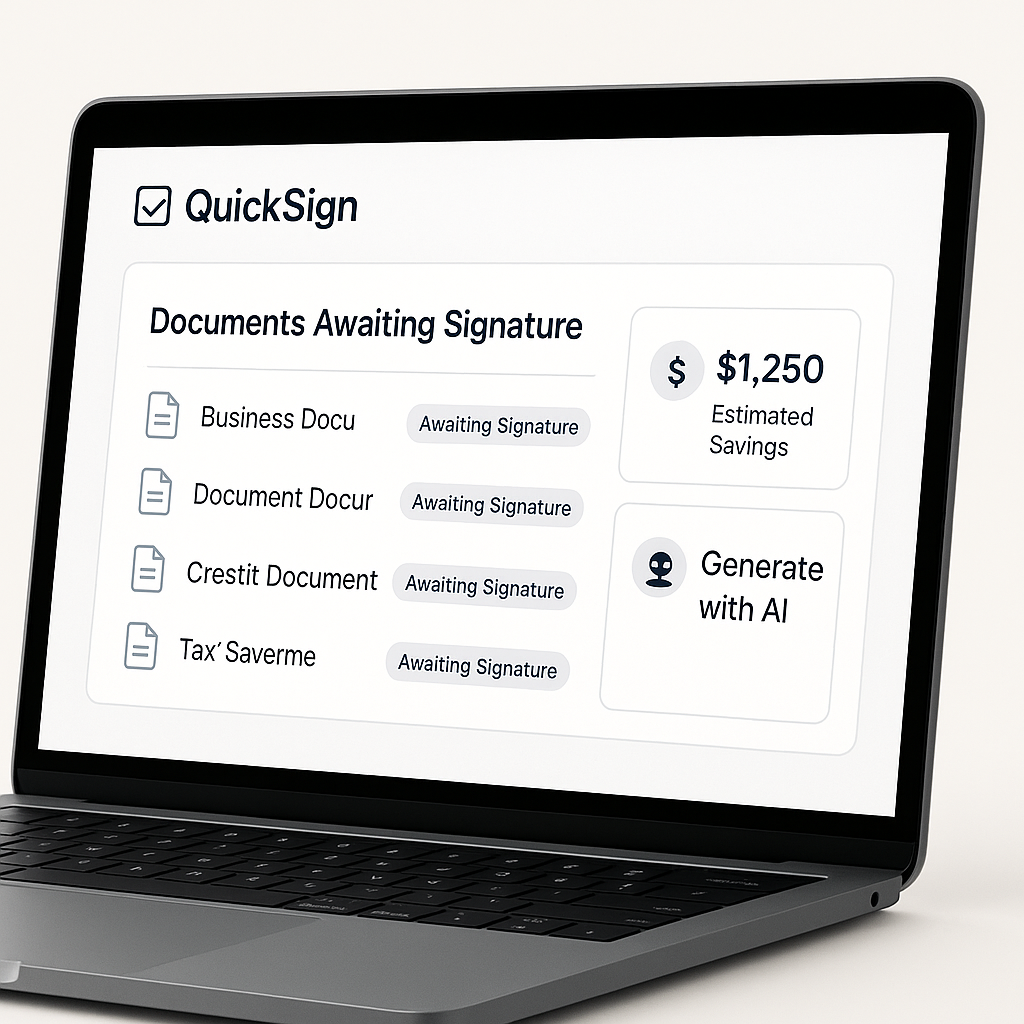
Why QuickSign Is a Top Affordable E‑Signature Choice for 2024
Let’s look at the specific features that make QuickSign a strong pick for businesses comparing the best budget‑friendly e‑signature tools in 2024.
AI document generation: from idea to contract in minutes
Most e‑signature platforms assume you already have a perfectly drafted PDF. That’s rarely the case in the real world. Drafting sales agreements, NDAs, or contractor agreements takes time — or legal help.
QuickSign changes that with built‑in AI Document Generation:
- Describe what you need: “A one‑page NDA for a marketing contractor in California”
- QuickSign’s AI drafts a legible, structured document you can review and tweak
- Once you’re satisfied, you can go straight into adding signature fields and sending
This turns what used to be a multi‑step process (legal review → Word → PDF → upload) into a single, streamlined workflow inside one platform. For growing teams without in‑house legal resources, this is a major cost and time saver.
Drag‑and‑drop field placement for any document
Whether you upload a contract, employment offer, or vendor form, you need a fast way to indicate where each party signs, dates, and initials.
QuickSign’s drag‑and‑drop field placement makes this intuitive:
- Upload your PDF
- Choose fields like signature, date, text input, or initials
- Drag each field into place on the page
- Assign each field to a specific recipient
This visual workflow dramatically reduces mistakes such as missing signature blocks or mis‑assigned fields, which can delay execution and frustrate clients. It also makes it easy for non‑technical team members — HR coordinators, office managers, and sales reps — to prepare documents without training.
Seamless sending and real‑time tracking
Speed isn’t just about generating documents; it’s also about getting them signed as quickly as possible and knowing where things stand.
With QuickSign, you can:
- Add one or many recipients by email in seconds
- Set the signing order (e.g., client signs first, manager countersigns second)
- Include personal messages and instructions inside the email invitation
- Track status in real time: sent, opened, viewed, signed
Real‑time tracking doesn’t just provide peace of mind; it helps sales and operations teams follow up more intelligently. If a client hasn’t even opened the document, you’ll communicate differently than if they viewed it three times but haven’t signed.
Flat‑rate, team‑friendly pricing
What truly sets QuickSign apart in the “affordable e‑signature software” category is its flat‑rate $15/month pricing for your entire team. There are:
- No per‑user charges
- No “seat” limitations that force you to choose who gets access
- No surprise add‑ons just to unlock core features
This is ideal for small and mid‑sized businesses where multiple teams (sales, HR, legal, finance) all need to send documents from time to time. You get predictable, budget‑friendly costs — and you can scale usage without renegotiating your subscription.
Generous free tier to get started
For businesses testing e‑signature workflows, QuickSign provides a generous free tier:
- 1 document send to unlimited recipients
 i>2 AI document generations
This lets you experience the full workflow — from prompt to signed document — without a credit card or long‑term commitment.
Real‑World QuickSign Workflows for Business Professionals
To see how QuickSign fits real‑world business needs, let’s look at a few scenarios that often drive the search for affordable e‑signature software.
Sales: Closing deals faster without legal bottlenecks
A small B2B SaaS company needs to send out a standardized service agreement whenever a deal reaches the “verbal yes” stage. Previously, the sales team copied old Word templates, edited client details manually, and relied on back‑and‑forth emails for signatures.
With QuickSign:
- The sales rep uses AI Document Generation to create a contract from a prompt like “SaaS subscription agreement with monthly billing and 12‑month term.”
- They quickly review and adjust any business terms (price, term length, start date).
- They drag‑and‑drop signature and date fields onto the final PDF.
- They add the client contact, set the client to sign first, then assign a second signer internally for approval.
- They hit send — the client signs from any device; QuickSign notifies the rep in real time.
This workflow aligns with modern best practices covered in contract‑platform review videos that emphasize ease of sending, status tracking, and fast turnaround for agreements. Many creators highlight how a good e‑signature tool can shave days off the sales cycle; QuickSign brings those benefits while staying budget‑friendly.
HR & operations: Streamlining onboarding and policy acknowledgements
HR teams often manage employment contracts, policy updates, and annual compliance acknowledgements. Doing this on paper is inefficient and makes auditing painful.
Using QuickSign, HR can:
- Generate a standard employment agreement via AI, then tailor it for each new hire
- Upload employee handbooks or policy PDFs and add acknowledgement signature fields
- Send to multiple recipients at once (e.g., everyone in a department)
- Track who has opened and signed, then export records for compliance files
The unlimited recipients aspect of QuickSign’s free and paid tiers is especially useful when you need broad, organization‑wide sign‑off without worrying about extra costs.
Legal & contracting: Reducing drafting time while maintaining oversight
Legal teams or external counsel often get bogged down in drafting routine documents: NDAs, simple vendor agreements, or standard service contracts. While complex deals still require bespoke work, many recurring documents can be systematized.
With QuickSign’s AI document generation, legal can:
- Create and refine strong starting templates for common document types
- Lock down specific clauses while letting business users customize commercial terms
- Centralize all signed copies in one system with a reliable audit log for each transaction(esigning.online)
This approach respects legal controls while empowering business units to move faster — reducing the classic friction between speed and risk management.
How QuickSign Compares to Legacy E‑Signature Approaches
In many educational YouTube reviews of contract and e‑signature platforms, you’ll see a focus on:
- Per‑seat pricing complexity
- Overly broad feature sets that small businesses don’t fully use
- Learning curves that deter non‑technical users
QuickSign positions itself differently as a modern, user‑friendly alternative:
- Simplicity first: Clean, focused workflows for drafting, sending, and tracking
- AI‑native: Document generation is built in, not an afterthought
- Flat‑rate affordability: $15/month covers your entire team, not just a single power user
- Fast onboarding: Most teams can go from sign‑up to first signed document in under 60 minutes — and often, under 10
Pro tip: When evaluating any e‑signature tool, calculate (a) total monthly cost for your whole team, and (b) average time from draft to signed contract. QuickSign is purpose‑built to minimize both.
Best Practices When Implementing Affordable E‑Signatures with QuickSign
To get maximum value from any e‑signature investment, you’ll want to align with legal and operational best practices highlighted by compliance experts.(blueink.com) Here’s how to do that using QuickSign.
1. Clearly capture consent and intent
Under ESIGN and UETA, signers must intend to sign and consent to doing business electronically.(signwell.com) Configure your QuickSign workflows so that:
- Email invitations clearly state that the recipient is reviewing and signing a legal document
- The signing screen shows a clear “I agree to sign electronically” step or checkbox
QuickSign’s straightforward signing flow makes this natural for signers and creates a stronger evidentiary trail.
2. Use templates for recurring agreements
Once you’ve generated or uploaded a solid version of an NDA, service agreement, or employment contract in QuickSign, save it as a reusable template. This lets you:
- Ensure consistent language across all deals
- Reduce drafting time to simple field edits (names, dates, prices)
- Keep a single source of truth that legal has already approved
Combined with AI generation, templates in QuickSign help you strike a balance between speed and consistency.
3. Centralize storage and audits
To maintain compliance, you must be able to reproduce records and show a clear trail of signing activity.(esigning.online) With QuickSign:
- All sent and signed documents live in one central dashboard
- Each document includes timestamps, recipient activity, and a full audit history
- You can quickly retrieve executed versions for audits, disputes, or renewals
4. Train your team on when not to use e‑signatures
While e‑signatures are valid for the vast majority of business transactions, ESIGN and UETA outline a few exceptions in the U.S., such as wills, certain family law documents, and some health‑care or insurance notices.(helpx.adobe.com) Make sure your team knows which document types should still be handled with traditional “wet ink” signatures or under specialized legal advice.
This small amount of training, combined with QuickSign’s intuitive workflows, ensures you get all the benefits of speed and cost savings without straying into legally sensitive edge cases.
Helpful Video Resources on E‑Signatures and Digital Signing
To complement your understanding of e‑signature platforms and digital signing, these videos provide helpful background and practical demonstrations:
Understanding contract platforms and e‑signature workflows
This video walks through what to look for in contract platforms — including how sending, tracking, and signing experiences differ across tools. While it uses specific products for illustration, the criteria it highlights (ease of use, status tracking, cost) align closely with what QuickSign focuses on.
Digital signatures vs. simple e‑signatures
Some businesses also work with hardware tokens and system‑level digital certificates. While QuickSign emphasizes easy, remote e‑signing for most business use cases, it’s useful to understand how deeper certificate‑based setups work at the operating system level if you operate in regulated industries.
How to Get Started with QuickSign in Under 10 Minutes
If you’re comparing the best affordable e‑signature software in 2024, the easiest way to evaluate QuickSign is simply to use it.
- Visit https://quicksign.it and create a free account (no credit card required).
- Generate a test document using AI: describe the contract or agreement you commonly use.
- Add fields with drag‑and‑drop: signature, date, and any text fields your signer should fill in.
- Send it to yourself or a colleague to experience the signer view.
- Watch the real‑time tracking as the document is opened and signed.
Within a single lunch break, you’ll know exactly how much time (and frustration) QuickSign can remove from your document workflows.
Ready to simplify your document signing? Try QuickSign for free - generate 2 documents and send 1 document to unlimited recipients at no cost. No credit card required.