Bulk Document Signing: How to Streamline High-Volume Agreements Without Losing Control
Streamline approvals with bulk document signing. Learn tools, workflows, and safeguards to manage high-volume agreements quickly—without losing control.
Bulk Document Signing: How to Streamline High-Volume Agreements Without Losing Control
If your team is still sending contracts one by one for signature, you’re leaving time, money, and deals on the table. Whether you’re onboarding 200 new hires, renewing 500 vendor agreements, or collecting updated policies from your entire workforce, bulk document signing turns a painful manual process into a fast, trackable workflow.
In this guide, you’ll learn what bulk document signing is, when you should use it, how leading tools handle bulk sends, and how a modern solution like QuickSign helps small businesses and growing teams send and track hundreds of documents in minutes—without enterprise-level complexity or pricing.
What Is Bulk Document Signing?
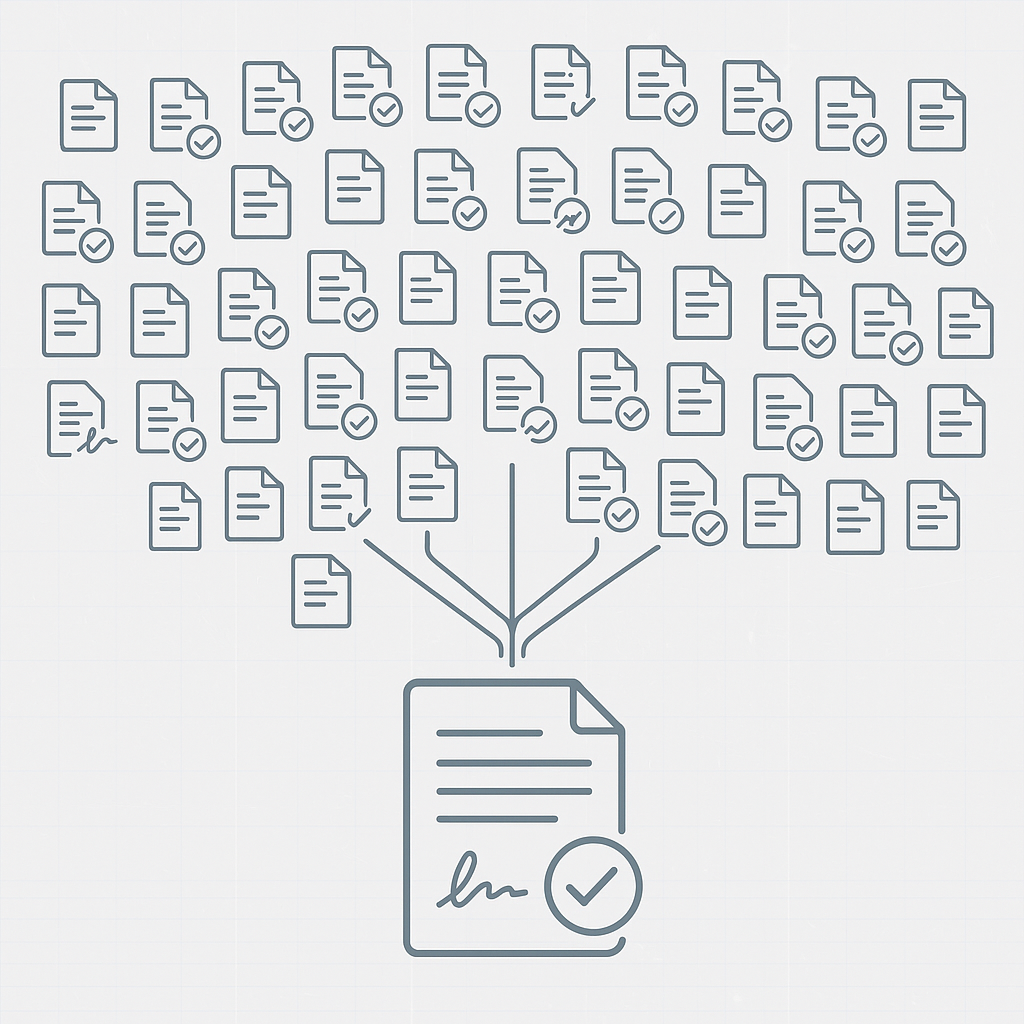
Bulk document signing (often called “bulk send” or “mass send”) is the ability to send the same document or template to a large number of recipients at once, each receiving their own copy to sign electronically.
Traditional e-sign providers like DocuSign, Adobe Acrobat Sign, Zoho Sign, signNow, and others all highlight bulk-send capabilities to help automate high-volume agreements such as HR forms, NDAs, consent forms, and standardized sales contracts. (zoho.com)
Instead of creating, uploading, and sending 200 separate envelopes manually, you:
- Upload or generate a single reusable template
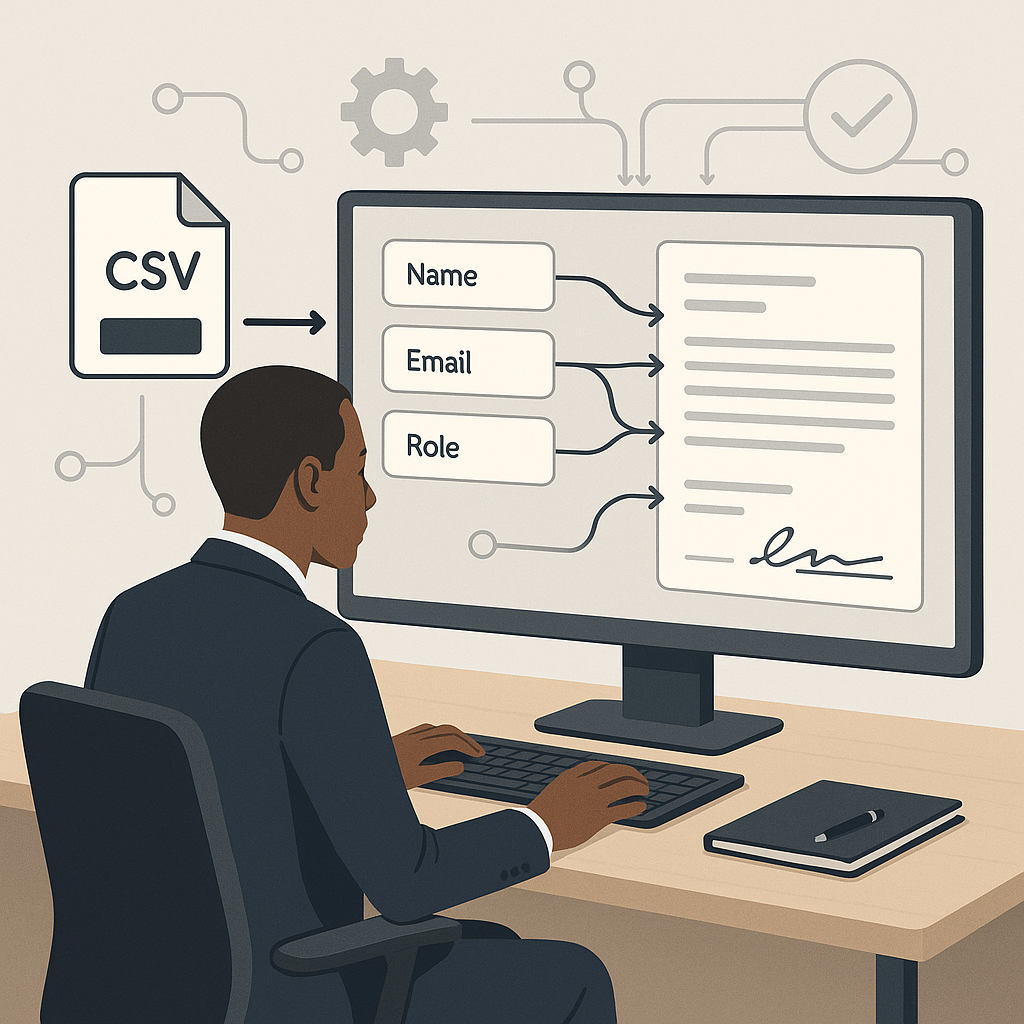
- Import a list of recipients (e.g., CSV from your HR or CRM system)
- Map data fields (name, email, role, etc.) to document variables
- Click send once to distribute individual, secure copies at scale
Key takeaway: Bulk document signing lets you treat 10, 100, or 1,000 agreements as a single workflow—while still maintaining individual audit trails and legal validity for each signer.
Why Bulk Document Signing Matters for Modern Businesses
1. Massive Time Savings and Scalability
Manual signature collection simply doesn’t scale. Research on e-signature adoption shows that electronic signatures dramatically improve workflow automation across HR, sales, and procurement by replacing slow, paper-based steps with digital flows that can trigger follow-up actions automatically. (thanksroger.com)
Bulk signing builds on that by collapsing dozens or hundreds of individual sends into one operation. HR teams can bulk-send:
- New-hire handbooks and policy acknowledgements
- Annual compliance or code-of-conduct confirmations
- Updated benefits documents during open enrollment
Similarly, sales and operations can push out standardized pricing updates, renewed terms, or partner agreements without touching each contact one by one.
2. Better Visibility and Control
One of the top-cited benefits of e-signatures is end-to-end visibility: dashboards that show who has viewed, signed, or stalled on a document. (thanksroger.com) For bulk sends, this visibility is even more important.
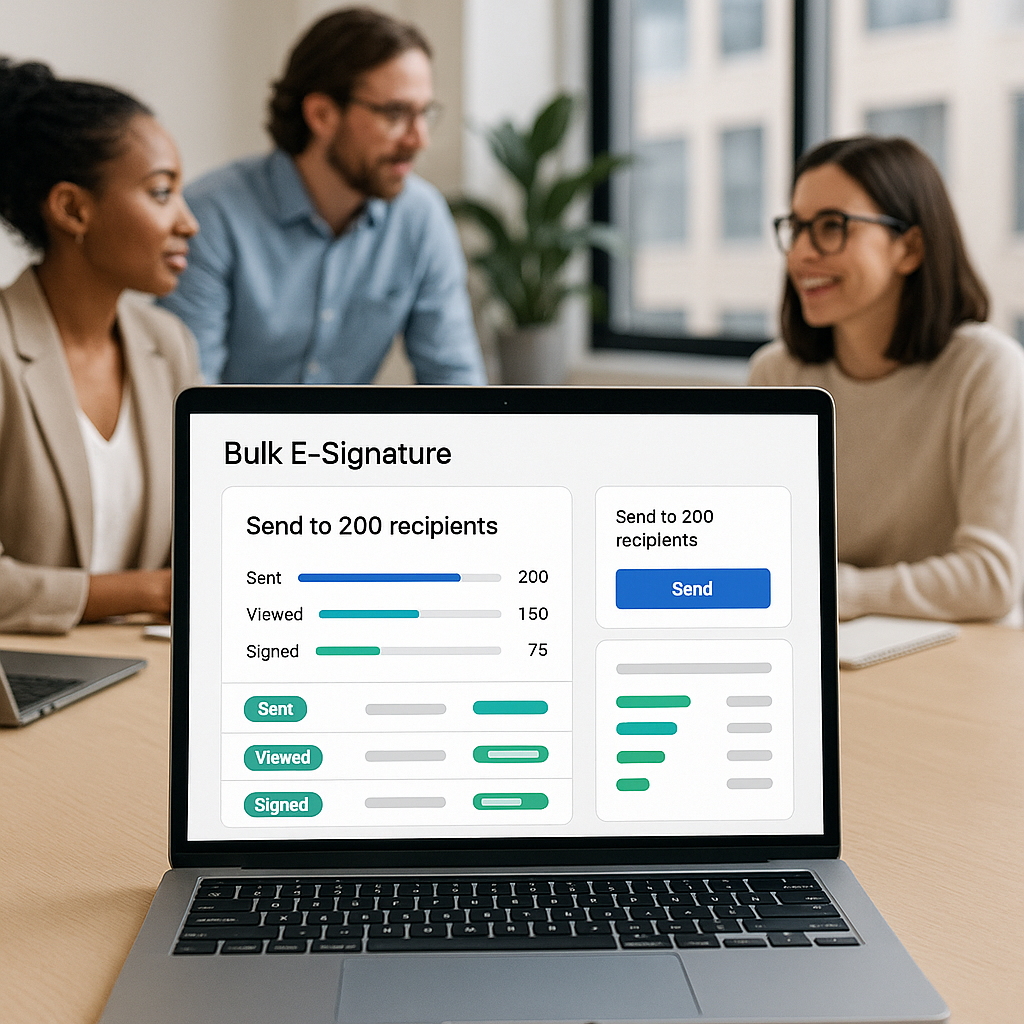
Modern platforms provide real-time tracking across the entire batch, so you can answer questions like:
- How many employees have completed the policy update?
- Which customers still haven’t signed the new MSA?
- Where are documents stuck, and who needs a reminder?
QuickSign includes real-time tracking so you always know when each recipient opens, views, and signs their document—critical when you’re managing high-volume agreements on tight deadlines.
3. Reduced Errors and Compliance Risk
Every time someone copies and pastes a contract in Word, there’s a chance they:
- Forget a clause
- Use an outdated version
- Send to the wrong email address
With bulk document signing, you control a single, approved template
Common Use Cases for Bulk Document Signing
HR and People Operations
Bulk signing is a natural fit for HR teams, and many HR-focused video tutorials from tools like signNow and others showcase exactly this: sending large batches of HR documents—handbooks, policy changes, and benefits forms—for simultaneous signing. (breakingac.com)
Typical HR bulk-sign scenarios include:
- New-hire packets for cohorts or seasonal staff
- Annual performance or compensation acknowledgements
- Remote work, IT, or security policy sign-offs
Example workflow: An HR manager exports a list of 250 employees from the HRIS, imports it into their e-sign platform, maps name and email to document variables, and sends a standard “Acceptable Use Policy” for signature in one batch.
Sales, Customer Success, and Renewals
Sales ops teams often need to get a large set of customers to accept:
- Updated terms and conditions
- Standardized addendums (e.g., data processing agreements)
- Mass price or contract renewals under consistent terms
Instead of individual outreach, bulk signing lets you template the document and send it out to your entire customer segment at once—while still giving each signer a personalized contract with their details pre-filled.
Legal, Compliance, and Risk Management
Legal teams lean on bulk signing when they need high assurance that everyone has acknowledged a particular policy or disclosure. Example scenarios:
- Company-wide code of ethics updates
- GDPR or privacy policy revisions affecting all customers
- Industry-specific disclosures (financial services, healthcare, etc.)
Because each signed document includes a digital timestamp and audit history, legal departments can later prove who signed what, and when.
How Bulk Document Signing Works in Practice
While interfaces vary, most modern e-signature tools follow a similar pattern for bulk workflows. For example, Zoho tools promote bulk signature collection using templates and workflows with Zoho Sign, DocuSign, and Adobe Sign. (zoho.com)
Step 1: Start from a Template or Generate the Document
You can either:
- Upload an existing PDF or DOCX and mark fields, or
- Use a templating or generation tool to create the agreement
This is where QuickSign stands out. Instead of writing the document elsewhere, you can use AI Document Generation to create contracts, NDAs, service agreements, or HR policies from scratch—just by describing what you need. The system drafts the document, which you can then tweak and prepare for bulk send.
Pro tip: Use AI to generate multiple versions of your contract for different segments (e.g., contractors vs. full-time employees) and then bulk-send each version to the right list.
Step 2: Define Signature Fields with Drag-and-Drop
Once your base document is ready, you place the fields that each recipient must complete:
- Signature fields
- Initials
- Dates
- Text fields (e.g., job title or department)
QuickSign uses a drag-and-drop field placement interface, similar to larger incumbents, so you can quickly position each field exactly where it belongs on any uploaded PDF, without fighting complex menus or tools.
Step 3: Import Recipients and Map Variables
Next, you prepare your recipient list—often an export from your CRM, ATS, or HRIS. Many tools accept CSV imports and let you map columns to roles and personalization tokens.
QuickSign goes further with AI-powered document variables that automatically fill in key details like recipient name, company, or role. This means you can generate a personalized contract body, not just pre-fill name fields on the signature page.
Step 4: Configure Sending Options and Signer Experience
For bulk sends, it’s especially important to configure:
- Signing order (if multiple signers are involved)
- Deadlines and automatic reminders
- Authentication (email only, OTP, or additional verification)
- Custom messages or instructions in the email
Tools like Zoho and Adobe highlight features such as deadlines, reminders, and post-signing workflows (e.g., routing to storage or triggering automated actions). (zoho.com) A modern platform like QuickSign is built with these workflows in mind but keeps the setup lightweight enough for small teams without dedicated IT support.
Step 5: Send in Bulk and Track in Real Time
Once you hit send, your platform creates individual documents for each recipient and begins tracking activity. Dashboards typically show:
- Overall completion percentage for the batch
- Status by recipient (sent, viewed, signed, declined)
- Time-stamped activity logs
With QuickSign, real-time tracking is built in, so managers and admins can see exactly who has opened and signed, and follow up where needed—without building custom reports.
Bulk Document Signing in Action: Video Examples
Seeing bulk document signing in practice can make the concept much clearer. These videos (from other platforms) illustrate the kind of workflows you can build—and that you can replicate or simplify with a modern tool like QuickSign:
Zoho Sign: Bulk Document Signing Walkthrough
HR Document Bulk Sending with signNow
How to Sign HR Documents in Bulk
Although these demos use different vendor interfaces, the pattern is the same: start from a template, define fields, import recipients, configure reminders, and send. QuickSign keeps this same core structure but removes much of the friction and cost that comes with older enterprise-oriented platforms.
Choosing the Right Bulk Document Signing Solution
Key Features to Look For
When evaluating e-signature platforms for bulk sends, focus on:
- Bulk send capability: Native support for sending one template to many signers, ideally with CSV import.
- Template management: Ability to save and reuse templates for recurring bulk workflows.
- Real-time status tracking: Dashboards for monitoring each batch and individual signer activity. (thanksroger.com)
- Automation & variables: Merge fields or variables to personalize documents at scale.
- Compliance & security: Robust audit trails, timestamps, and adherence to e-signature laws. (arxiv.org)
- Ease of use: Intuitive drag-and-drop field placement and simple workflows.
Pricing and Scalability Considerations
Many well-known providers charge per user and impose document or envelope limits on bulk sends. For example, popular tools often limit base plans to 5–20 envelopes per month or 100–150 transactions per user per year, with bulk send reserved for higher tiers. (pandadoc.com) Costs can escalate quickly as your team and volume grow.
This pricing model makes sense for Fortune 500 contracts but can be overkill for small businesses, agencies, or startups that simply need to send a lot of standardized documents without negotiating enterprise contracts.
Where QuickSign Fits In
QuickSign is designed as a modern, user-friendly alternative to legacy e-signature tools, especially for solo entrepreneurs, small businesses, and lean teams that need powerful features without enterprise complexity.
Key advantages include:
- Generous free tier: Generate 2 documents with AI and send 1 document to unlimited recipients—perfect for testing bulk workflows—at no cost.
- Flat-rate pricing: Simple, affordable flat-rate pricing starting at $15/month for the whole team—no per-seat fees like DocuSign or HelloSign.
- Built for speed: Create and send a document for signature in under 60 seconds using AI Document Generation, drag-and-drop fields, and seamless sending.
- Unlimited team members: Add as many collaborators as you need without watching license counts.
- No hidden fees: No complex enterprise contracts, overage penalties, or surprise add-ons.
While platforms like DocuSign and HelloSign often charge per user with envelope limits that can become expensive as you scale, QuickSign offers predictable, flat-rate pricing and a clean interface tailored for fast-moving teams.
Best Practices for Successful Bulk Document Signing
1. Standardize Your Templates First
Before you launch a large bulk-signing initiative, work with HR, legal, or compliance to lock down approved templates. This prevents version drift and ensures everyone is signing the same, vetted language.
Use AI generation in QuickSign to draft initial versions, then have stakeholders review and approve. Once finalized, convert them to reusable templates for future bulk sends.
2. Clean Your Recipient Data
Bulk workflows are only as good as the data feeding them. Take time to:
- Deduplicate contact lists
- Verify email addresses
- Fill in missing fields like names and roles that will populate document variables
This dramatically reduces bounce rates and support tickets from people who received the wrong document or name spelling.
3. Communicate Clearly with Recipients
When sending documents in bulk, your recipients may not know what’s happening unless you tell them. Add clear instructions in your email message:
- What the document is and why it matters
- What they need to do and by when
- Who to contact for questions
Set automated reminders for those who haven’t signed as the deadline approaches.
4. Monitor Progress and Follow Up Intentionally
Use your e-signature platform’s analytics and tracking tools to:
- Identify groups with low completion rates
- Escalate follow-up where necessary (e.g., managers reminding their teams)
- Export completion reports for HR or compliance records
With real-time tracking in QuickSign, this becomes a matter of glancing at a dashboard instead of chasing down spreadsheets.
5. Automate Where Possible
Look for opportunities to tie your bulk signing processes into other systems:
- Trigger policy acknowledgements from your HRIS when someone joins a new department
- Kick off contract renewals from your CRM based on renewal dates
- Automatically store signed documents in your DMS or cloud drive
Even if you start with manual bulk sends, planning for integration can save enormous time later as your process matures.
Ready to simplify your document signing? Try QuickSign for free – generate 2 documents and send 1 document to unlimited recipients at no cost. No credit card required.