Cloud Deployment for E‑Signatures: How to Build a Fast, Secure Signing Experience with QuickSign
Unlock cloud deployment for e‑signatures with QuickSign. Learn to build a fast, secure signing experience that scales with your business.

Cloud Deployment for E‑Signatures: How to Build a Fast, Secure Signing Experience with QuickSign
For most businesses, “moving to the cloud” is no longer a question of if, but how. Over 94% of companies now use some form of cloud service, and more than half of workloads are already running in public clouds. (softjourn.com) That shift directly affects how you deliver critical workflows like contract approvals and document signing.
This is where QuickSign comes in. As a modern e‑signature platform with built‑in AI document generation, QuickSign is designed from the ground up to run in the cloud—and to make cloud deployment decisions easy for growing teams who need secure, reliable document signing without enterprise‑grade complexity or cost.
In this guide, we’ll demystify cloud deployment in practical, business-friendly terms and show how to choose and run the right deployment model for e‑signatures using QuickSign as your anchor platform.
Key takeaway: Cloud deployment isn’t just an IT decision anymore—it’s a customer experience decision. Fast, reliable, secure document signing in the browser is a direct result of how you deploy your applications in the cloud.
What Is Cloud Deployment (In Business Terms)?
Cloud deployment is the way you provision, configure, and run your applications on cloud infrastructure instead of on servers you own. In practice, it’s about deciding:
- Where your application runs (public cloud, private cloud, hybrid)
- How it scales as demand grows
- What security and compliance controls protect your data
For document signing, a good cloud deployment model means that when you send a contract from QuickSign, your recipients can open, review, and sign instantly—whether you have 10 active documents or 10,000.
Cloud deployment strategies have matured significantly with modern DevOps and continuous deployment practices that automate builds, tests, and releases to cloud environments. (octopus.com) That’s one reason SaaS platforms like QuickSign can ship improvements quickly without disrupting your signing workflows.
Why Cloud Deployment Matters for E‑Signature Workflows
For business professionals, the impact shows up in four tangible ways:
- Speed to value: Users can start generating, sending, and signing documents within minutes—no hardware, no VPNs, no software installs.
- Scalability: When you run a big sales campaign or onboarding surge, the signing platform automatically scales to handle the spike.
- Reliability: Cloud deployment models with redundancy and failover minimize downtime.
- Security: Modern cloud providers and SaaS platforms implement multilayer security controls, and over 70% of enterprises now use multi-layered cloud security approaches to reduce breach incidents. (moldstud.com)
QuickSign builds on these cloud capabilities to provide a signing experience that is both user-friendly and enterprise‑grade in performance.
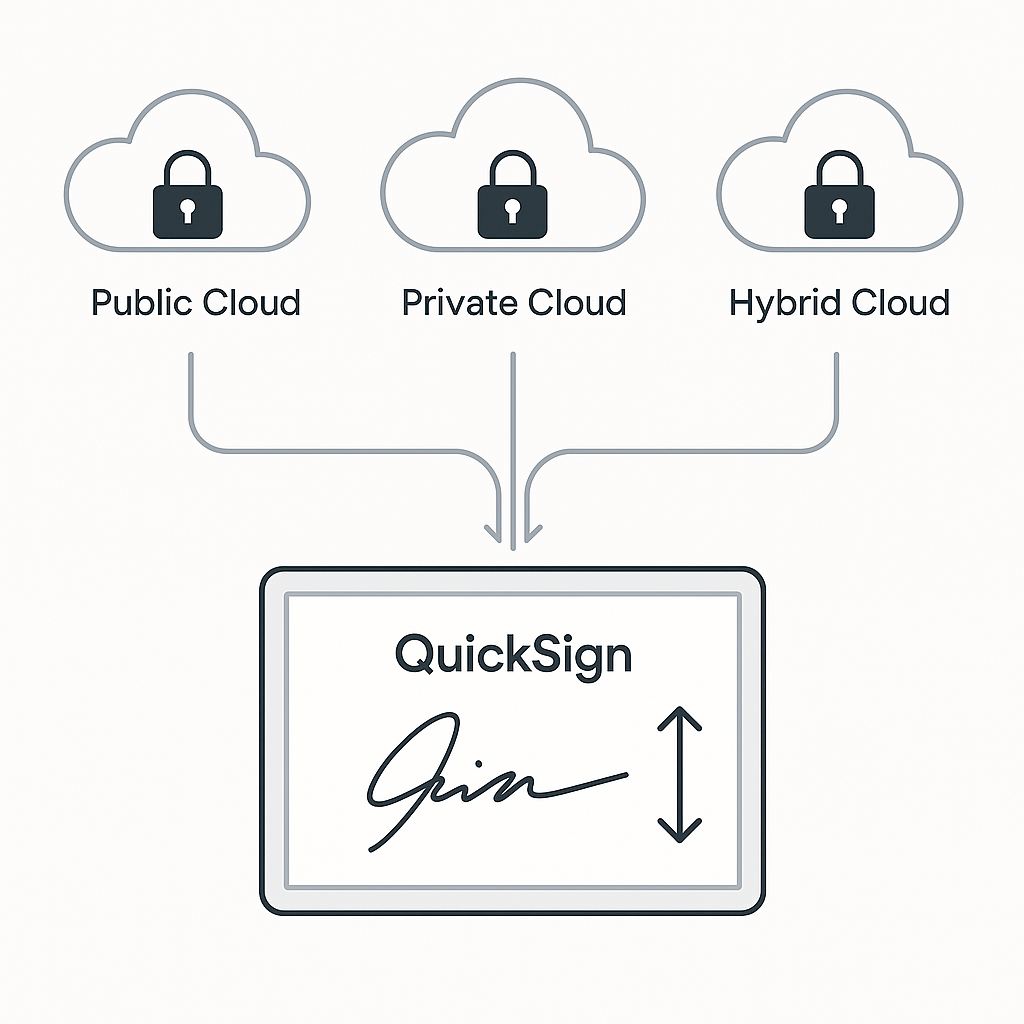
The Four Main Cloud Deployment Models Explained
At a high level, you’ll hear four deployment models discussed in cloud computing:
- Public cloud – You deploy on shared infrastructure managed by a cloud provider (AWS, Azure, GCP, etc.).
- Private cloud – Dedicated infrastructure for a single organization, often for strict regulatory needs.
- Hybrid cloud – A mix of on‑premises and cloud resources, connected and orchestrated together.
- Community cloud – Shared infrastructure among organizations with similar requirements (e.g., healthcare, government).
Most modern SaaS platforms, including e‑signature solutions like QuickSign, are deployed on public cloud infrastructure with a multi‑tenant architecture and strong tenant isolation. This model maximizes scalability and cost‑efficiency while still meeting strict security and compliance requirements. (robinwaite.com)
Which Cloud Deployment Model Fits E‑Signatures Best?
For e‑signature and contract workflows, the dominant model is:
- Public cloud with multi‑tenancy – Best fit for most SMBs and mid‑market teams that want agility and cost savings.
In special cases (e.g., highly regulated government or defense work), organizations may require single‑tenant or private cloud deployments. But even then, the architecture principles are similar—just with more isolated resources and stricter network controls.
t">QuickSign is designed for the mainstream case: teams that want a secure, modern e‑signature platform without owning infrastructure. You benefit from cloud‑level resiliency and performance, while QuickSign handles all the operational complexity behind the scenes.How Cloud Deployment Powers the QuickSign Experience
Understanding what happens under the hood helps you evaluate e‑signature platforms more confidently. Here’s how cloud deployment directly ties to the features you use in QuickSign every day.
1. AI Document Generation at Cloud Scale
One of QuickSign’s biggest differentiators is AI Document Generation. You can describe the agreement you need (“Mutual NDA between a US SaaS vendor and an EU marketing agency”) and QuickSign drafts the document for you.
Behind the scenes, this relies on:
- Cloud‑hosted AI models that scale horizontally to handle many generation requests at once.
- Stateless, API‑driven microservices that can be deployed, updated, and rolled back using cloud‑native continuous deployment pipelines. (octopus.com)
- Elastic compute so that if your whole sales team generates contracts simultaneously, performance remains consistent.
Because QuickSign runs this in the cloud, you never need to provision servers for AI workloads. You just log in, type your prompt, and receive a compliant draft contract within seconds.
2. Drag‑and‑Drop Field Placement Over the Web
QuickSign’s drag‑and‑drop field placement lets you upload any PDF and position signature, text, dates, and initial fields via your browser. This experience depends on:
- Low‑latency web services deployed close to your users to keep the UI responsive.
- Content delivery and caching for static assets (like document previews and JavaScript bundles).
- Cloud object storage for secure document storage and versioning.
With a cloud‑based deployment, QuickSign can serve teams across locations without each office needing its own server. This is especially important now that hybrid and remote work are standard and hybrid cloud usage is above 50% in many organizations. (softjourn.com)
3. Seamless Sending and Real‑Time Tracking
When you click “Send for Signature” in QuickSign, several cloud‑driven processes fire instantly:
- Securely generating signing links and routing them via email.
- Logging each event (delivered, opened, viewed, signed) in a central, cloud‑hosted event stream.
- Updating dashboards in real time so you can track document status at a glance.
These capabilities rely on cloud‑native messaging, monitoring, and event storage—designed to support thousands of concurrent recipients without delays. Research shows that companies using cloud services report improved collaboration and faster decision‑making because information is updated in real time. (moldstud.com)
4. Affordable Flat‑Rate Pricing Enabled by Cloud Efficiency
Cloud deployment isn’t just about technology—it’s also about economics. As cloud infrastructure has matured, it lets SaaS vendors optimize their own costs and pass savings on to customers.
That’s how QuickSign can offer affordable flat‑rate pricing starting at $15/month for your whole team, with no per‑seat fees and a generous free tier (2 AI document generations + 1 document send to unlimited recipients). Unlike traditional per-seat solutions, QuickSign leverages efficient, multi‑tenant cloud deployment to keep your total cost of ownership low.
Best‑Practice Cloud Deployment Principles Behind QuickSign
Even if your team doesn’t directly manage the infrastructure, it’s worth knowing the key deployment principles that modern SaaS platforms follow—and that you should expect from any e‑signature solution you adopt.
1. Continuous Deployment with Built‑In Safety Nets
Modern cloud deployment relies heavily on continuous integration and continuous deployment (CI/CD). This approach automates the process of building, testing, and deploying new versions, reducing human error and accelerating releases. (octopus.com)
Applied to QuickSign, this means:
- Bug fixes and feature enhancements (like improved AI templates or new field types) can be rolled out quickly.
- Automated tests validate core signing flows before any change hits production.
- Blue‑green or canary deployments allow safe rollouts to a subset of users before global release.
Pro tip: When evaluating any cloud signing solution, ask how they deploy updates: “Do you use automated CI/CD with rollback strategies like blue‑green or canary deployments?” It’s a strong proxy for platform reliability.
2. Elastic Scaling and High Availability
Cloud‑native applications use auto‑scaling and load balancing to maintain performance under load. This is critical for workflows like mass HR onboarding or end‑of‑quarter sales pushes, where signing volume spikes.
Best practices include:
- Distributing traffic across multiple instances to avoid bottlenecks. (medium.com)
- Auto‑scaling rules that add capacity when CPU or memory cross thresholds.
- Regional redundancy, so if one data center faces issues, another continues serving traffic.
QuickSign is architected with these patterns in mind so that your team can rely on consistent signing performance year‑round—even under peak workloads.
3. Security by Design in the Cloud
Cloud security is a shared responsibility between providers, SaaS vendors, and customers. Recent studies show that 70% of organizations experience significant disruption when cloud or hybrid environments are breached, but those investing in strong cloud security see clear improvements in trust and performance. (techmagic.co)
Core security practices you should expect from any cloud‑deployed e‑signature platform include:
- Encryption in transit and at rest (e.g., TLS for web traffic, AES‑256 for stored documents).
- Strong authentication and authorization (MFA, role‑based access control).
- Secure container and Kubernetes configurations for microservices (non‑root containers, hardened images, signed artifacts). (jit.io)
- Regular vulnerability scanning and security audits.
QuickSign leverages cloud‑native security best practices so your legal, finance, and HR teams can adopt it without adding risk to your compliance posture.
QuickSign Cloud Deployment Workflows: Real‑World Scenarios
Let’s walk through a few practical workflows where QuickSign and cloud deployment work together to simplify your day‑to‑day operations.
Scenario 1: Fast Sales Contract Turnaround
Challenge: Your sales team needs to generate tailored contracts quickly and get them signed before competitors do.
Cloud‑powered QuickSign workflow:
- Generate the contract with AI: A salesperson logs into QuickSign and uses AI Document Generation to create a custom SaaS agreement based on deal terms.
- Configure the layout: They upload the generated document (or use it directly) and drag‑and‑drop signature, date, and text fields for both customer and internal approver.
- Send at scale: With seamless sending, they add recipients and send in seconds—even if dozens of contracts need to go out at once.
- Track in real time: Real‑time tracking lets the team see exactly when prospects open, review, and sign, enabling proactive follow‑up.
Because QuickSign is deployed on elastic cloud infrastructure, none of this workflow is slowed down by local IT capacity limits—no queues, no “try again later.”
Scenario 2: HR Onboarding Across Multiple Locations
Challenge: Your HR team must onboard new employees across states or countries, with different agreements per region.
Cloud‑powered QuickSign workflow:
- Template creation: HR creates AI‑generated templates for offer letters, NDAs, and policy acknowledgments tailored to each jurisdiction.
- Centralized management: All templates and documents are stored securely in the cloud, accessible from any office or home workspace.
- Bulk sending: For cohort onboarding, HR can send documents to multiple recipients at once knowing the cloud‑hosted platform can handle the volume.
- Compliance visibility: Real‑time tracking and centralized audit trails provide a clear record of who signed what and when.
Cloud deployment models are a key reason why even smaller HR teams can run enterprise‑grade onboarding using QuickSign without enterprise IT overhead.
Scenario 3: Legal Needs Tight Control but Zero Friction
Challenge: Your legal department needs strict control over contract language and signing order, but business users need a simple experience.
Cloud‑powered QuickSign workflow:
- Centralized contract library: Legal creates AI‑generated base templates, reviews and approves them, and then stores them centrally in QuickSign.
- Guardrails via fields: Using drag‑and‑drop fields, legal defines which sections are editable, which are fixed, and where initials or signatures are mandatory.
- Role‑aware deployment: Role‑based permissions (a standard cloud‑security pattern) ensure only authorized users can adjust legal language, while others can only fill variables.
- Auditability: Real‑time logs and history are kept in the cloud, ensuring a defensible record for disputes or audits.
Embedding Cloud Deployment Learning Resources
If you want to go deeper into cloud deployment concepts (beyond the e‑signature context), here are a few recommended video resources that align with what we’ve covered:
These videos provide a solid visual overview of cloud computing and deployment models, which will make it even easier to understand how platforms like QuickSign are architected.
How to Evaluate Cloud‑Deployed E‑Signature Platforms
When you’re shortlisting e‑signature solutions, here’s a concise checklist you can use—rooted directly in cloud deployment best practices we’ve discussed.
1. Architecture and Performance
- Is the platform built as a modern, cloud‑native SaaS (not a legacy tool hosted in the cloud)?
- Does it support elastic scaling and global access for remote teams?
- Can it handle spikes in signing volume without performance degradation?
QuickSign is intentionally architected as a cloud‑native, multi‑tenant service, allowing you to go from sign‑up to first signed document in under 60 seconds—without worrying about capacity planning.
2. Features That Exploit the Cloud (Not Just Run on It)
- AI Document Generation: Can you generate contracts, NDAs, and agreements directly in the platform?
- Collaborative workflows: Can multiple stakeholders access and act on documents from different locations?
- Real‑time tracking: Do you see opens, views, and signatures as they happen?
QuickSign’s AI engine, seamless sending, and real‑time tracking are classic examples of features that leverage cloud capabilities rather than just sitting on cloud hardware.
3. Security and Compliance Posture
- Does the vendor follow best practices like RBAC, encryption in transit and at rest, and regular security testing? (vytalweb.com)
- Are audit trails and logs stored centrally and tamper‑resistant?
- Can you easily export or archive signed documents for your own records?
4. Cost Transparency and Scalability
- Is pricing straightforward, or does it balloon with every new user?
- Can your whole team adopt the platform without needing complex license management?
QuickSign keeps this simple with flat‑rate pricing at $15/month for the entire team and a generous free tier—made possible by efficient, multi‑tenant cloud deployment instead of heavy per‑seat licensing overhead.
Ready to simplify your document signing? Try QuickSign for free - generate 2 documents and send 1 document to unlimited recipients at no cost. No credit card required.