Consultant Proposal E‑Signature: How QuickSign Helps You Close Deals Faster
Boost wins with consultant proposal e-signature. Discover how QuickSign streamlines approvals, speeds client sign‑off, and helps you close deals faster.

Consultant Proposal E‑Signature: How QuickSign Helps You Close Deals Faster
Why Consultants Are Rethinking Proposal Signatures
If you work in consulting, you probably recognize these moments:
- A proposal sits in a client’s inbox for days because they “haven’t had time to print and sign it.”
- Different versions of the proposal are floating around, and no one is sure which one was actually signed.
- You lose weeks in back-and-forth just to collect one or two signatures from busy stakeholders.
For modern consulting firms, the way you handle signatures on proposals and engagements is no longer a small administrative detail. It directly impacts your sales cycle, cash flow, and client experience.
E‑signatures are now legally recognized across the U.S. and most of the world, under frameworks like the ESIGN Act and UETA in the United States and eIDAS in the European Union, which ensure that electronic signatures can’t be denied legal effect just because they’re digital. (en.wikipedia.org)
QuickSign takes this a step further for consultants by combining a modern e‑signature workflow with AI-powered document generation, so you can go from “idea” to “signed proposal” in minutes—not days.

What Makes a Strong Consultant Proposal Workflow?
Before diving into how QuickSign fits in, it helps to define what “good” looks like for a consulting proposal process.
Speed from verbal “yes” to signed agreement
Consulting deals often stall between a verbal approval and a signed document. Research shows that e‑signatures can cut contract cycle times by up to 95%, reducing turnaround from days to minutes. (thanksroger.com) For consultants, that can be the difference between booking this quarter or next.
Clarity and professionalism
Your proposal is your first “deliverable.” It needs to be clear, consistent, and professional—scope, responsibilities, payment terms, and timelines all laid out with minimal room for misunderstanding.
Legally sound and compliant
Because consulting proposals often double as engagement letters or contracts, they must be enforceable. Under ESIGN and UETA in the U.S., and eIDAS in the EU, properly executed electronic signatures carry the same legal weight as ink signatures, as long as there is clear intent to sign, consent to electronic records, and association between the signature and document. (cliffordchance.com)
Visibility and control
Without real-time visibility, it’s hard to know why a proposal is delayed. E‑signature platforms with tracking capabilities give you insight into who has opened, viewed, and signed, so you can follow up effectively rather than guessing. (thanksroger.com)
 ote>
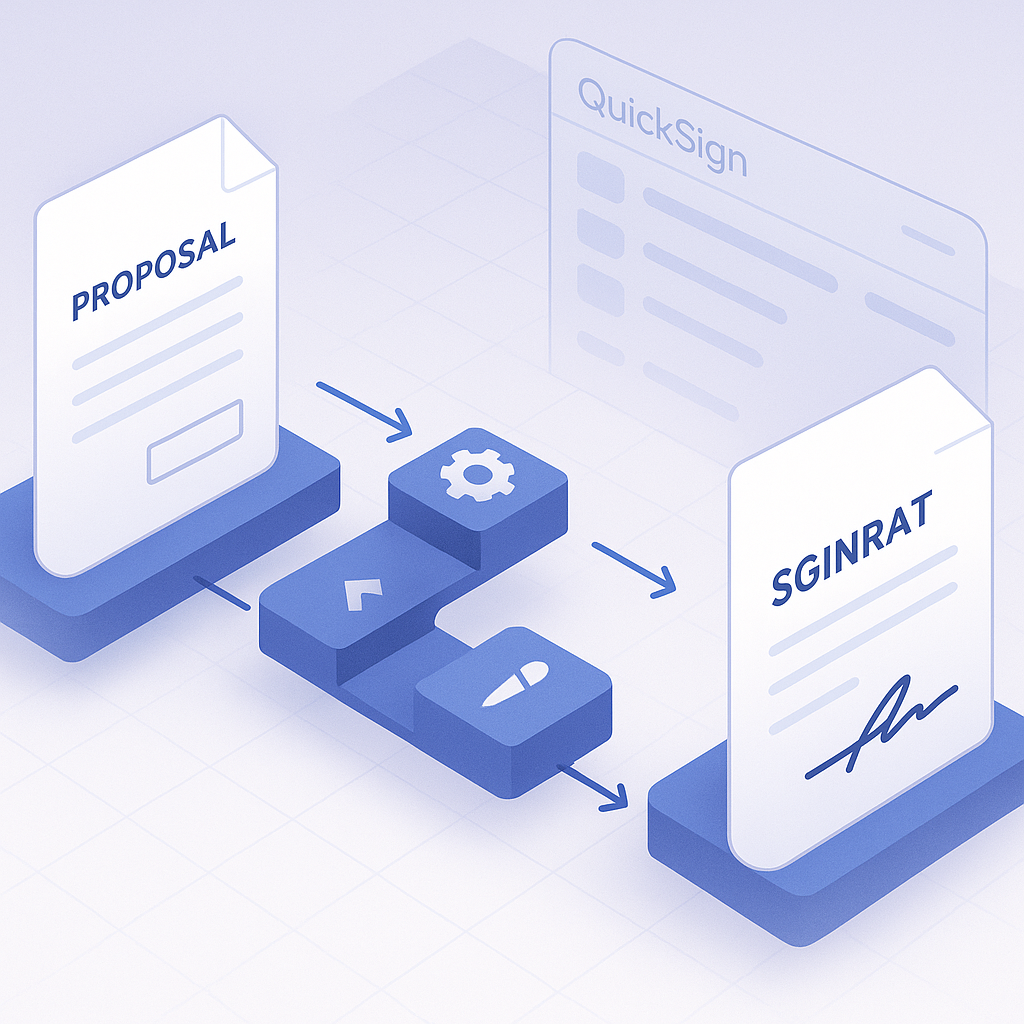
Key takeaway: A strong consultant proposal workflow is fast, predictable, compliant, and gives you real-time visibility from draft to final signature. QuickSign is designed around exactly these needs.
ote>
Key takeaway: A strong consultant proposal workflow is fast, predictable, compliant, and gives you real-time visibility from draft to final signature. QuickSign is designed around exactly these needs.
How Consultants Use QuickSign for Proposal E‑Signatures
QuickSign is built to handle the entire lifecycle of consultant proposals—from drafting to signing—inside one simple, affordable platform.
1. Generate consulting proposals with AI, not copy‑paste
Instead of reusing old Word files and manually editing names, scope, and fees, consultants can use QuickSign’s AI Document Generation to create tailored proposals from a plain-language prompt.
Example prompts a consultant might use:
- “Draft a management consulting proposal for a mid-sized retail chain covering a 12‑week operational efficiency project with weekly workshops and a final roadmap presentation.”
- “Create a fixed-fee SEO consulting engagement letter for a B2B SaaS startup, including deliverables, timeline, and IP ownership terms.”
The AI drafts a structured proposal or engagement agreement with standard contract language that you can then edit, review, and personalize.
Pro tip: Use AI Document Generation in QuickSign to maintain a consistent tone and legal structure across all your consulting engagements, even as you tailor scope and fees for each client.
2. Upload existing proposal templates and add fields in seconds
If you already have proposal templates, you don’t need to rebuild them. Simply upload your PDF or document to QuickSign and use the drag‑and‑drop field placement to mark exactly where clients need to sign, date, or add text.
Typical fields for a consultant proposal:
- Client signature and printed name
- Consultant or firm signature
- Project start date and expected end date
- Billing contact, purchase order, or reference numbers
- Initial fields next to key terms (e.g., cancellation policy, payment schedule)
Drag‑and‑drop means you do this visually—no code, no complex form builders—so you can prepare a proposal document for signing in under a minute.
3. Send proposals to multiple stakeholders in one step
Consulting proposals often require sign-off from more than one person: a business sponsor, procurement, sometimes legal or finance. With QuickSign, you can:
- Add multiple recipients and assign each specific fields to sign or complete.
- Set the signing order (e.g., business owner first, then CFO, then legal).
- Use seamless sending to get everything out in a few clicks, instead of sending separate versions.
4. Track client engagement and follow up with confidence
QuickSign’s real‑time tracking gives you insight into what’s happening with your proposal:
- See when the document is opened for the first time.
- Know which recipients have viewed, signed, or not yet engaged.
- Understand where bottlenecks are—for example, if procurement hasn’t opened the document yet.
These kinds of analytics and notifications are a core reason e‑signatures shorten deal cycles and help sales teams close faster, since you can time your follow-ups to when clients are actually reviewing the document. (thanksroger.com)
5. Keep costs predictable as your consulting team grows
Unlike traditional per-seat solutions, QuickSign offers affordable flat‑rate pricing at $15/month for the whole team. That means:
- No per‑user licenses as you add associates or partners.
- No surprise bills as your proposal volume increases.
- The freedom to let anyone involved in business development or client service send proposals for signature.
On top of that, QuickSign’s generous free tier lets you generate 2 documents with AI and send 1 document to unlimited recipients, which is perfect for solo consultants or small firms testing a new workflow.
Real‑World Scenario: From Discovery Call to Signed Proposal in Under an Hour
Let’s walk through a realistic scenario for a boutique consulting firm using QuickSign.
Step 1: Discovery call with a new client
You run a 45‑minute discovery call with a prospective client, a regional manufacturing company looking for help with supply chain optimization. By the end of the call, they’re bought in on your approach and ask you to “send over a proposal by tomorrow.”
Step 2: Draft the proposal with AI Document Generation
Immediately after the call, you log into QuickSign and open the AI Document Generation feature. You provide a prompt like:
“Create a consulting proposal for a 16‑week supply chain optimization project for a mid-sized U.S. manufacturer, including discovery, analysis, process redesign, implementation support, and training. Include weekly status calls, milestones every 4 weeks, and a fixed project fee with 40% upfront, 30% mid‑project, 30% on completion.”
In seconds, QuickSign generates a detailed, structured document. You review, customize the company name, add a short executive summary, and tweak the timeline to match your capacity.
Step 3: Add signature fields with drag‑and‑drop
You convert the proposal to PDF and upload it to QuickSign. Using drag‑and‑drop fields, you place:
- A signature and name field for the client’s VP of Operations.
- A signature and name field for your consulting firm’s managing partner.
- A date field at the bottom of the signature block.
- Initial fields next to the payment schedule and cancellation clause.
Total time: a couple of minutes.
Step 4: Send to all required signers in one flow
You know the VP of Operations will sign, but the CFO also needs to approve. In QuickSign, you add both as recipients and set the signing order: VP first, CFO second. You type a short personalized message (“Thanks for a great discussion today…”) and click send.
Step 5: Track engagement and close faster
Within 15 minutes, you get a QuickSign notification that the VP opened the proposal. A little later, you see they’ve signed, and the document has moved automatically to the CFO for signature. If the CFO hasn’t opened the document within a day, QuickSign’s real‑time tracking tells you, so you can send a polite nudge.
Instead of waiting days for printing, scanning, and email chains, you often have a fully signed engagement letter the same day. Case studies across industries report that implementing e‑signatures can cut turnaround times from several days to under 20 minutes and reduce contract cycle times by as much as 95%. (blog.adobe.com)
Key takeaway: In a typical consulting sales cycle, QuickSign can compress the “proposal to signature” window from days or weeks to hours—without sacrificing clarity or compliance.
Time and Cost Savings for Consulting Teams
E‑signatures are not just a convenience; they represent measurable time and cost savings for consultants.
Time savings across the proposal lifecycle
With a manual, paper-based or email‑attachment workflow, each proposal often requires:
- 30–60 minutes to copy an old document, edit, and proofread.
- Additional time to chase down the right signers and get physical signatures.
- Extra steps to store or file signed versions correctly.
By contrast, using QuickSign:
- AI Document Generation cuts initial drafting from an hour to a few minutes.
- Drag‑and‑drop fields eliminate the need to reformat documents or print/sign/scan.
- Real‑time tracking replaces manual “just checking in” emails with targeted, timely follow-ups.
Industry analyses show that e‑signature workflows can save dozens of hours per employee per year by removing manual steps and rework. (blog.adobe.com) For consultants, those hours convert directly into more billable work or more sales conversations.
Cost savings and predictable pricing
On the cost side, consultants benefit from:
- Reduced printing, scanning, and courier costs (especially for cross-border clients).
- Fewer errors and versioning issues that require rework.
- Faster deal closure, which improves cash flow and revenue recognition.
QuickSign amplifies these savings with its flat‑rate $15/month plan for your entire team. That’s especially attractive for growing consulting firms that want every project manager or partner to send proposals without paying for additional seats.
Mobile and Remote Signing for Busy Decision‑Makers
Many consulting clients are executives who live on their phones. They expect to be able to review and sign going from meeting to meeting or while traveling.
Mobile‑friendly signing experience
E‑signature best practices emphasize that contracts should be simple to sign on a mobile device—no special software, no printing, no awkward zooming and scrolling. (thanksroger.com) With QuickSign, your clients can open and sign your proposal from any modern browser on their phone, tablet, or laptop.
Embedding video guidance to boost clarity
Some consultants also like to attach or embed short videos explaining how to review and sign contracts. The following examples illustrate the broader trend of making e‑signatures more approachable and mobile-friendly:
While these videos focus on general contract signing, the same principles apply to consulting proposals. With QuickSign, you can send a clear, mobile-ready link that guides your client straight to the fields they need to complete.
Best Practices for Consultant Proposal E‑Signatures with QuickSign
Standardize your engagement structure with AI templates
Use QuickSign’s AI Document Generation to create a few “master” templates tailored to your consulting practice:
- Strategy or management consulting engagement
- Marketing or SEO retainer
- Operations or process improvement project
- Technology implementation or advisory engagement
Then, for each new client, generate a fresh version from AI using the right template as context. This ensures legal and commercial consistency while letting you customize scope and deliverables.
Use initials for critical terms
When adding drag‑and‑drop fields in QuickSign, place initial boxes next to:
- Payment schedule and late payment policy
- Change request or scope creep policy
- Confidentiality and IP ownership clauses
This signals to clients that these sections are important, reduces future disputes, and reinforces that they had clear notice of key terms.
Route signatures in a logical order
When setting signing order in QuickSign, think about how approvals actually happen inside your client’s organization. A common pattern is:
- Business sponsor or department head
- Finance or CFO
- Legal or procurement, if required
Configuring this once in QuickSign helps prevent misrouting and ensures the document doesn’t stall because it landed with the wrong stakeholder first.
Leverage real‑time tracking for proactive communication
Check QuickSign’s status updates after sending a proposal:
- If the document hasn’t been opened after several days, send a friendly follow-up asking whether they have any questions.
- If someone has viewed it multiple times but not signed, offer to jump on a quick call to walk through the scope or terms.
- If it reaches a new stakeholder (e.g., legal), send them a brief context note.
Pro tip: Treat QuickSign’s real‑time tracking as a light‑touch “deal radar” that tells you when to step in and help a client move from interest to signature.
Why QuickSign Is a Natural Fit for Consultants
For consultants, the proposal and contracting process is not just admin—it’s a core part of the client experience and your revenue engine. QuickSign aligns directly with those realities by offering:
- AI Document Generation to rapidly draft professional, structured consulting proposals and engagement letters.
- Drag‑and‑drop field placement so any team member can prepare documents for signing without IT or design help.
- Seamless sending with multiple recipients and signing orders handled in a few clicks.
- Real‑time tracking to know exactly when clients open, view, and sign proposals—reducing guesswork and follow-up friction.
- Affordable flat‑rate pricing at $15/month for the whole team, plus a generous free tier for smaller firms and solo consultants.
The result is a consultant‑friendly e‑signature workflow that shortens sales cycles, reduces admin hours, and projects the professionalism your clients expect from a modern advisory partner.
Ready to simplify your document signing? Try QuickSign for free - generate 2 documents and send 1 document to unlimited recipients at no cost. No credit card required.