DocuSign vs Adobe Sign (Acrobat Sign) in 2025: How They Compare – And a Modern Alternative
DocuSign vs Adobe Sign in 2025: compare features, pricing, ease of use and security—and discover a modern alternative that could fit your business better.
DocuSign vs Adobe Sign (Acrobat Sign) in 2025: How They Compare – And a Modern Alternative
Why the DocuSign vs Adobe Sign Debate Matters in 2025
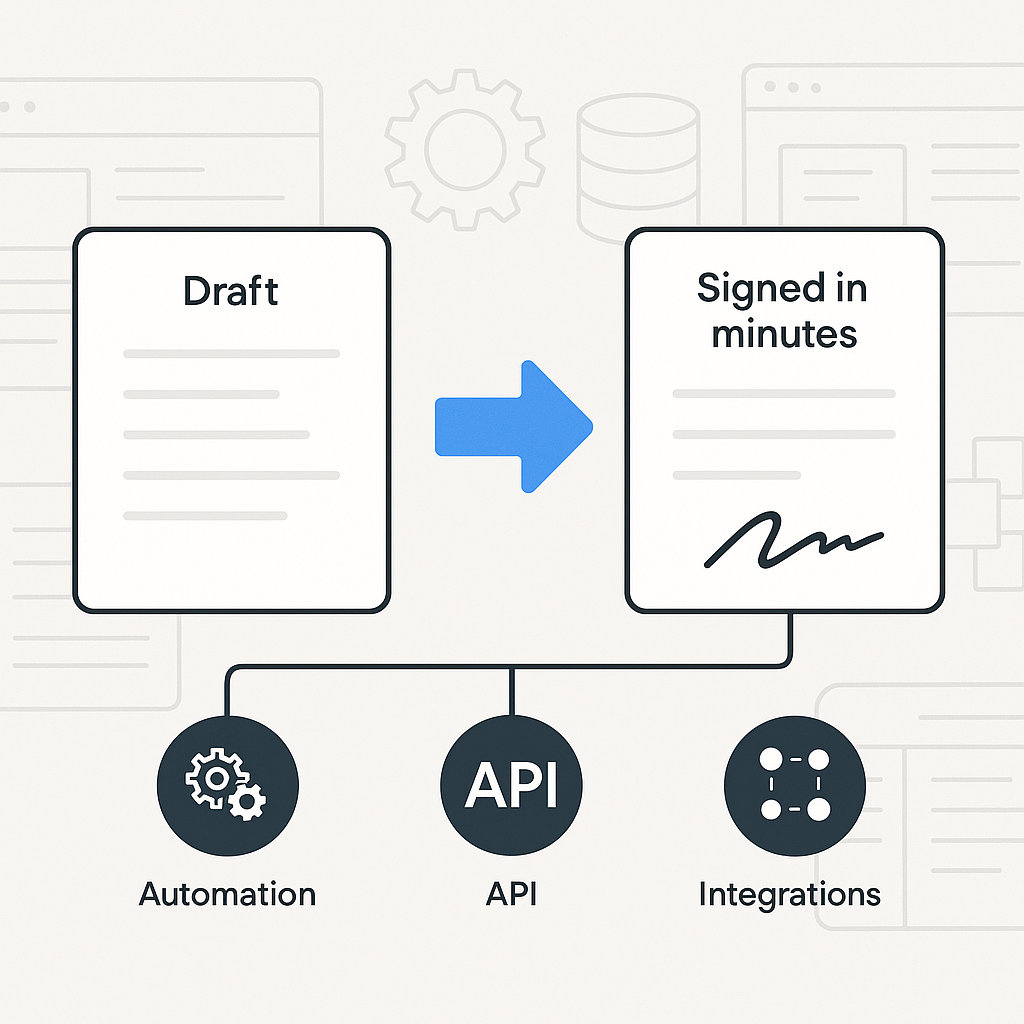
Choosing the right e-signature solution in 2025 is no longer just about “can people sign online.” It’s about pricing models, integrations, automation, compliance, and how easily your team can move documents from draft to signed in minutes—not days.
Two of the most recognized names in this space are DocuSign and Adobe Acrobat Sign (often called Adobe Sign). Both are powerful, mature platforms used by enterprises worldwide. But if you’re a growing business, solo founder, or small team, you also need to ask: are these legacy tools overkill—or overpriced—for what you actually need?
This is where modern platforms like QuickSign come in, offering a simpler, more affordable approach (with AI-powered document generation) that’s designed for today’s lean, digital-first businesses.
Quick Video Overviews: DocuSign vs Adobe Sign
Want a visual comparison before diving into details? These 2025 YouTube comparisons walk through interfaces, workflows, and pricing:
Key takeaway: DocuSign and Adobe Sign are excellent for complex, enterprise-grade workflows, but many small and mid-sized businesses end up paying for features and seats they rarely use. A modern, lightweight option like QuickSign can be a better fit for everyday contracts, proposals, and agreements.

DocuSign vs Adobe Sign: Feature Comparison
Core e-signature capabilities
Both DocuSign and Adobe Sign cover the fundamentals you’d expect from any serious e-signature tool:
- Send documents for electronic signature
- Collect multiple signatures in a specific order
- Use templates for frequently used agreements
- Audit trails and basic compliance
- Mobile and web signing experiences
DocuSign positions itself as an “intelligent agreement management” platform with eSignature as part of a broader suite, including agreement workflows, analytics, and AI-assisted agreement summarization.(docusign.com) Adobe, on the other hand, integrates e-signatures directly into Adobe Acrobat, bundling PDF editing, document management, and signing together.(adobe.com)
Advanced features & automation
DocuSign’s higher tiers include advanced capabilities such as:
- Web forms and conditional logic fields(ecom.docusign.com)
- Bulk send to many recipients at once
- Payment collection within the signing flow
- Agreement workflows and agreement analytics(docusign.com)
- AI summarization of agreements and advanced routing options(docusign.com)
Adobe Acrobat Sign (via Acrobat Pro and Acrobat Sign Solutions) offers:
- Deep integration with Acrobat for editing, redacting, and organizing PDFs(adobe.com)
- Strong integrations with Microsoft 365 and SharePoint
- Team and enterprise-level admin controls and compliance options
- Custom branding and bulk sending at higher tiers(signeasy.com)
Where QuickSign fits in
For many businesses, especially small teams, the bottleneck isn’t enterprise-grade workflow complexity—it’s simply getting a clean, compliant document drafted and signed fast.
QuickSign focuses on making that flow as simple and fast as possible with:
- AI Document Generation: Instead of starting from a blank Word file, you describe the document you need (e.g., “mutual NDA between two companies” or “simple freelance design contract”), and QuickSign drafts it for you.
- Drag-and-drop field placement: Upload any PDF and drag signature, date, text, and initial fields exactly where they belong—no complicated setup screens.
- Real-time tracking: See when recipients open, view, and sign your documents, much like DocuSign’s status tracking, but in a leaner interface.
Pro tip: If you frequently start from scratch or edit contract language, AI document generation in QuickSign can save more time than any marginal difference between DocuSign vs Adobe Sign’s advanced options.
Pricing: DocuSign vs Adobe Sign vs QuickSign
DocuSign pricing (2025)
DocuSign uses a seat-based, per-user model with envelope limits:
- Personal: Around $10/month for 1 user, with 5 envelopes per month.(esignglobal.com)
- Standard: About $25/month per user (billed annually), with roughly 100 envelopes per user per year.(ecom.docusign.com)
- Business Pro: Around $40/month per user (≈$480/year), also typically with ~100 envelopes per user per year plus advanced features like bulk send and web forms.(ecom.docusign.com)
- Enhanced/Advanced Solutions: Custom pricing for enterprises.
Costs can increase when you add:
- Identity verification (IDV) per transaction
- SMS / WhatsApp delivery fees
- Higher-volume or automation add-ons(esignglobal.com)
Adobe Acrobat Sign pricing (2025)
Adobe tends to wrap e-signature with PDF tools:
- Acrobat Standard (individual): Around $12.99/month.(adobe.com)
- Acrobat Pro (individual): Around $19.99/month.(adobe.com)
- Acrobat Standard for teams: About $14.99/month per user (annual), targeted at teams needing PDF and basic e-sign tools.(adobe.com)
- Acrobat Pro for teams: About $23.99/month per user (annual), adding more advanced features, custom branding, and 24/7 support.(adobe.com)
- Acrobat Sign Solutions (enterprise): Custom quote, used when you need strict compliance frameworks and deep CRM integrations.(adobe.com)
While Adobe’s seat-based costs are roughly comparable to DocuSign’s, customers sometimes end up paying for full PDF editing and creative tools even if they primarily need e-signatures.
QuickSign pricing: flat-rate and transparent
This is where QuickSign deliberately breaks from the legacy model:
- Generous free tier: Generate 2 documents with AI and send 1 document to unlimited recipients for free—no credit card required.
- Flat-rate team pricing starting at $15/month: One affordable plan for your whole team with no per-seat fees.
- No hidden add-ons: No envelope caps vs. user seats vs. region-based surcharges to juggle.
While platforms like DocuSign and Adobe Sign can easily reach hundreds of dollars per month as your team grows and you add users, QuickSign stays simple: one predictable flat rate starting at $15/month for unlimited team members.
Pricing insight: For a 5-person team, DocuSign Standard at roughly $25/user/month comes to ~$125/month plus add-ons. Adobe Pro for teams at ~$23.99/user/month is similar. QuickSign starts at just $15/month for the whole team.
Integrations & Ecosystems
DocuSign integrations
DocuSign offers an extensive ecosystem with 900+ pre-built integrations via its App Center, connecting to tools like Salesforce, Microsoft, Google Workspace, and more.(docusign.com) This breadth of connections is a major reason enterprises standardize on DocuSign.
Adobe Sign integrations
Adobe’s strongest card is its deep integration with:
- Adobe Acrobat and Adobe Document Cloud
- Microsoft 365 (Word, Outlook, Teams)
- SharePoint and other Microsoft ecosystem tools(adobe.com)
If your organization lives in Acrobat and the Microsoft stack, Adobe Sign can feel very “native” and convenient.
Where QuickSign fits in your stack
QuickSign is designed as a lightweight, browser-based tool that slots easily into modern workflows without heavy IT rollout. For many small businesses using cloud storage (Google Drive, Dropbox, etc.), the typical workflow looks like:
- Draft with AI in QuickSign or upload a PDF from your existing tools.
- Use drag-and-drop to place signature and data fields.
- Send to recipients in seconds and track status in real time.
Because QuickSign isn’t trying to be a huge enterprise platform, setup is typically minutes, not weeks.
User Experience & Speed
DocuSign UX
DocuSign is mature and feature-rich, but that also means the interface can feel complex for new or occasional users. Its agreement lifecycle tools, dashboards, and options are powerful if you need them—less so if you just want to send a simple contract quickly.
Adobe Sign UX
Adobe Sign’s user experience is tightly integrated with Acrobat. If your team spends all day inside PDFs, this is a plus. But for non-technical users, switching between Acrobat’s PDF tools and Sign workflows can be a bit overwhelming, especially when they only need basic e-signatures.
QuickSign UX: built for simplicity
QuickSign is intentionally streamlined:
- Send in under 60 seconds: Upload, drag fields, add recipients, and send—no multi-step wizard needed.
- AI variables: Use AI-powered document variables to auto-fill recipient names, emails, dates, and other details across the document, reducing errors.
- Real-time status: A simple dashboard shows who has viewed and signed each document at a glance.
Time saver: If your current e-signature tool makes you click through multiple configuration screens every time you send a doc, you’re losing hours each month. A tool like QuickSign can cut that down to seconds.
Security, Compliance & When Enterprise Features Matter
DocuSign & Adobe Sign compliance
Both DocuSign and Adobe Sign support major e-signature regulations (like eIDAS and ESIGN) and offer strong security and audit trails at all tiers. Their enterprise plans can include:
- Advanced authentication methods
- Single sign-on (SSO)
- Detailed admin controls and governance
- Industry-specific compliance frameworks (e.g., HIPAA for healthcare at higher tiers)(adobe.com)
If you operate in heavily regulated industries (finance, healthcare, government), these advanced layers can be crucial—though often only available with higher, custom-priced enterprise plans.
QuickSign for everyday business use
For most small and mid-sized businesses—agencies, SaaS startups, consultants, real estate, freelancers—the primary need is legally binding signatures with clear audit trails, not a full-blown enterprise governance stack.
QuickSign focuses on this core need, providing secure signing, clear signer logs, and tamper-evident documents without forcing you into complex enterprise contracts or custom pricing negotiations.
Real-World Use Cases: Which Tool Makes Sense?
Scenario 1: Growing SaaS startup closing deals weekly
You have a small sales and CS team sending out:
- Sales contracts
- Renewal agreements
- Occasional NDAs
DocuSign: Excellent if you need tight CRM integration (like Salesforce) and automated multi-step workflows. But per-seat pricing can escalate quickly as you add users.
Adobe Sign: A solid choice if you’re already heavily invested in Adobe and Microsoft ecosystems and also need robust PDF editing.
QuickSign: Likely the fastest to roll out and the most cost-effective, especially if you want AI to draft contracts and use flat-rate pricing for the whole go-to-market team.
Scenario 2: Professional services firm sending many similar contracts
Consultants, legal, creative agencies, and accountants often reuse the same contract skeleton over and over.
- DocuSign/Adobe: Templates help, but you still need to draft the base documents in Word/Acrobat, then upload and configure fields.
- QuickSign: You can use AI Document Generation to create standard contracts (e.g., “consulting agreement for hourly work, US-based client, IP remains with consultant”) and reuse them. AI variables then auto-fill client data across the document.
Scenario 3: Enterprise with strict compliance and legacy systems
If you’re a large, global enterprise needing:
- Deep ERP/CRM integration
- Strict regional data residency
- Custom workflows, governance, and global support
then DocuSign’s and Adobe’s enterprise offerings are hard to beat. Their scale, certifications, and ecosystems are built with this in mind—though you’ll pay accordingly and may need IT resources to implement and maintain them.
How to Choose: A Simple Framework
1. Map your actual usage
Before choosing, answer:
- How many documents do we send per month?
- How many unique senders need access?
- Do we truly need enterprise-grade, regulated workflows—or just reliable, legally binding signatures?
2. Compare pricing based on your team, not just per-seat cost
Seat-based pricing (DocuSign/Adobe) often punishes growth. As soon as more people need to send contracts, your costs scale linearly—plus add-ons.
With QuickSign, you get flat-rate pricing starting at $15/month for your whole team, so you’re not debating who “deserves” a license.
3. Consider document creation, not just signing
DocuSign vs Adobe Sign comparisons typically focus on signing workflows, but a lot of your time is actually spent drafting and editing the documents themselves.
- If you already have legal templates and a contracting process, DocuSign or Adobe might be all you need.
- If you often start from scratch or adapt documents per client, AI Document Generation in QuickSign can dramatically reduce turnaround times.
4. Test user experience with non-technical staff
Have a salesperson, project manager, or assistant—someone non-technical—try sending a document:
- How long does it take them to configure fields and recipients?
- Do they understand the dashboard and status tracking?
- How many clicks from draft to send?
Often, teams find that a streamlined tool like QuickSign leads to more consistent usage across the organization because it feels less intimidating.
Ready to simplify your document signing? Try QuickSign for free - generate 2 documents and send 1 document to unlimited recipients at no cost. No credit card required.