E-Signature for Freelancers: How QuickSign Streamlines Contracts, Saves Time, and Protects Your Business
Discover how e-signature for freelancers with QuickSign streamlines contracts, saves time, protects your business, and helps you look more professional.

E-Signature for Freelancers: How QuickSign Streamlines Contracts, Saves Time, and Protects Your Business
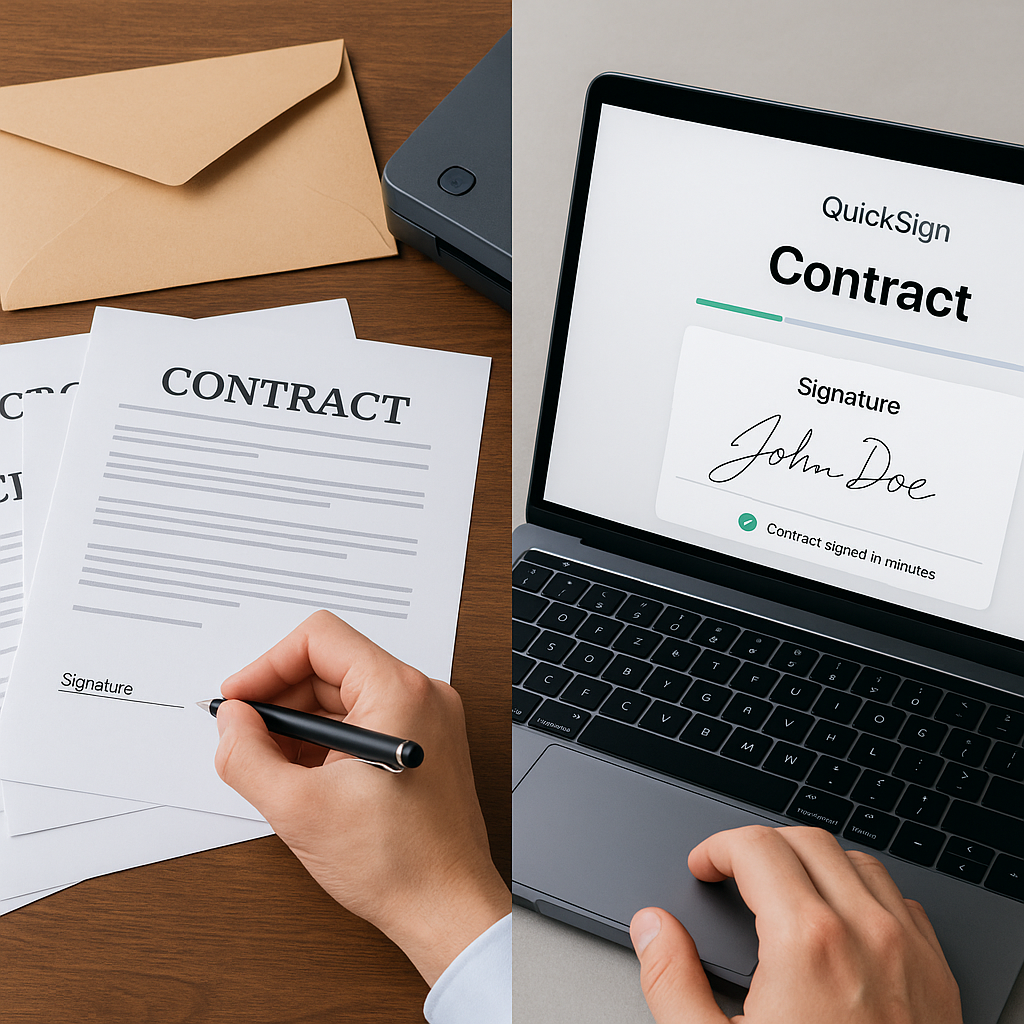
If you’re a freelancer, you’ve probably lost hours chasing signatures, re-sending contracts, and wondering whether a client even opened your proposal. Slow approvals kill momentum, delay payments, and make your business feel less professional than it really is.
Modern e-signature tools can cut turnaround times from days to minutes, with many businesses reporting up to 80–90% faster signing cycles when they move away from paper and manual processes.(zignt.com) For independent professionals, that difference often means getting paid this week instead of next month.
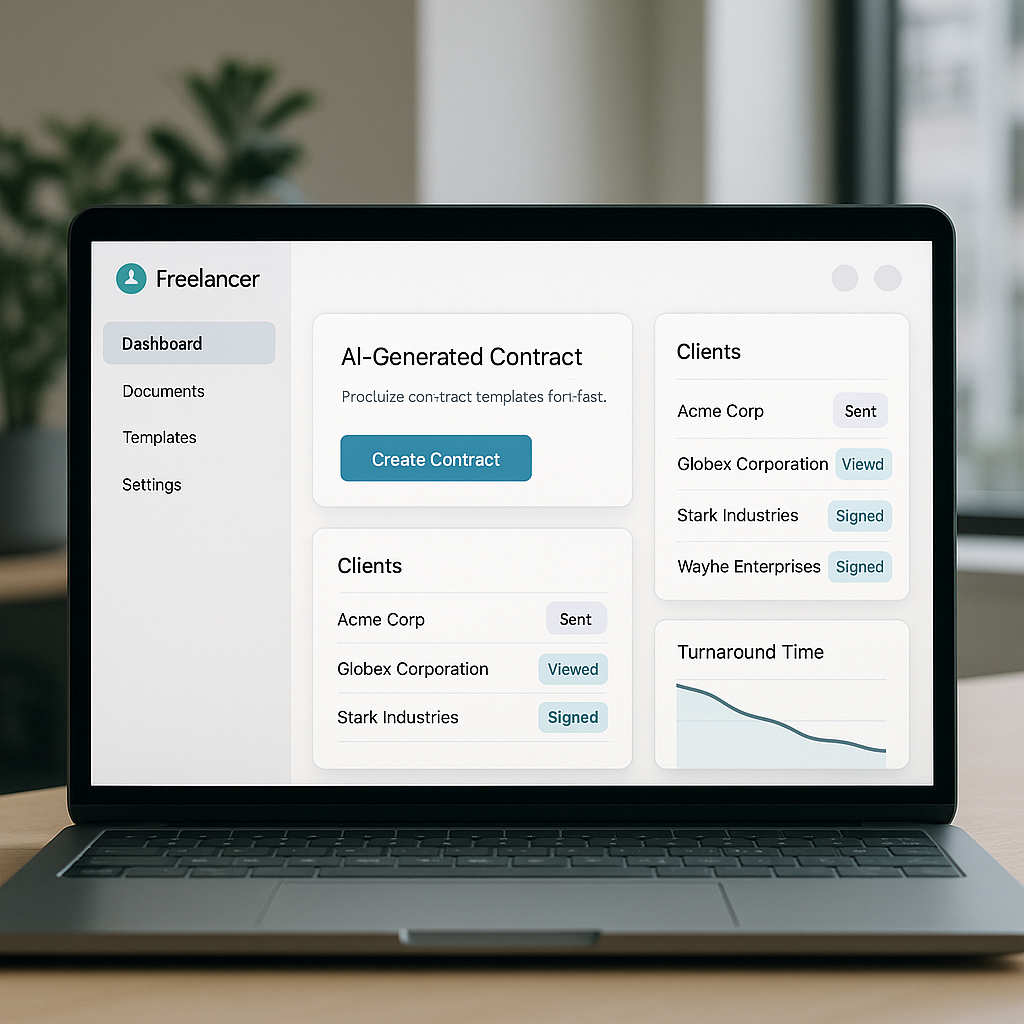
This is exactly where QuickSign shines. It’s a modern, affordable e-signature platform built for real-world workflows — and uniquely, it doesn’t just let you sign; it helps you generate complete contracts with AI, send them in seconds, and track every client interaction in real time.
Key idea: As a freelancer, your contract workflow should be as fast and professional as your work. E-signatures with QuickSign turn a painful admin chore into a smooth, automated process.
Why Freelancers Need E-Signatures Now More Than Ever
E-signatures aren’t just a “nice-to-have” anymore. Since the pandemic, e-signature adoption has surged, with estimates suggesting 60–80% of organizations now use some form of e-signature technology.(clauseflow.com) That means your clients increasingly expect digital, frictionless signing experiences — even if they never say it out loud.
Common freelancer pain points with traditional signing
Without a dedicated e-signature solution, freelancers typically struggle with:
- Manual contract creation: Reusing old Word docs, copy-pasting clauses, and hoping you didn’t miss a date or rate.
- Awkward signing processes: Clients print, sign, scan, and email back — or worse, send blurry phone photos of signed pages.
- No visibility: You send a contract and then wait, refreshing your inbox, with no idea if the client even opened it.
- Lost or outdated versions: Multiple attachments, version confusion, and mismatched terms between email and contract.
- Legal uncertainty: Worrying if typed names or scanned signatures will hold up if there’s a dispute.
Each of these points adds friction, slows revenue, and makes you look less organized than you are. E-signature platforms remove that friction — and QuickSign goes a step further by eliminating the “blank document” problem entirely through AI document generation.
Are E-Signatures Legal for Freelancers?
Yes. Whether you’re a designer in New York, a consultant in Berlin, or a developer working remotely worldwide, e-signatures are broadly recognized as legally valid for most business contracts.
Legal frameworks you should know
- United States: The ESIGN Act and UETA make electronic signatures legally valid in all 50 states, ensuring contracts can’t be denied enforceability solely because they are electronic.(contractsent.com)
- European Union: The eIDAS Regulation recognizes electronic signatures as legally binding across EU member states, stating that an e-signature cannot be denied legal effect just because it’s electronic.(helpx.adobe.com)
For freelance contracts (like service agreements, SOWs, or NDAs), standard electronic signatures with clear consent and an audit trail are generally sufficient in both the U.S. and EU.
QuickSign supports these best practices by providing:
- Clear signer consent flows (explicit actions like clicking to sign)
- Time-stamped activity logs showing when a document was opened, viewed, and signed
- Secure, centralized storage so you can retrieve signed contracts easily if needed
 uote>
uote>
Pro tip: Always keep signed documents and activity logs in a secure, organized system. With QuickSign, this is built-in — no more digging through email threads to prove what was signed and when.
How QuickSign Fits into a Freelancer’s Daily Workflow
Most freelancers don’t have time to become “contract experts.” You just need a fast, reliable way to go from “client says yes” to “contract signed” — and then get paid.
Here’s how QuickSign maps to your typical workflow.
1. Generate a contract in minutes with AI
Instead of starting from a blank document, you can use QuickSign’s AI Document Generation to create:
- Freelance service agreements
- Project-based SOWs
- Retainer contracts
- Non-disclosure agreements (NDAs)
You simply describe what you need — for example:
“Create a freelance web design contract for a 3-month project, $4,500 total, 50% upfront, 25% after first milestone, 25% on completion, includes 2 rounds of revisions, governed by California law.”
The AI drafts a complete, structured contract you can review and tweak. This can cut contract creation time from 30–45 minutes down to 3–5 minutes, especially once you refine your favorite prompts.(esignly.com)
2. Upload or reuse PDFs with drag-and-drop fields
If you already have a contract template in PDF or want to use a document from your lawyer, QuickSign lets you:
- Upload any PDF directly into the platform
- Drag and drop fields for signatures, initials, dates, and text exactly where each party must complete them
- Save that layout as a reusable template for future projects with similar structure
This drag-and-drop approach ensures clients never wonder “where do I sign?” — the document guides them, which makes signing faster and reduces errors.
For visual learners, workflows are similar in spirit to adding signatures in tools like PDF editors or Google Docs, as shown in many video tutorials, but QuickSign centralizes and automates everything end-to-end.
3. Add recipients and send in under 60 seconds
Once your contract is ready, you can use QuickSign’s seamless sending to:
- Enter your client’s name and email (and additional signers if needed)
- Optionally add a personal message
- Send the document for signature in a few clicks
There’s no need for your client to create an account just to sign. They receive a secure link, open it on any device, and follow an intuitive step-by-step flow. Many modern e-signature implementations report completion times of 5–30 minutes from invitation to final signature for straightforward agreements.(influenceflow.io)
4. Track openings, views, and signatures in real time
Unlike sending PDFs as email attachments, QuickSign gives you real-time tracking:
- See when the client first opens the document
- Know how many times they’ve viewed it
- Get instant confirmation as soon as it’s signed
No more guessing or sending “Just checking in on the contract” emails. If a client hasn’t opened the document after a few days, you know it’s time for a gentle nudge. If they’ve opened it multiple times but haven’t signed, you might offer to hop on a quick call to address questions.
Real-World Example: A Freelance Designer Using QuickSign
Let’s walk through a realistic workflow for a freelance brand designer named Alex who regularly signs clients on 3–4-figure projects.
Step-by-step workflow with QuickSign
-
Client says “yes.”
Alex receives an email: “We’d love to move forward with the rebrand project.” In the past, this would mean opening an old contract, editing details, exporting a PDF, and manually attaching it to an email.
-
Create the contract with AI.
Instead, Alex logs in to QuickSign, opens the AI Document Generation tool, and enters a brief prompt describing the project scope, price, payment schedule, and timeline. Within seconds, a full contract appears.
-
Customize and lock fields.
Alex reviews the text, updates a few clauses, then confirms the contract. If using a PDF template, Alex uploads it and uses QuickSign’s drag-and-drop fields to place:
- Client signature field
- Alex’s signature field
- Project start date
- Initials on key pages (optional)
-
Send for e-signature.
Alex adds the client as the recipient and clicks send. Total time from “I need a contract” to “client invited to sign”: under 5 minutes.
-
Client signs on any device.
The client receives an email with a secure link, taps it on their phone, reviews the agreement, and signs in a guided flow similar to popular e-signature tools. They don’t need to download or install anything.
-
Instant confirmation & storage.
Alex gets a real-time notification that the contract is signed and can immediately send an invoice or start the project. The signed PDF and full activity log are safely stored in QuickSign for future reference.
Compared to a traditional print-sign-scan process that might take 3–10 days, e-signature workflows regularly cut turnaround times by 80–90%.(zignt.com) For Alex, that means locking in commitments faster and starting billable work sooner.
Time and Cost Savings for Freelancers Using QuickSign
Even if you only send a few contracts a month, e-signature can have a meaningful impact on both time and money.
Time savings
Manual workflows involve:
- Editing and formatting each contract from scratch
- Exporting and attaching PDFs
- Coordinating printing, signing, scanning for some clients
- Chasing signatures via email
- Filing or organizing signed copies manually
Studies comparing manual vs. e-signature processes show that digital signing can reduce total turnaround from several days or weeks down to as little as 15–60 minutes, especially for simple agreements.(esignly.com)
With QuickSign, you also save time on:
- Document creation via AI instead of manual drafting
- Field placement using drag-and-drop templates
- Status tracking thanks to real-time insights instead of guesswork
Cost savings
On the surface, printing and scanning might seem “free,” but the hidden costs add up:
- Paper, ink, printer maintenance
- Courier or express shipping for urgent deals
- Unpaid admin time spent editing, following up, and organizing files
- Opportunity cost of delayed start dates and payments
E-signature platforms are widely regarded as cost-saving because they cut these operational expenses and accelerate revenue.(esignly.com)
Unlike traditional per-seat solutions, QuickSign offers flat-rate pricing at $15/month for your whole team, with no per-user fees. For solo freelancers or small studios, that predictable cost means you can send as many contracts as you need without worrying about scaling your admin tools.
Key takeaway: For most freelancers, one saved hour or one project signed a bit faster can cover months of QuickSign subscription cost.
Practical Ways Freelancers Can Use QuickSign
Beyond standard client contracts, e-signatures with QuickSign can streamline many areas of your freelance business.
Use cases tailored to freelancers
- Client onboarding packets: Combine welcome information, scope of work, and payment terms into one e-signed packet.
- Change orders & add-ons: When a client expands the project scope, send a simple addendum for quick approval before doing extra work.
- Retainer renewals: Reuse AI-generated or template-based agreements to renew monthly or quarterly retainers in minutes.
- Subcontractor agreements: If you bring in other freelancers (copywriters, developers, assistants), use QuickSign to formalize your agreements with them.
- NDAs and confidentiality agreements: Quickly generate and sign NDAs before sharing sensitive concepts, decks, or code.
Because QuickSign is designed to send documents to unlimited recipients, you can also handle:
- Group collaborations that require multiple client signers
- Bulk agreements for workshop attendees, beta testers, or coaching clients
How QuickSign Compares to Ad-Hoc Solutions Freelancers Often Use
Many freelancers start with “DIY” signing methods like:
- Typing names into Word or Google Docs
- Drawing signatures in basic PDF tools
- Sending images of signatures pasted into documents
While these approaches can work in a pinch, they lack:
- Structured workflows and signing guidance
- Audit trails and activity logs
- Centralized storage and searchability
- Professional presentation that instills client confidence
Popular tutorials show how to add signatures to PDFs or use Google Docs to “fake” e-signatures, but they still leave you managing files manually and chasing approvals. For example:
- A step-by-step PDF signing demo may help you add a simple signature but doesn’t handle sending, tracking, or storing documents.
- Google Docs signatures are convenient but lack the dedicated audit trails and professional flows of a specialized platform.
QuickSign wraps all of this into a cohesive experience specifically designed for signing — from AI creation to drag-and-drop fields, seamless sending, and real-time tracking — so your contracts are both convenient and defensible.
Why QuickSign Is a Strong Fit for Freelancers Financially
Freelancers care about keeping overhead low. That’s why pricing matters almost as much as features.
QuickSign offers:
- Generous free tier: Generate 2 documents and send 1 document to unlimited recipients — ideal to test it with real clients.
- Flat-rate $15/month plan: One simple, affordable price for the full team with no per-seat licensing.
- Unlimited recipients: Great if you occasionally work with multiple signers or run group programs.
This structure means you can grow from solo freelancer to small studio without renegotiating contracts or doubling your software spend every time you bring in a collaborator.
Quick Checklist: Is QuickSign Right for Your Freelance Business?
You’ll get the most value from QuickSign if you:
- Send at least a few contracts or NDAs each month
- Want to standardize your agreements and reduce errors
- Are tired of waiting days for clients to print and scan
- Value knowing exactly when clients open and sign documents
- Want affordable, predictable pricing without per-seat surprises
Freelancer advantage: With AI-generated contracts, drag-and-drop signing fields, real-time tracking, and flat-rate pricing, QuickSign gives solo professionals enterprise-grade contract workflows without enterprise complexity or cost.
Ready to simplify your document signing? Try QuickSign for free - generate 2 documents and send 1 document to unlimited recipients at no cost. No credit card required.