Electronic Authorization: How Modern Businesses Secure Approvals, Access, and Signatures with QuickSign
Streamline approvals with electronic authorization. Discover how modern businesses secure access and signatures faster and safer with QuickSign.

Electronic Authorization: How Modern Businesses Secure Approvals, Access, and Signatures with QuickSign
Electronic authorization has quietly become the backbone of modern business. From approving contracts and purchase orders to granting access to systems and data, organizations now rely on digital “yes” and “no” decisions thousands of times per day. Yet many teams still mix email approvals, paper signatures, and ad‑hoc tools—creating risk, friction, and compliance headaches.
This is where a modern platform like QuickSign stands out. QuickSign doesn’t just capture electronic signatures; it helps you generate documents with AI, route them to the right people, securely capture authorization, and track every step in real time—at a predictable flat-rate price.
In this guide, you’ll learn how electronic authorization works, how it differs from electronic signatures, the legal frameworks that support it, and how to implement secure, streamlined authorization workflows using QuickSign in under 60 seconds.
What Is Electronic Authorization?
Electronic authorization is the process of granting approval or permission digitally—whether that’s approving a contract, authorizing a payment, granting access to a system, or accepting terms and conditions online. It’s broader than “e-signatures”: an electronic signature is one specific way of expressing authorization.
Under laws like the U.S. ESIGN Act and the Uniform Electronic Transactions Act (UETA), an electronic signature is defined broadly as an “electronic sound, symbol, or process” attached to a record and executed with the intent to sign. (en.wikipedia.org) That digital signature is one (very important) form of electronic authorization.
With QuickSign, electronic authorization typically happens when a signer:
- Receives a document via email or secure link
- Reviews the content and any attached terms
- Applies an electronic signature (click-to-sign, draw, or type)
- Completes any required fields (initials, checkboxes, dates)
- Submits the signed document, which QuickSign records along with an audit trail
Key takeaway: Electronic authorization is the business decision; an electronic signature is one of the strongest, most traceable ways to prove that decision—and QuickSign is built to make that process fast, secure, and easy.
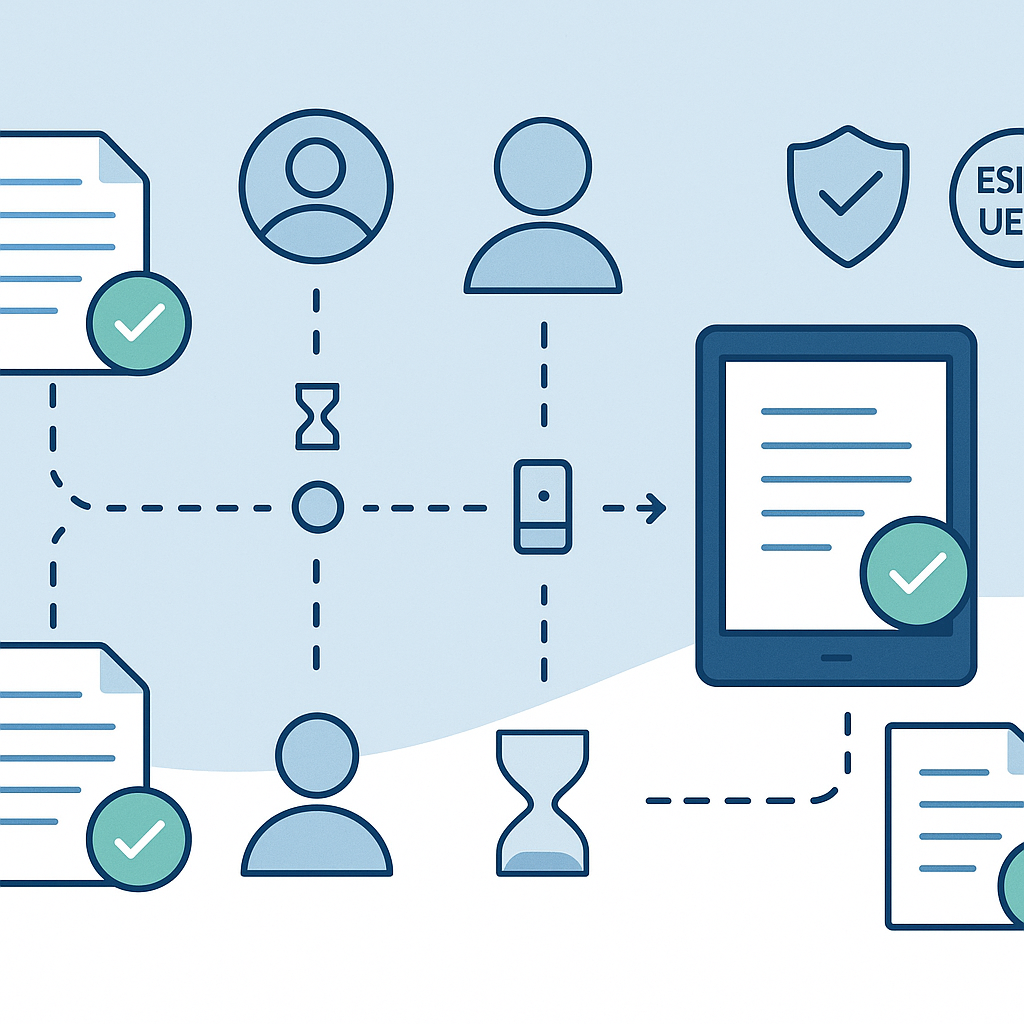
Electronic Authorization vs. Electronic Signature vs. Authentication
1. Electronic Authorization
Authorization answers the question, “Is this person allowed to do this?” Examples include:
- Approving a new vendor agreement
- Authorizing a budget increase
- Granting access to a confidential report
In QuickSign, authorization is typically expressed by completing the signing workflow and submitting the document, which is then recorded along with identity and time data.
2. Electronic Signature
An electronic signature is a specific, legally recognized method of indicating intent and consent. In the U.S., ESIGN (federal) and UETA (state-level) establish that electronic signatures can’t be denied legal effect solely because they’re electronic. (helpx.adobe.com)
QuickSign implements signatures as:
- Click-to-sign buttons
- Typed signatures
- Drawn signatures
Each action is tied to a specific signer, email address, IP, timestamp, and document version to strengthen evidentiary value.
3. Authentication
Authentication answers “Are you really who you say you are?” This is distinct from authorization but closely related. The stronger the authentication (e.g., secure email, one-time codes, SSO), the stronger your proof that the authorized person truly approved the action.
To understand the fundamentals of authentication, many teams use training content like Microsoft’s overview of identity and authentication flows:
ope; picture-in-picture" allowfullscreen>QuickSign can fit into your broader authentication strategy by requiring signers to access their email or identity provider before they can authorize a document, and by logging those details in its audit trail.
Legal Foundations for Electronic Authorization
United States: ESIGN and UETA
Two core frameworks govern electronic signatures—and, by extension, electronic authorization—in the U.S.:
- ESIGN Act (Electronic Signatures in Global and National Commerce Act) – A federal law that ensures contracts and signatures can’t be denied legal effect solely because they are electronic, for transactions in interstate or foreign commerce. (en.wikipedia.org)
- UETA (Uniform Electronic Transactions Act) – A model state law adopted by 49 states, D.C., and several territories, which treats electronic records and signatures as functional equivalents of paper and ink. (en.wikipedia.org)
Together, they establish principles such as:
- A signature or record can’t be denied legal effect just because it’s electronic.
- If a law requires a “writing,” an electronic record is acceptable.
- If a law requires a “signature,” an electronic signature satisfies that requirement.
QuickSign’s workflows are designed to align with these principles by ensuring:
- Clear intent: Signers must actively perform a signing action.
- Consent to do business electronically: You can incorporate consent language into your templates via AI Document Generation.
- Record retention: Executed documents and audit trails can be downloaded and stored to meet retention policies.
European Union: eIDAS
In the EU, the eIDAS Regulation ((EU) No 910/2014) governs electronic identification, authentication, and trust services. It ensures that electronic signatures and related trust services have legal recognition across all member states and provides a tiered framework for electronic signatures. (digital-strategy.ec.europa.eu)
Under eIDAS:
- Electronic signatures can’t be denied legal effect just because they’re electronic.
- Qualified Electronic Signatures (QES) must be given the same legal effect as handwritten signatures.
While QuickSign focuses on providing a simple, business-friendly authorization and signature experience, its auditability, PDF-based workflows, and exportable records support organizations that operate under eIDAS and similar regimes when paired with appropriate policies and identity practices.
How Electronic Authorization Works in Practice
Common Business Use Cases
Electronic authorization shows up in more places than just contract signing. Typical use cases include:
- Sales: Approving proposals, order forms, and MSAs
- HR: New hire paperwork, NDAs, policy acknowledgments
- Finance: Expense approvals, vendor onboarding, payment authorization
- Operations: Change approvals, maintenance sign-offs, SOP acknowledgments
QuickSign streamlines each of these by combining AI-powered document creation with fast, secure signature capture and real-time tracking.
A Typical Electronic Authorization Flow with QuickSign
Here’s what a modern, secure authorization process looks like when implemented with QuickSign:
- Create or upload the document
- Use AI Document Generation to describe what you need: “Mutual NDA for a software partnership governed by New York law, 2-year term, standard confidentiality obligations.” QuickSign drafts the NDA for you.
- Or upload an existing PDF contract or form.
- Place authorization fields
- Use drag-and-drop field placement to add signature, initials, date, and checkbox fields where approval is required.
- Optionally add a “By signing, I authorize…” clause next to key fields.
- Add signers and recipients
- Enter the signer’s name and email.
- Add additional approvers or CC-only stakeholders.
- Send for signature in seconds
- Use seamless sending to dispatch documents directly from QuickSign—no attachments, no manual chasing.
- Monitor authorization in real time
- Real-time tracking shows you when recipients open, view, and sign.
- Follow up only where needed—no more guessing who has or hasn’t approved.
- Store and share the authorized record
- Download the executed PDF and audit log for your records.
- Store it in your DMS, CRM, or shared drive as per your internal policy.
Pro tip: With QuickSign’s AI Document Generation, you can standardize the legal language around authorization across your contracts and forms—reducing risk and saving your legal team hours each month.
Security, Authentication, and Audit Trails in Electronic Authorization
Why Authentication Matters
Even the best-looking signature is only as strong as your confidence in who applied it. That’s why security architects distinguish between:
- Authentication: Verifying identity (e.g., “This person logged in with this email account or identity provider”).
- Authorization: Verifying they are allowed to perform an action (e.g., “This manager can approve up to $25,000”).
The concept is analogous to user authentication and role-based authorization in application development, such as the way a web API might authenticate JSON Web Tokens (JWTs) and then authorize access based on roles. Training content like JWT and role-based authorization tutorials for Node.js illustrate these patterns well:
QuickSign complements these technical patterns by giving you a business-facing layer for human approvals: you authenticate users via email or SSO in your environment, then QuickSign captures their authorization via signature and records the details.
The Role of Audit Trails
Regulators and courts often look for more than just a signature image—they expect an evidentiary trail. Best-practice electronic authorization workflows typically record: (helpx.adobe.com)
- Who was invited to sign (name, email)
- When the document was sent, viewed, and signed
- IP addresses and device/browser data
- Document hashes to prove integrity
- Any changes to recipient list or fields
QuickSign’s real-time tracking and downloadable records help you establish this evidence without extra work. Every authorization event is logged, giving you a defensible history of who approved what, and when.
Designing Robust Electronic Authorization Workflows with QuickSign
Map Roles and Permissions Outside the Tool
Before you configure QuickSign, define which roles in your organization can authorize which actions. For example:
- Sales reps can sign NDAs and SOWs up to $10,000.
- Sales directors must authorize anything above $10,000.
- The CFO must authorize any new financial service agreements.
While QuickSign handles the signature capture, your policy defines who should be added as recipients for each document type.
Standardize Templates with AI Document Generation
Instead of reinventing the wheel for each agreement, use QuickSign’s AI Document Generation to create standardized templates that embed your authorization rules and language.
Example workflow:
- Describe the template you need: “Sales order form with space for customer details, pricing table, and an authorization clause for automatic renewal.”
- Let QuickSign draft the document.
- Have legal review once, then save it as a reusable template.
- Use drag-and-drop fields to define exactly where signatures and initials must appear.
Pro tip: Add a short, plain-language authorization statement above each signature block (e.g., “By signing below, you authorize ACME Corp to proceed as described in this agreement.”) QuickSign’s AI can help you phrase this consistently across documents.
Use Sequential Routing for Multi-Level Authorization
Many approvals require more than one person. QuickSign allows you to add multiple recipients and configure signing order, so authorization flows correctly:
- Customer signs first.
- Sales manager signs second (authorization for pricing).
- Operations signs last (authorization to onboard).
Real-time tracking shows which step is in progress so you can nudge the right person without chasing everyone.
Cost, Scale, and Accessibility: Why Pricing Models Matter
Legacy authorization and e-signature tools often charge per user, which can discourage broad adoption. Yet, the whole point of electronic authorization is to make it easy for more people—not fewer—to approve things quickly and safely.
Unlike traditional per-seat solutions, QuickSign offers affordable flat-rate pricing starting at $15/month for the whole team, with no per-seat fees. That means:
- You can involve all relevant stakeholders in authorization workflows without worrying about license limits.
- Finance, HR, legal, and operations can all use the same tool, simplifying training and governance.
- Small and mid-sized businesses can implement robust electronic authorization without enterprise-level budgets.
On top of that, QuickSign’s generous free tier lets you generate 2 documents with AI and send 1 document to unlimited recipients—perfect for piloting an authorization workflow in a single department before rolling it out company-wide.
Best Practices to Keep Your Electronic Authorizations Defensible
To maximize both convenience and legal defensibility, combine QuickSign’s capabilities with these practical guidelines (aligned with major e-signature legal frameworks in the U.S. and EU (helpx.adobe.com)):
- Make intent clear: Use explicit language like “By signing below, you authorize…” in your templates.
- Obtain consent to electronic delivery: Add a short clause confirming the signer agrees to use electronic records and signatures.
- Keep your audit trails: Download and store signed PDFs and QuickSign’s logs with your other compliance records.
- Use consistent templates: Rely on AI Document Generation to standardize core clauses instead of manually editing from old contracts.
- Scope exceptions: For sensitive areas (e.g., wills, certain family law documents, or documents excluded by local law), confirm whether wet signatures are required and keep those flows separate. (helpx.adobe.com)
Real-World Example: Turning Email Approvals into Structured Electronic Authorization
Consider a mid-sized consulting firm that historically used email to authorize SOWs and change orders:
- Sales would email a PDF to the client and ask for “email approval.”
- Clients would reply “Approved,” sometimes forwarding internally first.
- Legal and finance had no reliable way to see who approved what, when.
By switching to QuickSign, they:
- Used AI Document Generation to standardize SOW templates and change order language.
- Configured simple signature workflows: client signatory → internal account manager → internal finance.
- Trained the team to use drag-and-drop fields so every SOW had the same acknowledgment and authorization blocks.
- Monitored all approvals through real-time tracking, replacing email chasing with targeted reminders.
- Stored executed documents and logs alongside projects in their project management system.
The result: faster approvals, fewer disputes about “who approved this,” and a clear audit trail any time a question arises.
Ready to simplify your document signing? Try QuickSign for free - generate 2 documents and send 1 document to unlimited recipients at no cost. No credit card required.