Electronic Signature vs Digital Signature: What’s the Real Difference (and Which Do You Need)?
Confused about electronic signature vs digital signature? Learn the key differences, legal standing, and security to choose the right solution for your business
Electronic Signature vs Digital Signature: What’s the Real Difference (and Which Do You Need)?
If you’re evaluating document signing solutions, you’ve probably seen the terms electronic signature and digital signature used almost interchangeably. Vendors blur the lines, IT teams talk about PKI and certificates, and legal teams just want something enforceable in court.
This guide breaks down electronic signature vs digital signature in plain language, explains the legal and technical differences, and shows how modern tools like QuickSign help you pick the right approach for your business.
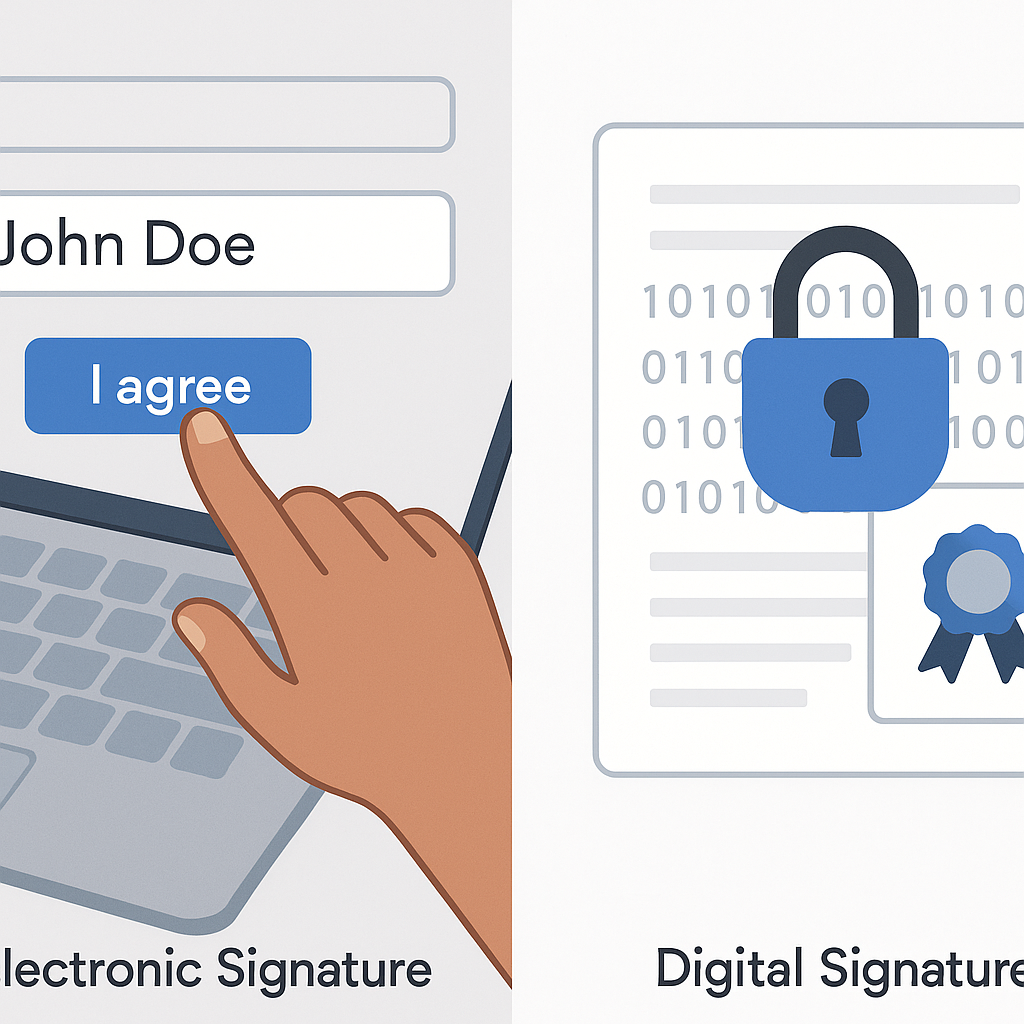
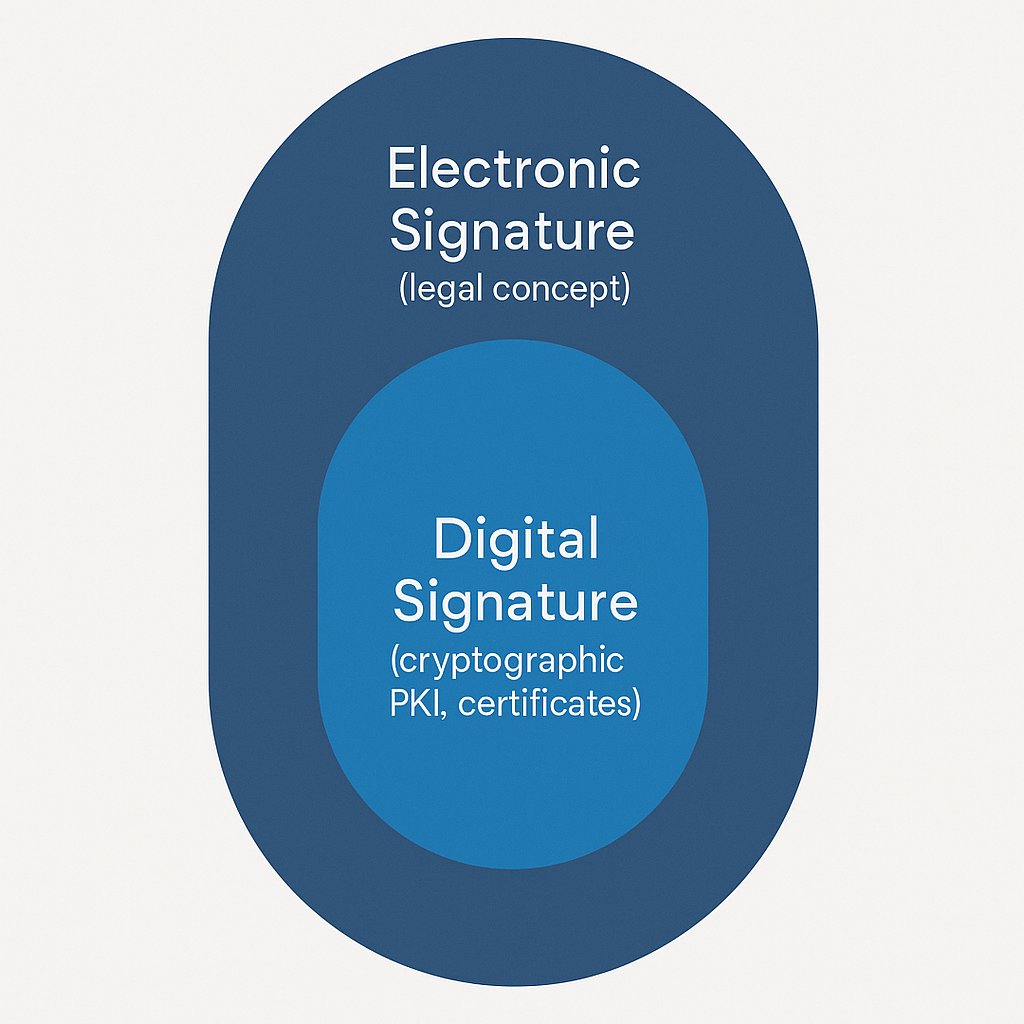
Key takeaway: Every digital signature is an electronic signature, but not every electronic signature is a digital signature. One is a legal concept, the other is a specific cryptographic technology.
Electronic Signature vs Digital Signature: Definitions That Actually Make Sense
What is an electronic signature?
In U.S. law, an electronic signature (e-signature) is broadly defined as any “electronic sound, symbol, or process” attached to a record and executed with intent to sign. This language comes from the ESIGN Act and the Uniform Electronic Transactions Act (UETA), which together make e-signatures legally valid in all U.S. states and territories for most business transactions. (en.wikipedia.org)
In practice, an electronic signature can be:
- Typing your name at the end of an email
- Clicking “I agree” on an online form
- Drawing your signature with a mouse or finger
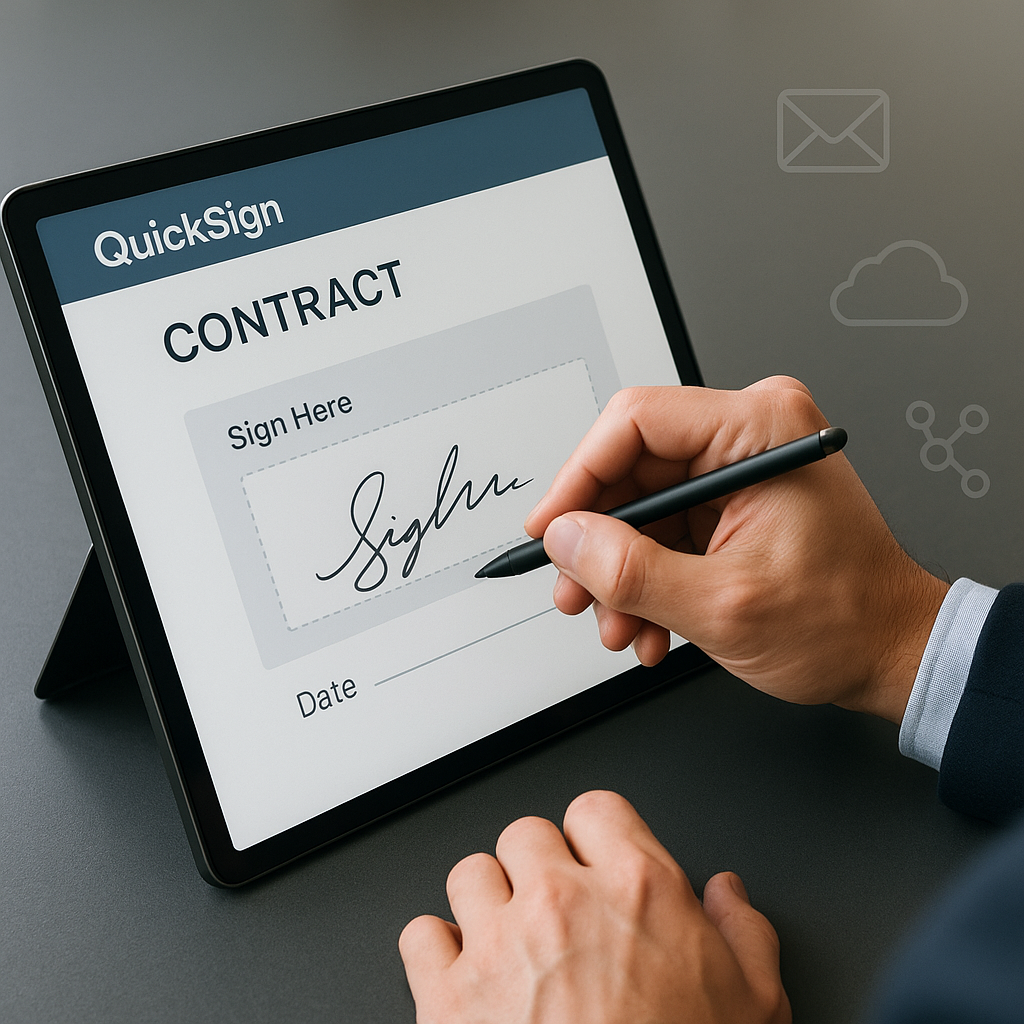
- Using an e-signature platform to sign a PDF from your browser
Most cloud signing tools (including QuickSign) fall into this broad e-signature category. They layer on identity verification, audit trails, and tamper detection to make those signatures reliable and court-admissible.
What is a digital signature?
A digital signature is more specific and technical: it’s a cryptographic method that uses a pair of keys (public and private) to verify that a document:
- Was signed by a specific person or system (authentication)
- Was not altered after signing (integrity)
Digital signatures are a type of public-key cryptography defined in cryptographic standards and often backed by digital certificates from a certificate authority (CA) or trust service provider. (en.wikipedia.org)
Think of it this way:
- Electronic signature: Legal umbrella term about intent and consent.
- Digital signature: Technical implementation using cryptography, often used to strengthen an electronic signature.
Legal perspective: Are both electronic and digital signatures valid?
United States (ESIGN & UETA)
In the U.S., both electronic and digital signatures are generally enforceable for most business transactions, as long as you meet basic requirements under ESIGN and UETA:
- Clear intent to sign
- Consent to do business electronically
- Ability to retain and reproduce the signed record
- A reliable process to identify the signer
- A consistent audit trail or record of the transaction
ESIGN explicitly states that a contract or signature “may not be denied legal effect, validity, or enforceability solely because it is in electronic form.” (en.wikipedia.org)
Most business documents—sales contracts, NDAs, service agreements, HR onboarding forms—are fully covered by these laws.
When are electronic or digital signatures NOT enough?
Across many jurisdictions, certain document types often cannot be signed electronically, or require special procedures:
- Wills, codicils, and testamentary trusts
- Some family law documents (adoption, divorce, etc.)
- Certain real estate transfers or notarized filings, depending on state law
Even Adobe’s legal guidance notes that do
Technical perspective: How electronic and digital signatures work
How electronic signatures work in everyday tools
Most e-signature workflows look like this:
- You upload a PDF or generate a document.
- You place signature, date, and text fields where they belong.
- You add recipients and send the document by email.
- Recipients click a secure link, review the document, and sign.
- The platform locks the document, records an audit trail, and emails everyone a final signed copy.
Modern platforms such as QuickSign enhance this by adding:
- Real-time tracking of who opened, viewed, and signed
- Tamper-evident seals on the final PDF
- Authentication steps like email verification or access codes
How digital signatures work under the hood
A full digital signature workflow usually includes:
- A private key known only to the signer
- A matching public key shared with others
- A digital certificate from a trusted CA or trust service provider
When you sign:
- The system calculates a hash (fingerprint) of the document.
- It encrypts that hash with the signer’s private key, creating the digital signature.
- Anyone can use the signer’s public key to verify that the hash matches the document and the certificate is valid.
This is why digital signatures are favored in regulated or high-trust scenarios: they provide cryptographic proof of who signed and that the document hasn’t changed. (en.wikipedia.org)
Electronic Signature vs Digital Signature: Side-by-Side Comparison
Key differences at a glance
- Definition
- Electronic signature: Any electronic process that indicates acceptance.
- Digital signature: A specific cryptographic technique (public-key, certificates).
- Scope
- Electronic signature: Legal concept used in ESIGN, UETA, eIDAS, etc.
- Digital signature: Technical concept used in cryptography and PKI.
- Security
- Electronic signature: Depends on platform controls (audit trail, IP, email, MFA).
- Digital signature: Cryptographic integrity; tampering invalidates the signature.
- Use cases
- Electronic signature: Everyday contracts, approvals, HR docs, sales workflows.
- Digital signature: Regulated industries, government filings, long-term archiving.
- Complexity
- Electronic signature: Easy for non-technical users; minimal setup.
- Digital signature: Requires certificates, key management, and policy controls.
Pro tip: For 80–90% of typical business documents, a well-implemented electronic signature platform with strong audit trails is sufficient. Reserve full digital signature infrastructure for high-risk or regulated use cases.
Real-world examples: When to use which type of signature
Everyday business scenarios (electronic signatures are ideal)
Electronic signatures shine in high-volume, low-friction workflows such as:
- Sales – proposals, order forms, MSAs, renewals
- HR – offer letters, policy acknowledgements, NDAs, onboarding
- Operations – vendor agreements, SOWs, maintenance contracts
- Freelance & small business – service agreements, retainers, invoices
These are the kinds of documents that QuickSign is optimized for: fast to prepare, easy to send, and legally enforceable under ESIGN/UETA in the U.S. (helpx.adobe.com)
High-assurance or regulated scenarios (digital signatures often required)
Digital signatures are more common when you need explicit cryptographic assurances or must follow specific regulations or industry standards, for example:
- Certain government filings and cross-border public sector transactions
- Pharmaceutical, financial, or healthcare workflows governed by strict standards
- Documents that must remain verifiable for decades and follow advanced or qualified electronic signature-style requirements (e.g., under the EU’s eIDAS framework)
In these cases, businesses often layer a digital signature on top of an electronic signing experience or rely on specialized PKI-based solutions.
How modern platforms like QuickSign fit into this picture
Simplifying electronic signatures for small teams and growing businesses
Legacy platforms like DocuSign or HelloSign tend to use per-user pricing that can become expensive as your team grows. DocuSign’s public pricing, for example, starts around $10/month for a single user and scales to $25+ per user per month for team plans. (ecom.docusign.com)
QuickSign takes a different approach that’s friendlier to small businesses and startups:
- Affordable flat-rate pricing starting at $15/month for the whole team—no per-seat fees.
- A generous free tier: generate 2 documents and send 1 document to unlimited recipients at no cost.
- No hidden fees or enterprise-style contracts—easy to predict and budget.
While other platforms meter every “envelope” or user seat, QuickSign is designed so you can add your whole team without watching the bill explode.
Faster workflows with AI and smart fields
Where most e-signature platforms focus purely on sending and signing, QuickSign helps you create documents too:
- AI Document Generation – Describe the agreement you need (e.g., “mutual NDA for marketing partnership” or “simple monthly consulting contract”), and QuickSign drafts it for you. You can then refine and send it for signature in one flow.
- AI-powered variables – Use document variables to automatically fill in client names, addresses, pricing, and other details—reducing manual edits and typos.
- Drag-and-drop field placement – Upload any PDF and simply drag signature, initials, text, and date fields exactly where they belong.
The result: your team goes from “we need a contract” to “contract signed” in minutes, not days.
Real-time tracking and auditability
Regardless of whether you use a basic electronic signature or more advanced cryptography, you need strong evidence of the signing process.
QuickSign provides:
- Real-time tracking – See when each recipient opens, views, and signs a document.
- Detailed audit trails – Capture timestamps, IP addresses, and events for compliance and dispute resolution.
- Tamper-evident final PDFs – Once all parties sign, the document is locked to prevent unnoticed changes.
These capabilities are crucial in demonstrating that your electronic signature process is reliable, which courts and regulators look for when evaluating enforceability. (helpx.adobe.com)
Actionable tips for choosing between electronic and digital signatures
1. Start from your risk profile, not the buzzwords
Ask yourself:
- What’s the financial and legal risk if something goes wrong with this document?
- Are we subject to specific regulations (e.g., finance, healthcare, pharma, government)?
- Is there a statutory requirement or industry norm for digital certificates or PKI?
If the risk is moderate and your legal team is comfortable with ESIGN/UETA-style requirements, a robust e-signature platform like QuickSign is usually appropriate.
2. Match security level to document sensitivity
For most contracts, focus on:
- Strong identity verification (email authentication, access codes, or SSO)
- Comprehensive audit trails
- Document integrity after signing (tamper-evident PDFs)
Consider upgrading to digital certificates or PKI-backed digital signatures when:
- Regulations explicitly call for them
- You must satisfy international frameworks that distinguish between “simple,” “advanced,” and “qualified” signatures
- You need cryptographic proof that remains verifiable for many years
3. Don’t over-engineer low-risk workflows
Requiring smart cards, tokens, or complex PKI setups for every minor change order or NDA can slow your business down and frustrate signers. For non-regulated, day-to-day documents, a clean electronic signature experience is usually enough.
Platforms like QuickSign are intentionally built for speed: you can generate a contract with AI, drag fields into place, add recipients, and send for signature in under 60 seconds—without training or IT support.
Learn visually: Great explainer videos on e-signatures & digital signatures
Fast overview of e-signatures vs digital signatures
How to create and use electronic signatures
How digital signatures work in practice
How to get started with modern e-signatures in your business
Step 1: Map your core document workflows
List the top 5–10 documents you send repeatedly:
- Client contracts, SOWs, or order forms
- NDAs and partnership agreements
- Employee offer letters and HR policies
- Vendor or subcontractor agreements
These are ideal candidates for streamlined electronic signature workflows.
Step 2: Choose a tool that balances power and simplicity
When comparing e-signature solutions, consider:
- Pricing model – Are you paying per envelope or per user (as with many legacy tools like DocuSign and HelloSign), or do you get flat-rate pricing with unlimited team members like QuickSign?
- Document creation – Do you have to draft documents elsewhere, or can you generate them with built-in AI?
- Ease of use – Can non-technical staff send documents in under a minute using drag-and-drop fields?
- Scalability – As you grow, will adding more users or sending more documents explode your costs?
While platforms like DocuSign and HelloSign charge per user and can quickly become expensive, QuickSign offers flat-rate pricing starting at just $15/month with unlimited team members, plus AI-powered document generation and variables to automate your workflows.
Step 3: Standardize templates and variables
Once you choose a platform:
- Create standard templates for your most-used agreements.
- Set up variables (e.g., client_name, project_fee, start_date) so the system auto-fills details.
- Define roles and routing (client, internal approver, counter-signer) so every new document follows the same path.
With QuickSign, you can combine AI Document Generation with smart variables and drag-and-drop fields so your team spends their time negotiating deals—not formatting PDFs.
Step 4: Educate your team on legal basics
Share a short internal guide that covers:
- When e-signatures are appropriate under ESIGN/UETA
- Which document types must still be signed on paper or handled with extra care
- Security best practices (e.g., not forwarding signing links, using work email, etc.)
Align with your legal counsel on edge cases, but empower your teams to use electronic signatures confidently for everyday work.
Ready to simplify your document signing? Try QuickSign for free – generate 2 documents and send 1 document to unlimited recipients at no cost. No credit card required.