Flat-Rate E‑Signature Pricing for Small Business: Why It Matters and How QuickSign Keeps It Simple
Discover how flat rate e-signature pricing helps small business control costs, avoid surprises, and grow with QuickSign’s simple, scalable plans.

Flat-Rate E‑Signature Pricing for Small Business: Why It Matters and How QuickSign Keeps It Simple
Why small businesses are rethinking e‑signature pricing
If you run a small business, you’ve probably hit at least one of these problems with e‑signature tools:
- Monthly bills that keep creeping up as you add team members or send more documents.
- Complex “per user” and “per envelope” limits that make it hard to predict your true costs.
- Time wasted cobbling together contracts in Word, exporting PDFs, and manually placing signature fields for every new deal.
Most e‑signature platforms still charge per seat and cap how many documents you can send before overage fees kick in. Industry data shows entry-level plans often start around $10–$15 per user per month, while mid-tier small business plans commonly run $25–$40 per user per month—and that’s before add-ons or overages.(esignglobal.com) For a five-person team, that can quickly turn into hundreds of dollars each month.
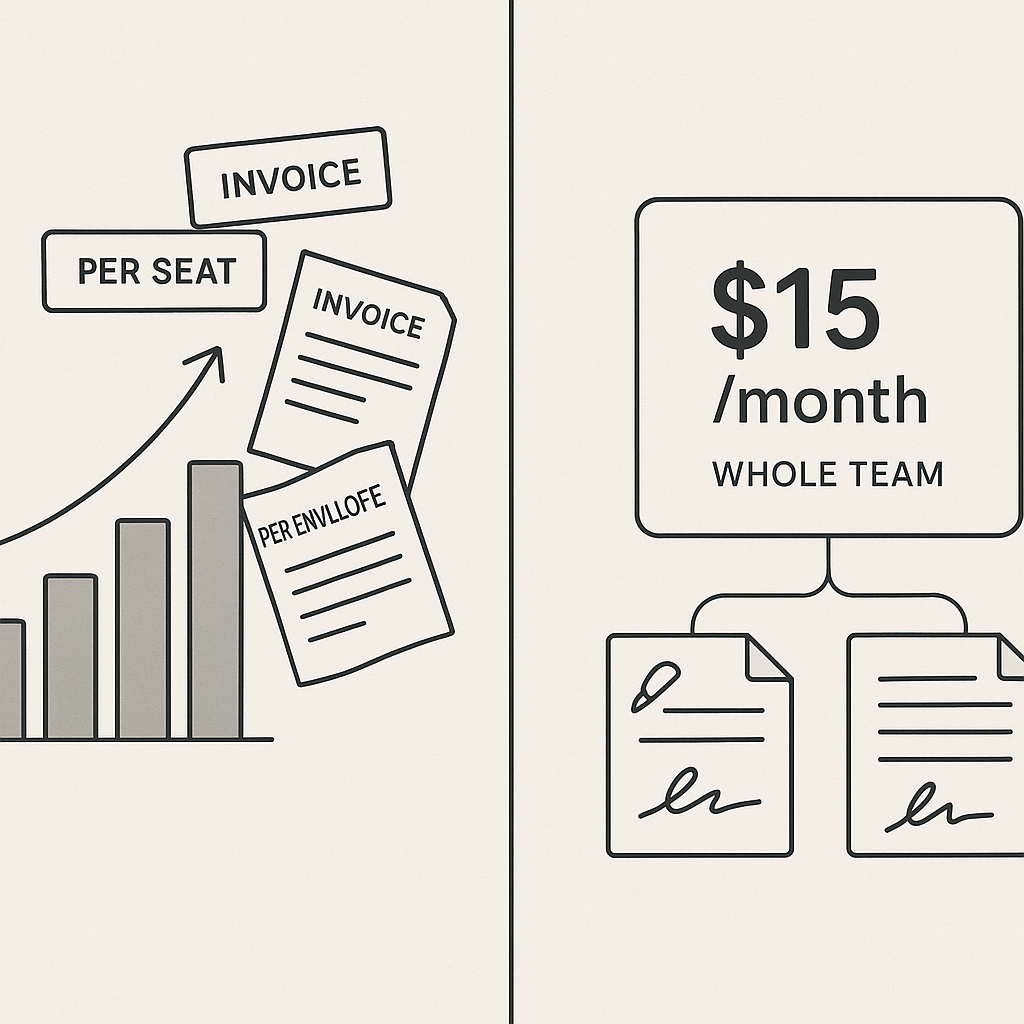
QuickSign takes a different approach. It offers flat-rate e‑signature pricing starting at $15/month for your whole team, with no per-seat fees. Combine that with built-in AI document generation and a fast, drag-and-drop signing workflow, and you get a solution built specifically to simplify life for small businesses.
Key takeaway: Small businesses don’t just need e‑signatures—they need predictable, flat-rate pricing and tools that remove manual work from every stage of the contract process.
What “flat-rate e‑signature pricing” really means for small business
Flat-rate pricing is simple: you pay one predictable fee for access to the product, instead of paying per user or per document. For SaaS tools, that brings major advantages like customer clarity, no hidden fees, and easier budgeting.(businessher.com)
Applied to e‑signatures, flat-rate pricing changes the economics for small businesses:
- No more “seat creep”: Add team members without watching your subscription cost multiply.
- No envelope anxiety: You’re not penalized just because you had a strong sales month and sent more contracts.
- Straightforward forecasting: It’s far easier to build e‑signatures into your operating budget.
Unlike traditional per-seat solutions, QuickSign offers flat-rate pricing at $15/month
How much do small businesses usually pay for e‑signature tools?
To understand where flat-rate fits, it helps to look at current market norms:
- Entry-level plans: Often $10–$15 per month for a single user, with strict caps like 5 documents (“envelopes”) per month.(esignglobal.com)
- Small team plans: Commonly $25–$40 per user per month for 1–5 users, with limits like 100 documents per user per year.(esignglobal.com)
- Hidden costs: Exceeding those limits can mean $0.50–$2 in overage fees per extra document, plus extra charges for API calls, SMS notifications, and advanced verification.(esignglobal.com)
Market analyses put the average monthly cost for e‑signature software at around $25 per user for SMBs when you factor in realistic usage.(esignglobal.com) That means even a modest five-person team could be looking at $125/month or more.
With QuickSign, that same team can share a flat $15/month plan, dramatically improving ROI while still getting modern features like AI contract generation, real-time tracking, and fast sending.
Where flat-rate e‑signatures create real savings
Beyond subscription fees, e‑signatures themselves generate substantial efficiency gains. Studies show companies using e‑signature platforms see an average 58% faster document turnaround time compared to paper processes and a 32% reduction in paperwork-related costs in the first year.(esignglobal.com) Other research reports contract turnaround improvements of over 75% and significant boosts in employee productivity thanks to automated workflows.(certinal.com)
Flat-rate pricing amplifies those benefits for small businesses because you don’t have to hold back on usage to avoid triggering higher tiers or overage bills. With QuickSign you can:
- Let more team members send documents for signature without extra user fees.
- Push more processes (HR forms, vendor contracts, NDAs, sales proposals) into e‑signatures quickly.
- Standardize digital signing across the business without worrying who has a license.
Pro tip: Treat e‑signatures as a company-wide utility, not a per-user luxury. Flat-rate tools like QuickSign make it economically realistic to onboard your whole team.
How small businesses actually use QuickSign day-to-day
1. Create contracts instantly with AI Document Generation
One of the most distinctive advantages of QuickSign is its AI Document Generation. Instead of starting from a blank Word file or hunting for old templates, you simply describe what you need—“a simple service agreement for monthly bookkeeping clients,” “a one-page NDA for freelancers,” “a consulting contract with milestone payments”—and QuickSign’s AI drafts a professional document for you.
This matters for small businesses that don’t have in-house legal teams. You can generate contracts, agreements, and NDAs quickly, then customize wording as needed before sending.
2. Drag-and-drop fields on any PDF
Once your contract or form is ready, you can upload it to QuickSign and use drag-and-drop field placement to prepare it for signing. Add:
- Signature boxes
- Initials
- Dates
- Text fields (for addresses, payment terms, custom notes)
Everything is visual and intuitive—no complex field-mapping or coding.
3. Seamlessly send to one or many recipients
Next, you add your signers’ names and email addresses and use QuickSign’s seamless sending to dispatch the document in seconds. Need multiple signatures (e.g., client + internal approver + partner)? You can add them all in a single workflow.
Because QuickSign uses a flat-rate model, you can invite unlimited internal collaborators into your process without worrying that each user will add another line item to your bill.
4. Monitor progress with real-time tracking
Small businesses often lose deals or delay projects simply because they can’t see where a contract is stuck. QuickSign includes real-time tracking so you can see:
- When a recipient opened the document
- Whether they viewed it but haven’t signed
- Who has signed and who hasn’t in multi-signer workflows
That visibility mirrors broader industry data showing that companies report a 39% improvement in process visibility and tracking once they adopt e‑signature platforms.(certinal.com) With QuickSign, you get those analytics wrapped into a simple flat-rate subscription.
A real-world QuickSign workflow for a small service business
Consider a five-person marketing agency that closes 15–20 client engagements per month and regularly signs NDAs, proposals, and renewals. Here’s how they might use QuickSign under a flat $15/month plan.
Step 1: Generate the proposal in under a minute
The account manager opens QuickSign and uses AI Document Generation:
- Prompt: “Marketing services agreement for a 6‑month retainer, fixed monthly fee, including social media management, email marketing, and monthly reporting. Include standard confidentiality and IP transfer clauses.”
- QuickSign generates a draft contract, which the manager lightly edits for client-specific details.
Step 2: Prepare for signing with drag-and-drop fields
After reviewing the content, the manager uploads the final document into QuickSign, then:
- Drags a signature field and date next to “Client Signature.”
- Adds a signature field for the agency’s director.
- Optionally adds a text field for a purchase order number if the client uses them.
Step 3: Send to the client and internal approver
Using seamless sending, the manager:
- Adds the client’s decision-maker as the primary recipient.
- Adds the agency’s director as a secondary signer.
- Clicks send—no juggling of licenses or user permissions, because pricing doesn’t depend on per-seat usage.
Step 4: Track opens and signatures in real time
Within QuickSign, the team can see:
- When the client first opened the agreement.
- If they forwarded it to a colleague.
- The exact timestamp when the client signed.
If the client hasn’t signed within a day or two, the account manager can follow up with confidence, referencing that they “saw” the document was opened, similar to how many modern sales teams manage email engagement.
Step 5: Reuse the workflow without extra cost
Because QuickSign is priced at a flat $15/month, the agency repeats this process for every new project, renewal, or upsell without worrying about document caps or paying extra for additional team members. In a more traditional per-seat setup, they might have limited licenses to only a couple of staff to save on costs—slowing deals and creating bottlenecks.
Time and cost savings for small businesses using QuickSign
Let’s translate this into concrete numbers. Suppose your small business:
- Sends 25 documents per month (client contracts, NDAs, onboarding forms).
- Currently spends about $0.50–$1.00 per printed packet (paper, ink, envelopes), plus mailing or courier costs.
- Burns 30–60 minutes of staff time per document chasing signatures.
Studies show e‑signatures can cut document turnaround time by more than 75% and reduce paperwork-related costs by roughly a third.(esignglobal.com) When you layer flat-rate pricing on top of that, QuickSign can deliver savings in three main ways:
- Lower subscription spend: Replace a $25/user plan for 5 users ($125/month) with QuickSign’s $15/month flat fee—saving $1,320 per year.
- Reduced admin time: If each document previously took 30 minutes of admin work and that drops to 10 minutes with QuickSign, that’s 20 minutes saved × 25 docs = ~8 hours saved per month. Over a year, that’s roughly 96 staff hours you can redeploy elsewhere.
- Faster revenue recognition: Industry data shows a high percentage of e‑signed agreements close within 24 hours,(certinal.com) rather than drifting for days or weeks. For small businesses, that means better cash flow and more predictable revenue.
Key takeaway: With a flat $15/month QuickSign plan, it’s common for small teams to save more in time and legacy subscription costs than they spend on e‑signatures—while also accelerating how quickly deals close.
What small business owners can learn from pricing strategies in other fields
Flat-rate pricing isn’t unique to e‑signatures. It shows up in many industries because it aligns incentives and simplifies buying decisions:
- In services like car buying, negotiation experts emphasize understanding and minimizing add-on fees to avoid bill shock—similar to watching out for per-envelope overages in software. (Relevant video: “How To Ask A Car Dealer To Lower Their Fees.”)
- Accountants and bookkeepers sometimes bundle their services into predictable monthly retainers, much like good flat-rate SaaS pricing. (Relevant video: “A little QuickBooks’s secret!”)
- Creative professionals often bundle work into project rates or well-defined commission tiers for clarity, as in “How I PRICE my COMMISSIONS as a PROFESSIONAL ARTIST.”
QuickSign brings that same clarity into your e‑signature stack: one simple price, everything you need, and no surprise fees when your business grows or you send more documents.
How to get started with QuickSign on a flat-rate plan
Because QuickSign is built with small businesses in mind, onboarding is intentionally fast:
- Sign up for the free tier: You can create an account and immediately get 2 AI-generated documents plus 1 document send to unlimited recipients—at no cost.
- Test a real workflow: Use AI Document Generation to draft an NDA or service agreement you actually need this week. Prepare it with drag-and-drop fields and send it to a client or partner.
- Invite your team: Add colleagues to QuickSign so they can start sending documents, too. With flat-rate pricing, you’re not penalized for onboarding everyone who needs access.
- Upgrade when ready: When you’re comfortable, step up to the $15/month flat-rate plan to unlock ongoing usage for your whole team.
Why flat-rate QuickSign is a strong fit for your business
For small business professionals, the right e‑signature tool should:
- Offer predictable, affordable pricing that doesn’t explode as your team or document volume grows.
- Eliminate busywork with AI-generated contracts and streamlined document prep.
- Make it simple to send and track every agreement, from first draft to final signature.
- Be easy for the whole team to adopt—not just a few “power users” with paid seats.
QuickSign delivers on all of this with:
- Flat-rate pricing at $15/month for the entire team.
- AI Document Generation for contracts, NDAs, and agreements from simple prompts.
- Drag-and-drop field placement on any PDF.
- Seamless sending and real-time tracking so you always know where each document stands.
- A generous free tier so you can validate the workflow with real documents before paying.
Ready to simplify your document signing? Try QuickSign for free - generate 2 documents and send 1 document to unlimited recipients at no cost. No credit card required.