Free E‑Signature Tools in 2025: How to Choose the Right One for Your Business
Discover the best free e-signature tools in 2025. Compare features, security, and ease of use to choose the right free e-signature tools for your business.

Free E‑Signature Tools in 2025: How to Choose the Right One for Your Business
Free e‑signature tools have come a long way. What used to be an expensive, “enterprise‑only” capability is now accessible to solo consultants, startups, and growing teams that just need to get documents signed—fast, securely, and without breaking the budget.
But “free” can hide a lot of limitations: document caps, lack of templates, missing audit trails, or confusing upgrade paths. In this guide, we’ll break down how free e‑signature tools really work in 2025, what to watch out for, and how to pick a platform that can grow with you—without forcing you into complex, per‑seat contracts.
Key takeaway: The best approach is often a hybrid: start with a genuinely useful free tier, but choose a platform that offers simple, affordable pricing when you’re ready to scale—like QuickSign with flat‑rate, unlimited team members.
What Is a Free E‑Signature Tool (And What Does “Free” Really Mean)?
A free e‑signature tool lets you send or sign documents digitally—usually PDFs, Word docs, or image files—without paying a subscription. Under the hood, most reputable tools rely on e‑signature laws like ESIGN and UETA in the U.S. and eIDAS in the EU to ensure signatures are legally binding when properly implemented.
However, “free” almost always comes with boundaries:
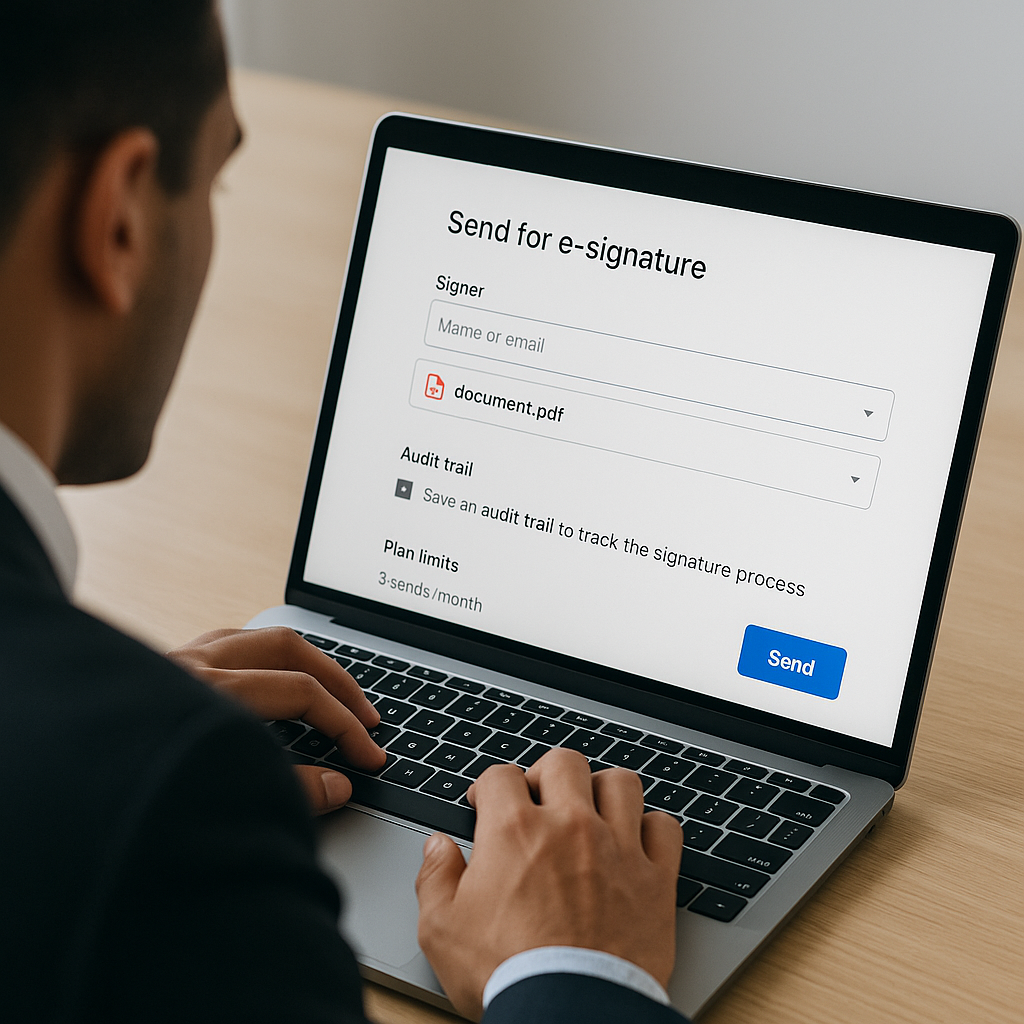
- Monthly send limits (e.g., Dropbox Sign’s free plan includes three send‑for‑signature requests per month but unlimited self‑signing). (faq.hellosign.com)
- Limited features such as no templates, branding, or advanced routing.
- Watermarks or branding on signed PDFs in some tools.
- Caps on recipients or documents per transaction.
This is why it’s crucial to look beyond the “free forever” headline and dig into what that tier actually lets you do, especially if you run a business.
Why Free E‑Signature Tools Matter for Modern Businesses
For business professionals, especially in small teams, using free e‑signature tools isn’t just about saving on software spend; it’s about speed, professionalism, and compliance.
- Faster deal cycles: Contracts get signed in hours instead of days.
- Better client experience: Clients can sign from any device—no printing or scanning.
- Improved compliance: Clear audit trails, timestamps, and signer authentication.
- Reduced admin work: Automatic reminders, status tracking, and centralized st
orage.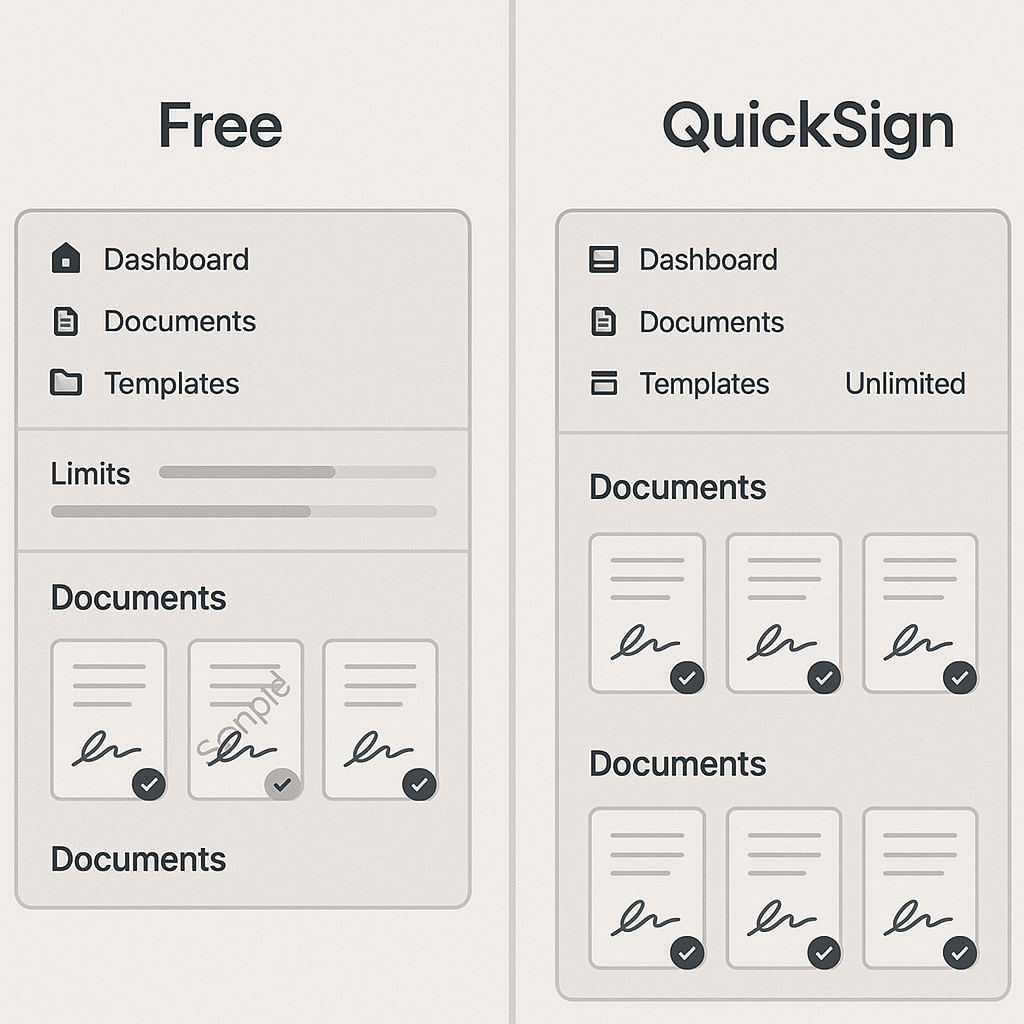
Platforms like QuickSign take this further with AI document generation and real‑time tracking, turning e‑signatures into a complete micro‑workflow for agreements, NDAs, and more.
Types of Free E‑Signature Options You Can Use Today
1. Dedicated Free E‑Signature Platforms
These are platforms built specifically for e‑signatures, offering a free tier with limits:
- Dropbox Sign (formerly HelloSign) – Free plan includes unlimited self‑signing and three send‑for‑signature requests per month, plus audit trails. (faq.hellosign.com)
- Other “freemium” tools – Many competitors offer a handful of free documents per month to entice you into a paid plan once your usage grows. An industry overview in 2025 highlights that most “free” tiers are constrained either by signature requests or document volume, especially for business use. (gethubsign.com)
These tools are easy to start with, but most are designed to push you toward per‑user pricing as soon as your usage increases.
2. Built‑In E‑Signature in PDF and Office Tools
Some tools you already use include basic e‑signature features:
- Adobe Acrobat Reader / Acrobat online – Offers a free “Fill & Sign” feature for adding signatures and form fields to PDFs, though more advanced workflows require paid Acrobat or Acrobat Sign. (reddit.com)
- Microsoft Word – Lets you add digital signatures and signature lines directly in documents, which can be useful for internal workflows or approvals.
These are ideal for occasional, simple signatures, but they typically lack the workflow features a business needs: recipient routing, automatic reminders, templates, or central activity tracking.
3. Modern Workflow‑First Platforms (With Generous Free Tiers)
Newer platforms like QuickSign are designed for small businesses and solo professionals who want more than a bare‑bones e‑signature button. They focus on speed and automation while still offering a practical free tier.
- Free tier example: QuickSign lets you generate 2 complete documents with AI and send 1 document to unlimited recipients at no cost—perfect for testing real workflows before you commit.
- Upgrade path: When you’re ready, you can move to simple, flat‑rate pricing starting at $15/month for the whole team—not per user.
Pro tip: If you expect your usage to grow beyond “a few contracts per month,” prioritize platforms with flat‑rate pricing and unlimited team members. It will save you significant money compared with per‑seat billing as your team scales.
Key Features to Look For in Free E‑Signature Tools
Legally Binding Signatures and Audit Trails
Business documents—contracts, NDAs, employment agreements—need to stand up legally. At a minimum, look for:
- Compliance with ESIGN/UETA (U.S.) and, if relevant, eIDAS (EU).
- Detailed audit logs: timestamps, IP addresses, signer email, and activity history.
- Document integrity protection (tamper‑evident PDFs).
Most leading providers—including Dropbox Sign and other mainstream tools—highlight their compliance with these standards as a core selling point. (sign.dropbox.com)
Ease of Use: Drag‑and‑Drop Fields and Intuitive UI
If you send contracts regularly, you don’t want to fight the interface every time. Features that save time include:
- Drag‑and‑drop field placement – Quickly drop signature, date, text, and initial fields onto your document.
- Reusable templates – Save standard contracts (like NDAs or SOWs) so you’re not recreating them every time.
- Bulk or multi‑recipient sends – One document, multiple signers, in the right order.
QuickSign focuses heavily on speed here: upload a PDF, drag‑and‑drop the fields, add recipients, and send in under 60 seconds. That’s crucial when you’re closing deals or onboarding clients and don’t want the tech to be the bottleneck.
AI Document Generation and Smart Variables
A growing differentiator in 2025 is how much the platform helps you prepare your documents, not just get them signed.
- AI document generation: Instead of starting from a blank template, you describe what you need (“a one‑page mutual NDA between a marketing agency and client under U.S. law”), and the platform drafts it for you.
- AI‑powered variables: Automatically fill in things like company name, address, or contact info across the document once you enter them once.
This is where QuickSign stands out: its AI Document Generation and smart variables are built‑in, so you’re not juggling separate tools for contract drafting and signing. That’s a major time‑saver for small teams without in‑house legal templates.
Tracking, Notifications, and Reminders
Once you send a document, you need visibility:
- Real‑time tracking – See when recipients open, view, and sign the document.
- Email notifications – Get alerts for key events, like “document viewed” or “all parties signed.”
- Automatic reminders – Nudge signers who haven’t completed their part.
Platforms like QuickSign offer real‑time tracking dashboards so sales teams, account managers, and founders always know exactly where a deal stands.
Popular Free E‑Signature Workflows (With Video Tutorials)
Signing PDFs for Free
Many professionals simply need a quick way to sign a PDF sent by a client or vendor. Several tools and tutorials show you how to do this at no cost:
Videos like this walk through using free PDF editors or built‑in OS tools to add signatures. However, keep in mind:
- These methods are great for one‑off personal signatures.
- They usually don’t provide audit trails, organized tracking, or multi‑recipient workflows.
For anything customer‑facing or legally sensitive, a purpose‑built e‑signature platform is more appropriate.
Requesting Digital Signatures from Others for Free
If you’re sending proposals or contracts to clients, you need a workflow that handles emails, reminders, and multiple signers.
Videos like this highlight how some tools position themselves as lower‑cost alternatives to legacy providers. The core steps are similar across platforms:
- Upload your document (PDF, DOCX, etc.).
- Place required fields (signature, date, text boxes).
- Add recipients and define signing order.
- Send and track until completion.
QuickSign follows the same intuitive pattern but adds AI document creation at the start and flat‑rate pricing when you’re ready to go beyond free usage.
Creating Digital Signatures in Word
If your organization lives in Microsoft 365, you might also use Word’s signature features:
This approach is fine for internal approvals or light‑weight agreements, but for external clients, you’ll still want the professionalism and legal robustness of a dedicated e‑signature platform with audit trails and centralized document management.
Comparing Free E‑Signature Tools: Where QuickSign Fits In
Cost and Pricing Models
Most legacy e‑signature players (like DocuSign or Dropbox Sign) use per‑user pricing. For example, Dropbox Sign’s standard business plan is priced per user per month, which can add up quickly as your team grows. (dropboxsign.com)
By contrast:
- QuickSign – Flat‑rate pricing starting at $15/month for the entire team, no per‑seat fees, with a generous free tier (2 AI‑generated documents + 1 send to unlimited recipients).
- Other freemium tools – Often limit you to a small number of documents per month, then charge per user as soon as your usage or team size grows.
Cost insight: While platforms like DocuSign and Dropbox Sign charge per user and can become expensive as you add seats, QuickSign offers flat‑rate pricing starting at just $15/month with unlimited team members—ideal for agencies, startups, and lean in‑house teams.
Feature Depth on the Free Tier
When comparing free plans, ask:
- How many documents can I actually send for signature each month?
- Are there caps on recipients per document?
- Do I get audit trails and basic templates?
QuickSign focuses its free tier on letting you experience the full workflow: generate real contracts with AI, send a live document to unlimited recipients, and test tracking and reminders. That’s often more valuable than a “forever free” plan that only supports bare‑minimum features.
Modern UX and Automation
Legacy tools can feel heavy and designed for large enterprises, with cluttered interfaces and complex admin settings. Newer platforms like QuickSign focus on:
- Modern, intuitive interface tuned for solo entrepreneurs and small teams.
- AI‑powered document generation to remove the blank‑page problem.
- Document variables that auto‑fill client data across the contract.
- Built for speed – send a document for signature in under 60 seconds.
For many business professionals, these workflow enhancements matter more than deep enterprise integrations or complex approval chains.
How to Choose the Right Free E‑Signature Tool for Your Use Case
Step 1: Map Your Typical Documents
List the documents you send most often:
- Client agreements and SOWs
- NDAs and partnership agreements
- HR documents (offer letters, policy acknowledgements)
- Vendor contracts and purchase agreements
If you rely on repeatable document types, a tool with AI document generation and templates—like QuickSign—will save you more time than a basic signature tool.
Step 2: Estimate Monthly Volume and Team Size
Ask yourself:
- How many documents do we expect to send for e‑signature each month?
- How many team members need to send or manage documents?
If you’re under 3 signature requests per month and have one or two senders, a constrained free tier from a legacy provider may be enough. But as soon as you expand usage or add colleagues, flat‑rate platforms like QuickSign become more economical than per‑seat licenses.
Step 3: Consider Legal and Compliance Requirements
For regulated industries or higher‑risk agreements, look for:
- Robust audit trails and tamper‑evident documents.
- Clear information on ESIGN/UETA and eIDAS compliance.
- Data residency or security certifications if needed.
Most leading e‑signature tools document their compliance and security approach publicly; check their websites or help centers for specifics. (sign.dropbox.com)
Step 4: Test With Real‑World Flows
Finally, don’t rely on feature lists alone. Run a realistic test:
- Use AI or templates to generate a standard NDA or contract.
- Upload or prepare a document and add signature fields with drag‑and‑drop.
- Send it to a colleague or test email.
- Track when it’s opened, viewed, and signed.
- Review the signed PDF and audit trail.
QuickSign makes this easy with its free tier—generate two documents, send one to unlimited recipients, and experience the full flow without entering a credit card.
Real‑World Use Cases for Free E‑Signature Tools
Solo Consultants and Freelancers
If you’re a consultant, designer, coach, or freelancer:
- Use AI document generation in QuickSign to create your service agreements and NDAs.
- Save them as templates and send customized versions to each new client.
- Use real‑time tracking to see when clients open proposals and follow up at the right moment.
Startups and Small Agencies
For small teams managing multiple clients and vendors:
- Standardize your contracts across the team with shared templates.
- Onboard team members without worrying about per‑seat license costs.
- Track all signature activity in a single dashboard instead of scattered email threads.
This is where QuickSign’s flat‑rate pricing (starting at $15/month for unlimited team members) is particularly attractive compared with per‑user pricing models.
HR and Operations in Growing Businesses
Internal teams can use free e‑signature tools for:
- Offer letters and new hire paperwork.
- Policy acknowledgements and compliance forms.
- Vendor onboarding and purchase approvals.
Even if you start on a free tier, having AI‑generated templates and document variables accelerates how quickly you can send standardized documents at scale.
Ready to simplify your document signing? Try QuickSign for free – generate 2 documents and send 1 document to unlimited recipients at no cost. No credit card required.