How to Create an E‑Signature: A Practical Guide for Business Professionals
Learn how to create an e-signature with this practical guide for business professionals. Secure documents faster, save time, and streamline approvals today.

How to Create an E‑Signature: A Practical Guide for Business Professionals
Paper-based signing slows modern business down. Printing, signing, scanning, and chasing signatures by email or courier can delay deals, frustrate customers, and introduce unnecessary risk. Electronic signatures (e‑signatures) solve this, giving you a fast, secure, and legally recognized way to sign documents from anywhere.
This guide walks you through how to create an e‑signature step by step, explains the basics of legal compliance, and shows how business professionals can roll out e‑signing across their organizations using modern tools like QuickSign.
Key takeaway: An e‑signature isn’t just a picture of your name. It’s a combination of intent, identity, and a digital process that creates a legally enforceable record when done correctly.
What Is an E‑Signature (and Is It Legal)?
In simple terms, an electronic signature is any electronic sound, symbol, or process that a person uses to sign a document with the intent to sign it. U.S. law (the ESIGN Act of 2000 and UETA) explicitly states that a contract or signature cannot be denied legal effect just because it’s in electronic form, as long as basic conditions are met, such as consent and clear intent to sign.(en.wikipedia.org)
Common examples of e‑signatures include:
- Typing your name into a signature field
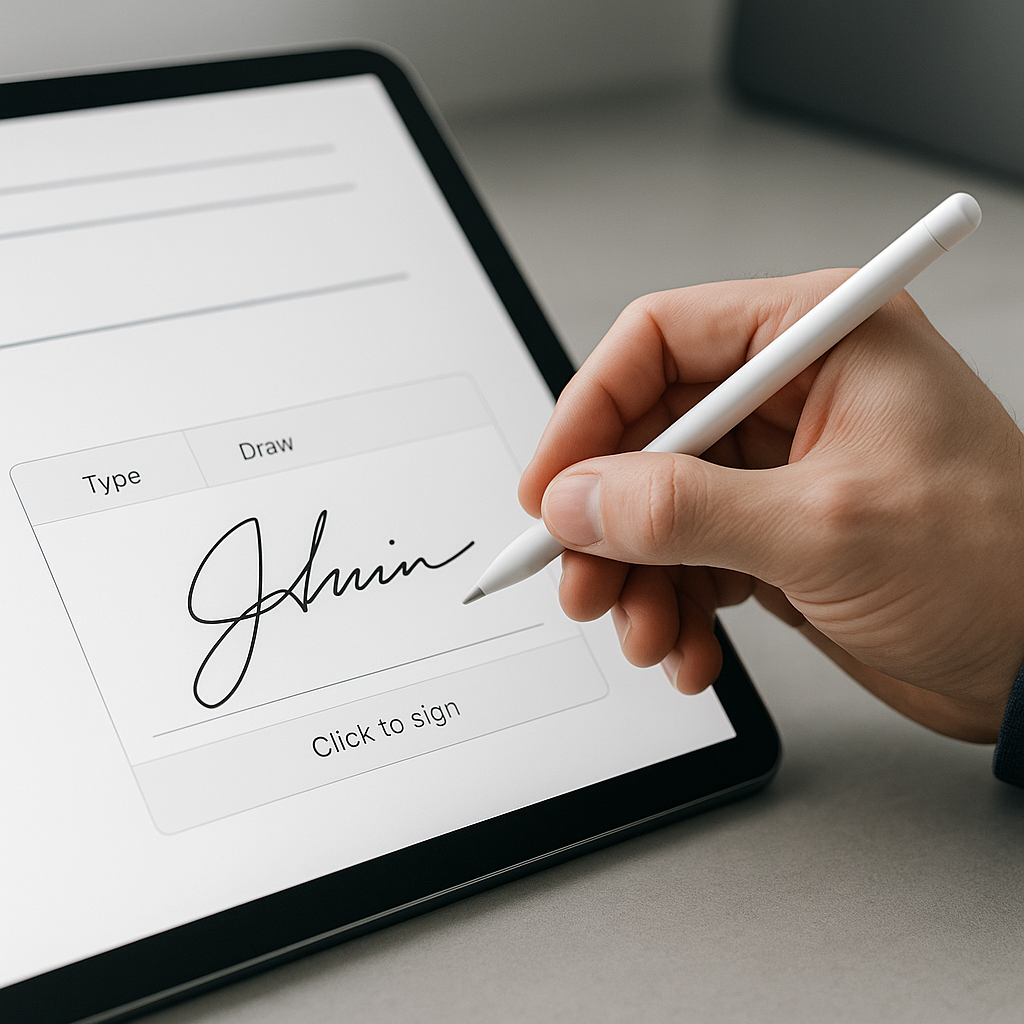
- Drawing your signature with a mouse or finger on a touchscreen
- Clicking “I agree” or “Sign” in an e‑signature platform
- Using a stylus on a tablet
For most everyday business agreements—sales contracts, HR forms, NDAs, service agreements—these methods are legally acceptable under ESIGN and UETA in the U.S., and similar frameworks like eIDAS in the EU.(pandadoc.com)
Pro tip: Legality is less about the visual appearance of the signature and more about your ability to prove who signed, what they signed, and when they signed it.
Electronic vs. Digital Signatures: What’s the Difference?
People often use “electronic” and “digital” signatures interchangeably, but they’re not identical.
Electronic Signatures
An electronic signature is any digital mark that shows a person’s intent to sign. It could be a scanned image of a wet-ink signature, a drawn squiggle on a touchscreen, or a typed name. E‑signatures are designed for ease of use and speed—ideal for sales, HR, procurement, and routine approvals.(entrust.com)
Digital Signatures
A digital signature is a specific type of electronic signature that uses cryptography and digital certificates (PKI) to verify the signer’s identity and ensure the document hasn’t been altered. They provide a higher level of security and are often required in regulated industries (finance, healthcare, government).(
s/?utm_source=openai" target="_blank" rel="noopener noreferrer">ssl.com)Most business-focused e‑signature platforms—such as QuickSign—combine the convenience of e‑signatures with strong security, audit trails, and tamper‑evident documents, giving you the best of both worlds.
Core Requirements for a Valid E‑Signature
While specifics can vary by jurisdiction and use case (always consult legal counsel for high‑risk scenarios), several common principles show up in modern e‑signature laws like ESIGN and UETA:(en.wikipedia.org)
- Intent to sign: The signer must clearly intend to sign the document (e.g., clicking a “Sign” button).
- Consent to do business electronically: Parties should agree—explicitly or implicitly—to use electronic records and signatures.
- Association with the document: The signature must be logically linked to a specific document (not floating around separately).
- Record retention: The signed document must be stored in a way that is accurate, accessible, and reproducible for later reference.
- Ability to identify the signer: You should be able to connect the signature to a particular person, often supported by email verification, IP address, or multi‑factor authentication.
Pro tip: Use an e‑signature platform that automatically logs timestamps, IP addresses, and event histories. These audit trails can be critical evidence if an agreement is ever challenged.
How to Create an E‑Signature: 4 Common Methods
There are several practical ways to create and use an e‑signature. Below we break them down from the simplest DIY methods to more robust business‑grade solutions.
Method 1: Type Your Name as a Signature
Many platforms consider a typed name a valid electronic signature when coupled with a clear intent to sign (for example, clicking “I agree” and confirming your identity).
- Open your document in a word processor or PDF editor.
- Place the cursor in the signature block.
- Type your full legal name.
- Adjust the font to resemble a signature (optional but common).
- Save the document as a PDF for distribution.
This method is quick and acceptable for low‑risk agreements, internal approvals, and one‑off documents. However, it lacks robust identity verification or tamper protection.
Method 2: Draw Your Signature Using a Mouse or Touchscreen
Drawing your signature provides a more “handwritten” feel while still being fully electronic.
- Use an online signature generator or a PDF editor with signature tools.
- Select “Draw” and use your mouse, stylus, or finger on a touchscreen.
- Refine the signature until you’re satisfied.
- Download and save it as a transparent PNG or use it directly within the tool.
- Insert the signature into your documents as needed.
This method offers better visual continuity with your handwritten signature but still relies heavily on surrounding process controls for legal robustness.
Method 3: Scan or Photograph Your Handwritten Signature
If you prefer using your exact handwritten signature:
- Sign your name on a blank white piece of paper with a dark pen.
- Scan the paper or take a clear, high‑resolution photo.
- Crop the image to your signature, remove background if possible (for a transparent PNG).
- Save and reuse this image in word processors or PDF tools.
While visually familiar, this approach alone doesn’t provide strong identity verification or document integrity. It’s best used only for low‑risk documents or as a cosmetic layer on top of an e‑signature workflow that handles authentication and audit trails.
Method 4: Use a Dedicated E‑Signature Platform (Recommended for Business)
For business professionals, the most efficient and compliant way to create and manage e‑signatures is to use a specialized e‑signature platform such as QuickSign.
Typical steps look like this:
- Create an account: Sign up with your business email.
- Upload your document: Drag‑and‑drop a PDF, Word, or other supported format.
- Place signature fields: Add signature, initials, dates, and other fields exactly where you need them.
- Add recipients: Enter the email addresses of everyone who needs to sign or receive a copy.
- Configure signing order & authentication: Set who signs first and add extra verification (e.g., OTP, email validation) if needed.
- Send for signature: The platform emails each signer a secure link.
- Recipients sign: Signers click the link, review the document, and sign via click‑to‑sign, drawing, or typing.
- Receive completed, tamper‑evident copies: Everyone gets a finalized PDF plus an audit trail.
Platforms like QuickSign also maintain detailed logs and apply tamper seals to documents, making them far more robust and defensible than ad‑hoc DIY methods.
Video Walkthroughs: See E‑Signature Creation in Action
If you learn better visually, these YouTube tutorials demonstrate how to make and use electronic signatures using common tools:
How to Make an Electronic Signature (General Walkthrough)
Step‑by‑Step: Create and Insert an E‑Signature
Free Options to Sign PDFs
Pro tip: Use video guides to quickly onboard colleagues to your new e‑signature process—embed them in your internal documentation or training portal.
How Business Professionals Should Choose an E‑Signature Tool
Not all e‑signature solutions are equal. When selecting a platform for your team or organization, consider these criteria:
1. Legal and Regulatory Compliance
Look for explicit compliance with:
- ESIGN Act and UETA (U.S.)
- eIDAS (EU) for cross‑border European operations
- Industry‑specific requirements if you operate in healthcare, finance, or government
Many leading providers highlight these frameworks to reassure customers their signatures are legally enforceable.(pandadoc.com)
2. Security and Auditability
At a minimum, your e‑signature tool should offer:
- Tamper‑evident PDFs or digital sealing
- Detailed audit trails (who signed, when, IP address, actions taken)
- Secure data storage and encryption in transit and at rest
- Optional multi‑factor authentication for signers
3. Ease of Use for Senders and Signers
An e‑signature solution succeeds only if people actually use it. Look for:
- Clean, intuitive interface
- One‑click signing experience for recipients
- Mobile‑friendly signing on phones and tablets
- Templates for frequently used documents (NDAs, offer letters, sales contracts)
4. Workflow and Integration Capabilities
For growing businesses, e‑signatures should fit seamlessly into existing workflows. Consider:
- Integration with CRM, HRIS, or document management systems
- Support for bulk sending and reminders
- Team and role management (e.g., sales, HR, legal)
- APIs for custom applications
5. Pricing and Scalability
Look for a pricing model that lets you start small and grow:
- Free tiers or trials to test the service with real documents
- Predictable pricing as your volume and team size increase
- Support for unlimited recipients when broadcasting standard documents (policy updates, consents, etc.)
For example, QuickSign offers a free tier designed for exactly this—allowing professionals to experiment and validate the workflow before scaling to larger volumes.
Real‑World Use Cases for E‑Signatures in Business
Once you understand how to create an e‑signature, the next step is applying it strategically across your organization.
Sales and Customer Agreements
Use e‑signatures to close deals faster:
- Sales proposals and contracts
- Order forms and renewals
- Master service agreements
Sales teams often report significantly shorter sales cycles when prospects can sign from any device without printing or scanning.
Human Resources and People Operations
HR teams handle many signature‑heavy workflows, including:
- Offer letters and employment contracts
- Onboarding packets and policy acknowledgments
- NDA and IP assignment agreements
- Performance and compensation documents
E‑signatures help maintain a complete digital record of employee agreements, improving compliance and reducing paperwork.
Procurement and Vendor Management
Procurement teams can streamline:
- Supplier contracts
- Service level agreements (SLAs)
- Statement of work (SOW) approvals
- Change orders
Centralized e‑signature workflows also make it easier to audit vendor agreements and renewals.
Legal, Compliance, and Risk Management
Legal departments benefit from e‑signatures through:
- Standardized templates that reduce contract variance
- Consistent audit trails and tamper‑evident documents
- Faster execution of routine agreements
Key takeaway: Start with one high‑volume, low‑risk process (like NDAs or HR onboarding), prove the value of e‑signatures there, and then expand to more complex agreements.
Step‑by‑Step: Rolling Out E‑Signatures in Your Organization
To move from ad‑hoc signing to a consistent, scalable e‑signature program, follow this roadmap.
Step 1: Map Your Signature‑Heavy Processes
List out where signatures are currently required:
- Customer contracts
- Vendor agreements
- Internal approvals
- HR and legal documents
Estimate monthly volumes and identify “quick win” processes that will benefit most from speed and efficiency.
Step 2: Choose Your E‑Signature Platform
Evaluate providers against the criteria above (compliance, security, usability, integrations, pricing). Many organizations start with a limited rollout using a free tier—such as the one offered by QuickSign—to validate fit before committing to a full deployment.
Step 3: Create Templates and Standard Workflows
For frequently used documents:
- Upload your standard agreements.
- Place signature and data fields once.
- Save as templates for your teams.
- Document standard operating procedures (SOPs) for when and how to send each template.
Step 4: Train Internal Stakeholders
Run short enablement sessions for:
- Sales and account managers
- HR and recruiting teams
- Legal and procurement
Show them how to create, send, and track documents. Share internal help articles with screenshots and, if helpful, embed relevant video tutorials.
Step 5: Monitor, Optimize, and Expand
Track key metrics, such as:
- Average time to signature
- Number of documents completed per month
- Failed or abandoned signature requests
Use this data to refine templates, reminders, and workflows, then expand e‑signature usage to additional business units.
Conclusion: Start Creating E‑Signatures the Smart Way
Creating an e‑signature is technically simple—typing your name, drawing with your finger, or uploading a scanned signature will often work. But for business professionals who manage critical agreements, the real value comes from the system behind the signature: legal compliance, document integrity, and streamlined workflows.
By adopting a modern e‑signature platform like QuickSign, you can:
- Create legally valid e‑signatures in minutes
- Send documents to clients, employees, or vendors from a central dashboard
- Maintain secure, auditable records of every signed agreement
- Shorten sales cycles and remove friction from HR and procurement processes
Call to action: Ready to put this into practice? Try QuickSign for free - generate 2 documents and send 1 document to unlimited recipients at no cost and see how much faster your document signing process can be.