Interactive Whiteboards Are Turning Meetings into Document‑Centric Workflow Engines
Transform your meetings with visual collaboration. Discover how interactive whiteboards turn static sessions into dynamic, document‑centric workflow engines.

Interactive Whiteboards Are Turning Meetings into Document‑Centric Workflow Engines
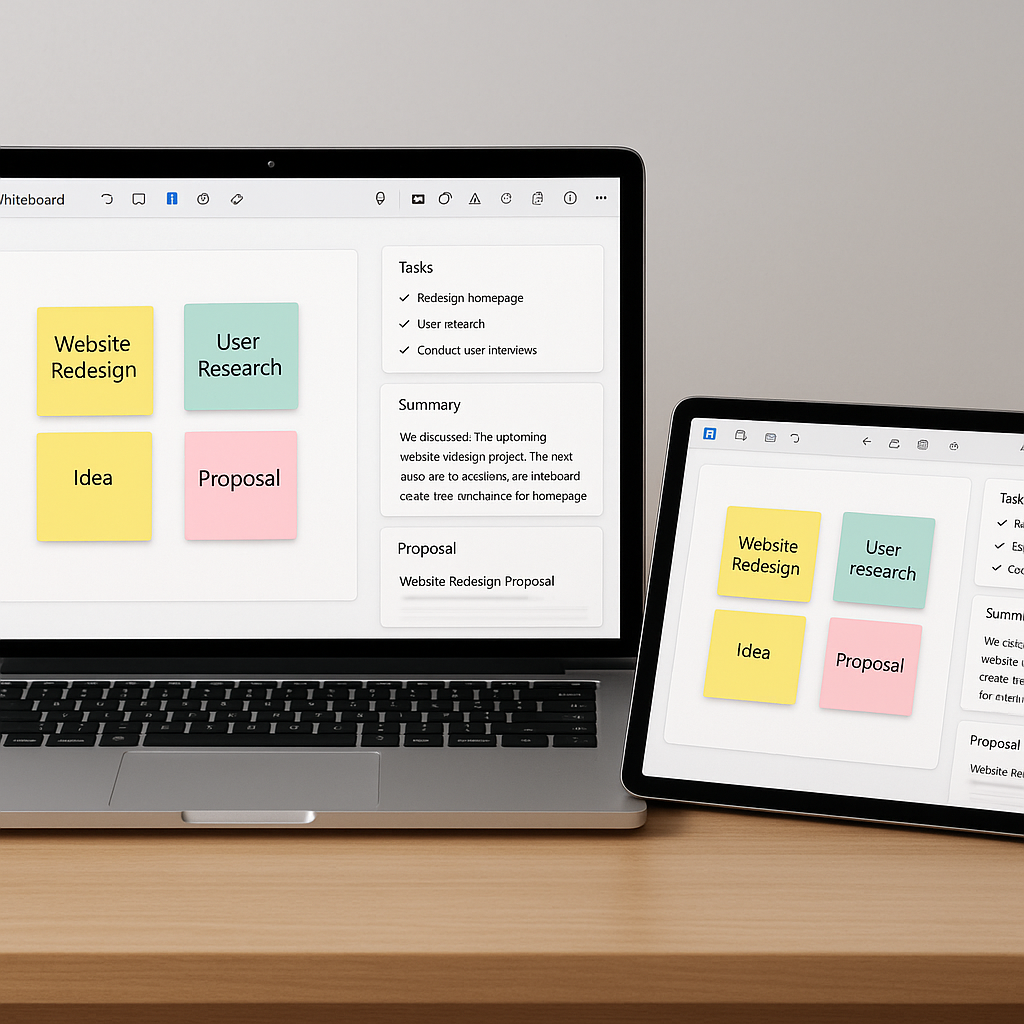
Visual collaboration tools are quietly undergoing a major shift. What started as digital whiteboards for brainstorming and sticky-note sessions are now evolving into structured, document‑centric workflow hubs. New features like AI-generated summaries, meeting recaps, and exportable insights are transforming messy workshop boards into organized notes, action items, and client-ready documentation — automatically.
For small businesses, freelancers, and independent consultants, this evolution could mean the end of late-night recap emails and scattered screenshots of whiteboards. Instead, a client workshop can now flow directly into contracts, proposals, and signable documents, closing the gap between “great meeting” and “signed agreement.”
From Digital Canvases to Structured Meeting Documentation
Over the last two years, major collaboration platforms have invested heavily in AI-powered meeting intelligence and structured outputs. Microsoft, for example, has rolled out Copilot in Whiteboard, which can summarize complex brainstorming sessions into bullet-point notes and exportable components. The tool can generate a Loop component with a concise summary that users can copy into email or other documents, drastically cutting down the time needed to turn visual discussions into shareable documentation. (support.microsoft.com)
Meanwhile, Microsoft Teams’ Intelligent Recap uses AI to automatically produce meeting notes, recommended tasks, topic chapters, and even a podcast-style audio summary of what was discussed. These recaps are accessible via a dedicated Recap tab, allowing users to quickly jump to key segments and follow up on action items instead of replaying entire recordings. (learn.microsoft.com)
Although these examples skew towards the Microsoft ecosystem, the underlying trend is broader: interactive boards and meeting tools are no longer just “where the conversation happens.” They are increasingly becoming the first step in a structured, document‑centric pipeline.
Key shift: Visual collaboration tools are moving from “idea capture” to “workflow engine,” automatically producing structured notes, tasks, and documentation from live meetings.
Why This Matters for Small Businesses and Independent Professionals
Enterprise teams have long had access to dedicated note-takers, project managers, and complex knowledge platforms. Small businesses and solo consultants, by contrast, often rely on a patchwork of tools — Zoom recordings, manual notes, project management boards, and Word or Google Docs — to turn meetings into action.
This fragmentation has real costs:
- Time overhead: Manually writing recap emails and copying action items into task tools can consume hours every week.
- Lost context: Key decisions made on virtual whiteboards can get lost when screenshots aren’t properly filed or linked.
- Slower sales cycles: The lag between a productive workshop and a formal proposal or contract can cause momentum — and sometimes deals — to fade.
As interactive whiteboards add smarter meeting activities and exportable insights, small teams get access to “enterprise-style” structure without enterprise complexity or cost. A remote workshop can end with:
- Automatically generated meeting summaries, organized by topic.
- Clearly tagged action items with owners and due dates.
- Downloadable or copy
‑and‑paste documentation blocks that can go straight into client proposals or project scopes.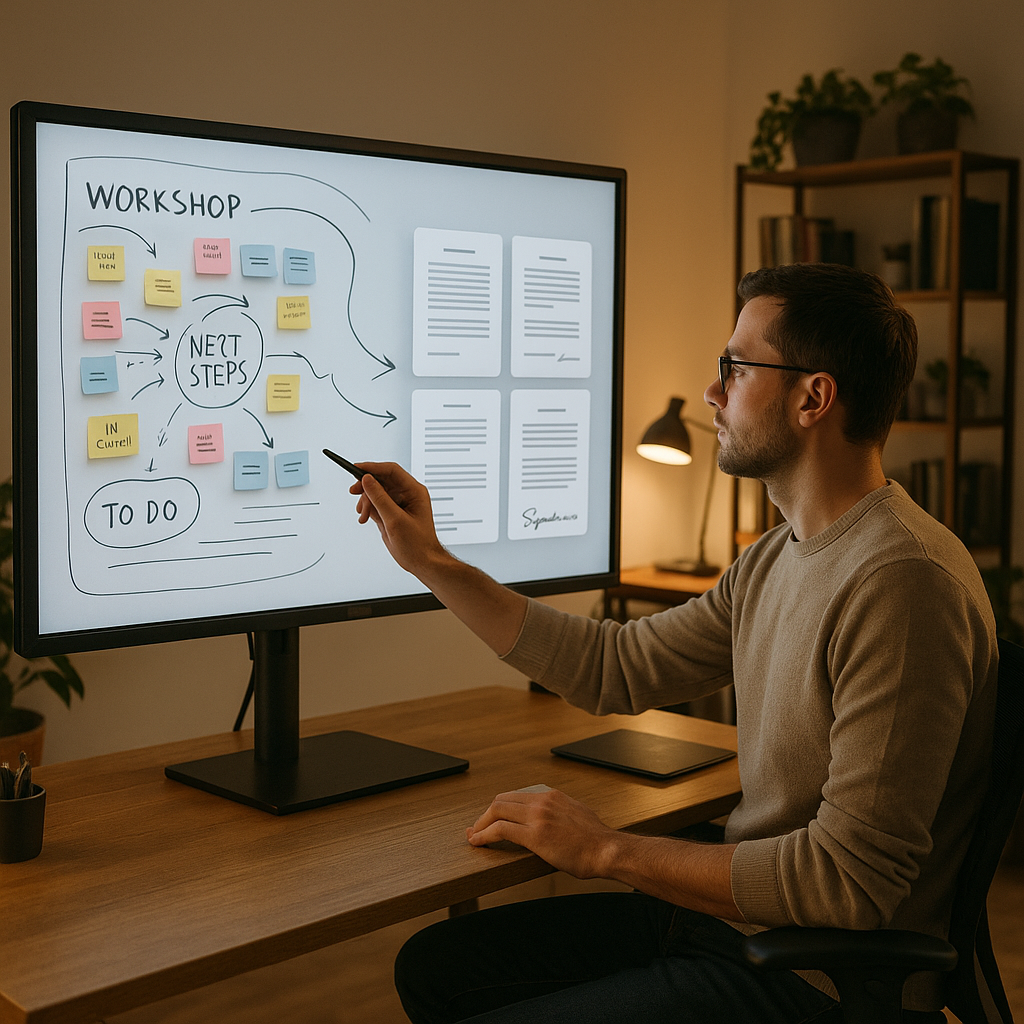
These capabilities align with how modern SMBs actually work: fast, remote, and often with external stakeholders who expect polished follow-ups.
What’s Changing Inside Visual Collaboration Platforms
1. AI‑Generated Meeting Summaries and Highlights
AI is increasingly built into visual collaboration and meeting tools to do the heavy lifting of summarization. Copilot in Whiteboard, for instance, can analyze brainstorming content and generate a concise bullet-point summary directly on the board, which can then be edited or copied into other apps. (support.microsoft.com)
Similarly, Intelligent Recap in Teams extracts AI-generated notes, recommended tasks, and chapters from meeting recordings. Rather than sifting through an hour-long session, users can jump straight to “Budget discussion” or “Action items,” then export text into documents, project management tools, or CRM notes. (learn.microsoft.com)
2. Meeting Activities That Map to Workflows
Recent product updates across collaboration suites focus on structured activities — think polls, icebreakers, decision matrices, and templates for retrospectives or discovery workshops. These are no longer just standalone activities; they’re becoming data sources that can feed into downstream workflows.
In practice, that means a requirements-gathering session or a customer journey mapping exercise doesn’t end with a static canvas. The decisions and priorities captured in that canvas can now be:
- Converted into project task lists with owners.
- Transformed into user stories or requirements docs.
- Used as inputs for contract clauses or statements of work.
3. Exportable Insights and Structured Data
Most importantly for document workflows, session outputs are increasingly exportable in structured formats. Rather than a single image export, whiteboard content and AI summaries can be copied as text, embedded as components, or exported in formats that plug into document editors and workflow tools.
This is where the bridge to e-signature platforms becomes real: the same session that captured needs, scope, and responsibilities can directly feed the creation of a proposal, NDA, or service agreement — reducing manual retyping and the risk of misalignment.
The QuickSign.it Perspective: From Whiteboard to Signed Document
For small businesses and independent professionals, the missing link in this new ecosystem is often the last mile: turning meeting outputs into actual, signable documents. That’s where QuickSign positions itself as a practical, SMB-friendly counterpart to these evolving whiteboard tools.
Unlike many enterprise-focused solutions that bundle collaboration, storage, and e-signatures into expensive per-seat plans, QuickSign focuses on three things that matter most to smaller teams:
- AI Document Generation: Use your meeting outcomes to generate contracts, NDAs, or service agreements with AI. Instead of drafting from scratch, you can paste in key points from a whiteboard summary and let QuickSign’s AI build a legally structured document you can review and tweak.
- Effortless Sending: Once the document is ready, simply upload the PDF, drag and drop signature and date fields, and send. There’s no complex quote configuration or multi-app pipeline to manage.
- Flat, Affordable Pricing: Small teams often balk at per-seat subscriptions for tools they use only a few times a month. QuickSign offers a flat-rate plan at $15/month for the entire team, plus a free tier (2 AI document generations and 1 document send to unlimited recipients) that’s appealing for freelancers testing a new workflow.
In other words, the same automation that turns a workshop into structured notes can now continue all the way into the signing process, without forcing small businesses into heavyweight, enterprise-grade stacks.
Designing a Document‑Centric Workflow Around Interactive Whiteboards
To take advantage of this trend, small businesses don’t need to overhaul their entire tech stack. Instead, they can layer a few practical habits and tools on top of existing whiteboard and meeting setups.
Step 1: Run Workshops in a Whiteboard‑First Mode
Instead of freeform discussions, structure remote workshops around repeatable templates — discovery questions, priority matrices, decision logs — within your preferred whiteboard or collaboration tool.
- Use sticky notes for client inputs (challenges, goals, constraints).
- Create clear zones for “Decisions made today” and “Next steps.”
- Tag items that are likely to become contract terms (scope, timelines, deliverables).
Step 2: Use Built‑In AI to Generate Meeting Documentation
Where available, enable AI summarization features for workshops and client sessions:
- Generate bullet-point summaries of key discussions.
- Extract explicit action items and decisions.
- Copy the resulting text blocks into your knowledge base or directly into a document outline.
Even if your chosen tool doesn’t yet have advanced AI, you can still copy text-based sticky notes and lists as raw material for downstream documents.
Step 3: Turn Meeting Outcomes into Draft Contracts and NDAs
This is where a tool like QuickSign can streamline the flow:
- Take the structured meeting summary (goals, deliverables, pricing notes, responsibilities).
- Feed these details into QuickSign’s AI Document Generation to draft a service agreement, proposal, or NDA tailored to the conversation.
- Review and edit the generated document to ensure it accurately reflects your scope and risk tolerance.
Because QuickSign is built around small business workflows, you’re not forced into complex contract-lifecycle tooling; you simply get a solid, editable document that’s ready to be sent for e-signature.
Step 4: Send, Track, and Close the Loop
Once the document is finalized, upload it into QuickSign, add signature fields with drag-and-drop, and send to clients. Real-time tracking shows who has opened, viewed, and signed, so your workshop doesn’t evaporate into silence.
This closes the loop from interactive whiteboard to signed agreement:
Whiteboard session → AI-generated notes → AI-generated contract draft → E-signature and tracking.
Practical Takeaways for SMB Document Workflows
For small businesses and independent professionals, the evolution of interactive whiteboards into document-centric tools offers several concrete advantages:
- Reduce manual admin: Offload recap writing and note formatting to AI so you can spend more time on billable work.
- Improve client experience: Send organized summaries and formal documents within hours — not days — post‑workshop.
- Cut tool sprawl: Use your existing whiteboard and meeting tools as the capture layer, and a focused e-signature platform like QuickSign as the execution layer.
- Standardize workflows: Build repeatable templates for discovery sessions, proposals, and contracts, so each new client follows the same predictable path from meeting to signature.
As AI features become more widely available — and less tied to high-end enterprise licenses — expect even leaner integrations between visual collaboration tools and document workflows. For now, small businesses can already stitch together powerful, affordable flows using a modern e-signature solution like QuickSign alongside their preferred whiteboard platform.
Looking for an affordable e-signature solution? Try QuickSign for free - no credit card required.