Law Firm Document Signing Workflow: How to Modernize with QuickSign
Modernize your law firm document signing workflow with QuickSign. Streamline approvals, cut delays, and improve client experience with secure e-signatures.

Law Firm Document Signing Workflow: How to Modernize with QuickSign
For most law firms, document signing is still where efficiency goes to die. Matter intake stalls while you chase clients for signatures, associates burn billable hours formatting the same agreements, and partners worry whether a key contract was actually signed on time. Meanwhile, clients increasingly expect seamless, digital-first experiences.
With more than 60–78% of law firms now using some form of e-signature technology, but many still relying on hybrid paper processes, the firms that streamline their document signing workflow gain a clear competitive edge in speed, client satisfaction, and profitability. (textcontrol.com)
QuickSign was built precisely for this reality: a modern, affordable e-signature platform that not only routes documents for signature but can also generate legal documents with AI, track every step in real time, and keep your entire team on a flat-rate plan.
Why Law Firm Document Signing Workflows Break Down
Before improving your workflow, it helps to be honest about what’s going wrong. Across firms of all sizes, several recurring pain points show up:
- Delays waiting for signatures – Mailing, scanning, or coordinating in‑person signings can add days or even weeks to matter timelines. Some studies show e-signatures can cut turnaround times by up to 80%. (coraltreetech.com)
- High administrative overhead – Staff spend nonbillable time chasing clients, re‑sending PDFs, checking if someone signed, and filing executed copies.
- Risk of errors and missing fields – One unchecked box or missing initial can invalidate a document, forcing re-signing and frustrating clients.
- Lack of visibility – Attorneys often don’t know if a client even opened the document, making follow‑ups guesswork.
- Paper, printing, and storage costs – Traditional signing consumes paper and shipping; firms that go digital routinely report 50–75% cost savings on document execution. (coraltreetech.com)
Modern e-signature platforms solve some of this, but they often stop at “upload and sign.” QuickSign goes further by simplifying the entire lifecycle of a legal document—from drafting with AI to execution and tracking.
What an Efficient Law Firm Signing Workflow Looks Like
An optimized digital workflow for a law firm typically follows these steps:
- Generate or assemble the agreement
- Place required signature, initial, and information fields
- Send to all parties with clear signing order
- Track progress and send reminders
- Securely store the fully executed version and audit trail
When each step is handled inside one platform—and ideally with automation—you unlock the kind of time and cost savings that research attributes to e-signature adoption across the legal sector: faster processing, lower error rates, and a better client experience. (
re-improve-efficiency-in-law-firms?utm_source=openai" target="_blank" rel="noopener noreferrer">coraltreetech.com)Key takeaway: The goal is not just “digital signatures.” It’s a repeatable, auditable workflow that any attorney or assistant in your firm can run in minutes.
How Law Firms Use QuickSign in Their Document Signing Workflow
1. Drafting Legal Documents with AI Instead of Starting from Scratch
In most firms, document workflows start in Word or a practice management system. Associates pull up an old agreement, strip out client details, and edit for the new matter—a process that’s both slow and error‑prone.
With QuickSign, your team can use AI Document Generation to create first drafts of common legal documents directly in the platform. You simply describe what you need in natural language:
- “Mutual NDA between a New York software company and a California marketing agency, governing law New York, 2‑year confidentiality term.”
- “Contingent fee agreement for a personal injury matter in Texas, with 33% contingency and standard expense reimbursement language.”
- “Simple retainer agreement for corporate general counsel services, hourly billing, monthly invoicing, Delaware law.”
QuickSign’s AI generates a structured draft you can review and refine with your normal legal judgment and firm‑specific language. Instead of finding and editing templates, you’re starting from a tailored draft in seconds.
Pro tip: Use QuickSign’s AI-generated drafts as standardized starting points for repeatable matter types (e.g., NDAs, engagement letters). This improves consistency across the firm and reduces drafting time dramatically.
2. Uploading Existing PDFs and Using Drag-and-Drop Field Placement
Many firms already have court‑approved forms, bar association templates, or client‑provided agreements in PDF form. Rebuilding those from scratch is unnecessary.
QuickSign lets you upload any PDF and use an intuitive drag-and-drop field placement interface to add:
- Signature fields
- Initial boxes for critical clauses
- Text fields (e.g., names, dates, case numbers)
- Date signed fields
This solves a common law firm headache: ensuring no required field gets missed. Digital workflows with built‑in required fields are shown to reduce human error rates by as much as 80% compared to paper‑based signing. (practicepanther.com)
3. Seamless Sending to Multiple Recipients in Seconds
Once your document is ready, QuickSign’s seamless sending feature makes dispatching it almost instant:
- Add all recipients (e.g., client, opposing party, witnesses, co‑counsel).
- Define signing order if needed (e.g., client first, then firm partner).
- Include a short, clear message explaining the document and deadline.
- Click send—recipients receive secure links to review and sign.
Because clients can sign from any device, anywhere, law firms see dramatically faster turnaround times—often minutes or hours instead of days. Industry data across sectors supports this; e-signatures routinely cut execution times by 60–80%. (coraltreetech.com)
4. Real-Time Tracking and Automated Follow-ups
A major pain point in traditional workflows is not knowing where a document stands. Did the client see it? Did opposing counsel sign? Who’s holding things up?
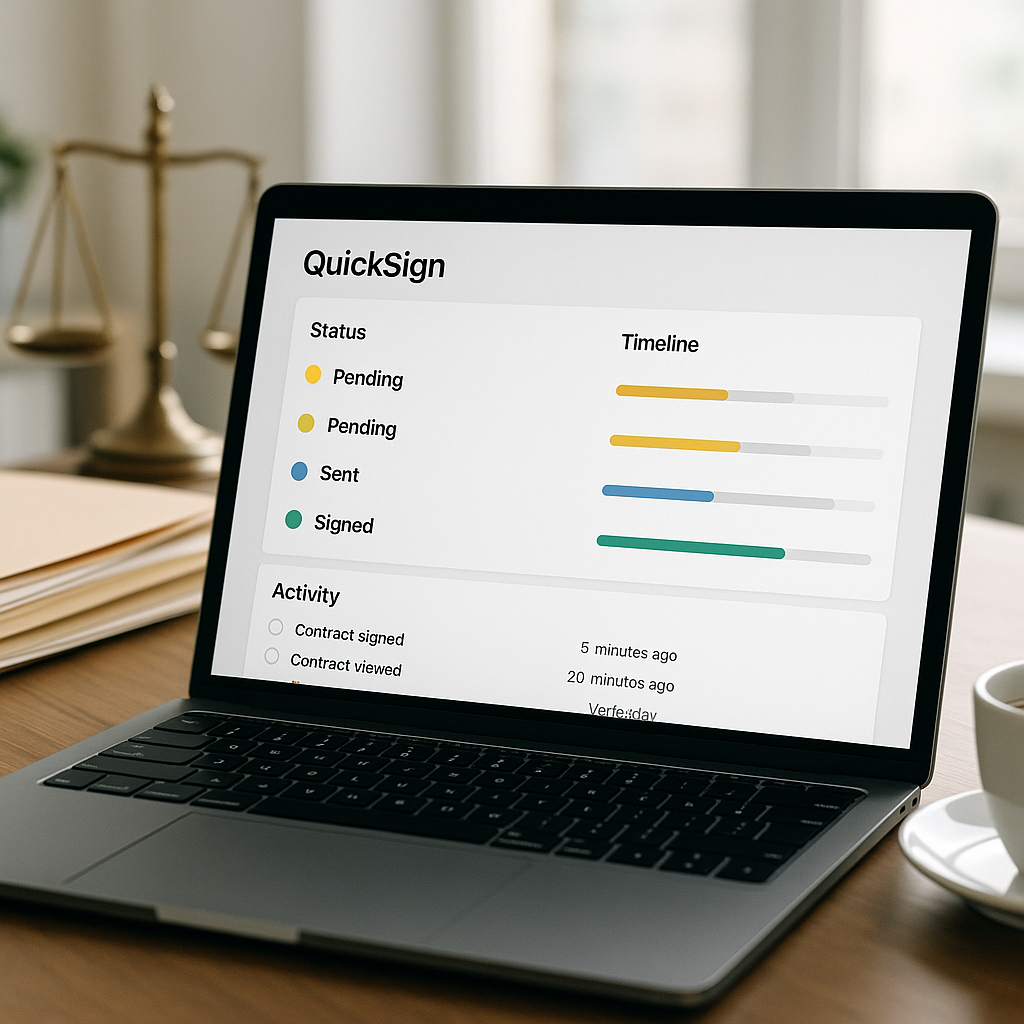
QuickSign provides real-time tracking so your team can instantly see:
- When each recipient received the document
- When they opened and viewed it
- Whether and when they signed
This makes it easy for staff to follow up intelligently, rather than blindly calling or emailing. Combined with scheduled reminders, this visibility can be the difference between closing a deal on time and missing a deadline.
5. Flat-Rate Pricing that Works for Full Firm Adoption
One of the most common barriers to rolling out e-signature tools firm‑wide is cost. Per‑seat licensing quickly becomes expensive when you need access for partners, associates, paralegals, and administrative staff.
Unlike traditional per-seat solutions, QuickSign offers flat-rate pricing at $15/month for the whole team, plus a generous free tier (2 AI document generations and 1 document send to unlimited recipients). That makes it feasible to give everyone in the firm access and standardize on a single, consistent workflow.
Example: A Real-World QuickSign Workflow for Client Onboarding
Client onboarding is one of the most critical workflows for law firms—and one where delays and errors are especially costly. E-signatures have been shown to streamline onboarding and reduce errors in data collection across industries, and law firms are no exception. (cadienttalent.com)
Step-by-Step: New Client Intake for a Litigation Matter
-
Generate the engagement letter with AI
The partner or associate logs into QuickSign and uses AI Document Generation:- Prompt: “Litigation engagement letter for a California employment dispute, hourly rate $450, arbitration clause, California law, venue in San Francisco County.”
- Review and adjust any firm-specific paragraphs (e.g., conflicts language, billing policies).
-
Add required fields via drag-and-drop
The assistant uploads the engagement letter as a PDF (if exported) or works directly in QuickSign, then:- Places client signature and date fields
- Adds initial boxes next to key provisions (arbitration, fee structure, scope of representation)
- Adds a text field for the client’s printed name and contact information
-
Send for signature in under 60 seconds
Using seamless sending:- Add the client’s email
- Include message: “Please review and sign this engagement letter so we can begin work on your case immediately.”
- Click send—client gets a secure link, opens on their phone, reviews, and signs.
-
Track, nudge, and confirm
From the QuickSign dashboard, staff can see:- Status: “Viewed” or “Signed”
- Timestamped activity history
-
Archive the executed engagement
Once both client and firm sign, QuickSign stores the fully executed document with a complete audit trail. Staff can download and save to your DMS or case management system, or simply reference it in QuickSign as needed.
Result: What previously took 2–5 days of back‑and‑forth (mailing, printing, scanning) can now be completed in under an hour—often in less than 15 minutes when the client signs right away.
Video Inspiration: Designing a Digital Signing Workflow for Law Firms
To help visualize modern digital workflows, these video concepts pair naturally with a QuickSign-based process:
Managing Digital Signing for Onboarding
This type of content shows how digital signing can streamline onboarding—mirroring how law firms can onboard new clients with QuickSign’s AI document generation and seamless signing.
Generating Templates for Repeatable Legal Work
Many legal tech tutorials demonstrate how firms create reusable templates for fees agreements or pleadings. With QuickSign, AI Document Generation accelerates this even further—you can generate and then save standardized versions for your most common use cases.
Understanding Key Steps in a Digital Signing Workflow
Overview videos of digital signing workflows align closely with QuickSign’s approach: draft, assign fields, send, track, and store. QuickSign simply layers AI and flat-rate pricing on top to make this accessible for firms of any size.
Quantifying Time and Cost Savings for Law Firms Using QuickSign
The benefits of modern e-signature workflows for law firms are well documented:
- Turnaround times for signed documents reduced by up to 70–80% in many studies. (coraltreetech.com)
- Paperless workflows saving firms 55–78% in total signing-related costs by eliminating printing, shipping, and manual handling. (practicepanther.com)
- Improved accuracy and fewer missing signatures or initials, with some reports showing around 80% fewer signing errors. (practicepanther.com)
When you apply those numbers to a typical mid‑sized firm executing hundreds or thousands of documents per year, the ROI is substantial:
- Time savings: Even saving 10–15 minutes per document across intake forms, engagement letters, NDAs, settlement agreements, and powers of attorney can translate into hundreds of staff hours reclaimed annually.
- Cost savings: Reducing paper, postage, printer leases, and physical storage can save thousands of dollars per year, far exceeding QuickSign’s flat $15/month firm‑wide pricing.
- Opportunity gains: Faster onboarding means you can start billing sooner, move deals quicker, and respond rapidly in time‑sensitive matters.
Bottom line: Even conservative assumptions show that a streamlined QuickSign workflow can pay for itself many times over in both direct cost savings and recaptured billable time.
Best Practices for Implementing a QuickSign-Based Workflow in Your Firm
1. Standardize Your Core Document Types
List the 5–10 document types your firm sends most often (e.g., engagement letters, NDAs, settlement agreements, fee waivers, consents). Use QuickSign’s AI Document Generation to create baseline versions, then have partners review and approve them as firm standards.
2. Create Field Templates for Repeat Use
For each standard document, define where signatures, initials, and dates should go once and save these as templates inside QuickSign. Your team can then reuse them with minor edits instead of re‑configuring fields every time.
3. Train Staff on One Simple Process
Simplicity is key to adoption. Establish a single, documented process for “How we send documents for signature,” covering:
- Who is responsible for drafting vs. sending
- How to use QuickSign’s drag‑and‑drop fields
- How to confirm all required parties are included
- Where executed copies are stored and how they are named
Because QuickSign is designed to be user‑friendly, support staff and attorneys can usually become proficient in a single short training session, aligning with best practices legal tech experts recommend for digital signature rollouts. (mydocsafe.com)
4. Integrate with Your Existing Systems
Even if you keep using your current case management or DMS, you can adopt QuickSign as the e-signature “front end” while storing final executed copies where you normally keep matter files. Over time, you can refine integrations or workflows as needed.
5. Monitor, Audit, and Improve
Use QuickSign’s real-time tracking and completed-document history to:
- Spot bottlenecks (e.g., particular document types that always get delayed)
- Audit who sent what, when, and to whom
- Continuously refine your templates and instructions to reduce friction
Why QuickSign is a Strong Fit for Modern Law Firms
The legal sector has been one of the earliest and strongest adopters of e-signature technology, with roughly 60–78% of firms now using some form of digital signing—and that share continues to grow. (textcontrol.com)
QuickSign is built to meet law firms where they are today:
- AI Document Generation tailored to fast, accurate drafting of engagements, NDAs, and core agreements.
- Drag-and-Drop Field Placement to make any court form or client-provided PDF instantly “signable.”
- Seamless Sending & Real-Time Tracking so you always know where documents stand.
- Affordable Flat-Rate Pricing at $15/month for your whole team, plus a generous free tier for getting started.
- Speed that lets you go from idea to signed document in under 60 seconds for routine matters.
For law firms under pressure to deliver faster, more client-friendly service without sacrificing compliance or profitability, rethinking your document signing workflow is one of the highest‑impact changes you can make.
Ready to simplify your document signing? Try QuickSign for free - generate 2 documents and send 1 document to unlimited recipients at no cost. No credit card required.