New Desktop Capture Feature Brings Small-Business Document Management Within Reach
Discover how our new desktop capture feature makes small business document management simple, affordable, and efficient for teams ready to go paperless.

New Desktop Capture Feature Brings Small-Business Document Management Within Reach
A new release in the small‑business document management space is putting simplicity front and center, introducing a floating desktop “drop folder” that lets non-technical users drag and drop files, folders, and Outlook emails directly into a central repository. For small offices and distributed teams that lack dedicated IT support, this kind of desktop capture could be the missing link between good intentions to “go paperless” and an actually organized digital workflow.
Why Simple Desktop Capture Matters for Small Businesses
Small businesses overwhelmingly want to eliminate paper. A recent survey of more than 1,000 small and mid-sized business financial decision-makers found that 90% expect their operations to be fully paperless within five years. Yet many of these same leaders admit they still struggle with manual processes and fragmented record-keeping. (cfo.com)
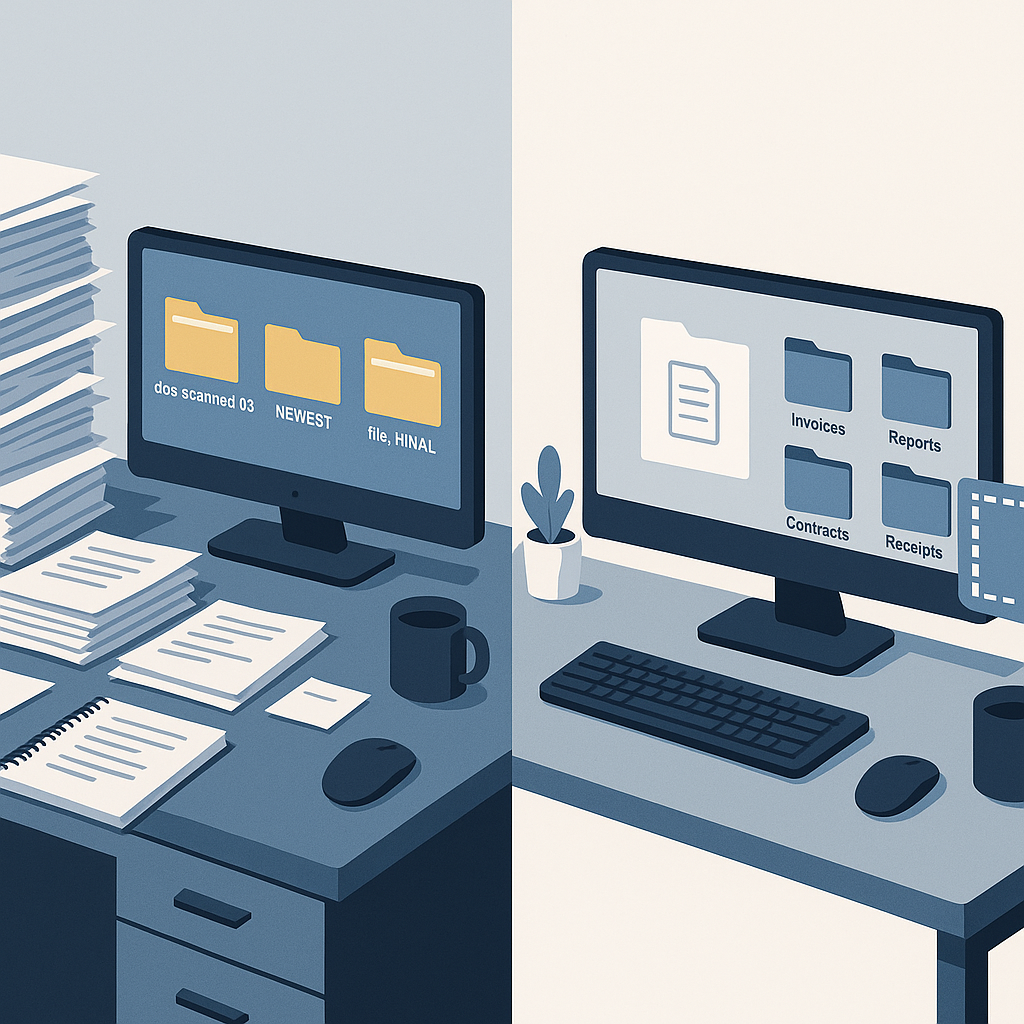
The gap isn’t just about strategy; it’s about everyday usability. In many small firms, the “document management system” is still a patchwork of:
- Shared drives and email inboxes
- Ad hoc naming conventions (“final_v3_reallyfinal.pdf”)
- Scattered contracts and invoices saved to employee desktops
- Printed files that never quite make it into a central archive
Traditional document management systems (DMS) often expect users to open a heavy client application, navigate folders, and run through multiple prompts just to store a single file. For busy teams juggling sales calls, client work, and admin tasks, that’s enough friction to send everything back to email and local folders.
The new floating desktop drop folder aims to remove that friction entirely. Instead of teaching staff how to “use the DMS,” it brings the DMS to where they already work: the Windows desktop and Outlook.
What the New Release Actually Does
While vendors differ in implementation, the core idea is consistent: a tiny, always-on-top widget or floating folder that sits on the user’s desktop. Users can:
- Drag and drop files or entire folders from Windows Explorer into the widget
- Drag emails and attachments from Outlook and convert or store them in the repository (dragdrop.com)
- Automatically route documents to the right client matter, project, or department
Some solutions layer in automatic conversion, turning emails into PDFs, extracting attachments, or bundling messages and attachments into a single archive. This mirrors the growing category of tools that let users drag Outlook emails directly into CRM and DMS applications, eliminating the clumsy “save to desktop, then upload” routine. (dragdrop.com)
In practice, the new release does three important things for small-business document management:
- Removes training barriers: If your team can drag a file to the desktop, they can use the DMS.
- Standardizes capture: Contr
acts, invoices, and client emails actually end up in one place instead of scattered across inboxes.
- Supports hybrid and remote work: Remote staff can follow the exact same simple capture behavior, even without VPNs or deep IT support.
From Paperless Ambition to Practical SMB Workflows
As “paperless office” goals move from buzzwords to board-level expectations, small businesses face a practical question: how do you standardize document capture without an IT department or enterprise budget?
This latest wave of desktop capture features is designed specifically around SMB constraints:
- Non-technical users: Admin staff, sales reps, and freelancers can file documents without learning a new interface.
- Mixed digital and paper inputs: Scanned paper, downloaded PDFs, and emailed contracts all follow the same drag-and-drop flow.
- Limited budgets: SMBs want incremental gains—better capture and organization—without committing to heavy enterprise suites.
“For many small offices, the biggest problem isn’t signing documents—it’s finding them later. A floating capture tool that quietly organizes files in the background is often more transformative than a big new platform.”
That’s where pairing document management with e-signature and simple workflow tools can unlock real value: it connects creation, signing, and storage into one continuous flow.
Where E‑Signature Fits In: The QuickSign Perspective
For small businesses, document management doesn’t stop at capture. Contracts, NDAs, and service agreements need to be drafted, sent, signed, and then stored in a way that’s searchable and auditable.
QuickSign, a modern e-signature platform built for freelancers and small teams, is leaning into this reality with a focus on simple, end-to-end workflows rather than heavyweight enterprise stacks. The platform combines:
- AI Document Generation: Create contracts, NDAs, and service agreements in minutes by answering plain-language prompts—no legal team required. (quicksign.it)
- Effortless Sending: Upload a PDF, drag and drop signature and form fields, and send to one or many recipients in a few clicks. (quicksign.it)
- Real-Time Tracking: See when a document is sent, opened, viewed, and signed, so nothing falls through the cracks. (quicksign.it)
Unlike enterprise-focused solutions that often charge per seat and layer on complex admin consoles, QuickSign.it offers a flat-rate model designed for lean teams:
- Free tier: 2 AI document generations and 1 document send to unlimited recipients—ideal for trying out digital workflows on a real client project.
- Flat-rate pricing: $15/month for the whole team, avoiding per-user surprises as your business grows.
That pricing and feature mix aligns with what the new desktop capture trend is enabling: small businesses that want digital-first document workflows without enterprise lock-in.
Email-to-DMS and Desktop Capture: Practical Use Cases
The combination of a floating desktop drop folder and lightweight e-signature creates a set of very practical, high-impact workflows for small businesses and independent professionals.
1. Client Onboarding for Agencies and Consultants
For marketing agencies, design studios, and independent consultants, onboarding a new client typically involves:
- A proposal or scope-of-work document
- A signed service agreement or retainer
- Supporting documents such as brand guidelines or previous campaigns
With desktop capture and e-signature working together, a small team could:
- Use QuickSign’s AI document generation to draft a standard services contract tailored to the client.
- Send it for e-signature via drag-and-drop field placement.
- Once signed, drag the final PDF and any related client emails into the floating desktop folder for automatic filing under the client’s repository.
The result: signed agreements and all related communications are centralized instead of fragmented across inboxes.
2. Professional Services and Compliance
Accountants, bookkeepers, and legal professionals are under increasing pressure to maintain clear, auditable records. Desktop capture plus email-to-DMS capabilities make it much easier to track:
- Engagement letters and signed consents
- Supporting documentation clients send piecemeal via email
- Internal notes and compliance paperwork
Staff can simply drag relevant emails and attachments into the floating folder, where they are associated with the correct client file. Combined with e-signature tracking, this builds a defensible digital record without introducing enterprise-grade complexity.
3. Remote and Hybrid Teams
For companies with remote admins, field reps, or part-time staff, desktop capture provides a common, low-friction way to send documents into the same central system. There’s no need to teach each user a full DMS interface; the primary training becomes:
“If it’s important, drag it into the drop folder so the team can find it later.”
Meanwhile, e-signature tools like QuickSign.it ensure that critical documents—contracts, renewals, NDAs—move through approval and signing stages smoothly, with everyone able to see status updates in real time.
What This Trend Means for Small-Business Document Strategy
The emergence of floating desktop capture in small-business-oriented document management signals a broader shift toward humane, low-friction tools. A few key implications for SMB leaders:
- Usability is now a competitive advantage. Features that reduce clicks and training—like drag-and-drop capture, AI contract generation, and simple tracking dashboards—matter more than deep configuration menus.
- Email is still the de facto workflow hub. Tools that treat Outlook and Gmail as primary capture channels (rather than something to be “replaced”) will see faster adoption in small teams.
- Paperless isn’t one big project—it’s a series of small wins. Adding a floating drop folder, rolling out simple e-signature, and standardizing where files live can collectively move a business most of the way to its paperless goals.
SMBs evaluating their document stack in 2025 should be asking:
- How easy is it for my least technical team member to file a document correctly?
- Can we generate, send, sign, and store key agreements without involving IT?
- Are we paying per seat for functionality we barely use?
Modern tools like QuickSign—with AI document drafting, effortless sending, and tracking under a simple flat-rate plan—are increasingly well-aligned with those questions.
How to Get Started: Practical Steps for SMBs
For small businesses looking to ride this new wave of desktop capture and streamlined document workflows, a phased approach tends to work best:
- Map your current “document journey.” Identify where documents originate (email, scanned paper, downloads) and where they should end up (client folders, accounting, HR).
- Introduce a single capture habit. Roll out a floating desktop drop folder or equivalent and train the team: “If you might need it again, drag it here.”
- Add e-signature where it hurts most. Start with one or two high-friction processes—like client agreements or vendor contracts—and move them to an e-signature tool that supports AI drafting and simple tracking.
- Standardize naming and tagging. Even basic conventions (ClientName_DocumentType_Date) applied automatically by your DMS or via templates can dramatically improve searchability.
- Review usage quarterly. Look at how many documents were signed, how many are centralized, and where processes still fall back to email-only workflows.
Over time, these small adjustments add up to a real paperless office: fewer lost documents, faster onboarding, clearer audit trails, and less time spent hunting for “that one email.”
Looking for an affordable e-signature solution? Try QuickSign for free - no credit card required.