Property Contract Signing for Realtors: How QuickSign Makes Every Deal Faster, Safer, and Easier
Streamline property contract signing for realtors with QuickSign—close deals faster, boost security, and simplify every step from offer to final signature.

Property Contract Signing for Realtors: How QuickSign Makes Every Deal Faster, Safer, and Easier
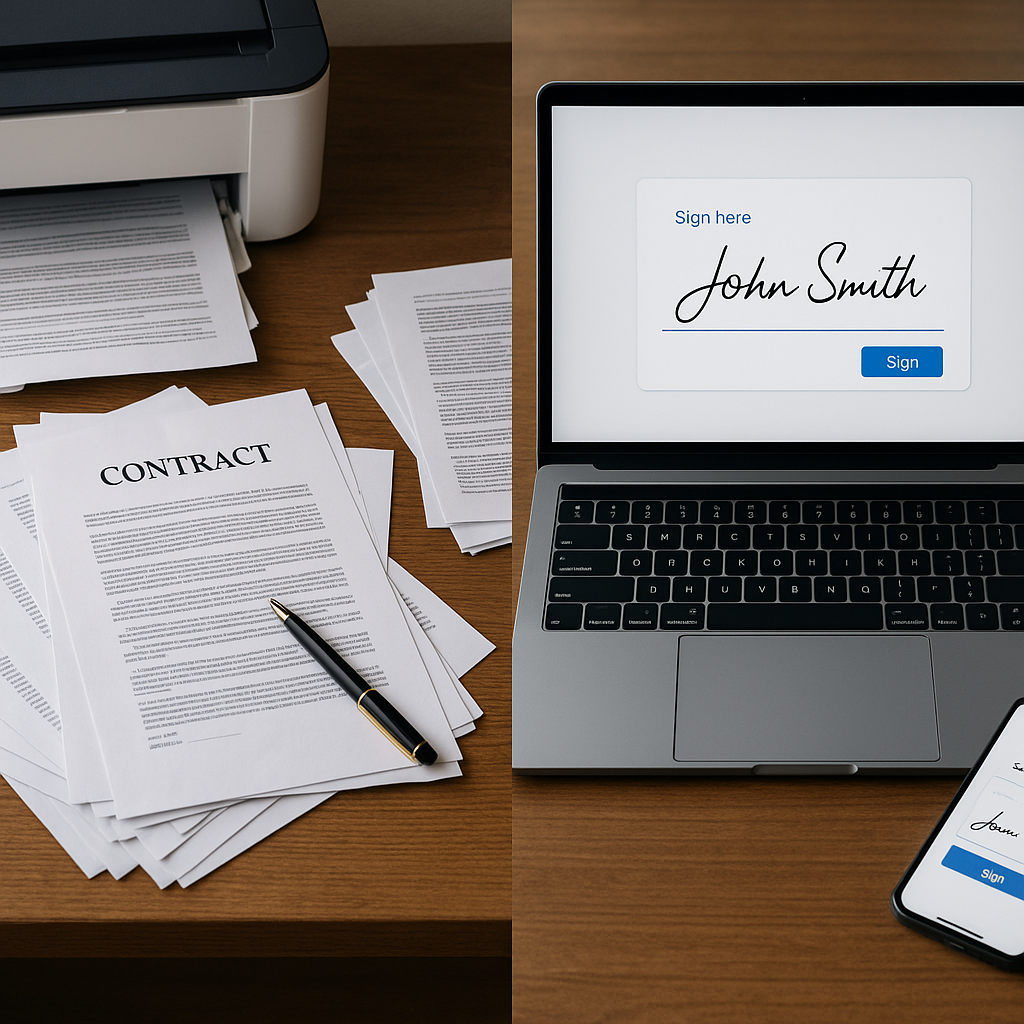
For modern real estate agents, paper-heavy contract signing is more than a nuisance—it’s a growth bottleneck. Clients expect to sign from their phones, offers need to go out in minutes (not days), and one missed initial can jeopardize an entire deal. At the same time, you’re under pressure to reduce overhead and handle more transactions with the same size team.
Electronic signatures are now the most widely used technology among REALTORS®, with 79% using eSignature tools as part of their daily workflow.(nar.realtor) But not all tools are built for the speed, flexibility, and legal precision real estate demands.
QuickSign is a modern, affordable e-signature platform designed to help realtors send complete, error-free property contracts in under a minute—while also generating contracts from scratch using AI. This article walks through how real estate professionals can use QuickSign to streamline property contract signing, cut costs, and deliver a premium client experience.
Why property contract signing is so painful for realtors
Before we dive into workflows, it’s worth calling out the biggest contract headaches agents face today.
1. Time pressure on offers and counteroffers
In competitive markets, the agent who gets a clean, signed offer submitted first often wins. Traditional signing workflows—printing, scanning, emailing, waiting for in-person signatures—can delay deals by days. Industry data shows that e-signatures can reduce contract turnaround from days or weeks to hours or even minutes, which is critical for time-sensitive real estate transactions.(zoopsign.com)
With QuickSign, you can go from contract draft to signed offer in a single client phone call, without ever touching a printer.
2. Risk of missing signatures, initials, and disclosures
Real estate contracts are long, detailed, and unforgiving. One missed initial on a key page—or a forgotten disclosure—can delay closing or, in some cases, render a contract unenforceable.(agentup.com) The more you rush, the more likely you are to miss something.
QuickSign’s drag-and-drop field placement and required-field controls make it easy to ensure every signature, initial, and date is captured before the document can be completed.
3. Client expectations for digital, on-demand experiences
According to the National Association of REALTORS®, most homebuyers now expect digital, paperless processes and won’t tolerate printing, faxing, or mailing contracts when an online option is available.(nar.realtor) Agents who can offer mobile-friendly, tap-to-sign experiences gain a clear edge in client satisfaction and referrals.
QuickSign delivers that experience with simple email-based signing and mobile-optimized signing flows your clients can complete in minutes from anywhere.
4. Rising costs and complexity of legacy e-signature tools
Many traditional e-signature tools charge per user or per envelope, which punishes growing teams. Real estate deals require collaboration between agents, assistants, transaction coordinators, and sometimes multiple brokerages—making per-seat pricing expensive and restrictive.
Unlike traditional per-seat solutions, QuickSign offers flat-rate pricing starting at just $15/month for your whole team, plus a generous free tier for trying it out.
Key takeaway: The real challenge isn’t just getting signatures—it’s getting complete, compliant, and on-time signatures without burning hours or budget. That’s exactly the gap QuickSign is designed to fill.

How realtors use QuickSign to manage property contracts
This section walks step-by-step through how a typical agent or brokerage would manage property contracts with QuickSign, from creation to signature tracking.
Step 1: Generate property contracts instantly with AI
Most e-signature tools expect you to bring a perfect PDF. QuickSign takes it a step further with AI Document Generation—you can generate legal-grade agreements directly inside the platform.
For realtors, this is ideal for:
- Listing agreements
- Buyer agency agreements
- Offer to purchase / purchase and sale agreements (where your local rules allow custom drafting)
- Assignment contracts for wholesaling
- Lease and rental agreements
- NDAs with investors or partners
Instead of editing an old Word file or hunting down a template, you simply describe what you need:
- “Residential lease agreement for a 12-month fixed term in Texas, property manager-friendly, includes pet policy and late fee clause.”
- “Simple assignment contract for wholesaling a single-family property, assignor is an investor, assignee is a cash buyer, include inspection contingency.”
QuickSign’s AI drafts the contract, which you can then review and fine-tune before sending. This aligns with a broader trend in real estate, where more than 40% of agents already report using AI tools in their business, primarily to save time and enhance client service.(nar.realtor)
Pro tip: Use QuickSign’s AI to create reusable “base contracts” for different scenarios (standard listing, investor cash purchase, landlord-tenant lease) and then tweak the specifics for each deal.
Relevant video for understanding basic contract structures:
Step 2: Upload existing PDFs and add fields with drag-and-drop
Many realtors work with standard state or association-provided forms that must be used as-is. In these cases, QuickSign’s drag-and-drop field placement is your best friend.
- Upload the official purchase agreement, listing agreement, or disclosure PDF.
- Drag signature, initial, text, checkbox, and date fields onto the exact locations that need to be completed.
- Assign each field to the correct signer (buyer, seller, landlord, tenant, agent, etc.).
This approach addresses a core risk in real estate: missing a required signature or initial on a key page. A recent review of common contract mistakes in real estate highlighted missing signatures and overlooked initials as one of the top issues that can derail deals.(agentup.com) QuickSign’s required fields and visual layout help you avoid that.
Step 3: Add recipients and send for signature in seconds
Once your fields are placed, sending the contract is straightforward with QuickSign’s seamless sending workflow:
- Add recipients by name and email (e.g., “Buyer 1,” “Buyer 2,” “Seller,” “Agent,” “Attorney”).
- Set signing order if needed—for example, buyer signs first, then seller, then your broker.
- Include a clear subject line and message (e.g., “123 Main St – Offer to Purchase – Please Sign by 6 PM”).
- Click send—your contract is on its way.
Clients receive a branded email with a secure link to sign. No account creation is required for signers, which aligns with research showing that remote e-signatures with minimal setup are perceived as significantly more usable by end users.(arxiv.org)
Relevant video showing a step-by-step e-signature workflow in real estate:
Step 4: Track views, signatures, and bottlenecks in real time
Once a contract is sent, the waiting game begins—but with QuickSign’s real-time tracking, you’re never in the dark.
You can see at a glance:
- Who has opened the document
- Who has signed, and at what time
- Who still needs to sign
Real-time status and automated reminders mirror capabilities that experts highlight as crucial for keeping real estate deals moving, improving efficiency, and reducing administrative burden.(b12.io)
Pro tip: Use QuickSign’s tracking to proactively update your clients: “The seller has opened the offer; we’re just waiting on their signature.” Transparent communication like this boosts trust and perceived professionalism.
Step 5: Store, search, and reuse documents
Every signed document in QuickSign is securely stored and instantly accessible. Centralized digital storage is a recognized best practice in real estate e-signature workflows, reducing the risk of lost documents and ensuring everyone works from the most recent version.(esignly.com)
For busy agents, this means:
- Quick retrieval of contracts during negotiations or disputes
- Easy sharing of fully executed PDFs with lenders, attorneys, and transaction coordinators
- The ability to duplicate previous deals as templates for similar transactions
Real-world QuickSign workflow: From showing to signed offer in under an hour
To see how QuickSign fits real life, let’s walk through a common scenario.
The scenario
It’s Saturday afternoon. You’ve just shown a property at 456 Oak Avenue to a motivated couple. There are already multiple offers on the table, and the listing agent has announced a deadline of 8 PM tonight.
Your buyers are ready to move—if you can get a strong, clean offer submitted quickly.
QuickSign-powered workflow
- Draft the offer with AI.
- From your laptop or tablet, you open QuickSign and describe the offer details: purchase price, earnest money, closing date, financing type, key contingencies.
- QuickSign’s AI generates a draft purchase agreement tailored to your scenario.
- You review and adjust any state-specific or brokerage-required language before finalizing the document.
- Add state-required attachments.
- You upload your standard disclosure forms and any addenda as PDFs.
- Using drag-and-drop, you place signature and initial fields where needed on each page.
- Send to buyers for signature.
- You add your two buyers as signers, set the signing order if necessary, and send.
- Within minutes, your buyers receive a link on their phones, review the documents at a nearby coffee shop, and sign electronically.
- Monitor and follow up in real time.
- QuickSign shows you when each buyer has opened and signed.
- As soon as both signatures are in, you download the fully executed PDFs.
- Submit to listing agent.
- You email the signed offer package to the listing agent well before the deadline, including timestamps that demonstrate when your buyers signed.
Instead of spending hours driving around for signatures or dealing with printers and scanners, you’ve turned an in-person showing into a signed offer in well under an hour—while keeping every signature, initial, and disclosure in one legally defensible digital trail.
Time and cost savings for real estate teams using QuickSign
Industry studies consistently highlight four major benefits of e-signatures for real estate professionals: faster transactions, lower costs, stronger security, and better client experience.(wesignature.com) QuickSign is built to maximize each of these, especially for smaller teams and independent agents.
Faster contract cycles
- E-signatures can compress contract lifecycles from days to hours or minutes. Some providers report that half of agreements are completed in under 15 minutes—illustrating what’s possible with a robust e-sign solution.(esignly.com)
- QuickSign supports this speed with ultra-lightweight sending, instant signing links, and no account requirement for signers.
For an agent doing 3–5 deals per month, shaving even one day off each contract stage can free up dozens of hours per year for prospecting, showings, and client care rather than paperwork.
Lower operational costs
By replacing paper workflows with QuickSign, realtors typically save on:
- Printing and scanning costs
- Courier and overnight shipping for urgent contracts
- Physical storage, filing, and shredding
- Labor time spent chasing signatures and managing paper files
Analyses of digital signature adoption in real estate consistently note significant cost reductions when printing, mailing, and storage are eliminated.(zoopsign.com) QuickSign amplifies those savings with flat-rate pricing—just $15/month for your entire team, rather than paying per seat or per envelope.
More deals per agent with the same headcount
Because QuickSign automates so much of the contract lifecycle, agents can:
- Handle more concurrent transactions without burning out
- Spend more time advising clients and less time editing PDFs
- React faster to new opportunities, especially in multiple-offer situations
Key takeaway: QuickSign doesn’t just make signing easier—it increases your effective capacity as an agent or brokerage, helping you do more deals with the same people and budget.
Using QuickSign to elevate client trust and professionalism
Today’s buyers and sellers research extensively before signing anything. Videos like “5 questions to ask a real estate agent before you sign a document” reflect growing consumer awareness about contract terms and agent responsibilities.
QuickSign helps you answer those questions confidently and transparently:
- Clarity: Share draft contracts generated by QuickSign’s AI and walk clients through each clause on a screen share.
- Transparency: Use real-time tracking to update clients on who has signed and what’s outstanding.
- Professionalism: Provide mobile-friendly, secure signing experiences that signal you’re operating at a modern, enterprise-grade level.
Combined with your own market expertise, a streamlined signing experience turns a stressful, paperwork-heavy milestone into a smooth, confidence-building journey.
Why QuickSign is a smart e-signature choice for realtors
There are many e-signature tools on the market, but QuickSign offers a unique combination that fits real estate especially well:
- AI Document Generation for creating contracts, NDAs, leases, assignment agreements, and more from natural-language prompts.
- Drag-and-drop field placement on any PDF, perfect for state-approved forms and board contracts.
- Seamless sending with simple, fast recipient setup and optional signing order.
- Real-time tracking of opens, signatures, and outstanding actions.
- Affordable flat-rate pricing at $15/month for the whole team—no per-seat or per-envelope penalties as you grow.
- Generous free tier: generate 2 documents and send 1 document to unlimited recipients at no cost.
For small brokerages, teams, and independent agents, this combination means you can adopt enterprise-grade e-sign workflows without enterprise-level costs or complexity.
Ready to simplify your document signing? Try QuickSign for free - generate 2 documents and send 1 document to unlimited recipients at no cost. No credit card required.