Qualified Electronic Signatures: What They Are, When You Need Them, and How QuickSign Helps
Discover what qualified electronic signatures are, when they’re legally required, and how QuickSign helps you sign securely, compliantly, and fast.

Qualified Electronic Signatures: What They Are, When You Need Them, and How QuickSign Helps
If your business operates in or with the EU, chances are you’ve heard about qualified electronic signatures (QES) — the highest-assurance form of e-signature under the eIDAS regulation. They’re often described as the “digital equivalent” of a handwritten signature, with strong legal weight across all EU member states.(en.wikipedia.org)
For many organizations, though, the real challenge isn’t just understanding QES — it’s knowing when you actually need it, and how to integrate it into a practical, user-friendly signing experience.
This is where QuickSign comes in. While many platforms focus only on capturing signatures, QuickSign adds AI document generation, intuitive drag-and-drop field placement, and flat-rate pricing, so you can design end-to-end signing workflows that meet compliance needs and stay simple for your team.
What Is a Qualified Electronic Signature?
Under the EU’s eIDAS Regulation (Regulation (EU) No 910/2014), a qualified electronic signature is a specific type of electronic signature that meets strict technical and legal requirements. It must:(en.wikipedia.org)
- Be an advanced electronic signature (AdES), meaning the signer can be uniquely identified and linked to the signature and has sole control over the signing keys.(en.wikipedia.org)
- Use a qualified digital certificate issued by a qualified trust service provider (QTSP) listed on the EU Trusted List.(en.wikipedia.org)
- Be created using a qualified signature creation device (QSCD) — e.g., a smart card, USB token, national eID card, or a cloud-based hardware security module (HSM).(tecalis.com)
Because of these requirements, QES provides the highest level of assurance and, in the EU, is explicitly given the same legal effect as a handwritten signature.(en.wikipedia.org)
Key takeaway: A qualified electronic signature is an advanced electronic signature backed by a qualified certificate and secured by a certified device — giving it the strongest legal and technical guarantees available under eIDAS.
How QES Differs from Other Electronic Signatures
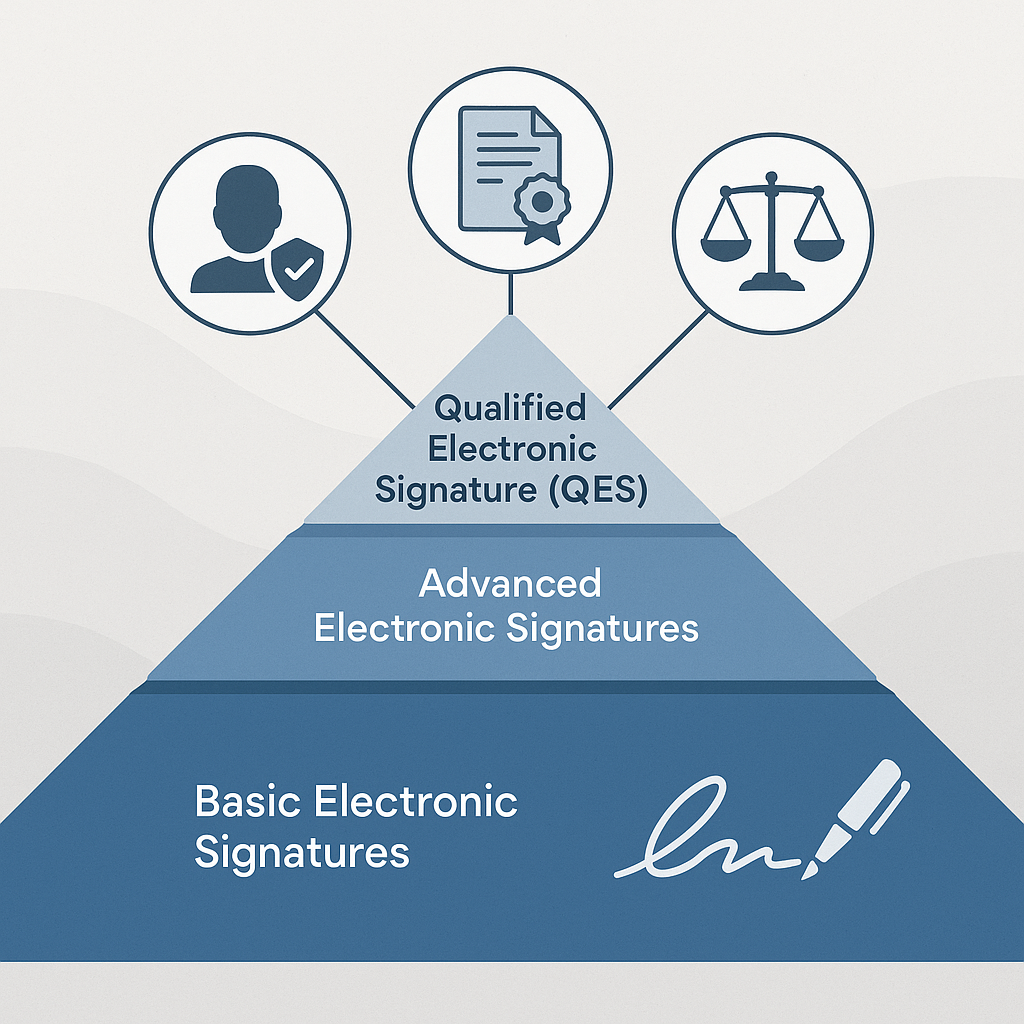
eIDAS defines three broad levels of electronic signatures:(fabasoft.com)
- Simple Electronic Signature (SES): Basic methods like a typed name, a scanned signature, or clicking “I accept”. Easy to use, but weak identity assurance and limited evidentiary strength.
- Advanced Electronic Signature (AdES): Cryptographically linked to the signer, uniquely identifies them, and detects any modification to the signed data.
- Qualified Electronic Signature (QES): An advanced signature that also uses a qualified certificate issued by a QTSP and a QSCD. It offers maximum legal presumption and security.
In many everyday business scenarios (e.g., NDAs, sales contracts, HR paperwork), an advanced or even simple electronic signature may be sufficient. QES is typically reserved for high-value, high-risk, or heavily regulated transactions.
QuickSign is designed to support organizations across these levels: you can draft documents with AI, configure workflows and evidence trails that meet your compliance bar, and, where necessary, integrate with qualified trust service providers to layer QES into specific steps of your process.
Legal Value of Qualified Electronic Signatures
eIDAS explicitly states that a qualified electronic signature shall have the equivalent legal effect of a handwritten signature and must be recognized across all EU member states.(en.wikipedia.org) This means:
- QES cannot be refused legal effect solely because it is electronic.
- When validly applied, QES typically carries a presumption of authenticity — in disputes, the burden of proof often shifts to the party challenging the signature.(signicat.com)
- Public administrations in the EU may require QES for certain online services or filings, but they cannot demand anything stronger than QES.(en.wikipedia.org)
For organizations, this has two major implications:
- Risk management: Using QES on high-risk contracts (e.g., cross-border financing, major procurement, or regulated industry agreements) significantly strengthens your position if a signature is disputed.
- Cross-border recognition: A QES issued in one EU country must be accepted in all others, simplifying international workflows.
With Qui
When Your Business Actually Needs a Qualified Electronic Signature
While QES is powerful, it’s not always necessary — and because it’s more complex to issue and manage, most companies use it selectively.(blog.eevidence.com) Typical scenarios where QES is appropriate include:
- High-value commercial contracts (e.g., major B2B deals, M&A documentation)
- Long-term loan and mortgage agreements
- Certain government forms and public sector tenders
- Regulated industry processes (banking, insurance, healthcare, etc.)
The QES market itself is growing quickly. Europe currently leads the global market, representing about 44% of QES adoption, with North America and Asia-Pacific rapidly catching up as regulatory scrutiny and digital identity schemes expand.(dataintelo.com)
Pro tip: Use QES for “bet-the-company” or heavily regulated transactions, and maintain a simpler, faster signing flow for daily operational documents. Platforms like QuickSign make it easy to design different workflows for different risk levels.
How Qualified Electronic Signatures Work in Practice
From a user’s perspective, QES can feel like a standard e-signature flow — but behind the scenes, there’s additional identity verification, certificates, and secure key management.
The Technical Building Blocks of QES
A qualified electronic signature typically involves:(en.wikipedia.org)
- Identity verification: The signer is verified once (or periodically) using face‑to‑face checks, video identification, government eID, or similar KYC methods.
- Qualified certificate issuance: A QTSP issues a qualified digital certificate linked to that verified identity.(en.wikipedia.org)
- Secure key storage: The signer’s private key is stored in a qualified signature creation device (e.g., smartcard, token, or HSM‑backed cloud wallet).
- Signature creation: When the signer approves a document, cryptographic operations performed in the QSCD create the signature, which is bound to both the certificate and the signed data.
- Validation and evidence: Anyone can later validate the signature by checking the certificate, trust chain, timestamps, and integrity of the document.
For most organizations, the key is not to build this cryptographic stack themselves, but to integrate with providers that are already certified — while using a user-friendly workflow layer like QuickSign to orchestrate documents, recipients, and evidence.
Example: QES Across an EU Funding Agreement
Imagine a mid-sized company finalizing an EU cross-border funding agreement:
- The legal team opens QuickSign and uses AI document generation to draft the funding agreement template, specifying jurisdiction, amounts, milestones, and covenants in natural language.
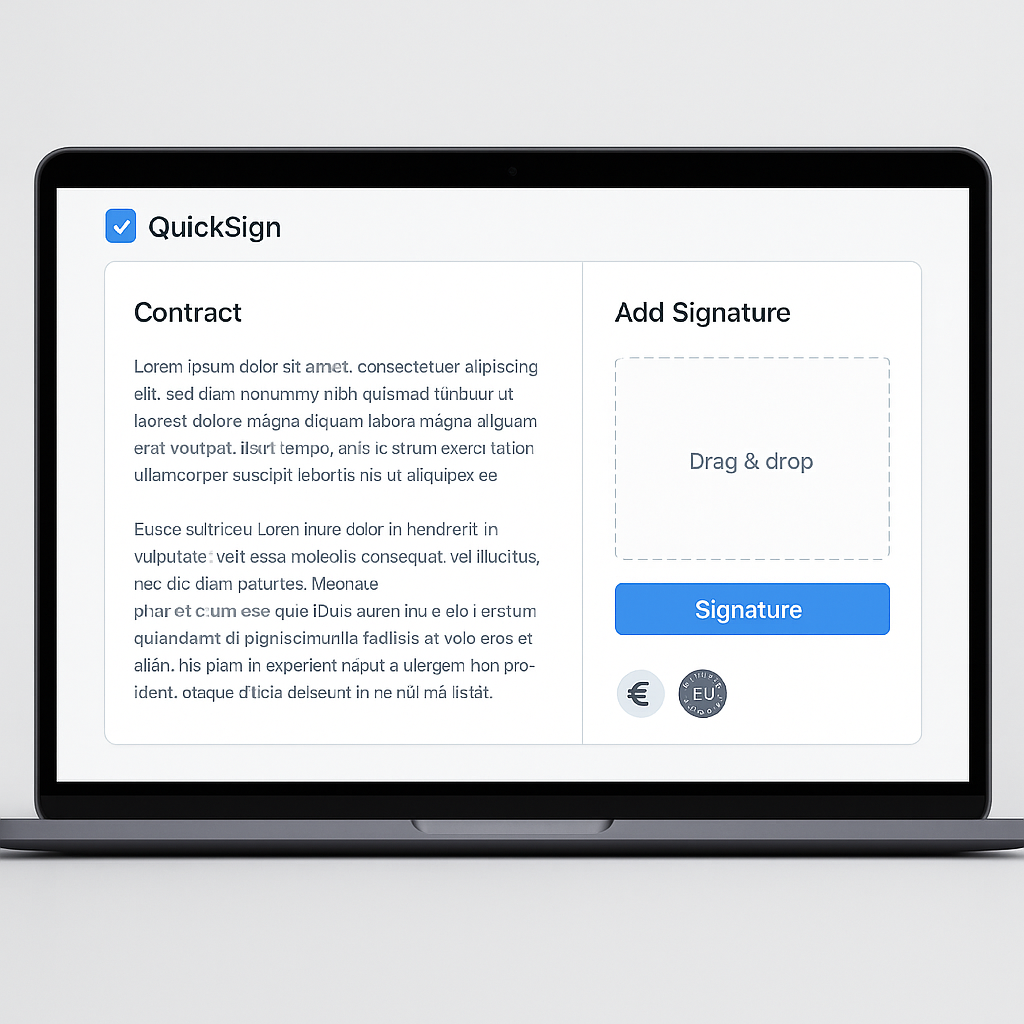
- They upload any supporting annexes as PDFs and use drag-and-drop field placement to position signature, initial, and date fields for each party.
- For the investor signatures, they configure the workflow so those signers must authenticate through an integrated QES provider, ensuring the resulting signatures are fully qualified under eIDAS.
- The final document is sent using QuickSign’s seamless sending flow to all parties in seconds, and the team monitors progress with real-time tracking to see who has viewed or signed.
- Once all signatures are complete, the archived file includes not just the signed PDF but also a detailed audit trail and QES validation information.
The result: a compliant QES execution for the investors, wrapped in a fast, familiar workflow for the business team.
Qualified Electronic Signatures in Video: Helpful Overviews
Sometimes seeing QES in action helps clarify the concepts. Here are a few relevant videos:
Conceptual Overview of Qualified Electronic Signatures
Hands-On Example of Using QES in a Signing Platform
Infrastructure Behind QES: Hardware Security Modules (HSMs)
While these videos use other tools as examples, the underlying principles (certificates, QSCDs, HSMs, and identity verification) are the same building blocks you can integrate into workflows built on QuickSign.
Designing a QES-Ready Workflow with QuickSign
Whether or not you use QES for every document, your signing platform should make it easy to switch between levels of assurance based on the context — without forcing your team to think about certificates or cryptography.
1. Start from a Legally Sound Template with AI
Many QES use cases involve complex contracts that are often reused with small variations. With QuickSign’s AI document generation, you can:
- Describe your agreement in plain language (e.g., “EU cross-border SaaS agreement governed by German law with a 3-year term”).
- Generate a first draft that includes appropriate clauses, structure, and placeholders for party data.
- Iterate quickly instead of starting from a blank page every time.
This speeds up the front end of your QES workflows: legal teams can focus on reviewing and adjusting, rather than manually recreating boilerplate.
2. Precisely Define Who Signs What
Once the document is ready, QuickSign’s drag-and-drop field placement lets you visually define:
- Where each party signs or initials
- Where dates, titles, and checkboxes go
- Which pages require high-assurance signatures vs. acknowledgments
For QES flows, you can configure which role or recipient must sign with a qualified certificate, while others might sign at an advanced level — giving you fine-grained control without manual coordination.
3. Send and Track in Seconds
After configuration, QuickSign’s seamless sending allows you to add recipients (including their signing order) and dispatch the document in under 60 seconds. Unlike traditional per-seat solutions, QuickSign offers flat-rate pricing at $15/month, so you can involve as many internal stakeholders as you need without worrying about licenses.
Built-in real-time tracking shows:
- Who has opened the document
- Which signers are pending
- When QES steps have been completed
For high-value agreements where QES is used, this visibility is crucial — you can chase the right person, at the right time, with clear evidence if timelines slip.
4. Align QES with Your Internal Policies
Most organizations eventually define internal rules like:
- “All contracts above €X must be signed with QES by both parties.”
- “Board resolutions and shareholder agreements always use QES.”
- “HR and day-to-day supplier agreements can use advanced signatures.”
With QuickSign, you can translate these rules into practical workflows and templates, so business users don’t need to interpret legal policy on the fly — they simply select the appropriate document type, and the platform enforces the right signing method behind the scenes.
Balancing Security, Usability, and Cost
One important nuance: QES is extremely secure, but it can be less user-friendly if implemented badly. It often requires prior identity verification, certificate management, and sometimes specialized hardware — factors that can slow down processes or frustrate signers if they’re not prepared.(blog.eevidence.com)
This is why a layered approach makes sense:
- Use simple or advanced signatures for the majority of low-risk documents.
- Reserve QES for a clearly defined subset of high-risk or regulated use cases.
- Use a single orchestration layer (like QuickSign) to handle all of them with a consistent user experience.
QuickSign supports this strategy while keeping costs predictable. With affordable flat-rate pricing starting at $15/month for the whole team — and a generous free tier that includes 2 document generations and 1 document send to unlimited recipients — you don’t pay per seat or per signer, which is especially important for QES scenarios that may involve many external parties.
Key takeaway: QES delivers maximum legal assurance, but it should be used strategically. A flexible platform like QuickSign lets you right‑size the level of signature to the risk, without sacrificing speed or user experience.
Ready to simplify your document signing? Try QuickSign for free - generate 2 documents and send 1 document to unlimited recipients at no cost. No credit card required.