Real Estate Agent Document Workflow: How QuickSign Streamlines Every Step from Listing to Closing
Streamline your real estate agent document workflow with QuickSign. Discover faster, paperless processes from listing to closing to boost productivity.

Real Estate Agent Document Workflow: How QuickSign Streamlines Every Step from Listing to Closing
If you’re a real estate agent, your workday is dominated by documents: listing agreements, disclosures, offers, amendments, inspection responses, lease contracts, closing packages—the list never ends. Each one has strict deadlines, legal implications, and multiple signatures required.
At the same time, clients increasingly expect a fast, digital-first experience. In fact, recent research shows that more than 40% of real estate transactions now involve digital signatures, and over 65% of property deals use e-signatures in some form.(esignly.com) Paper-heavy workflows aren’t just inconvenient—they’re a growth bottleneck.
This is exactly where QuickSign, a modern and affordable e-signature platform with built-in AI document generation, can transform your real estate document workflow from listing to closing.
Key Idea: Real estate agents don’t just need e-signatures—they need a faster, smarter document workflow that generates, sends, and tracks contracts in minutes, not hours.
Why Real Estate Document Workflows Are So Painful Today
Before we look at how QuickSign improves things, it’s worth being honest about where the pain really is in a typical agent’s day.
1. Too many documents, all time-sensitive
A single residential sale can easily involve:
- Listing agreement between agent and seller(en.wikipedia.org)
- Sellers’ property disclosures
- MLS input forms
- Buyer representation agreement
- Offer to purchase and counteroffers
- Inspection reports and repair addenda
- Appraisal notices
- Loan, title, and closing documents
Every missing initial, every outdated version, every incorrect date can delay closing—or worse, create compliance risk with your brokerage or state commission.(dre.colorado.gov)
2. Fragmented tools and manual data entry
Many agents still juggle:
- Word or Google Docs for contract editing
- PDF tools to add signature boxes
- Email for sending and version control
- Spreadsheets or CRM notes to track who signed what
This patchwork creates duplicate effort and more chances for error. Industry research shows that integrated, digital signing platforms can reduce manual data entry errors by up to 60% and substantially accelerate turnaround times.(certinal.com)
3. Clients expect digital-first, mobile-friendly signing
Today’s buyers and sellers are starting their journey online and expect the same level of convenience when signing documents. More than two-thirds of buyers use mobile devices during their property search and increasingly prefer digital interactions with agents.(wifitalents.com) If you’re still asking clients to print, sign, and scan, you’re creating friction at the most critical points of the relationship.
4. Rising compliance and audit expectations
With electronic signatures widely accepted under ESIGN and UETA in the U.S., e-signatures now carry the same legal weight as wet ink—provided that you maintain proper audit trails and integrity of the document.(esignly.com) Brokers increasingly expect auditable logs of who signed, when, and from where.
Pro Tip: If you ever have to prove exactly when a buyer signed an offer or a seller initialed a disclosure, a digital audit trail is far more defensible than a smudged scan of a fax.

What a Modern Real Estate Document Workflow Should Look Like
Instead of stitching together five different tools, modern real estate teams are standardizing on unified e-signature workflows. Given that 60–80% of organizations have already adopted some level of e-signature technology, and real estate is one of the leading adopters, this shift is now industry standard—not a nice-to-have.(certinal.com)
A modern workflow for agents should:
- Generate compliant documents quickly
- Send to multiple parties in seconds
- Guide signers through exactly where to sign
- Track who has viewed and sig
ned, in real time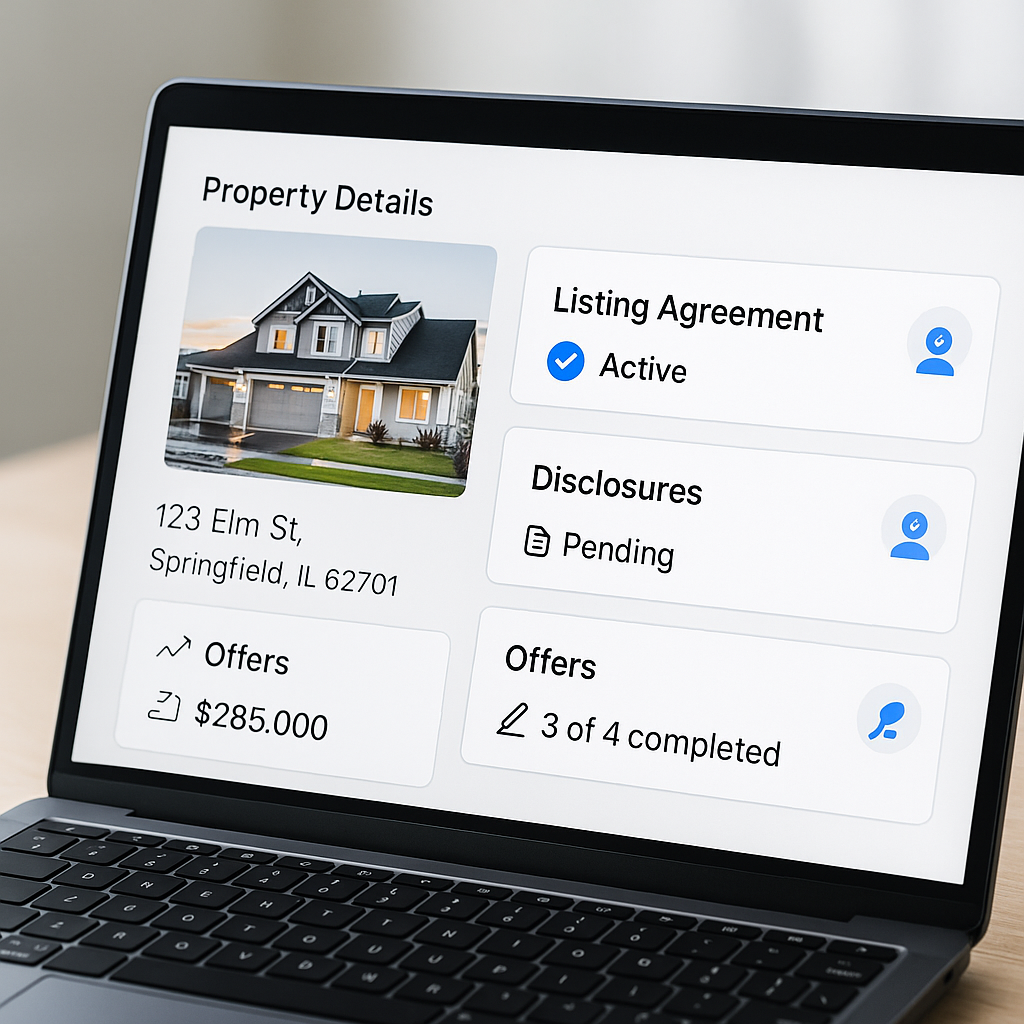
- Store everything in an easily searchable, audit-ready system
QuickSign is designed to give agents exactly that—without the complexity or per-seat costs of many legacy tools.
How Real Estate Agents Use QuickSign from Listing to Closing
Let’s walk through a typical listing-to-closing workflow and see how QuickSign fits into each stage.
Stage 1: Create and sign the listing agreement with AI Document Generation
Many states and brokerages require approved forms, but agents also routinely use addenda, team-specific agreements, and custom documents (e.g., off-market listings, referral agreements, showing agreements).(dre.colorado.gov)
With AI Document Generation in QuickSign, you can:
- Describe what you need in plain language, e.g., “A one-year exclusive right-to-sell listing addendum for a single-family home, including early cancellation terms and a 6% commission structure.”
- Have QuickSign draft a full agreement for you in seconds.
- Review, edit, and customize before sending for signature.
This is especially useful for:
- Custom listing addenda and team agreements
- Referral or co-listing agreements
- Simple lease/tenant agreements for investment clients
Key Takeaway: Instead of hunting through old emails for a “similar contract” to copy, QuickSign’s AI Document Generation gives you a fresh, tailored draft each time.
Stage 2: Prepare disclosures and buyer/seller representations with drag-and-drop fields
Once you have your state or brokerage forms (PDFs), you can upload them directly into QuickSign and use drag-and-drop field placement to add:
- Signature blocks for each party (seller, buyer, co-borrowers, brokers)
- Initials on each page where required
- Date fields that autofill on signing
- Text fields for specific data such as purchase price or contingency dates
This eliminates manually marking up PDFs in graphic editors or relying on brittle templates that break whenever your brokerage updates a form.
Because North American regulators and commissions update forms periodically—for example, state real estate divisions issuing new mandated contracts for 2026—being able to drop fields onto a fresh PDF in minutes is critical.(dre.colorado.gov)
Stage 3: Send offers, counteroffers, and addenda in seconds
In a competitive market, speed to offer matters. Agents using e-signatures routinely shave days off transaction timelines; digital closings with e-signatures and online notarization have been shown to reduce time-to-close by more than a day per deal.(garanord.md)
With QuickSign you can:
- Upload the purchase contract or generate a simple agreement with AI
- Add signature, initial, and date fields via drag-and-drop
- Add recipients (buyers, co-buyers, seller if FSBO, other agent, transaction coordinator)
- Choose signing order if needed (e.g., buyer first, then co-buyer, then seller)
- Send the document with one click using QuickSign’s seamless sending
Clients receive a secure email link, open the document on any device, and are guided through where to sign. No account creation or technical friction required.
Stage 4: Track activity and keep everyone accountable with real-time tracking
One of the biggest frustrations in real estate is simply not knowing where a deal is stuck. Did the seller see the offer? Has the buyer’s spouse signed yet? Do we need to follow up, or are they still reviewing?
QuickSign includes real-time tracking so you can see:
- When each recipient opened the document
- Whether they viewed but did not sign
- The exact time they signed
- Which signatures or initials are still outstanding
Digital audit logs reduce the risk of disputes and missing signatures, while automated reminders help you avoid last-minute scrambles before contingencies expire.
Stage 5: Lease and property management workflows
The rise of e-signatures in rental agreements and lease contracts has been especially strong. The e-signature rental agreements market in North America alone is now worth hundreds of millions of dollars annually, driven by property managers and agents using digital leases.(dataintelo.com)
For agents and teams handling rentals or property management, QuickSign lets you:
- Generate basic lease agreements from AI prompts
- Re-use templates and quickly adjust dates, rent amounts, and terms
- Send to multiple tenants and guarantors at once
- Keep secure, searchable records of all signed leases
Pro Tip: Use QuickSign’s AI Document Generation to create standardized addenda for pet policies, parking, or short-term rental rules. Then reuse them across units with minimal edits.
Real-World Example: A Listing-to-Closing Workflow Using QuickSign
To make this concrete, let’s map a simplified workflow inspired by popular real estate training content on listing and selling a home, then layer in how QuickSign supports each step.
Step 1 – Pre-listing & Listing Agreement
- Agent meets with seller, determines pricing strategy, and wins the listing.
- Agent opens QuickSign and uses AI Document Generation to create a custom listing agreement addendum (e.g., early cancellation, staging expectations).
- Agent uploads the brokerage’s standard listing agreement PDF, adds signature and initial fields via drag-and-drop, and sends both documents in a single envelope for signature.
- Seller signs from their phone the same evening, and the property is officially listed.
Step 2 – Disclosures & Marketing Authorizations
- Agent uploads required property disclosure forms and marketing authorizations (photo/video release, lockbox access, etc.).
- Using drag-and-drop fields, the agent places required initials on every page.
- Documents are sent via seamless sending, and real-time tracking shows when the seller has completed them—no guessing, no chasing for missing signatures.
Step 3 – Buyer Representation & Offer
- On the buy side, the agent generates a buyer representation agreement with AI based on the state’s preferred structure and the team’s commission model.
- When it’s time to write an offer, the agent uploads the standard purchase contract, adds fields, and sends it to all buyers.
- Buyers sign on mobile during their commute home; within an hour, the agent forwards the signed offer to the listing agent.
Step 4 – Counters, Addenda, and Inspection Items
- When a counteroffer is needed, the listing agent uploads the counter form, drops fields, and sends for signatures.
- Inspection reveals needed repairs; the buyer’s agent uses AI to draft a simple repair addendum summarizing agreed items and deadlines.
- Both sides sign digitally, with real-time tracking ensuring no one misses the contingency deadline.
Step 5 – Closing Package & Post-Closing Docs
- Title, closing attorney, or escrow sends their own digital package; any remaining broker-side forms (commission instructions, final walkthrough forms, etc.) are handled in QuickSign.
- After closing, the agent uses QuickSign AI to generate a simple post-closing agreement or referral acknowledgment if needed.
Throughout the process, every document is stored in a centralized, digital system—no binders, no stuffed file cabinets, no searching through email chains.
Time and Cost Savings for Real Estate Agents Using QuickSign
The benefits of an optimized document workflow aren’t just theoretical. Industry-wide, agents and brokerages using e-signatures and digital transaction workflows report:
- Turnaround times reduced from days to hours, often cutting closing timelines by more than a day.(esignly.com)
- Error rates from missing signatures dropping by 30–40%, thanks to guided signing and audit trails.(garanord.md)
- Significant reductions in printing, scanning, courier, and storage costs as transactions move online.(esignly.com)
For an individual agent, that translates into:
- More deals closed per year because you’re not stalled waiting for signatures.
- Less unbillable admin time spent chasing paperwork.
- Higher client satisfaction as buyers and sellers experience a smooth, digital process.
QuickSign amplifies these gains with:
- Speed: Generate, prepare, and send documents for signature in under 60 seconds.
- Affordable flat-rate pricing: Unlike traditional per-seat solutions, QuickSign offers flat-rate pricing at $15/month that covers your whole team—no surprise per-user fees.
- Generous free tier: Test real workflows with 2 AI-generated documents and 1 document send to unlimited recipients, free.
Key Takeaway: If you close even one extra transaction per year because your paperwork moves faster, QuickSign’s flat $15/month pricing more than pays for itself.
Connecting QuickSign into a Modern, Automated Real Estate Tech Stack
Modern real estate operations increasingly combine CRMs, marketing tools, and automation platforms to qualify leads and nurture them through the funnel. Automation flows, like those built in tools such as n8n, are being used to auto-route leads, generate recommendations, and trigger follow-up sequences.
In that context, a tool like QuickSign becomes the document execution engine at the heart of your system:
- Use your CRM to capture new buyer/seller leads.
- Trigger an automated workflow that:
- Creates a representation or listing agreement with AI Document Generation.
- Populates key details (names, emails, property address, price range).
- Sends the agreement via QuickSign’s seamless sending API.
- Use QuickSign’s real-time tracking events to trigger reminders or status updates in your CRM.
Some real estate teams already follow advanced digital workflows for leads, recommendations, and transaction management. Embedding QuickSign as the central signing layer ensures your automations don’t hit a paper bottleneck at the most critical step.
Learning from Real Estate Workflow Content (and Applying It with QuickSign)
Many training resources for agents focus on the “step-by-step” of listing and selling homes, or on optimizing your transaction management system. To align your document workflow with those best practices, consider how you can layer QuickSign into what you’re already learning.
From listing playbooks to digital execution
When you watch in-depth guides on how to list and sell someone’s home, you’ll often see a structured approach: pre-listing, listing appointment, paperwork, marketing, offers, negotiations, and closing. The paperwork steps in those videos map almost one-to-one with QuickSign workflows:
- Use AI Document Generation to create or adapt agreements discussed in the training.
- Upload state/brokerage forms and use drag-and-drop fields to match the instructor’s checklist of signatures and initials.
- Leverage real-time tracking to ensure each milestone (listing agreement signed, disclosures delivered, offer executed) happens on schedule.
Bridging automation tutorials with real document execution
Automation-focused content often shows how to score leads, trigger tasks, or route inquiries using tools like n8n or other workflow engines. The missing piece is usually contract execution—where deals often slow down.
By pairing those automations with QuickSign, you can:
- Automatically generate and send representation agreements to hot leads.
- Trigger lease generation and sending when an applicant is approved.
- Use QuickSign signing status to drive automated reminders or agent notifications.
Enhancing transaction management workflows
Some platforms and tutorials focus on managing a transaction end-to-end—tasks, timelines, and compliance. Even if you’re using a separate transaction management system, QuickSign can serve as a simple, focused signing engine, particularly if you want:
- AI-powered generation of custom addenda
- Fast, frictionless signing for clients who may not use your full platform
- Flat-rate pricing instead of complex seat-based fees
Why QuickSign Is a Strong Fit for Real Estate Agents
To recap, here’s how QuickSign aligns with the realities of real estate document workflows:
- Built for speed: Generate, prepare, and send agreements in under a minute, helping you respond quickly in competitive offer situations.
- AI Document Generation: Draft contracts, addenda, NDAs, and referral agreements from a simple prompt—no more hunting for old templates.
- Drag-and-drop field placement: Effortlessly configure state- or brokerage-specific PDFs with signatures, initials, and dates exactly where they belong.
- Seamless sending: Add all recipients and send in a few clicks; no complex setup for clients.
- Real-time tracking: Know instantly who has opened, viewed, or signed each document, and follow up strategically.
- Affordable for teams: Flat-rate pricing at $15/month for the whole team, plus a generous free tier, makes it practical for solo agents and growing brokerages alike.
Key Takeaway: You don’t need a bloated enterprise platform to modernize your real estate document workflow. A focused, AI-powered e-signature tool like QuickSign lets you go from paper-heavy to digital-first in a day.
Ready to simplify your document signing? Try QuickSign for free - generate 2 documents and send 1 document to unlimited recipients at no cost. No credit card required.