Remote Document Signing: How to Streamline Approvals Without Slowing Down Business
Remote document signing made simple: learn tools, tips, and workflows to streamline approvals, boost security, and keep business moving fast.

Remote Document Signing: How to Streamline Approvals Without Slowing Down Business
Contracts, proposals, NDAs, HR forms, vendor agreements—modern business runs on documents. But printing, scanning, mailing, and chasing signatures doesn’t just waste time; it also creates security and compliance risks, especially when teams and clients are distributed.
Remote document signing solves this by letting people review and sign documents securely from anywhere, on any device. For business professionals, it’s no longer a “nice-to-have”—it’s an essential part of a modern digital workflow.
In this guide, you’ll learn how remote document signing works, the legal framework behind it, key security considerations, and how to choose the right solution for your organization. We’ll also look at how modern platforms like QuickSign go beyond basic e-signatures with AI-powered document generation and flat-rate pricing tailored for small businesses and agile teams.
Key takeaway: Remote document signing isn’t just a faster way to get signatures—it’s a strategic advantage that shortens sales cycles, reduces admin overhead, and improves compliance across your entire organization.
What Is Remote Document Signing?
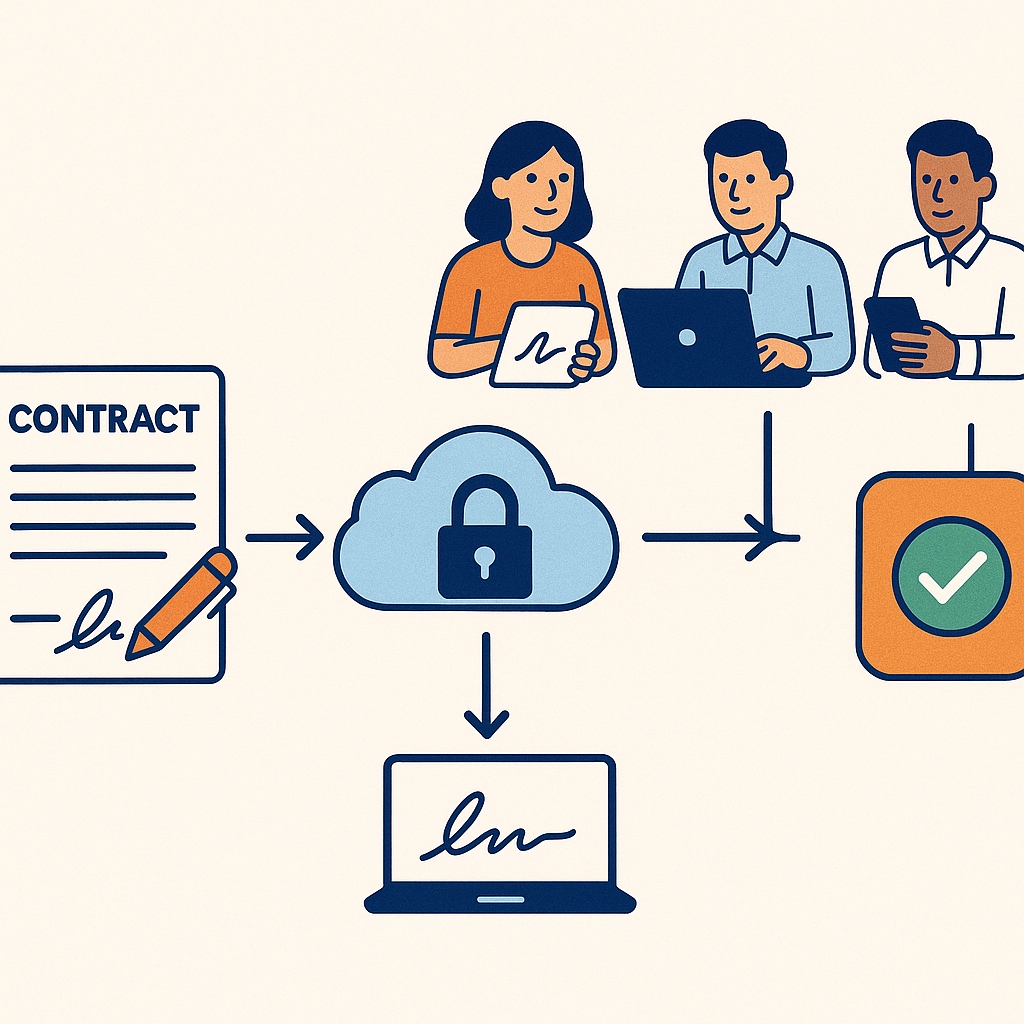
Remote document signing is the process of signing agreements electronically without needing to be physically present or handle paper. Instead of printing and signing with ink, signers use a secure web-based or mobile interface to review, sign, and return documents in minutes.
In the United States, electronic signatures are broadly recognized as legally enforceable thanks to laws like the Electronic Signatures in Global and National Commerce (ESIGN) Act and the Uniform Electronic Transactions Act (UETA). These laws establish that contracts and signatures cannot be denied legal effect solely because they are in electronic form. (en.wikipedia.org)
Remote e-signature vs. remote online notarization
It’s useful to distinguish between basic remote signing and remote online notarization (RON):
- Remote e-signature: Parties sign documents electronically—ideal for sales contracts, HR paperwork, vendor agreements, NDAs, etc.
- Remote online notarization: A notary public verifies identity and witnesses signing via live audio-video (e.g., a video call), often required for real-estate closings, certain affidavits, and other highly regulated documents.
To see RON in action, this live session walkthrough is a useful reference:
Is Remote Document Signing Legal and Secure?
For many business leaders, the first questions are “Is this legal?” and “Is it secure enough for critical contracts?” The answer to both is yes—provided you use a reputable e-signature platform and follow best practices.
The legal framework (ESIGN & UETA)
Two major U.S. frameworks underpin the legality of remote electronic signatures:
- ESIGN Act (2000): At the federal level, ESIGN states that a contract or signature “may not be denied legal effect, validity, or enforceability solely because it is in electronic form.” (en.wikipedia.org)
- UETA: Adopted (with minor variations) by 49 U.S. states plus D.C. and the U.S. Virgin Islands, UETA harmonizes state laws on electronic records and signatures, treating electronic signatures as valid if they show intent to sign and are associated with the relevant record. (en.wikipedia.org)
In short: for most common business agreements, remote electronic signatures are just as enforceable as wet ink, as long as you can demonstrate identity, intent, and integrity of the record.
Security and compliance considerations
Leading remote signing tools typically include:
- Encryption in transit and at rest to protect document contents.
- Audit trails capturing who signed, when, IP addresses, and actions taken.
- Access controls (authentication links, one-time codes, etc.).
- Tamper-evident documents
 g> so any post-signature modification is detectable.
For many organizations, this is actually more secure and auditable than traditional paper workflows, where signatures can be forged, pages swapped, or documents misplaced without any digital footprint.
How Remote Document Signing Works (Step-by-Step)
While each platform has its own interface, the core remote signing workflow is similar. Here’s what it typically looks like—and how a modern tool like QuickSign simplifies every step.
1. Prepare or generate your document
Traditionally, you’d draft a contract in Word or Google Docs, export it as a PDF, then upload it into your e-signature platform. That works—but it’s time-consuming and error-prone if you’re constantly copying and pasting clauses or client data.
Modern tools increasingly automate this step. For example, QuickSign includes AI Document Generation, letting you describe what you need (“a 12-month marketing services agreement with a mutual NDA and net-30 payment terms”) and auto-generate a tailored legal document. You can then refine the text, add your variables, and send it out—no separate word processor needed.
2. Upload and place fields where recipients will sign
Once your document is ready (whether AI-generated or uploaded), you must define where each party signs or fills in information. This is where a good user experience matters.
- Drag-and-drop field placement: Platforms like QuickSign let you drag and drop signature, date, text, and initial fields onto any PDF page, then assign each field to a specific recipient.
- Reusable templates: For recurring agreements (e.g., your standard sales contract), you can save a template so your team doesn’t rebuild fields every time.
- Variables and auto-fill: QuickSign’s AI-powered document variables can auto-fill client names, company details, or deal terms across the document—reducing manual edits and data entry errors.
3. Add recipients and define signing order
Next, you specify who needs to sign or view the document. Typical roles include:
- Signers (e.g., customer, internal approver, counter-signer).
- CC recipients who receive a final copy but don’t sign.
- Sequential or parallel signing so you can route deals to Legal first, then to the client, or collect multiple signatures in any order.
QuickSign focuses on speed here with Seamless Sending: you can add recipients, set their order, and send the document for signature in seconds—ideal for sales teams and founders who don’t want to wrestle with complex configuration screens.
4. Recipients review and sign remotely
From your recipients’ perspective, remote signing should be simple:
- They receive an email link to the document.
- They click to open it in a secure browser window (no account required for most workflows).
- They review the content, click in the highlighted fields, and select or draw a signature.
- They confirm and submit; both parties receive signed copies.
For a visual walkthrough of a typical remote signing experience, you can reference this step-by-step video explanation:
5. Track status and finalize
Once documents are out for signature, visibility becomes critical—especially if you’re managing many deals or HR workflows simultaneously.
- Real-time tracking: With QuickSign, you can see when each recipient has opened, viewed, or signed a document. That makes it easier to follow up with targeted reminders instead of generic “just checking in” emails.
- Automated reminders: Most e-sign platforms allow automatic reminders for pending signatures.
- Centralized repository: Completed agreements are stored in a searchable dashboard, reducing the risk of lost contracts and simplifying audits.
Pro tip: Make real-time tracking part of your team’s playbook. For example, have sales reps check signature status before their daily outreach block so they can nudge deals that are “opened but unsigned.”
Benefits of Remote Document Signing for Business Teams
Beyond convenience, remote signing delivers measurable business value across departments.
1. Faster deal cycles and approvals
Electronic signatures can reduce contract turnaround from days or weeks to minutes. Studies across the industry consistently show that e-signatures significantly accelerate agreement completion compared to traditional methods, allowing organizations to close deals faster and reduce bottlenecks in approvals. (en.wikipedia.org)
For revenue teams, that means shorter sales cycles and more predictable forecasting. For operations and HR, it removes the friction of chasing forms and signatures.
2. Reduced costs and admin overhead
Printing, postage, scanning, re-keying data, and physical storage all add up. E-signature platforms reduce or eliminate:
- Paper and printing costs.
- Shipping and courier expenses for urgent contracts.
- Manual data entry into CRMs or HR systems.
- Time spent filing, searching, and retrieving physical documents.
Compared with legacy e-signature vendors, newer platforms can also reduce software spend. For example, many DocuSign business plans charge per user per month, with Standard and Business Pro tiers commonly around $25–$40 per user/month when billed annually. (ecom.docusign.com) For a 10-person team, that quickly reaches thousands of dollars per year, often with envelope limits and potential overage fees. (esignglobal.com)
By contrast, QuickSign offers simple, flat-rate pricing starting at just $15/month for your whole team—no per-seat fees, no envelope overages, and no complex enterprise contracts. That’s a compelling difference for small businesses, agencies, and startups looking to keep overhead predictable.
3. Better experience for clients, employees, and partners
Nobody enjoys printing and signing paperwork. Remote document signing creates a smoother experience for everyone:
- Clients can sign contracts on their phone or laptop in minutes.
- New hires can complete onboarding paperwork before their first day.
- Vendors and partners can approve agreements without back-and-forth logistics.
This frictionless experience signals that your organization is modern, organized, and easy to work with—qualities that influence both customer satisfaction and talent attraction.
4. Stronger compliance and auditability
With an e-signature system, every action is logged. You gain:
- Detailed audit trails for each document.
- Consistent templates that reflect up-to-date legal language.
- Centralized storage that simplifies responding to audits or disputes.
When combined with AI Document Generation (as in QuickSign), you can standardize your contracts further by generating agreements from a single source of truth, rather than multiple versions sitting in email threads and shared drives.
Real-World Use Cases for Remote Document Signing
Remote signing applies across departments and industries. Here are some practical scenarios many organizations face.
Sales & revenue teams
- Sales agreements and MSAs: Quickly generate and send customized contracts with deal-specific terms.
- Renewals and upsells: Auto-generate short-form amendments to existing contracts and send in a few clicks.
- Channel and partner agreements: Standardize partner contracts with templates and AI-filled variables for each partner’s details.
HR and people operations
- Offer letters and employment contracts.
- Policy acknowledgments (e.g., remote work, security policies).
- Onboarding packets with multiple forms bundled into one signing session.
Legal and compliance teams
- NDAs and confidentiality agreements for prospects, vendors, and contractors.
- Data processing agreements (DPAs) with clients and SaaS vendors.
- Board consents and shareholder approvals handled entirely remotely.
Operations, finance, and procurement
- Vendor contracts and SOWs.
- Purchase agreements and approvals with clear signing order.
- Lease agreements or equipment rental contracts that may also require notarization via RON.
For documents that require notarization, many states now permit remote online notarization, where a notary verifies identity and witnesses signing over a secure video call. Educational resources like this walkthrough provide a good overview of what RON looks like in practice:
Choosing a Remote Document Signing Solution
There are many e-signature platforms on the market. When evaluating options for your team, consider the following dimensions.
1. Pricing model and transparency
Legacy vendors like DocuSign frequently price per user and may impose envelope limits, with overages or add-ons (such as SMS delivery or identity verification) that can increase total cost of ownership. Standard and Business Pro plans often range from $25–$40 per user per month on annual contracts, meaning a 10–20 person team can easily spend several thousand dollars annually. (ecom.docusign.com)
By contrast, QuickSign is designed for small businesses and growing teams that want predictable, accessible pricing:
- Free tier: Generate 2 documents with AI and send 1 document to unlimited recipients at no cost—ideal to test workflows before committing.
- Flat-rate plans: Simple, flat-rate pricing starting at $15/month for your entire team—no per-seat fees and no hidden add-ons.
While platforms like DocuSign and HelloSign can become costly as you add users, QuickSign keeps pricing straightforward and budget-friendly, especially for solo entrepreneurs, agencies, and small teams.
2. Ease of use and setup speed
Look for tools that non-technical staff can use without extensive training:
- Intuitive drag-and-drop field placement on any PDF.
- Clean dashboard showing document status at a glance.
- Minimal steps required to send a document out for signature.
QuickSign emphasizes “send in under 60 seconds” as a core product principle—critical if your team sends many short agreements and doesn’t want to be slowed down by complex configuration each time.
3. Advanced capabilities and AI
As remote signing becomes standard, the differentiator isn’t just “can we capture signatures?” but “how much of the contract workflow can we automate?” Look for:
- AI Document Generation to create contracts, NDAs, and agreements from prompts.
- Variables / merge fields to auto-fill recipient and deal data across the document.
- Templates and cloning for recurring agreements.
Here, QuickSign stands out as a modern alternative to legacy solutions, combining AI document creation and variable-based auto-fill directly in the same interface where you send and track signatures.
4. Integrations and scalability
Depending on your stack, you may want integrations with:
- CRM (e.g., Salesforce, HubSpot) for sales workflows.
- HRIS or ATS tools for hiring and onboarding.
- Cloud storage (e.g., Google Drive, Dropbox) for archiving agreements.
If your company has complex requirements, you may eventually need APIs, advanced reporting, or SSO. Many organizations start with a simple, affordable solution like QuickSign and then assess deeper integration needs as their contract volume grows.
Best Practices for Implementing Remote Document Signing
To get the most from your remote signing solution, treat it as a core workflow—not just a tool.
Standardize your templates
- Create approved templates for your most common agreements (e.g., NDAs, sales contracts, offer letters).
- Use AI generation (where available) to keep legal language consistent and up-to-date.
- Lock key clauses so users can edit only specific sections (like pricing or term) if your platform supports it.
Define clear internal processes
- Agree on who can send which templates (e.g., Account Executives send standard agreements; Legal must approve custom terms).
- Set expectations around turnaround time and reminders for pending signatures.
- Train teams to use real-time tracking to drive timely follow-ups.
Educate clients and stakeholders
- Include a brief note in your emails explaining that electronic signatures are legally valid and secure.
- Offer to walk hesitant clients through the signing process on a call the first time.
- For highly regulated documents, explain when and why remote online notarization may be required.
Secure and organize your documents
- Use folder structures or tags to categorize agreements by client, department, or year.
- Regularly review access permissions.
- Back up critical documents in your preferred document management or cloud storage system.
Key takeaway: Remote signing tools deliver the most value when they’re embedded in repeatable processes—standard templates, clear ownership, and consistent use of tracking and automation.
Ready to simplify your document signing? Try QuickSign for free - generate 2 documents and send 1 document to unlimited recipients at no cost. No credit card required.