Remote-Ready Legal Workflows Emerge as Competitive Edge for Small Firms
Discover how remote work and remote-ready legal workflows give small firms a competitive edge, boosting efficiency, client service, and long-term growth.

Remote-Ready Legal Workflows Emerge as Competitive Edge for Small Firms
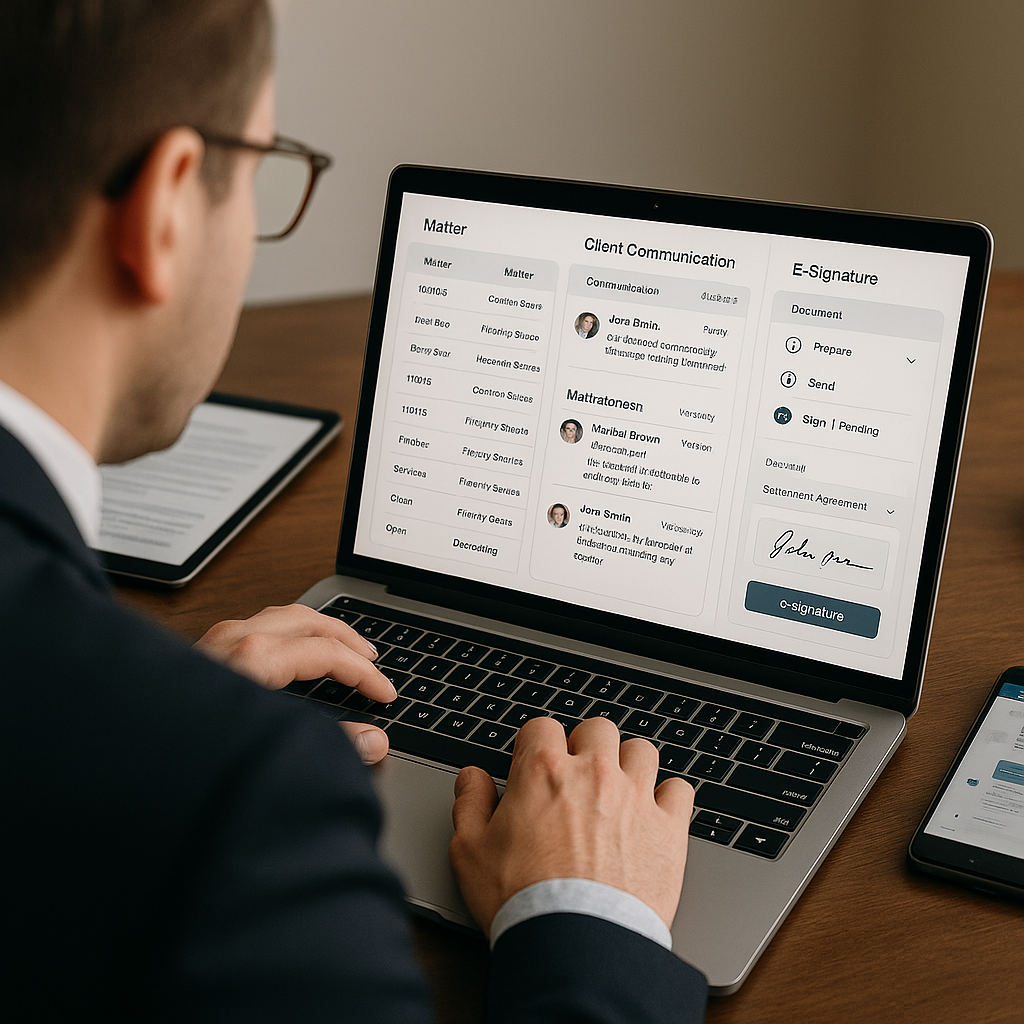
For solo and small-firm lawyers, “remote-friendly” is no longer a pandemic-era perk—it is rapidly becoming a defining competitive edge. New resources aimed at small practices are pushing end-to-end digital workflows that span client intake, document drafting, cloud storage, and e-signature. The goal: enable fully remote or hybrid legal services that reach clients across wider geographies while keeping overhead lean and turnaround times fast.
Why Remote-Ready Workflows Now Matter More Than Ever
The legal industry’s shift toward cloud tools and virtual collaboration has been underway for years, but recent data shows solo and small firms are now under pressure to modernize in order to keep pace.
The American Bar Association’s 2024 Solo and Small Firm TechReport notes that communication and cloud-based services “show some encouraging signs” among solos, with 62% reporting the use of remote access tools, and small firms at 71%—down from above 80% in prior years, but still substantially higher than pre‑pandemic levels.(americanbar.org) At the same time, the ABA highlights persistent gaps in more advanced tech adoption, suggesting that many small practices are only partway through their digital transformation.
Cloud-based software is now foundational: in the ABA’s earlier tech reports, 84% of solo lawyers and around 73–74% of small-firm respondents reported using cloud tools for work-related tasks, up sharply from 58% overall just a few years earlier.(americanbar.org) Those platforms—ranging from general productivity suites to legal-specific practice management—are what make always-on, location-agnostic workflows possible.
For small firms, the question is no longer whether to support remote work, but how to design a cohesive digital workflow that clients can trust and staff can manage efficiently.

From Patchwork Tools to True End-to-End Digital Workflows
Historically, many small firms have relied on a patchwork of tools: email for intake, Word and local templates for drafting, a mix of scanners and PDFs for signatures, and on-premise servers or consumer cloud storage for files. That approach can work in an office-centric environment, but it quickly breaks down when a firm tries to operate fully remotely.
New guidance and tooling targeted at solo and small-firm lawyers are emphasizing the importance of integrated, cloud-based workflows that look more like this:
- Intake and onboarding: Prospects complete secure online intake forms, provide ID and documentation digitally, and schedule consultations via web-based tools.
- AI-assisted drafting: Lawyers generate first drafts of engagement letters, NDAs, and core agreements with AI-powered templates, then refine for nuance and jurisdictional specifics.
- Cloud document management: Final and in-progress documents live in centralized, access-controlled cloud repositories rather than scattered email threads or local drives.
- Online review and collaboration: Clients review documents via secure links, comment asynchronously, and avoid printing and scanning altogether.
- E-signature and closing: Agreements are executed through e-signature tools that support multiple signers, audit trails, and compliance requirements.
Industry analyses of legal tech trends in 2025 consistently highlight automation and AI-assisted drafting as key levers for small firms trying to reduce repetitive work and speed up delivery. A recent Forbes Council overview notes that automation is increasingly used for
AI-Powered Drafting Becomes Table Stakes
Generative AI has moved from experimentation to deployment in legal practice. A 2025 LawSites summary of multiple surveys reports that active use of generative AI among legal organizations roughly doubled in a single year, with ABA survey data showing AI adoption jumping from 11% to 30% overall, and solo practitioners rising from 0% in 2022 to 18%.(lawnext.com) Meanwhile, other research on small firms found generative AI use for drafting and research nearly doubling year over year.
For solo and small-firm lawyers, AI’s most immediate impact is in routine drafting:
- Standard contracts: Service agreements, NDAs, consulting contracts, and engagement letters generated from customizable templates.
- Summaries and comparisons: Rapid redline comparisons and plain-language summaries for clients, cutting review cycles.
- Playbooks by practice area: Libraries of clauses and playbooks tailored to startup work, real estate, or family law, as highlighted in discussions of emerging AI‑native law firm models.(quicksign.it)
These capabilities are no longer exclusive to large firms. A growing ecosystem of AI tools—many designed explicitly for small practices—allows solo lawyers to produce work product at a pace and level of polish that would previously have required a team of associates.
Cloud Documents and E-Signatures as a Remote Backbone
While AI grabs headlines, cloud document management and e-signature remain the quiet backbone of remote‑ready workflows.
Legal IT trend reports for small and mid-sized firms consistently identify virtual assistants, automation, and cloud document tools as core to reducing overhead and improving responsiveness.(intermixit.com) Cloud-based document systems give lawyers reliable, secure access to matters from home, co-working spaces, or client sites, with version control and access logs that support both compliance and collaboration.
E-signature is equally central. Clients—especially business owners and startup founders—now expect to be able to sign engagement letters, board consents, and commercial contracts from their phones, without printing or scanning. In a remote or hybrid environment, manually routing PDFs for signature introduces unnecessary delays, confusion, and risk of error.
For many small firms, moving to cloud documents plus e-signature is the single biggest step they can take to unlock fully remote operations without sacrificing professional polish or compliance.
How QuickSign Fits Into Remote-First Legal Workflows
As small firms modernize their workflows, the choice of tools matters. Enterprise-focused solutions often come with per-seat pricing, complex deployments, and feature sets optimized for Big Law. That can be overkill for a three-lawyer practice or a solo attorney building a virtual boutique.
QuickSign is positioned as a modern, small-firm–friendly alternative that supports the full contract lifecycle at a predictable cost:
- AI Document Generation: Built-in AI document generation lets lawyers create contracts and NDAs directly in the platform. For a virtual practice, this means generating engagement letters or standard commercial agreements in minutes, then moving straight to e-signature without switching tools.
- Effortless sending: The workflow is intentionally simple: upload a PDF, drag and drop signature, date, and text fields, and send to clients. This fits seamlessly into cloud-based document systems and remote client interactions.
- Real-time tracking: Status updates—viewed, opened, signed—are visible in real time, which is essential when matters are handled across time zones and without in-person check-ins.
- Small-firm pricing: Unlike enterprise-focused solutions that bill per user, QuickSign offers flat-rate pricing at $15/month for the whole team, plus a free tier that includes 2 AI document generations and 1 document send to unlimited recipients. That cost structure aligns well with the tight budgets of solo and small firms.
Because QuickSign combines AI document generation and e-signature in one interface, it naturally supports the “remote-ready” vision many small practices are moving toward: draft, send, and sign without leaving the browser.
Practical Steps for Solo and Small Firms Going Remote-Ready
For firms still in the early phases of digital transformation, the prospect of redesigning all workflows can feel daunting. But many experts recommend a phased approach centered on the client journey.
1. Map the Client Lifecycle
Start by documenting how a typical matter moves from first contact to final invoice:
- How does the client first reach you? (referral, website, email)
- Which forms or documents do you need to start work?
- Where do drafts and comments live today?
- How are signatures collected, and how long does that take?
Identifying the handoffs and friction points—especially those that still depend on paper, in-person visits, or ad-hoc email threads—will reveal where cloud tools and e-signature can make the greatest immediate impact.
2. Standardize High-Volume Documents with AI
Next, focus on the 5–10 documents you use most frequently (e.g., engagement letters, NDAs, standard services agreements). Use AI-powered tools such as the document generation features in QuickSign to turn those into reliable templates.
This not only speeds drafting but also ensures consistency in language and risk allocation—critical for busy solos who cannot rely on junior associates to manage template libraries.
3. Centralize Storage in the Cloud
Once templates and signed documents are flying around digitally, you need a single source of truth. Whether you use a legal-specific DMS or a general cloud platform with strong permission controls, the goal is the same: every lawyer in the firm should be able to locate matter documents instantly, from anywhere.
Given ongoing concerns about security and compliance noted in ABA tech reports for solo and small firms,(americanbar.org) it is important to ensure that whatever system you choose supports encryption, access logs, and appropriate backup policies.
4. Make E-Signature the Default
Finally, choose an e-signature platform optimized for small-business use and make it the default for all client-facing documents. With QuickSign, that might look like:
- Setting up reusable templates for your standard agreements.
- Using drag-and-drop fields to standardize where clients sign, date, and initial.
- Relying on real-time tracking to send targeted reminders instead of generic chaser emails.
Over time, this shift will shorten your matter lifecycle, reduce no-shows and delays in signing, and provide a clearer audit trail for compliance and dispute resolution.
Competitive Advantages for Virtual and Hybrid Practices
Firms that successfully implement remote-ready workflows often see gains on several fronts:
- Geographic expansion: With fully digital onboarding, drafting, and signing, a solo attorney in one state can efficiently support clients nationwide within licensing limits—an attractive model for niche practices like startup counseling or online brands.
- Lower overhead: Cloud tools replace some of the need for large physical offices, onsite servers, and extensive support staff, making flat-fee or subscription-based pricing models more viable.
- Faster turnaround: AI-assisted drafting plus e-signature can collapse contract cycles from days to hours, a differentiator for time-sensitive deals.
- Client perception: Business clients accustomed to digital banking and SaaS onboarding increasingly view paper-heavy processes as a sign of outdated operations.
As AI legal tools continue to advance—researchers are even experimenting with domain‑specific legal language models aimed at democratizing advanced legal AI capabilities(arxiv.org)—the firms that already have robust digital workflows in place will be best positioned to layer in new capabilities without having to re‑engineer their practices from scratch.
Remote-ready, end-to-end legal workflows are no longer experimental. They are fast becoming the standard for small firms that want to compete for sophisticated clients while maintaining the flexibility that drew many lawyers to solo and small-firm practice in the first place.
Looking for an affordable e-signature solution? Try QuickSign for free - no credit card required.