The Modern Freelance Contract Signing Solution: How QuickSign Simplifies Every Agreement
Streamline every agreement with our freelance contract signing solution. Discover how QuickSign simplifies, secures, and speeds up contract signing for pros.

The Modern Freelance Contract Signing Solution: How QuickSign Simplifies Every Agreement
If you work with freelancers or are a freelancer yourself, contracts are no longer optional. Late payments, scope creep, and IP disputes are all far more common when there’s no written agreement in place. Recent guides for freelancers highlight how often projects go wrong without clear contracts—ghosting clients, endless revisions, and confusion over who owns the work are among the top headaches.(linkedin.com)
At the same time, e-signatures have gone mainstream: in 2025, around 60–80% of organizations across industries use some level of e-signature technology, and the global eSignature market is already valued at over $12 billion.(certinal.com) That shift isn’t just for big enterprises—freelancers and the businesses that hire them now expect digital, fast, and legally binding contract workflows.
This is exactly where QuickSign stands out as a modern, affordable freelance contract signing solution. Unlike many tools that simply collect signatures, QuickSign combines AI contract generation, drag-and-drop signing fields, and real-time tracking in one streamlined platform—backed by a generous free tier and flat-rate pricing designed for small teams and growing businesses.
Key takeaway: If you’re still emailing Word files back and forth or printing and scanning contracts, you’re not just wasting time—you’re increasing your legal and financial risk. A dedicated platform like QuickSign is now the professional standard for freelance agreements.
Why Freelance Contracts Matter More Than Ever
Freelancing has exploded across industries, but the core risks of working without a contract haven’t changed. Business advisors and legal experts consistently warn that informal, handshake deals expose both sides to serious problems: unpaid invoices, disputes over scope, misaligned expectations, and IP ownership conflicts.(business-accounting.co.uk)
The real risks of “we’ll figure it out later”
When you engage a freelancer without a clear, signed contract, you’re vulnerable to:
- Payment disputes and cash flow shocks: Without agreed payment terms and milestones, invoices can be delayed, reduced, or contested.(business-accounting.co.uk)
- Scope creep: Vague agreements make it easy for work to expand far beyond what you budgeted.(vantazo.com)
- IP and confidentiality issues: Without explicit clauses, it’s unclear who owns the final work or how confidential information should be handled.(aaronhall.com)
- Legal vulnerability: In a dispute, lack of written terms makes resolution slower, harder, and more expensive.(business-accounting.co.uk)
Some jurisdictions have started responding with stronger legal protections for freelancers. For example, New York City’s Freelance Isn’t Free Act requires written contracts for work over $800 and mandates payment within 30 days.(en.wikipedia.org) But even where such laws don’t exist, the underlying principle is clear: written, signed contracts are now the professional baseline.
Why e-signatures are now the default for freelance work
Switching from paper to e-signatures isn’t just about convenience. Studies show that e-signatures dramatically accelerate workflows, with many businesses reporting much faster contract turnaround and onboarding times.(textcontrol.com) For freelancers and clients, that means:
- Faster project kickoffs—no printing, scanning, or mail delays
- Better visibility into who has received and opened the contract
- Clear, auditable records for compliance and dispute resolution
QuickSign is built precisely for this environment: it gives you a complete, digital-first workflow from drafting the freelance contract to collecting signatures and tracking status—without the complexity or cost of legacy systems.
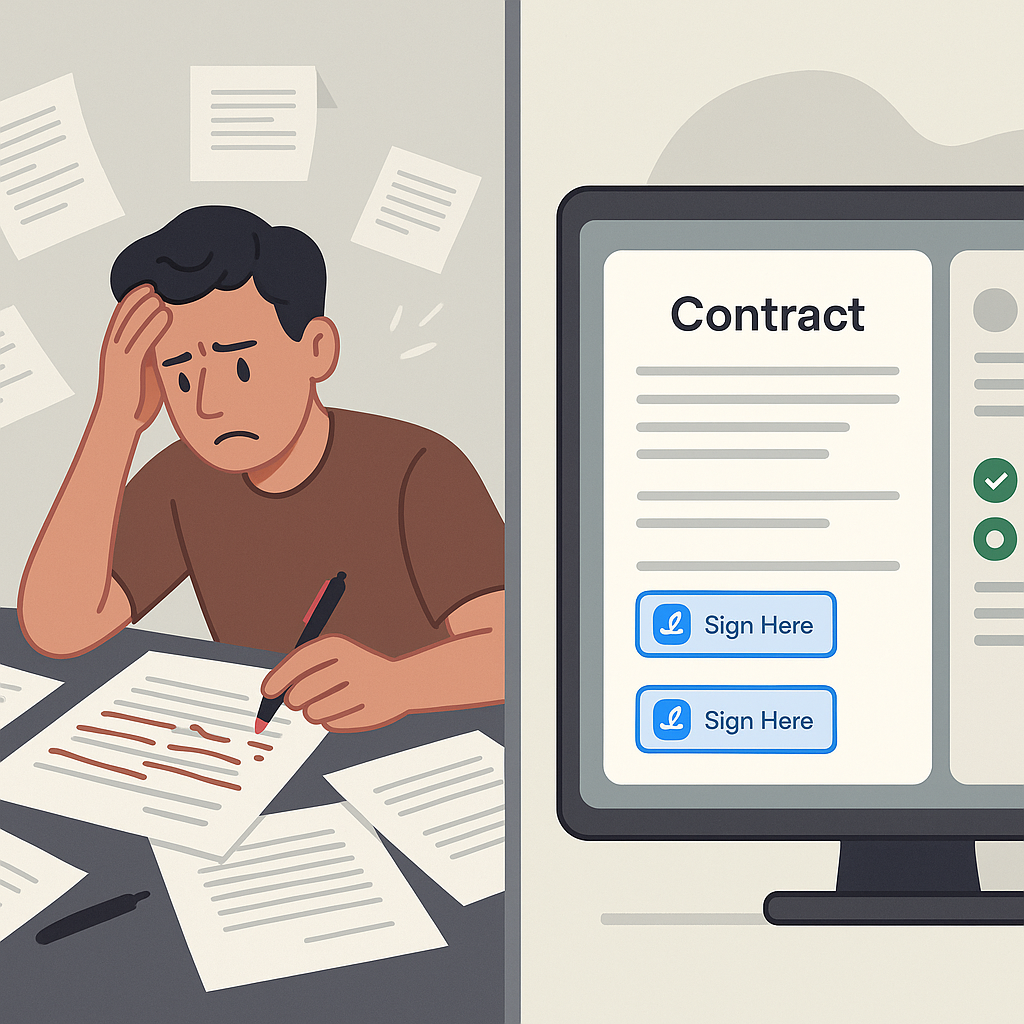
What to Look For in a Freelance Contract Signing Solution
If you hire freelancers regularly—or are building a freelance-based business—you need more than a simple “sign here” tool. The best freelance contract signing solutions support the entire contract lifecycle, from drafting through execution and tracking.
1. Fast, accurate contract creation
Many small businesses and solo freelancers still copy-paste old contracts or download risky templates from the internet. That approach can leave gaps in key areas like scope, intellectual property, confidentiality, and termination.
This is where AI Document Generation in QuickSign makes a real difference. Instead of starting from a blank page, you simply describe what you need—for example:
- “A freelance web design agreement for a 6-page marketing site, fixed fee, two revision rounds, IP transferred on final payment, governed by California law.”
- “An NDA for a freelance marketing consultant working with confidential campaign strategies and customer lists.”
QuickSign’s AI then drafts a structured agreement you can review, refine, and send for signature in minutes. This helps you consistently cover essential clauses (scope, payment, IP, confidentiality, timelines, termination) without reinventing the wheel each time.
Pro tip: Save your best-performing AI-generated contracts in QuickSign as reusable templates. Over time, your freelance agreements become more robust and more consistent across the business.
2. Flexible, intuitive signing workflows
Freelance contracts come in many formats—your own standard agreement, the freelancer’s preferred contract, or a client’s master services agreement. A good solution should work with any PDF or document layout.
QuickSign supports this with drag-and-drop field placement:
- Upload any PDF (your AI-generated contract or an external one)
- Drag signature, date, text, and initial fields exactly where they belong
- Assign each field to the appropriate signer (e.g., “Client”, “Freelancer”)
This level of control is critical when contracts include specific initials on key clauses, separate sign-offs for deliverables, or multiple signers (for example, when you require both a founder and a finance approver on the client side).
3. Seamless sending and real-time tracking
Once the contract is prepared, the real friction often starts: email attachments, lost files, and “I never saw it” messages. A modern freelance contract signing solution should remove this friction entirely.
With QuickSign, you can:
- Add recipients and send the document for signature in seconds
- See real-time status updates—when the contract is delivered, opened, and signed
- Automatically send reminders to signers who haven’t completed their part yet
Real-time tracking is especially valuable in freelance relationships, where delays in signing directly delay project kickoff and revenue. Knowing exactly where a contract stands lets you follow up with precision and avoid awkward guesswork.
4. Pricing that actually fits freelance workflows
Freelance-heavy teams often find traditional per-seat pricing models expensive and inflexible, especially when contract volumes fluctuate. Unlike traditional per-seat solutions, QuickSign offers flat-rate pricing at $15/month for the whole team. That means:
- No surprise per-user charges as your business grows
- One predictable subscription that covers everyone involved in contracts
- Easy scaling from solo operations to sm
all agencies or startup teams
On top of that, QuickSign includes a generous free tier: generate 2 documents and send 1 document to unlimited recipients at no cost—perfect for testing a freelance workflow or handling occasional contracts.
How to Sign Freelance Contracts Faster with QuickSign: Step-by-Step
Let’s walk through a practical workflow using QuickSign as your freelance contract signing solution—from initial agreement to final signature.
Step 1: Draft your freelance contract with AI
- Log into your QuickSign account.
- Choose AI Document Generation.
- Describe the engagement in plain language:
- Type of work (e.g., copywriting, development, design)
- Deliverables and deadlines
- Payment model (hourly, retainer, fixed fee, milestones)
- IP ownership and confidentiality needs
- Review the draft, adjust any legal language with your advisor if needed, and save it.
This step replaces hours of manual editing or searching for template clauses—and ensures every contract starts from a solid baseline.
Step 2: Add signature and data fields with drag-and-drop
- Convert your AI-generated contract into a final PDF (or upload an existing contract).
- Open it in the QuickSign editor.
- Drag these fields onto the document:
- Client signature and date
- Freelancer signature and date
- Initials near critical clauses (e.g., IP, confidentiality, non-compete)
- Optional text fields for PO numbers or project references
- Assign each field to the right signer so there’s no confusion later.
Step 3: Send the contract for signature in under 60 seconds
- Enter your recipient details (client, freelancer, or both if you’re an intermediary).
- Add an optional message that summarizes the agreement and next steps.
- Click Send. The contract goes out immediately, with clear instructions for signers.
This streamlined process reflects broader adoption trends: in many industries, e-signatures are now the norm because they cut cycle time dramatically and simplify cross-border collaboration.(globalgrowthinsights.com)
Step 4: Track views and signatures in real time
Instead of guessing whether someone has seen your contract, QuickSign provides real-time tracking:
- View when each recipient opened the contract
- See whether they’ve completed their signature
- Trigger reminders automatically or manually
For freelancers chasing their first clients, this visibility is invaluable. It turns silent delays into actionable signals: if a prospect has opened but not signed, you know it’s time for a follow-up, not blind waiting.
Using Contracts Strategically in Your Freelance Business
Contracts aren’t just legal shields—they’re powerful business tools. Leading freelance resources emphasize that clearly written agreements help set expectations, support professional boundaries, and prevent scope creep.(vantazo.com) When combined with a streamlined signing solution like QuickSign, contracts become a natural, low-friction part of your client experience.
Clarify terms before you send anything to sign
Educational content on freelancing consistently recommends talking through key terms before drafting a contract: scope, deliverables, timelines, revision limits, payment schedule, and ownership.(payoneer.com) You can use this discovery conversation to feed QuickSign’s AI:
- Capture all agreed points in note form
- Paste them into the AI Document Generation prompt
- Generate a contract that reflects exactly what you discussed
This workflow reduces misunderstandings and ensures there’s no gap between verbal agreements and the final signed document.
Embed contract signing into your client onboarding
For agencies and small businesses working with multiple freelancers, consistency is key. Instead of ad-hoc documents, build a simple, repeatable process in QuickSign:
- Create a master freelance services agreement template with AI.
- Save it in your QuickSign library.
- For each new freelancer or client:
- Duplicate the template
- Adjust project-specific details
- Send for signature with one click
This approach mirrors best practices recommended in business guides for SMEs, where standardized digital processes—especially e-signatures—are highlighted as major cost and time savers.(esignglobal.com)
Use contracts to negotiate better, not just to “lock things in”
Many freelancers learn over time that negotiation is a core skill: shaping scope, rates, and timelines to be realistic for both sides. Modern YouTube guides on freelance contract negotiation emphasize using the written agreement as a collaborative tool—something you adjust together with the client, not a rigid demand.
Watch for deeper insight on negotiation and early-client relationships:
With QuickSign, you can quickly regenerate or edit AI drafts as the conversation evolves, then resend updated agreements for signature in seconds. That flexibility lets you negotiate confidently without adding friction to the process.
Real-World Examples: Freelance Contract Workflows with QuickSign
Example 1: Marketing agency hiring a freelance copywriter
A small marketing agency regularly works with freelance copywriters. Historically, they worked via email and shared Google Docs, with informal agreements. Payment disputes and deadline confusion were common.
Using QuickSign, they redesigned their process:
- Created an AI-generated “Freelance Copywriting Agreement” template covering scope, rounds of revisions, and usage rights
- Standardized payment terms (50% upfront, 50% on delivery)
- Uploaded each new scope as an addendum, using drag-and-drop fields to add signatures and initials
- Sent contracts in under a minute, tracking who had signed before assigning work
Result: fewer disputes, faster onboarding of new writers, and a more professional experience that impressed both clients and contractors.
Example 2: Solo freelancer landing their first clients
A freelance web developer landing their first few clients wants to appear polished and trustworthy. Instead of sending a bare-bones proposal, they:
- Generate a full service agreement in QuickSign using AI
- Customize payment milestones and delivery dates for each client
- Send the contract via QuickSign so clients can sign on desktop or mobile
- Use real-time tracking to follow up with prospects who have opened but not yet signed
This workflow mirrors advice from popular freelancer education channels: treat your freelance practice like a business, with clear contracts and smooth onboarding, to win trust and close deals faster.
Example 3: Remote-first startup working with global contractors
A remote SaaS startup relies heavily on international freelancers for design, QA, and content. Time zones and legal differences make paper contracts impractical.
They adopt QuickSign to:
- Maintain a library of region-specific freelance contracts generated by AI
- Send agreements instantly across borders
- Track who has signed before granting access to internal systems or sensitive data
Because QuickSign uses a flat-rate pricing model at $15/month for the whole team, adding new team members who send or manage contracts doesn’t increase costs—ideal for a growing startup.
Why QuickSign is the Ideal Freelance Contract Signing Solution
With e-signature adoption surging and freelancers playing a central role in modern business, it’s no longer enough to improvise contracts or rely on outdated tools. A dedicated platform that understands freelance workflows can save you time, reduce legal risk, and help you close more deals.
QuickSign brings together everything you need in one place:
- AI Document Generation so you can create professional freelance contracts, NDAs, and service agreements from simple prompts
- Drag-and-drop field placement to adapt any PDF (yours or the client’s) into a ready-to-sign document
- Seamless sending that lets you dispatch contracts for signature in under 60 seconds
- Real-time tracking so you always know who has opened and signed
- Affordable flat-rate pricing at $15/month for your whole team, plus a generous free tier to get started
Ready to simplify your document signing? Try QuickSign for free - generate 2 documents and send 1 document to unlimited recipients at no cost. No credit card required.