The Modern Real Estate E‑Signature Solution: How QuickSign Simplifies Every Transaction
Close deals faster with a secure real estate e‑signature solution. Discover how QuickSign simplifies every transaction for agents, buyers, and sellers.

The Modern Real Estate E‑Signature Solution: How QuickSign Simplifies Every Transaction
Why Real Estate Needs a Better E‑Signature Solution Right Now
If you work in residential or commercial real estate, you already know the pain:
- Last‑minute contract changes that require chasing buyers, sellers, and brokers for signatures.
- Deals slowed down by printing, scanning, and emailing PDFs back and forth—often across time zones.
- Compliance and audit concerns when you can’t easily prove who signed what, and when.
Electronic signatures have become a standard part of the real estate toolkit, helping agents and brokers complete transactions faster and more securely. The National Association of REALTORS® (NAR) notes that digital tools, including e‑signatures, are now key to speeding the path to closing and avoiding paperwork bottlenecks in modern transactions.(nar.realtor)
QuickSign is built specifically for professionals who want all the benefits of an e‑signature platform—speed, security, and compliance—without the complexity or high per‑seat pricing of legacy tools. And unlike most options on the market, QuickSign doesn’t just collect signatures; it can help you generate the contracts themselves with AI.
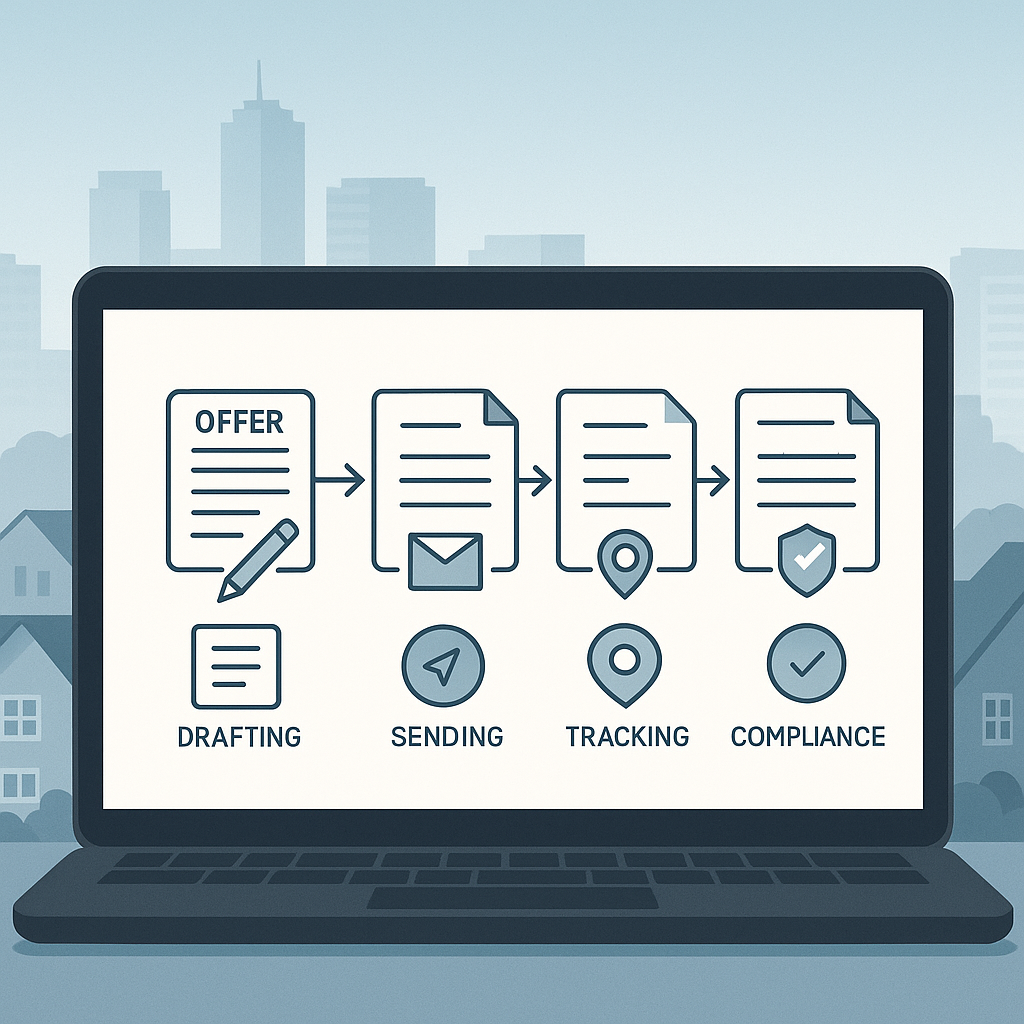
Key idea: A modern real estate e‑signature solution shouldn’t just digitize paper; it should automate drafting, sending, and tracking your deals from offer to closing.
Are E‑Signatures Legal in Real Estate Transactions?
Before choosing any electronic signature solution, real estate professionals need to know: are e‑signatures legally enforceable?
In the United States, the answer is yes for most real estate contracts. Two major legal pillars underpin this:
- ESIGN Act (Electronic Signatures in Global and National Commerce Act) – a federal law passed in 2000 that gives electronic signatures the same legal status as handwritten signatures for most transactions.(americanbar.org)
- UETA (Uniform Electronic Transactions Act) – adopted in 48 states plus D.C., providing a consistent legal framework for electronic records and signatures.(en.wikipedia.org)
Under these laws, a contract or signature cannot be denied legal effect just because it is in electronic form. Real estate professionals still need to respect certain exceptions (like wills, some court documents, and a few specialized instruments), but typical purchase agreements, listing agreements, leases, and addenda can be executed electronically in most jurisdictions.(
ai" target="_blank" rel="noopener noreferrer">americanbar.org)QuickSign is designed with these frameworks in mind: your signed documents are stored electronically, with a clear audit trail showing who signed, when, and from which device—supporting enforceability and risk management.
What Real Estate Professionals Need from an E‑Signature Platform
Real estate workflows are unique. You’re not just getting one signature from one client; you’re often juggling:
- Multiple buyers and sellers
- Co‑listing agents or brokers
- Attorneys, lenders, and title/escrow officers
- Time‑sensitive addenda and counteroffers
To support this, a real estate e‑signature solution has to do more than collect digital scribbles. It needs to:
- Handle multi‑party signing across locations and time zones
- Support rapid drafting and revision of contracts and addenda
- Provide clear visibility into document status to avoid last‑minute surprises
- Reduce administrative overhead and paper costs, which studies show can be substantial when relying on printed documents and couriers.(wesignature.com)
QuickSign is built around these needs, with features like AI contract generation, drag‑and‑drop fields, real‑time tracking, and flat‑rate pricing that make it particularly attractive for brokerages and small teams.
How QuickSign Fits into the Real Estate Transaction Lifecycle
1. Generate Real Estate Contracts in Minutes with AI
One of the biggest time sinks for agents and admins is preparing and updating paperwork: listing agreements, purchase offers, addenda, lease agreements, NDAs for investors, and more.
With AI Document Generation inside QuickSign, you can create first‑draft contracts and agreements from simple prompts instead of starting from a blank template every time. For example:
- “Draft a residential lease agreement for a 12‑month term, in Texas, with a security deposit of one month’s rent and pet restrictions.”
- “Create a simple NDA for a commercial buyer reviewing an off‑market property package.”
From there, you can review the draft, make adjustments to reflect local regulations and brokerage policies, and then route it for signature. This significantly shortens the time between “we have a deal in principle” and “we have a signed contract,” which is critical in competitive markets where speed can determine whether a buyer wins a property.
Pro tip: Use QuickSign’s AI generation to create recurring document types (like NDAs or standard addenda), then save them as reusable templates so your team never has to start from scratch again.
2. Upload Any Real Estate PDF and Add Fields Instantly
Real estate still runs heavily on PDFs—state association forms, brokerage‑specific addenda, lender forms, and more. QuickSign is built to work with the documents you already use.
With drag‑and‑drop field placement, you can:
- Upload any listing agreement, purchase contract, lease, or disclosure PDF
- Drag signature, initial, date, and text fields onto the exact spots that need to be completed
- Assign each field to the correct signer (buyer, seller, landlord, tenant, broker, etc.)
This is especially valuable for longer documents like disclosure packets. Instead of printing 20+ pages and asking clients to initial every one, you can place initial fields on each page in seconds, ensuring nothing is missed and reducing the risk of incomplete packages delaying closing.
3. Send to All Parties in Seconds
Once your contract is ready, Seamless Sending in QuickSign lets you move fast:
- Add recipients (buyers, sellers, agents, attorneys, etc.)
- Define the signing order (for example, buyers sign first, then sellers, then broker)
- Include a short message explaining the document and any key terms
- Send the document for signature with a single click
This mirrors how leading e‑signature platforms streamline real estate workflows, where parties can sign from anywhere in the world in minutes, not days.(nar.realtor)
Clients receive a clear, mobile‑friendly signing experience, similar to the quick video instructions many brokerages share for e‑signing real estate documents:
4. Track Every Signature in Real Time
Waiting for critical signatures is stressful—especially when you don’t know whether the client has even opened the document.
Real‑Time Tracking in QuickSign solves that. You can:
- See when each recipient has opened, viewed, and signed
- Spot bottlenecks quickly (for example, when one seller hasn’t opened the document yet)
- Send reminders without manual follow‑ups or guesswork
This not only gives you peace of mind but also provides an audit trail. Platforms with detailed logs of events (viewed, signed, IP address, timestamp) increase security and help demonstrate integrity of the process—often more robust than paper signatures with no tracking at all.(wesignature.com)
Real‑World Workflow: From Offer to Signed Contract with QuickSign
Let’s walk through a typical residential deal and see how QuickSign fits into each step.
Scenario: Multiple‑Offer Weekend on a Hot Listing
You’re a listing agent on a desirable property. It’s Friday afternoon, and you’re expecting several offers over the weekend. Speed and organization will determine whether your client chooses the best offer and you get everything signed before Monday.
-
Prepare Standard Documents with AI
You use QuickSign to generate a standard counteroffer template with AI Document Generation. You specify key terms that you and your seller are likely to counter with—close date, earnest money, inspection period—so you can respond quickly when offers arrive. -
Upload the Local Purchase Form
Your local association’s purchase agreement is a PDF. You upload it into QuickSign, then drag signature, initial, and date fields into place. You save this as a template so you can reuse it for each offer. -
Send Offers and Counters in Under 60 Seconds
Each time a buyer’s agent submits an offer, you fill in the specifics, assign fields to buyer and seller, and send via Seamless Sending. Because QuickSign is optimized for speed, you can go from edited PDF to sent document in under a minute. -
Monitor Activity and Keep Your Seller Informed
Using Real‑Time Tracking, you see which buyers have opened, signed, or stalled. This allows you to advise your seller accurately: “Buyer A has signed everything; we’re only waiting on Buyer B’s co‑signer,” instead of guessing. -
Finalize and Archive
Once all parties have signed, you download and store the fully executed agreements in your transaction file or integrate them into your existing document management system. Because everything is digital, you avoid the filing cabinets, storage costs, and risk of misplaced originals that many brokerages are actively working to eliminate.(notarycam.com)
Key takeaway: By using QuickSign templates, AI generation, and real‑time tracking, you can turn a chaotic multi‑offer weekend into a clear, trackable workflow where nothing slips through the cracks.
Time and Cost Savings for Real Estate Teams
Electronic signatures are not just more convenient—they’re economically smart. Industry analyses consistently highlight that e‑signatures reduce costs tied to printing, paper, ink, couriers, and storage, often allowing companies to recoup the cost of the platform within months.(wesignature.com)
QuickSign amplifies these savings with its pricing and product model:
- Generous free tier: Generate 2 documents and send 1 document to unlimited recipients at no cost—ideal for testing the full workflow with a real transaction.
- Flat‑rate $15/month pricing: One affordable plan for your whole team, without the traditional per‑seat fees that quickly add up as you grow.
- Time savings from AI: Drafting NDAs, lease clauses, or addenda with AI can save 15–30 minutes per document versus manual editing—especially important in commercial real estate where documents are longer and more complex.
- Fewer delays and fall‑throughs: Faster agreement turnaround and fewer missing initials or signatures mean less chance of deals stalling at the last minute.
For commercial real estate, where deal cycles are longer and documentation more complex, these efficiencies compound. As seasoned investors often emphasize, systems and repeatable processes are crucial to scaling a portfolio—modern e‑signature workflows are a key piece of that system:
Designing a Clean, Professional Signing Experience
Your e‑signature experience is part of your brand. Clients may never see your back‑office systems, but they absolutely notice whether signing their contract feels smooth or confusing.
QuickSign allows you to create simple, intuitive signing flows that mirror the best modern digital experiences. Borrowing principles from good landing page and UX design—clear hierarchy, focused calls to action, and minimal distraction—helps ensure your clients feel confident as they sign:
- Use descriptive document names (e.g., “123 Main St – Purchase Agreement – Buyer Signature”)
- Place fields in a logical order so clients can click through quickly
- Add short explanations in the email message body to reduce confusion (“You’ll be asked to sign and initial 12 pages, including property disclosures.”)
Pro tip: Save your most common signing flows in QuickSign as reusable templates so every client sees a clean, consistent experience aligned with your brand.
Why QuickSign Stands Out for Real Estate Teams
Many e‑signature tools exist, but few are designed from the ground up for modern, cost‑conscious real estate professionals. Unlike traditional per‑seat solutions, QuickSign offers flat‑rate pricing at $15/month, which is especially attractive to small brokerages, teams, and independent agents watching their margins.
Key advantages of using QuickSign as your real estate e‑signature solution include:
- AI Document Generation that can create contracts, NDAs, and agreements from simple prompts
- Drag‑and‑drop fields for rapid setup on association forms, leases, disclosures, and custom PDFs
- Seamless sending to unlimited recipients, with configurable signing order
- Real‑time tracking so you always know who has viewed and signed
- Free tier that lets you test the complete flow on live deals before committing
- Affordable, predictable pricing at just $15/month for your entire team
For broker‑owners and team leads, this combination means:
- Fewer tools to manage—draft and sign in one place
- Less training overhead thanks to an intuitive, drag‑and‑drop interface
- Improved client experience that turns into more referrals and repeat business
For individual agents, it means:
- Faster responses to offers and counteroffers
- Less time chasing paperwork and more time with clients
- A professional, modern signing experience that differentiates you from competitors still stuck in paper workflows
Ready to simplify your document signing? Try QuickSign for free - generate 2 documents and send 1 document to unlimited recipients at no cost. No credit card required.