The 12 Best E Signature Software for Small Business in 2025
Discover the best e signature software for small business. Our in-depth 2025 guide compares features, pricing, and pros/cons to help you choose wisely.
In today's fast-paced business environment, manual paperwork is a major drag on productivity. Chasing down physical signatures, scanning documents, and managing stacks of paper files wastes valuable time and creates frustrating bottlenecks. The right electronic signature software is more than a simple convenience; it's a critical tool for accelerating sales cycles, finalizing contracts, and onboarding clients with professional speed. This shift streamlines your entire workflow, letting you focus on growth rather than administrative tasks.
But with dozens of platforms available, each with different features and pricing, how do you find the best e signature software for your small business? This guide is designed to cut through the marketing noise and provide a clear, practical comparison. We'll move beyond generic feature lists to give you an in-depth, side-by-side analysis of the top 12 contenders, including DocuSign, PandaDoc, Dropbox Sign, and more. For those who are new to the concept and want a foundational understanding, it's helpful to first explore resources that explain what an e-signature is and how the technology works.
In this comprehensive resource, you will find:
- Detailed breakdowns of each platform's core features, from security and compliance to advanced workflow automation.
- Transparent pricing comparisons to help you find a solution that fits your budget without hidden costs.
- Honest pros and cons based on real-world use cases for freelancers, agencies, and growing teams.
- Actionable buying criteria and screenshots to help you visualize how each tool functions.
Our goal is to equip you with all the information needed to select a platform that not only solves your immediate needs but also scales with your business for years to come. Let's find the perfect fit for your workflow.
1. QuickSign
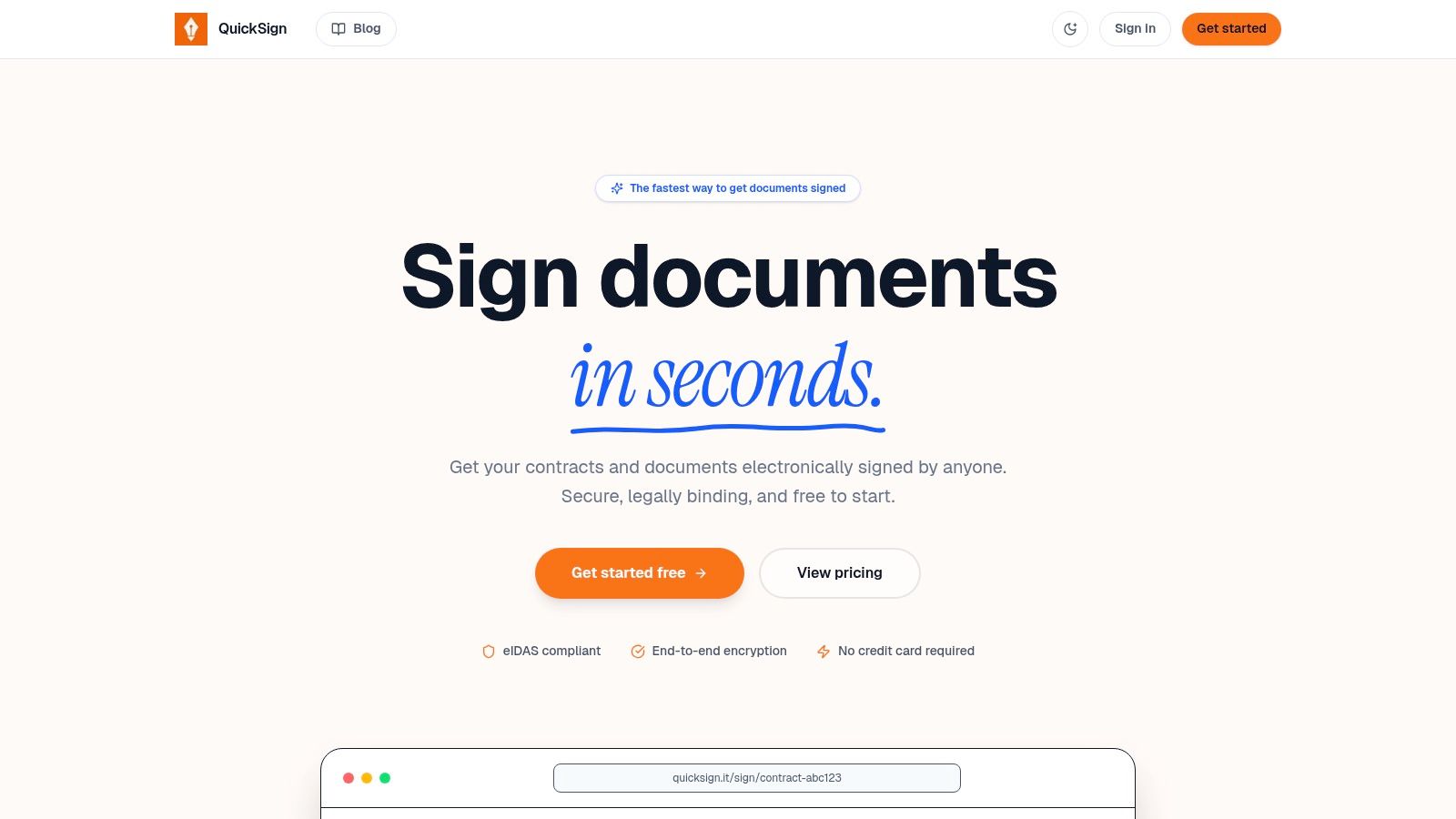
QuickSign stands out as the best e-signature software for small businesses due to its exceptional blend of speed, powerful automation, and user-centric design. It’s a comprehensive platform built to streamline the entire agreement workflow, from creation to collection. For freelancers, agencies, and growing teams, QuickSign addresses the most common bottlenecks with an elegant and efficient solution, making it our top choice.
Unlike many competitors that focus solely on the signature, QuickSign accelerates the entire process. Its standout AI Document Generation tool is a game-changer, allowing users to create professional contracts, NDAs, and invoices in seconds. This feature, combined with reusable template libraries and automated reminders, drastically reduces administrative overhead.
Key Features & Use Cases
QuickSign excels with features tailored for business agility. The platform’s integrated payment collection via Stripe is a major advantage, allowing you to secure retainers or final payments at the moment of signing. This consolidates invoicing and collections into a single, seamless step.
- For Agencies: Use bulk sending for new client onboarding packets and set a specific signing order for multi-stakeholder approvals.
- For Freelancers: Generate a new service agreement with AI, save it as a template, and collect an upfront deposit upon client signature.
- For Operations Teams: Deploy standardized templates for employee offer letters and internal policy sign-offs, tracking completion in real-time.
Security is foundational to the platform. All documents benefit from end-to-end encryption and a detailed audit trail, ensuring every signature is legally binding and compliant with standards like eIDAS. For those new to digital agreements, QuickSign provides helpful resources to understand the legal framework. You can find out more about the enforceability of electronic signatures on their blog.
Pricing & Scalability
QuickSign offers a transparent pricing model that grows with your business needs:
| Plan | Price/Month | Key Features |
|---|---|---|
| Free | $0 | Limited sends and 2 AI document generations. |
| Pro | $29 | Unlimited documents, unlimited AI drafting, and advanced features. |
| Team | $59 | Unlimited team members, shared libraries, and priority support. |
Pros:
- Speed and Automation: AI document creation, templates, and reminders are best-in-class.
- Integrated Payments: Streamlines cash flow by combining signing with payment collection.
- Legally Compliant: End-to-end encryption and eIDAS compliance provide peace of mind.
- Scalable for Teams: Easily accommodates growth from solo users to larger teams.
Cons:
- Limited Free Plan: Active users will quickly need a paid plan to avoid restrictions.
- Opaque Enterprise Details: Specifics on advanced compliance or enterprise pricing require a sales call.
Website: https://quicksign.it
2. DocuSign
As a market leader, DocuSign offers one of the most recognized and trusted e-signature platforms available. It's an excellent choice for U.S.-based small businesses that prioritize robust security, extensive compliance, and seamless integration with existing software stacks. The platform supports everything from simple signature requests to complex, multi-stage approval workflows.
DocuSign stands out with its mature ecosystem. It provides detailed, court-admissible audit trails for every document, a critical feature for legal and financial agreements. Its massive library of over 900 integrations, including Salesforce, Google Workspace, and Microsoft 365, means it can likely connect directly to the tools your business already uses. For a deeper dive into the specifics of using this technology, you can learn more about how to use electronic signatures.
Pricing & Key Features
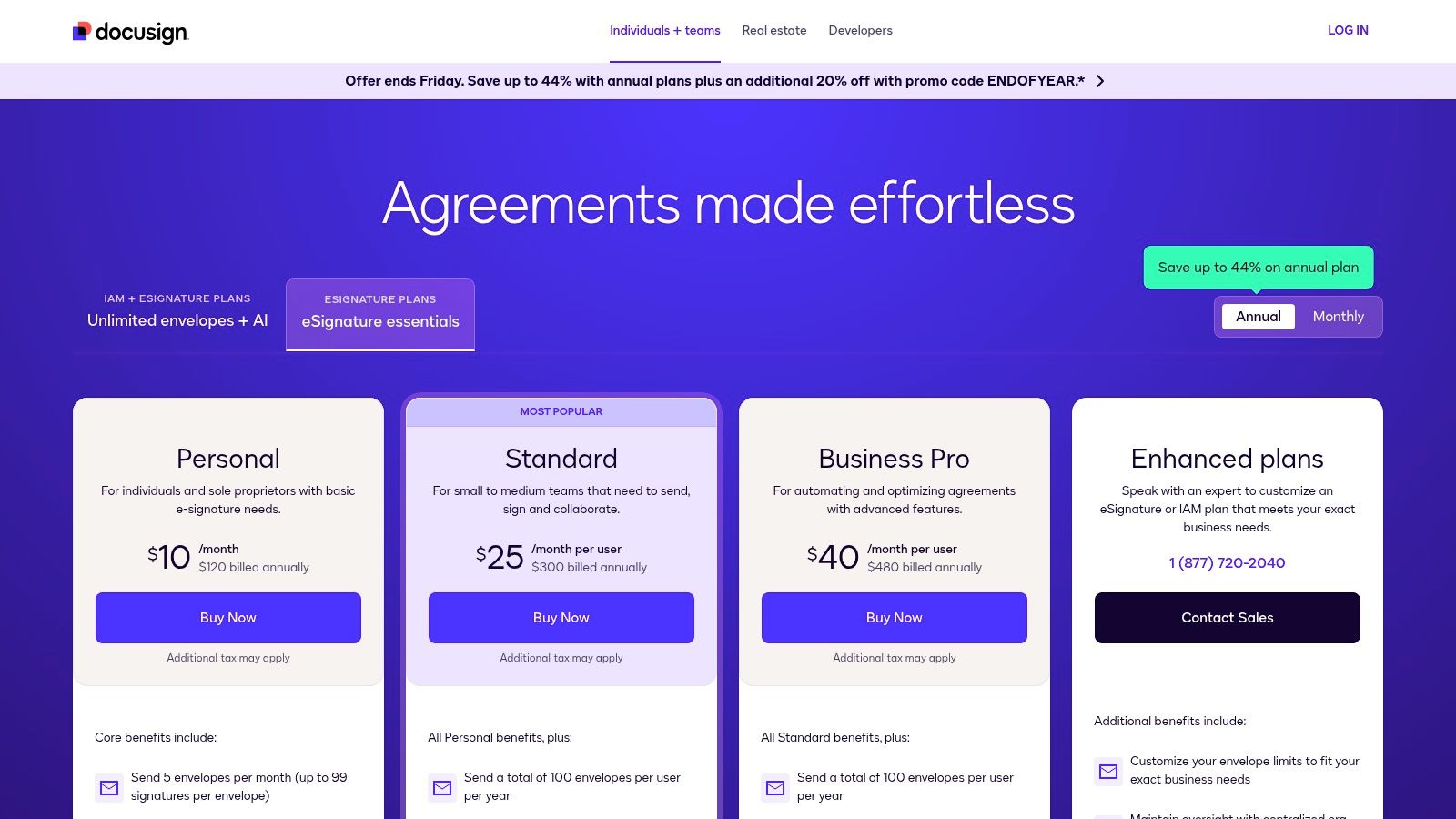
DocuSign's "Standard" plan for small businesses starts at $25 per user/month (billed annually) and includes reusable templates, personalized branding, and in-person signing options. While powerful, small businesses should be mindful of the plan's envelope limits, as overages can add up. The add-on features, while valuable, can also significantly increase the total cost of ownership.
| Feature Highlights | Details |
|---|---|
| Integrations | 900+ connections to popular business apps. |
| Compliance | Strong adherence to ESIGN, UETA, and global regulations. |
| Workflows | Set signing order, reminders, and deadlines. |
| Mobile Access | Dedicated apps for iOS and Android. |
- Pros: Very mature ecosystem, strong compliance and audit capabilities, extensive integration catalog.
- Cons: Envelope caps on team plans can create overage pressure, add-ons can significantly raise total cost.
- Website: https://ecom.docusign.com/
3. Adobe Acrobat Sign (within Acrobat)
For businesses deeply integrated with the Adobe and Microsoft ecosystems, Adobe Acrobat Sign presents a compelling all-in-one solution. By embedding e-signature capabilities directly within Acrobat, it eliminates the need for a separate platform, allowing teams to edit, comment, sign, and track PDFs in a single, unified workflow. This makes it one of the best e signature software options for small businesses that prioritize document management alongside signing.
Adobe Acrobat Sign stands out by combining its world-class PDF tools with legally-binding, tamper-evident digital signatures. Its tight integrations with Microsoft 365, including SharePoint and Teams, allow users to send documents for signature without leaving their primary applications. This streamlined process is ideal for legal firms, creative agencies, and operations teams looking to consolidate their software stack and simplify document handling. For an in-depth analysis, you can learn more about how Adobe Sign compares to other major platforms.
Pricing & Key Features
Adobe's signature features are bundled within its Acrobat Pro and Teams plans, starting around $19.99 per license/month (billed annually). This pricing model provides value by including advanced PDF editing, but it can be less straightforward for businesses only seeking a standalone signature tool. The admin console for team management provides crucial oversight for user permissions and security settings.
| Feature Highlights | Details |
|---|---|
| Integrated Workflow | Edit, share, and sign documents within one application. |
| Security | Tamper-evident seals and detailed audit trails. |
| Integrations | Deep connections with Microsoft 365 and other business apps. |
| Team Management | Admin console for managing users and tracking documents. |
- Pros: Single vendor for PDF editing and signatures, trusted brand with a strong security posture.
- Cons: Feature set is tied to Acrobat plan tiers, can present a learning curve for non-Acrobat users.
- Website: https://www.adobe.com/acrobat/pricing.html
4. Dropbox Sign (formerly HelloSign)
Dropbox Sign (formerly HelloSign) excels with its simplicity and user-friendly design, making it a top contender for freelancers and small teams who prioritize ease of use. It's an ideal choice for businesses that already rely on cloud storage workflows, offering a straightforward approach to sending and signing documents without a steep learning curve. The platform focuses on core e-signature functionalities delivered through a clean, intuitive interface.
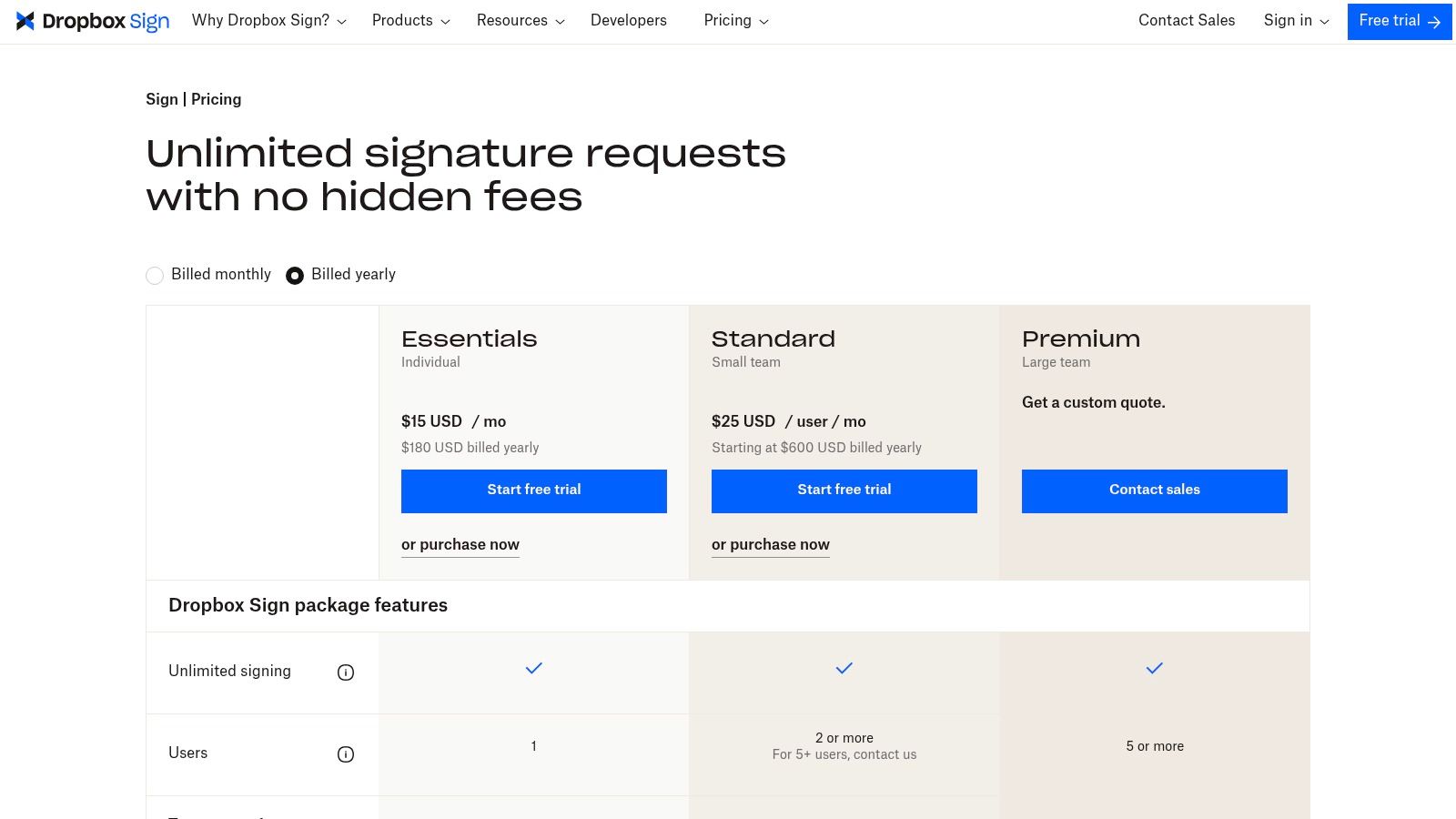
The platform's key advantage is its seamless integration with cloud applications, especially Dropbox, Google Drive, and HubSpot. This makes it one of the best e-signature software for small business owners who want to send documents for signature directly from their existing cloud storage. While it provides robust audit trails and templates, it is a great tool to explore the many benefits of digital signatures without the complexity of more enterprise-focused systems.
Pricing & Key Features
Dropbox Sign offers a generous free plan allowing for up to three signature requests per month, which is perfect for very light use. The paid "Essentials" plan starts at $15 per user/month (billed annually) and includes unlimited signature requests, five templates, and key integrations. The platform provides a clear and competitive entry point into e-signatures, though teams needing advanced features like conditional logic or bulk sending will need to upgrade to higher-tier plans.
| Feature Highlights | Details |
|---|---|
| User Experience | Clean, minimalist, and exceptionally easy-to-use interface. |
| Integrations | Strong connections to cloud storage like Dropbox and Google Drive. |
| Templates | Create reusable templates to streamline frequent document sending. |
| Free Tier | Includes three free signature requests per month. |
- Pros: Straightforward, easy-to-use interface, competitive entry pricing and a functional free tier for light use.
- Cons: Fewer advanced workflow features than enterprise-oriented rivals.
- Website: https://www.dropboxsign.com/products/dropbox-sign/pricing
5. PandaDoc
PandaDoc is more than just an e-signature tool; it's a comprehensive document workflow platform designed to streamline the creation and management of sales documents like proposals, quotes, and contracts. It’s an ideal choice for small businesses with active sales teams who need to create professional-looking documents quickly and track them from send to sign. The platform combines a powerful document editor with integrated signing capabilities.

What makes PandaDoc a standout in the e-signature software space is its emphasis on the entire document lifecycle. Users can build documents from scratch with a drag-and-drop editor, pull from a content library to ensure brand consistency, and embed interactive pricing tables. This functionality is particularly useful for sales teams, but it also has applications in HR for creating and managing employee agreements, and you can explore more about how an employment contract e-signature works in that context.
Pricing & Key Features
PandaDoc offers a generous free plan that includes unlimited legally binding e-signatures, document uploads, and payment processing, making it a great entry point. The paid "Essentials" plan starts at $19 per user/month (billed annually) and adds templates, a drag-and-drop editor, and real-time document tracking. However, small businesses should note that key features like CRM integrations and bulk sending are reserved for the higher-priced Business and Enterprise plans.
| Feature Highlights | Details |
|---|---|
| Document Editor | Drag-and-drop builder with content library and pricing tables. |
| Sales Focus | Strong integrations with popular CRMs like HubSpot and Salesforce. |
| Real-Time Tracking | Get notifications when documents are opened, viewed, and completed. |
| Templates | Create and reuse custom templates to speed up document creation. |
- Pros: Great for sales workflows and proposals, robust free e-sign plan for basic needs, all-in-one document creation and signing.
- Cons: Advanced features require higher-tier plans, can be more complex than a simple e-signature tool.
- Website: https://www.pandadoc.com/pricing/
6. SignNow (airSlate SignNow)
SignNow, part of the airSlate Business Cloud, positions itself as a value-driven and accessible e-signature solution. It is a strong contender for small businesses that need core signing functionalities, robust mobile access, and transparent pricing without the complexity of enterprise-level platforms. The platform capably handles essential tasks like creating reusable templates, setting up signing orders, and collecting legally binding signatures on the go.
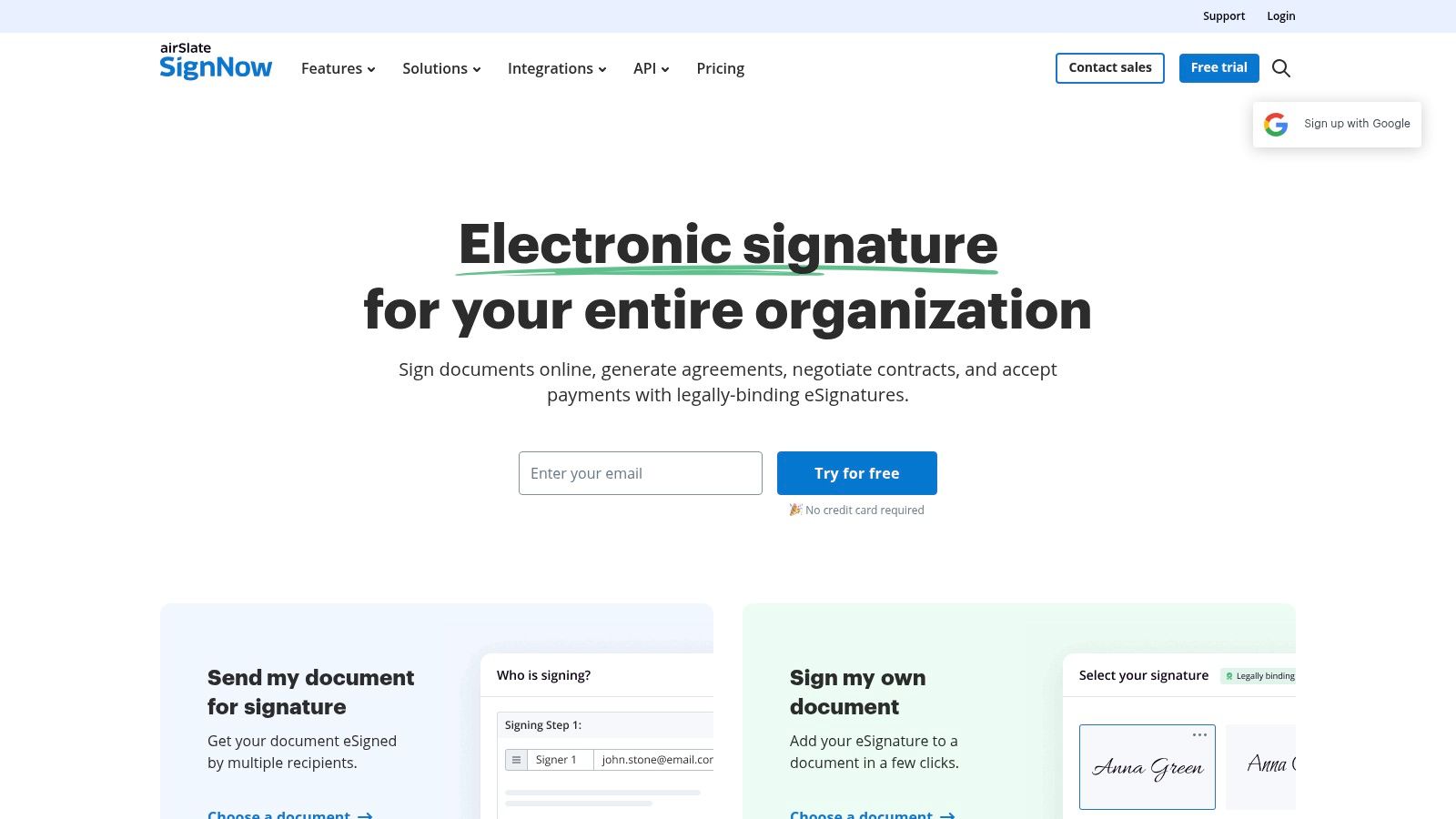
What makes SignNow stand out is its balance between affordability and capability, making it a great piece of e signature software for small business owners on a budget. It provides key security features, such as two-factor authentication for signers, and offers HIPAA compliance options for businesses in regulated industries. Its well-regarded mobile apps for iOS and Android ensure that business doesn't stop when you're away from your desk, allowing users to send and manage documents from anywhere.
Pricing & Key Features
SignNow's "Business" plan starts at just $8 per user/month (billed annually), offering unlimited templates and basic branding. While this entry-level price is attractive, small businesses should note the annual envelope limits on some plans, which could be a constraint for high-volume users. The documentation and pricing tiers can occasionally feel fragmented, so it’s wise to carefully review the plan details to ensure they match your specific needs.
| Feature Highlights | Details |
|---|---|
| Mobile Access | Highly-rated apps for iOS and Android for on-the-go signing. |
| Templates | Create and reuse an unlimited number of document templates. |
| Compliance | Offers HIPAA compliance with a Business Associate Agreement (BAA). |
| Security | Provides two-factor authentication for enhanced signer verification. |
- Pros: Value-oriented plans for small businesses, strong mobile experience.
- Cons: Documentation and pricing pages can be fragmented, some plans limit envelopes per user/year.
- Website: https://www.signnow.com/
7. Signeasy
Signeasy is a mobile-first e-signature solution designed for speed and simplicity, making it a strong contender for very small businesses, freelancers, and teams that operate heavily on the go. Its core strength lies in a clean, intuitive user experience that removes friction from the signing process, allowing for quick deployment without a steep learning curve. The platform is built to handle essential contract management and signing needs efficiently.
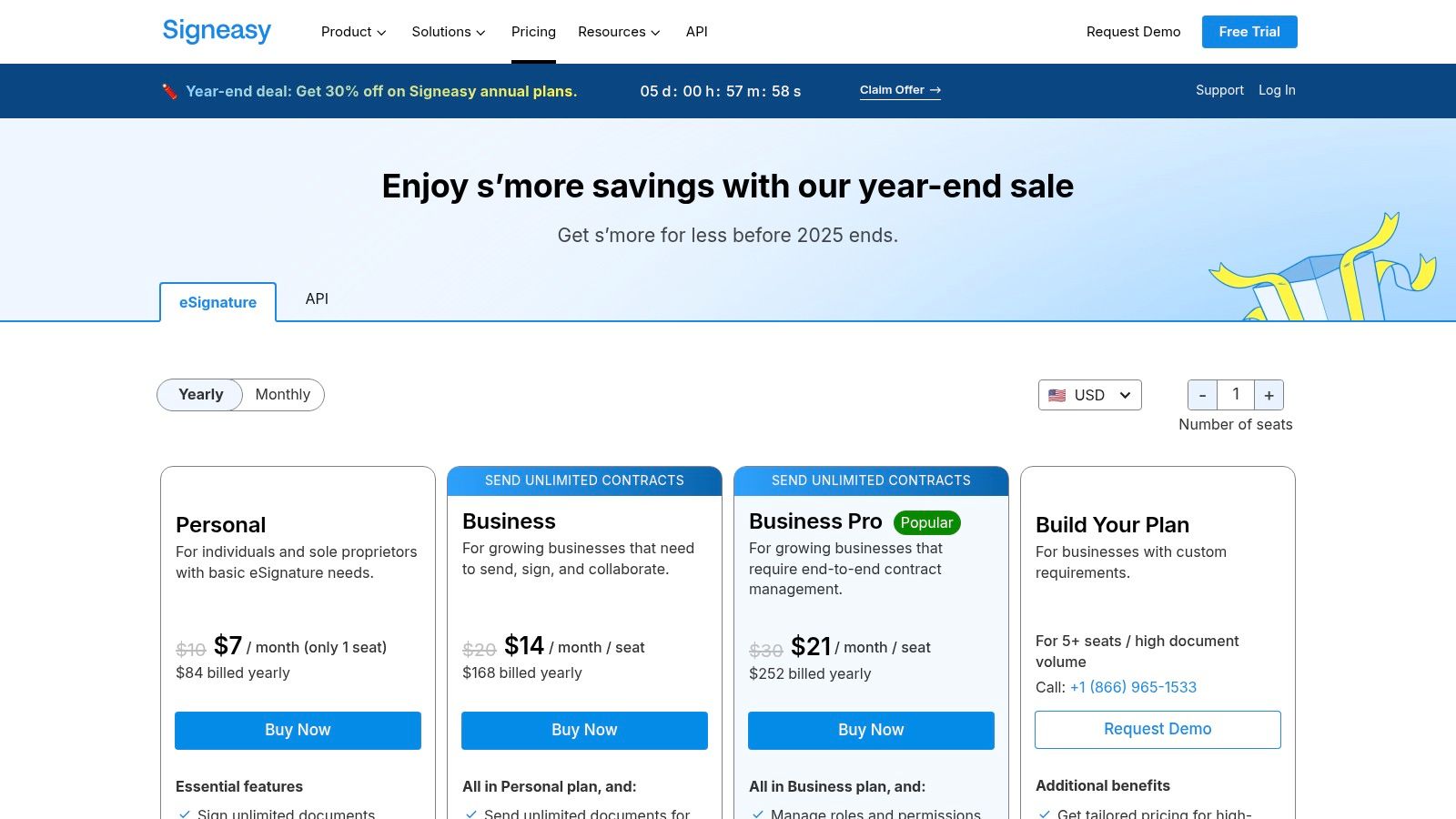
What makes Signeasy stand out is its straightforward approach. While some competitors pack in complex features, Signeasy focuses on executing the fundamentals flawlessly. This makes it one of the best e-signature software for small business owners who need to send and sign documents from a phone or tablet without navigating complicated menus. Its integration with popular apps like Google Workspace, Microsoft Teams, and Dropbox ensures it fits into existing workflows.
Pricing & Key Features
Signeasy offers a clear pricing model, with its "Business" plan starting at $25 per user/month (billed annually). This plan includes key features like unlimited templates, two-factor authentication for signers, and advanced fields. A unique offering at this tier is the AI-powered contract summarization, which helps teams quickly grasp key terms. However, businesses needing enterprise-level features like single sign-on (SSO) or advanced API access will need to explore the custom Business Plus or API plans.
| Feature Highlights | Details |
|---|---|
| Mobile-First UX | Highly-rated apps for iOS and Android for on-the-go signing. |
| Unlimited Templates | Reusable templates are available on all paid team plans. |
| AI Summaries | Business tier offers AI to summarize key contract clauses. |
| Core Integrations | Connects with Google Drive, Dropbox, Microsoft 365, and more. |
- Pros: Fast to deploy with a strong mobile user experience, clear and simple pricing structure.
- Cons: Some advanced features (SSO, advanced workflows) require higher-tier or custom plans.
- Website: https://signeasy.com/pricing
8. Zoho Sign
For small businesses already invested in the Zoho ecosystem, Zoho Sign is a natural and powerful extension. It offers an affordable, deeply integrated e-signature solution that connects seamlessly with Zoho CRM, Books, and other business apps. This makes it an ideal choice for streamlining workflows without needing to manage a separate, disconnected tool.
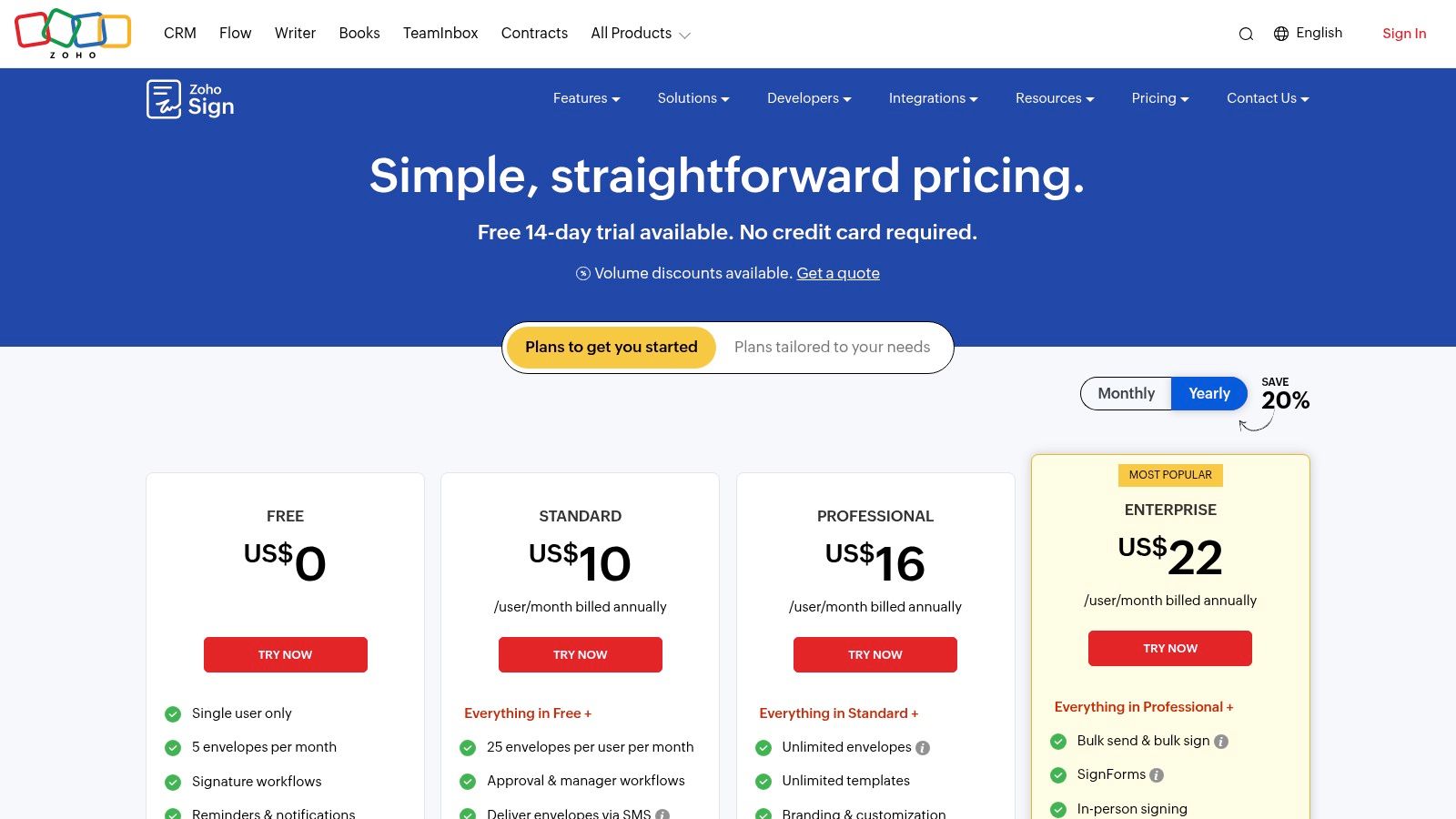
Zoho Sign stands out by providing enterprise-level features, like bulk sending and in-person signing, at a price point accessible to small businesses. Its unique credit-based system for advanced features, such as qualified electronic signatures (QES), allows businesses to pay only for the high-security verifications they need. This flexibility makes it one of the best e-signature software for small business users who require advanced compliance on an occasional basis.
Pricing & Key Features
Zoho Sign's "Standard" plan starts at just $10 per user/month (billed annually), offering an exceptional value proposition. This plan includes reusable templates, audit trails, and integrations with popular third-party apps like Google Workspace and Microsoft 365. However, businesses should note that some advanced actions, like high-level identity verification, consume "Zoho Sign credits" which are purchased separately.
| Feature Highlights | Details |
|---|---|
| Integrations | Deep, native integration with the Zoho Suite and other key apps. |
| Workflows | Build multi-step approval and signing workflows. |
| Bulk Send | Send a document to a large list of recipients at once. |
| Advanced Security | Pay-as-you-go credits for qualified and advanced signatures. |
- Pros: Excellent value, deep integration with other Zoho apps, enterprise-grade features included in standard plans.
- Cons: Free plan is very limited for business use, credit system for advanced features can be complex.
- Website: https://www.zoho.com/sign/pricing.html
9. SignWell
SignWell enters the market as a refreshingly straightforward and budget-friendly e-signature service, perfect for small businesses and freelancers who need predictable costs without sacrificing core features. Its main appeal lies in a simple, non-technical interface and an unlimited documents model on all paid plans, removing the common "envelope anxiety" associated with usage-based pricing.

The platform focuses on essential functionality that most small businesses require daily. Features like legally binding audit trails, template creation, and bulk sending are included without the complexity or high cost of enterprise-level suites. SignWell is one of the best e-signature software for small business owners who prioritize simplicity and clear value over an extensive, and often overwhelming, feature set.
Pricing & Key Features
SignWell's Business plan is aggressively priced at $24 per month for up to 3 users and includes unlimited documents and templates. This transparent pricing structure makes it easy to budget for, even as your document volume grows. While it may not have the extensive integration library of larger competitors, it covers the essentials well for teams that operate primarily with core business documents like contracts, NDAs, and proposals.
| Feature Highlights | Details |
|---|---|
| Usage Limits | Unlimited documents and templates on all paid plans. |
| Workflows | Bulk send, template links, and custom signing order. |
| User Experience | Clean, intuitive interface designed for non-technical users. |
| Compliance | ESIGN and UETA compliant with detailed audit reports. |
- Pros: Very clear and simple pricing, unlimited documents reduce usage anxiety, easy-to-use interface.
- Cons: Fewer advanced enterprise features, smaller integration library compared to market leaders.
- Website: https://www.signwell.com/pricing/
10. Foxit eSign
Known primarily for its PDF editing software, Foxit extends its document management capabilities with Foxit eSign. This platform is a natural and powerful choice for small businesses already embedded in the Foxit ecosystem, offering a familiar interface and direct integration with its PDF Editor. It provides a robust set of features, including legally binding signatures, detailed audit trails, and advanced workflow automation.

Foxit eSign distinguishes itself by bundling features like bulk sending and reusable templates into its standard business plans, which are often premium add-ons with other providers. This makes it a cost-effective solution for teams that frequently send similar documents, such as sales contracts or new hire paperwork. Its compliance with regulations like ESIGN, UETA, and HIPAA also makes it a secure choice for various industries, positioning it as one of the best e-signature software options for businesses prioritizing value and integration.
Pricing & Key Features
Foxit eSign's "eSign" plan starts at $8 per user/month (billed annually), offering a competitive entry point with essential features. For more advanced needs like bulk signing and custom branding, the "eSign Pro" plan is available at $25 per user/month. It's important to note that pricing details can sometimes be found through resellers, so comparing sources is a good practice to ensure the best deal.
| Feature Highlights | Details |
|---|---|
| PDF Ecosystem | Deep integration with the popular Foxit PDF Editor. |
| Bulk Signing | Send a document to hundreds of recipients at once. |
| Compliance | Meets ESIGN, UETA, and HIPAA standards. |
| Advanced Features | Options for payment collection and online notary services. |
- Pros: Strong value for teams already using Foxit products, competitive annual pricing, advanced features like bulk signing are included in core business plans.
- Cons: Official pricing is not always clearly displayed on the main website, plan details and costs may vary between official site and resellers.
- Website: https://www.foxit.com/esign/
11. ShareFile eSignature (formerly RightSignature)
ShareFile eSignature is integrated directly into its secure document-management platform, making it an excellent all-in-one solution for businesses that need more than just signatures. It's a strong fit for professional services firms like legal, accounting, or wealth management that handle sensitive client onboarding, require secure file exchange, and need to manage document workflows from a single, unified hub.
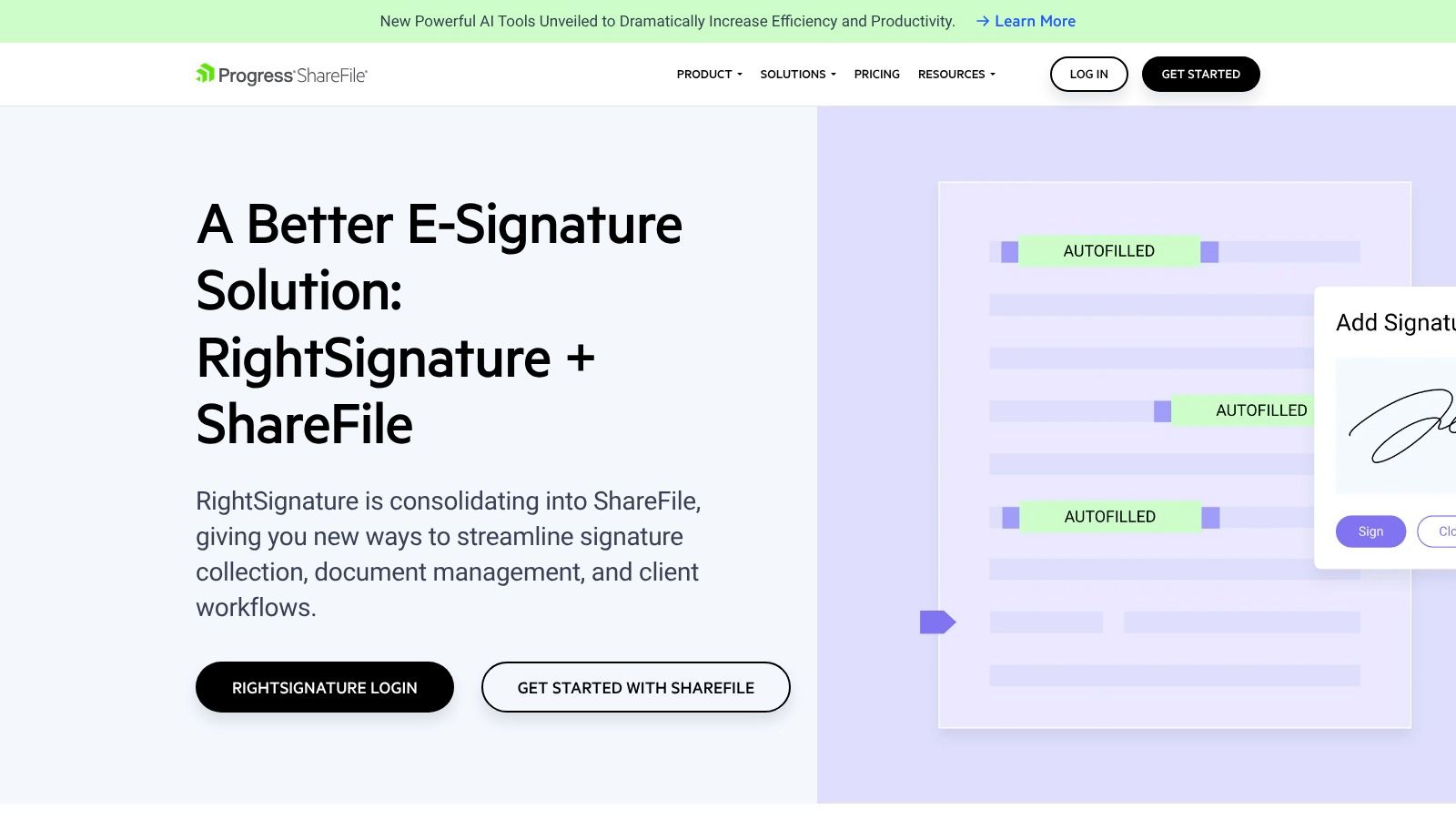
The platform's key advantage is bundling e-signatures with features like client portals, encrypted email, and secure storage. Instead of stitching together separate tools for document sharing and signing, ShareFile provides a cohesive environment. This unified approach simplifies client onboarding and ensures that sensitive documents remain protected throughout their lifecycle, from initial request to final signature and archival. It is one of the best e signature software for small business options if a full document management system is also a priority.
Pricing & Key Features
ShareFile's pricing is for the entire platform, with e-signature capabilities included in its plans. The "Premium" plan, starting at $100 per month (for 5 users, billed annually), offers unlimited client users, a custom-branded client portal, and the core e-signature functionality. Higher-tier plans add advanced features like Knowledge-Based Authentication (KBA). The main consideration is that you cannot purchase the e-signature tool as a standalone product; it is part of the broader ShareFile ecosystem.
| Feature Highlights | Details |
|---|---|
| Integrated Platform | Combines e-signatures with secure file sharing, client portals, and storage. |
| Client Workflows | Streamlines client onboarding with document request lists and automated steps. |
| Security | Offers KBA on higher plans for enhanced identity verification. |
| Branding | Provides customization options for a professional, client-facing experience. |
- Pros: One platform for secure sharing and signatures, well-suited to legal and financial services.
- Cons: No longer a standalone e-sign product; requires purchasing ShareFile, e-signature capabilities are tied to ShareFile plan selection.
- Website: https://www.sharefile.com/rightsignature
12. Xodo Sign (formerly eversign)
Xodo Sign, which was previously known as eversign, offers a straightforward and modern e-signature tool that is particularly appealing for small businesses and development teams. It provides a clean user interface and robust core features, focusing on providing high value through generous document allowances on its main plans. The platform is a solid choice for businesses seeking a balance of functionality, affordability, and API access without the complexity of larger enterprise systems.
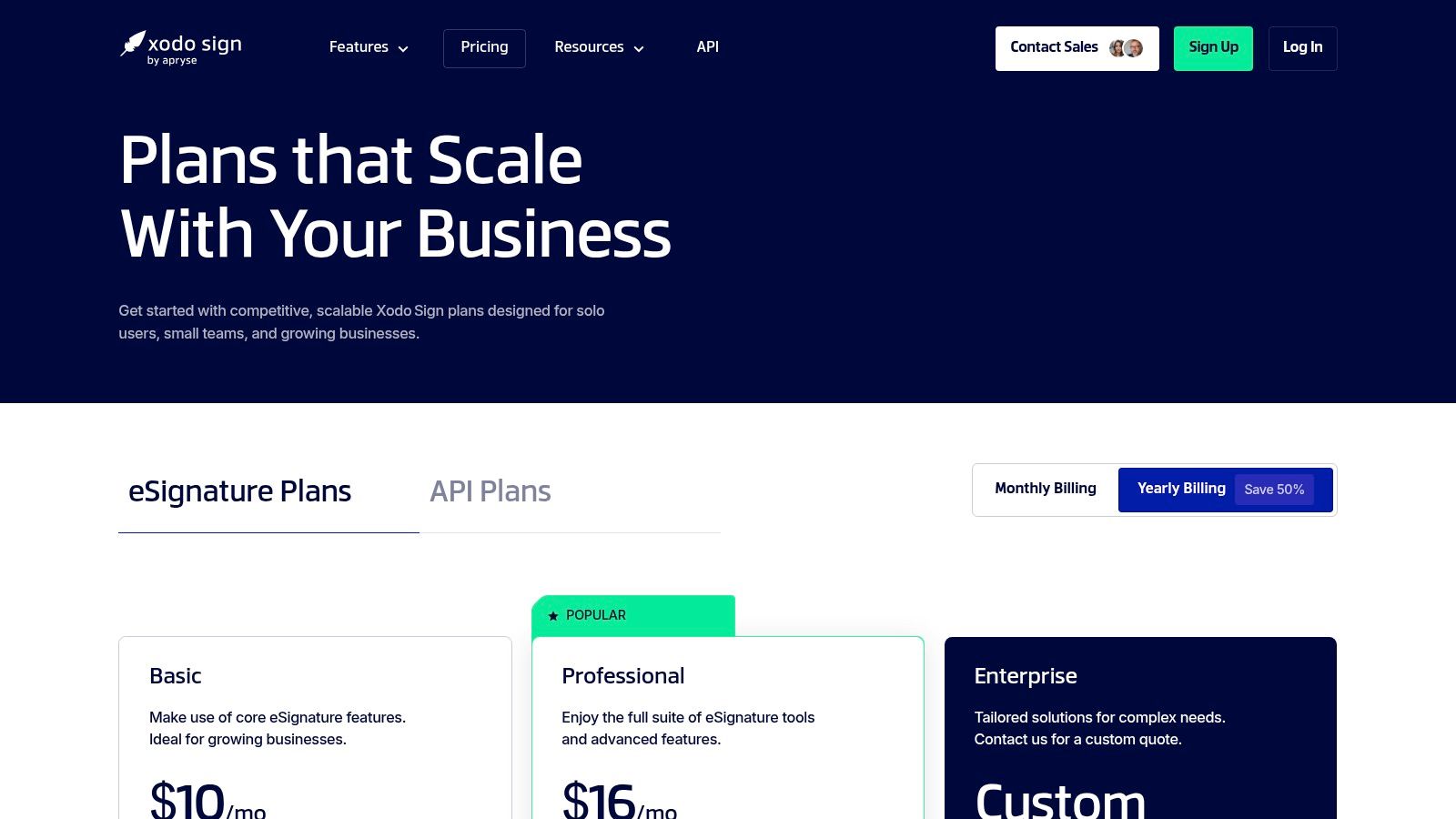
The platform stands out by including PDF editing capabilities alongside its signature workflows, adding extra utility for teams that frequently work with PDF documents. For businesses with development resources, Xodo Sign offers a well-documented API with a free sandbox environment for testing, making it an accessible option for integrating custom e-signature workflows directly into proprietary software or websites.
Pricing & Key Features
Xodo Sign’s "Basic" plan starts at just $9.99 per month (billed annually) and notably includes unlimited documents, a feature often reserved for much higher-priced tiers on competing platforms. This plan also comes with three templates and access for one user. While core features are generous, businesses should note that advanced tools like bulk sending and in-person signing are reserved for higher-tier plans, which may also have credit-based limits for API calls and SMS authentications.
| Feature Highlights | Details |
|---|---|
| Document Allowance | Unlimited documents on core paid plans. |
| API Access | Includes a free sandbox and scalable paid API tiers. |
| PDF Editing | Integrated tools for editing PDF documents. |
| Templates | Reusable templates included, with quantities varying by plan. |
- Pros: Good value with unlimited documents on core plans, modern UI and API options for small dev teams.
- Cons: Bulk/API features may require overage billing or higher tiers, brand transition (eversign → Xodo Sign) may cause some confusion.
- Website: https://eversign.com/pricing
Top 12 E-signature Solutions for Small Business — Comparison
| Product | Key features (✨) | Quality / UX (★) | Pricing / Value (💰) | Best for (👥) |
|---|---|---|---|---|
| 🏆 QuickSign | ✨ AI DocGen, reusable templates, payments, bulk & multi-recipient workflows, eIDAS | ★★★★☆ — E2E encryption, audit logs, mobile-friendly | 💰 Free tier; Pro $29/mo; Team $59/mo; Enterprise options | 👥 Freelancers, SMBs, agencies, ops teams |
| DocuSign | ✨ Templates, signing order, reminders, 900+ integrations | ★★★★★ — mature ecosystem, strong compliance | 💰 Higher-cost; add-ons & envelope caps can raise spend | 👥 Large teams & enterprises |
| Adobe Acrobat Sign | ✨ PDF editing + tamper-evident signing, MS365 integrations | ★★★★☆ — trusted security; feature set linked to Acrobat tier | 💰 Varies by Acrobat plan; can be pricey for full features | 👥 PDF-heavy teams, legal & enterprise |
| Dropbox Sign | ✨ Simple UI, cloud storage (Drive) & HubSpot integrations | ★★★★☆ — straightforward UX, easy onboarding | 💰 Competitive entry pricing; free tier for light use | 👥 Freelancers & small teams |
| PandaDoc | ✨ Drag‑drop editor, pricing tables, content library, CRM sync | ★★★★☆ — sales-focused tracking & analytics | 💰 Free e-sign; paid tiers for CPQ/API/advanced features | 👥 Sales teams & proposal workflows |
| SignNow | ✨ Templates, in-person signing, MFA/2FA, HIPAA BAA option | ★★★★☆ — strong mobile, SMB-oriented | 💰 Value-focused plans; some envelope limits apply | 👥 Small businesses, regulated industries |
| Signeasy | ✨ Mobile-first signing, templates, AI summaries (Biz) | ★★★★☆ — fast deploy, excellent mobile UX | 💰 Clear, simple pricing; advanced features on higher tiers | 👥 Very small teams & mobile users |
| Zoho Sign | ✨ Tight Zoho integrations, approval workflows, qualified signatures via credits | ★★★★☆ — enterprise controls inside Zoho suite | 💰 Value within Zoho; credit model for advanced identity checks | 👥 Zoho customers & SMBs |
| SignWell | ✨ Unlimited docs (paid), template links, data validation | ★★★☆☆ — basic, easy-to-use interface | 💰 Budget-friendly; very transparent pricing | 👥 Non-technical small teams |
| Foxit eSign | ✨ Bulk signing, payment collection, notary options, Foxit PDF integration | ★★★☆☆ — good fit for Foxit users | 💰 Competitive annual pricing (varies by reseller) | 👥 Teams using Foxit PDF Editor |
| ShareFile eSignature | ✨ E-sign in ShareFile, client portals, KBA (Premium), secure storage | ★★★★☆ — secure sharing + onboarding workflows | 💰 Bundled with ShareFile — not standalone pricing | 👥 Legal, finance & firms needing client portals |
| Xodo Sign | ✨ Unlimited docs on core plans, templates, API sandbox, PDF editing | ★★★☆☆ — modern UI, API options for small dev teams | 💰 Good value; unlimited docs on core plans; API may cost extra | 👥 Small dev teams & SMBs |
Making Your Final Decision
Navigating the landscape of e-signature solutions can feel overwhelming, but making an informed choice is a powerful step toward modernizing your operations. Throughout this guide, we've explored a dozen of the top contenders, from enterprise giants like DocuSign and Adobe Acrobat Sign to agile, small-business-focused platforms like QuickSign and Signeasy. The central takeaway is clear: the best e signature software for your small business is not a one-size-fits-all answer. Instead, it’s the platform that most closely aligns with your unique operational DNA.
Your final decision hinges on a clear-eyed assessment of your specific needs, budget, and long-term growth plans. By moving beyond generic feature lists and focusing on real-world application, you can confidently select a tool that will become an asset rather than just another subscription.
Recapping Your Core Decision Factors
As you weigh your options, revisit the key criteria we've discussed. Don’t get distracted by the platform with the longest feature list; concentrate on the one that solves your most pressing problems efficiently.
- Workflow and Automation: Are you sending one-off contracts, or do you need complex, multi-stage approval workflows? Tools like PandaDoc and Zoho Sign excel at document automation and CRM integration, making them ideal for sales-driven teams. In contrast, solutions like SignWell or Signeasy offer streamlined simplicity for straightforward signing needs.
- User Experience (for You and Your Clients): A clunky interface can create friction and delay signed agreements. How intuitive is the platform for both your team and, crucially, your signers? A simple, mobile-friendly signing experience, like that offered by Dropbox Sign or QuickSign, reflects professionalism and respects your clients' time.
- Scalability and Pricing: Your needs today might differ from your needs next year. Consider the pricing models carefully. Does the platform charge per user, per envelope, or offer a flat-rate plan? Predictable costs, often found with providers like SignNow, can be a huge advantage for a growing small business managing a tight budget. Avoid getting locked into a plan that penalizes you for success.
- Integration and Ecosystem: How well does the software play with the tools you already use every day? Deep integration with platforms like Google Workspace, Salesforce, or your cloud storage provider (Dropbox, Google Drive) is critical for efficiency. Zoho Sign is a masterclass in ecosystem integration, while platforms using APIs, like Dropbox Sign, offer flexibility for custom setups.
Your Actionable Next Steps
Theory is helpful, but hands-on experience is where clarity is found. Before committing to a subscription, follow this simple implementation plan to ensure you’ve found the right fit.
- Shortlist Your Top 2-3 Candidates: Based on the reviews and your needs assessment, pick a small group of platforms that seem most promising.
- Activate Free Trials: Nearly every provider on our list offers a free trial or a freemium plan. Use this opportunity to its fullest. Don’t just look around the dashboard; actively test the software with real (or sample) documents.
- Run a Test Scenario: Send a document to a colleague or even to yourself. Experience the entire process from the signer's perspective on both desktop and mobile. How easy was it? Were there any confusing steps?
- Evaluate the "Daily Driver" Experience: Can you easily create a template? Can you track the document's status without confusion? A tool that feels intuitive during a five-minute test will save you countless hours in the long run.
Choosing the right e-signature software is more than a technical upgrade; it's a strategic investment in your business's efficiency, security, and professional image. By taking a methodical approach and leveraging free trials, you can select a solution that not only secures signatures but also streamlines your entire agreement process, freeing you up to focus on what truly matters: growing your business.
Ready to implement a solution that's powerful yet refreshingly simple? QuickSign was designed specifically for small businesses that need robust features like legally binding signatures, audit trails, and reusable templates without the enterprise-level complexity or cost. See why it’s a top contender for the best e signature software for small business by starting your free trial today at QuickSign.