Click Wrap Agreement: A Practical Guide for Your Business (click wrap agreement)
Discover what a click wrap agreement is, why it's legally binding, and how to implement it to protect your online business.
You’ve seen them a thousand times, even if you don't know them by name. A clickwrap agreement is that digital contract you accept every time you click a button or check a box that says "I Agree." It’s the gatekeeper to a new app, a software download, or an online purchase, and it’s what turns your click into a legally binding agreement.
What Is a Clickwrap Agreement
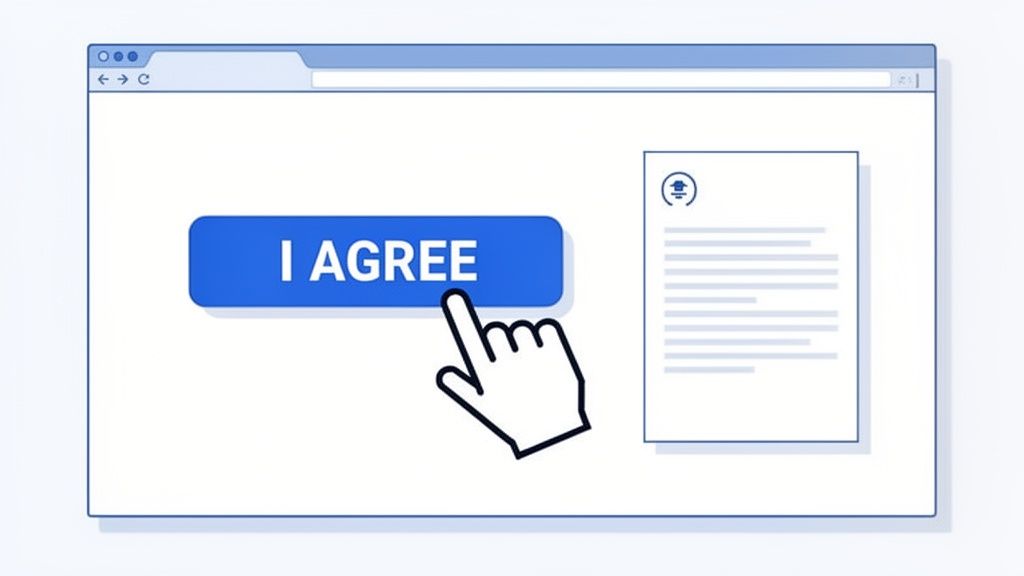
Think of a clickwrap agreement as the digital handshake for the modern era. It’s how a business and its users set the ground rules right from the start. That simple, intentional click is your signature.
What makes a clickwrap so powerful is its demand for affirmative consent. You can’t just stumble into this kind of agreement. You have to take a clear, deliberate action—the click—which signals you’ve accepted the deal. It's this active agreement that makes clickwraps so tough to argue against in court.
The Bedrock of Online Contracts
Behind the scenes, a clickwrap agreement covers all the classic bases of contract law: offer, acceptance, and consideration. The business offers its services under a set of rules, you accept them by clicking the button, and the exchange (your access to their service) seals the deal. This is a foundational concept for how all electronic signatures operate, creating a solid trail of who agreed to what, and when. For a deeper dive, it’s helpful to understand the general structure of online terms of service.
The legal track record speaks for itself. Clickwrap agreements have an impressive 70% success rate in court. Compare that to "browsewrap" agreements—where consent is just implied by using a website—which only hold up about 14% of the time. The difference is crystal clear.
A well-designed clickwrap agreement removes ambiguity. It creates a clear, provable moment where the user acknowledges and accepts the terms, which is the cornerstone of its legal enforceability.
To see how these pieces fit together, let's break down the core components of a clickwrap agreement. This table provides a quick summary of what makes them effective.
Clickwrap Agreement at a Glance
| Characteristic | Description | Why It Matters for Your Business |
|---|---|---|
| Explicit Consent | The user must actively click a button or check a box that is clearly labeled to indicate agreement (e.g., "I Agree," "I Accept"). | This creates an unambiguous record of acceptance, making the contract highly enforceable and difficult for a user to dispute later. |
| Notice of Terms | Users must be clearly informed that they are entering into an agreement and have an easy opportunity to review the terms. | Transparency builds trust and meets legal requirements for giving users a reasonable chance to understand what they're agreeing to. |
| Record Keeping | The business must capture and store evidence of the consent, including the user's identity, the date/time, and the specific version of the terms. | This audit trail is critical evidence to prove that a specific user agreed to a specific contract at a specific time, protecting your business. |
Getting these three elements right is what gives your digital agreements real teeth. To learn more about how digital consent works in practice, take a look at our detailed guide on what is an eSign.
Why Your Clickwrap Agreement Is Legally Binding
What gives a simple click so much legal weight? It’s not some digital magic. It's actually the application of contract law principles that are hundreds of years old, just adapted for our modern world. A well-designed clickwrap agreement is legally binding because it successfully captures the same essential elements of a traditional paper contract.
At the heart of any valid contract, you'll find three core components: an offer, acceptance, and consideration. Think about buying a coffee. The cafe offers you a latte for a set price. You accept that offer by ordering and paying. The consideration is the exchange itself—you get the coffee, they get the money.
A clickwrap agreement follows the exact same logic. Your business offers access to its service or software under a clear set of terms. The user's click on an "I Agree" button is their explicit, undeniable acceptance of your offer. And the consideration is the mutual exchange: you grant them access, and in return, they agree to play by your rules.
The Decisive Role of Affirmative Consent
The real legal muscle behind a clickwrap agreement comes from something called affirmative consent. This just means the user has to perform a deliberate, intentional action to show they agree. They can't just stumble into the contract by accident; they must actively choose to enter into it.
This is a world away from weaker "browsewrap" agreements, where consent is supposedly implied just by continuing to use a website. Courts have consistently sided with clickwrap because the user’s action—that simple click—serves as irrefutable proof of their intent to be bound by the terms you presented. It’s the digital version of a firm handshake or signing on the dotted line.
"A consumer's clicking on a download button does not communicate assent to contractual terms if the offer did not make clear to the consumer that clicking on the download button would signify assent to those terms."
— Specht v. Netscape Communications Corp.
This pivotal court case really drove the point home: clarity is everything. The act of giving consent has to be directly and obviously tied to the terms themselves. Just downloading a piece of software isn’t enough. The user has to know that their click specifically means, "Yes, I am accepting this contract."
Legislative Backing for Digital Agreements
The enforceability of a clickwrap agreement isn't just built on court decisions; it’s also firmly supported by major legislation. In the United States, the Electronic Signatures in Global and National Commerce Act of 2000—better known as the E-SIGN Act—completely changed the game.
The E-SIGN Act established that a contract or signature can't be denied legal effect just because it's in an electronic format. This federal law essentially gave electronic consent methods, including clickwrap, the same legal status as their pen-and-paper ancestors. It laid a solid foundation for online commerce, ensuring that properly designed digital agreements are fully enforceable. You can dive deeper into this topic in our guide that asks are electronic signatures legally binding.
This powerful legal framework is why clickwrap agreements provide such strong legal protection. When you present your terms clearly and require an active "I agree" from the user, the binding nature of that agreement has been proven time and again in court. This enforceability isn't just a local standard; it's a global one. With compliance for laws like eIDAS in Europe and the E-SIGN Act in the US, digital agreements are recognized as valid in over 100 countries, making them a reliable tool for businesses everywhere.
Comparing Clickwrap, Browsewrap, and Sign-In-Wrap
When it comes to online agreements, you really have three options on the table. Knowing the difference between clickwrap, browsewrap, and sign-in-wrap is critical, because how you ask for consent has a huge impact on whether your terms will actually hold up if challenged.
Think of it like this:
A clickwrap agreement is the digital equivalent of someone handing you a clipboard with the rules and saying, "Please sign here before you come in." You have to take a specific, deliberate action—the click—to show you agree. It's an unmistakable "yes."
A browsewrap agreement, however, is more like a tiny sign with the rules posted on a back wall somewhere. The sign says that by simply being in the building, you're agreeing to the rules. Most people will never even see it, which is precisely why it’s so hard to enforce.
The Problem with Passive Consent
The core of the issue boils down to one thing: user action. Browsewrap operates on the shaky legal ground of implied consent. It assumes someone agrees to your terms just by browsing your site. Courts are not fans of this approach because you can rarely prove the person even knew the terms existed, let alone agreed to them.
Sign-in-wrap is a bit of a hybrid. This is like putting that sign right next to the front door, stating, "By entering, you agree to our rules." It's definitely more obvious than the sign on the back wall, but it still doesn't require a direct, "I agree" action. Because of that ambiguity, its legal standing can be a coin toss.
At the end of the day, both browsewrap and sign-in-wrap suffer from the same fundamental weakness: there's no clear, provable moment where the user said "yes." A clickwrap agreement eliminates that ambiguity entirely by creating an undeniable record of acceptance. That's why it's the undisputed champion in the courtroom.
To really see the differences in action, let's put them side-by-side.
A Head-to-Head Comparison
Breaking down how these agreements actually work helps clarify which one fits your needs. The trade-offs in user experience, implementation, and legal risk are significant.
Comparing Online Agreement Types
| Agreement Type | User Action Required | Legal Enforceability | Best Use Case |
|---|---|---|---|
| Clickwrap | Actively clicks an "I Agree" button or checkbox. | High. This explicit consent is easily provable and legally sound. | Standard Terms of Service, software downloads, account creation, and online purchases. |
| Sign-In-Wrap | Clicks a "Sign In" or "Register" button with terms linked nearby. | Moderate. Better than browsewrap, but can be challenged if notice isn't conspicuous. | User registration flows where the link to terms is placed directly next to the action button. |
| Browsewrap | No action required. Consent is implied by using the site. | Very Low. Frequently found unenforceable by courts due to a lack of user awareness. | Should generally be avoided for critical agreements like Terms of Service or Privacy Policies. |
So, what's the takeaway? The choice you make really depends on your appetite for risk. A browsewrap agreement might feel less intrusive on the user experience, but the potential for it to be thrown out in a legal dispute makes it a gamble.
To properly protect your business, you need to ensure you're meeting all the essential elements of a contract, and a clear, affirmative acceptance is chief among them. By asking for that simple click, you're creating a solid legal foundation that protects your company and gives your users clarity.
How to Create a Clickwrap Agreement That Actually Holds Up in Court
Knowing that a clickwrap agreement is the gold standard is one thing; building one that’s legally sound is another. The difference between an enforceable contract and a useless one often boils down to a few critical design choices. The goal is to create a process so clear that a user can never plausibly claim, "I didn't know I was agreeing to anything."
This quick comparison shows how clickwrap's active consent model stands apart from weaker alternatives like browsewrap and sign-in-wrap.
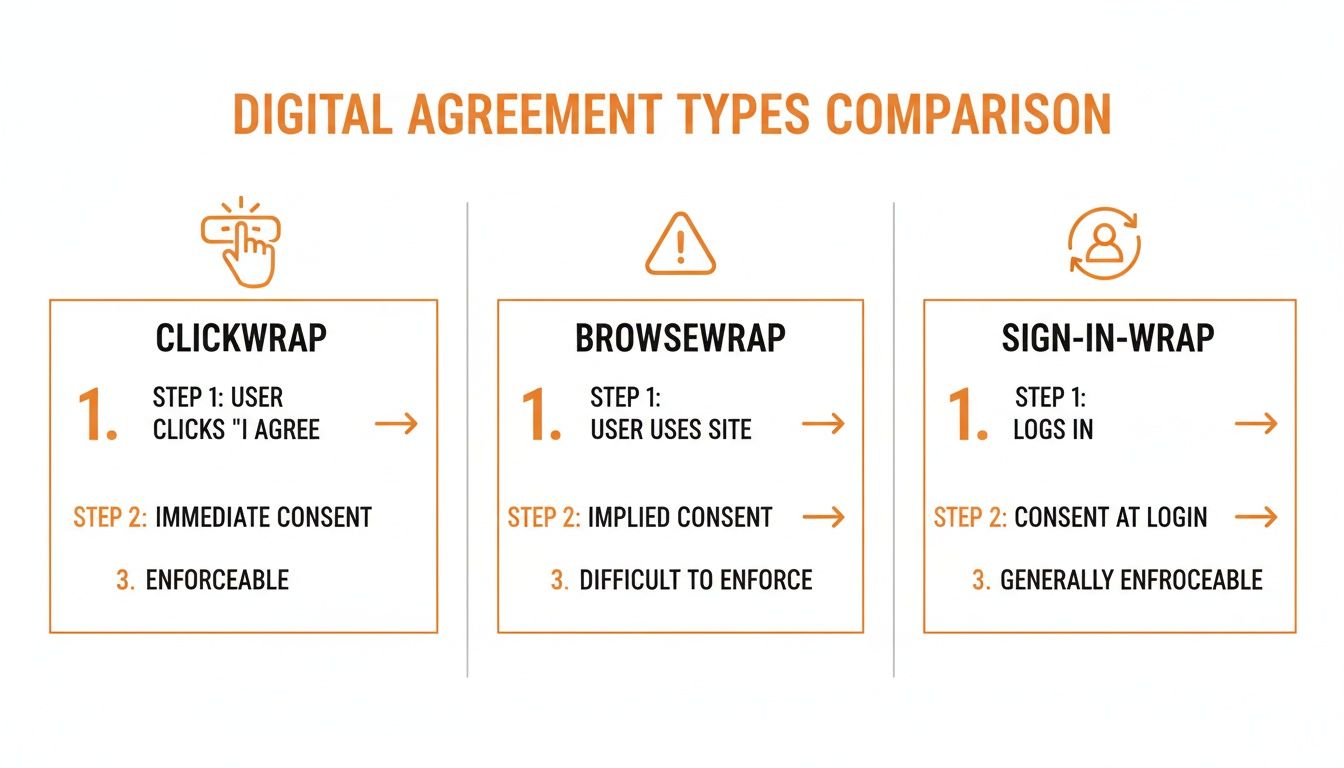
As you can see, it all comes down to requiring a direct, deliberate user action. That’s the bedrock of enforceability.
Designing for Unambiguous Consent
First things first: you have to present your terms in a way that’s impossible to ignore. Courts consistently look for evidence that the user had a fair warning and a clear chance to review the agreement before they accepted it.
This means your design needs to be all about clarity and accessibility. No hiding links in the footer or using tiny, gray-on-white fonts. The link to your Terms of Service or Privacy Policy must be obvious and placed right next to the acceptance button or checkbox.
Follow these design principles:
- Use Clear and Conspicuous Layouts: Put the agreement front and center during key moments like account creation, checkout, or software installation.
- Provide Easy Access to Terms: The full text of the agreement should be a single click away, either through a hyperlink or within a scrollable text box. Don't make people hunt for it.
- Avoid Pre-Checked Boxes: This is a big one. The user must be the one to check the box. A pre-checked box completely undermines the idea of active consent and is a huge red flag in court.
Using Clear and Action-Oriented Language
The words you use for your call to action are just as important as the layout. Vague button text like "Continue," "Let's Go," or "Finish" is a legal landmine. A user could easily argue they were just trying to get to the next step, not sign a contract.
Instead, be direct and unmistakable. Your language should explicitly state what the user is doing.
The most effective clickwrap agreements use simple, powerful phrasing that leaves no room for doubt. The user’s action must be directly tied to the act of acceptance.
Think about using phrases like these for your button or checkbox text:
- "I agree to the Terms of Service."
- "By clicking 'Create Account,' you agree to our Terms."
- "I have read and accept the Privacy Policy."
This kind of explicit language connects the user's click directly to the contract, creating the clear "manifestation of assent" that courts look for. If you're operating globally, this clarity is even more critical. Knowing how to accurately translate legal documents is essential to ensure your agreements hold up across different jurisdictions.
Capturing and Maintaining an Ironclad Audit Trail
Even with the perfect design and wording, your clickwrap agreement is only as strong as your ability to prove who agreed to what, and when. This is where meticulous record-keeping becomes your best friend. A solid audit trail is your undeniable evidence of consent.
Your system needs to capture a complete backend record for every single acceptance. This isn't just a "nice-to-have"—it's a must. You have to be able to pull up a detailed log that shows a specific user accepted a specific version of your terms at a specific time.
Here's the essential data you must collect for every clickwrap event:
- User Identification: You need a unique identifier, like a user ID, account number, or email address, to link the acceptance to a real person.
- Date and Timestamp: Record the exact date and time (down to the second, including the timezone) that the user clicked to agree.
- Agreement Version: You have to store a copy or version number of the exact terms the user accepted. This is vital for when you update your policies.
- Device and Browser Information: Log details like the user's IP address and their browser's user agent string (which identifies the browser and operating system).
This data creates a complete, non-repudiable record of the transaction. It's a good idea to understand the full picture of what makes digital consent valid, which you can explore by reviewing the general legal requirements for electronic signatures. By diligently collecting this evidence, you turn a simple click into a defensible and legally binding contract.
How Clickwrap Agreements Do More Than Just Protect You
A smart clickwrap agreement is more than just legal armor; it’s an engine for growth. While its main job is to get solid, enforceable consent, the real magic is how it boosts your efficiency, improves the customer experience, and ultimately, helps your bottom line. Think of it as a strategic tool that lets you scale up without getting bogged down.
For any SaaS company, the impact is instant. Instead of wrestling with individual contracts for every new user, a clickwrap standardizes the terms for thousands during onboarding. This simple automation frees your legal and sales teams from a mountain of paperwork, letting them focus on closing bigger deals or tackling complex problems.
If you're in e-commerce, you'll see the difference right at the checkout. A clean, clear clickwrap reduces friction at the most critical moment in the sales process. This seamless interaction builds trust, cuts down on abandoned carts, and keeps customers coming back.
Streamlining Your Operations as You Grow
The true power of a clickwrap is its ability to create a consistent, hands-off process for getting consent. This isn't just about saving a few minutes here and there; it's about building a business that can handle growth without breaking.
Here's how it makes a real-world difference:
- Close Deals Faster: Freelancers and agencies know this pain. Emailing PDFs back and forth for signatures is slow. Sending a client a quick link to accept terms via clickwrap can seal the deal in minutes, not days.
- Keep Your Compliance Consistent: A single, master clickwrap means every user agrees to the exact same terms. That consistency is a lifesaver for managing risk as you scale from ten customers to ten thousand.
- Slash Administrative Work: Automating consent gets rid of all the manual tracking, filing, and chasing people for signatures. Those are real costs that shrink as your automation grows.
This isn't just a niche trend. The move to digital agreements is massive. The e-signature market, which includes clickwraps, is on track to blow past $15 billion globally by 2025. Post-pandemic, over 80% of organizations worldwide have adopted e-signatures for everyday business. You can dive deeper into these numbers with these global electronic signature market trends from eSignGlobal.com.
Making the Customer Experience Better
Let’s be honest: a clunky, confusing contract process is a terrible first impression. It creates friction and kills trust before you've even started the relationship.
The best clickwrap agreements are almost invisible. They fit so smoothly into the user's journey that they provide clarity and confidence without ever feeling like a speed bump. The customer feels informed and respected, not burdened.
When you make the acceptance process this easy, you're sending a clear message: you value transparency and your customer's time. That positive first touch sets the stage for a great relationship, building the kind of trust that leads to long-term loyalty. This focus on clear communication is one of the key benefits of digital signatures in general.
In the end, a clickwrap agreement isn't just a risk-management tool. It's a system for doing business in a way that’s fast, trustworthy, and ready to scale. By automating consent, you put your operations in the fast lane and build stronger, more confident relationships with your customers—the perfect recipe for growth.
Common Clickwrap Mistakes and How to Sidestep Them
A clickwrap agreement is a powerful tool, but only if you build it correctly. Get it wrong, and you might as well be using a flimsy browsewrap agreement, leaving your business completely exposed. The good news is that most failures come down to a few common, avoidable mistakes.
One of the most glaring errors I see is using vague language on the acceptance button. When a user clicks a button that says "Continue" or "Let's Go!", they can make a very convincing argument that they were just trying to move to the next screen, not sign a legally binding contract. That tiny bit of ambiguity is often all it takes for a court to toss out your terms.
Another classic blunder is burying the link to your terms and conditions. If that hyperlink is tucked away, printed in a tiny font, or colored to blend in with the background, you’ve failed the "reasonable notice" test. Courts consistently rule that if a user couldn't easily find and review the agreement, they can't be bound by it.
The Problem with Pre-Checked Boxes
If there’s one mistake that will almost certainly sink your agreement, it’s pre-checking the consent box. The entire legal foundation of a clickwrap rests on the user performing a clear, affirmative action to show they agree. A pre-checked box flips this on its head—it turns an active choice into a passive oversight.
This practice is a huge red flag for courts and regulators. In fact, many data privacy laws outright ban it because it’s not a valid form of consent. Think about it: if someone can sign up without ever touching the checkbox, you have zero proof they actually agreed to anything.
The principle is straightforward: the user has to do the work. If you've already checked the box for them, you're assuming consent, not obtaining it. That distinction is everything when it comes to enforceability.
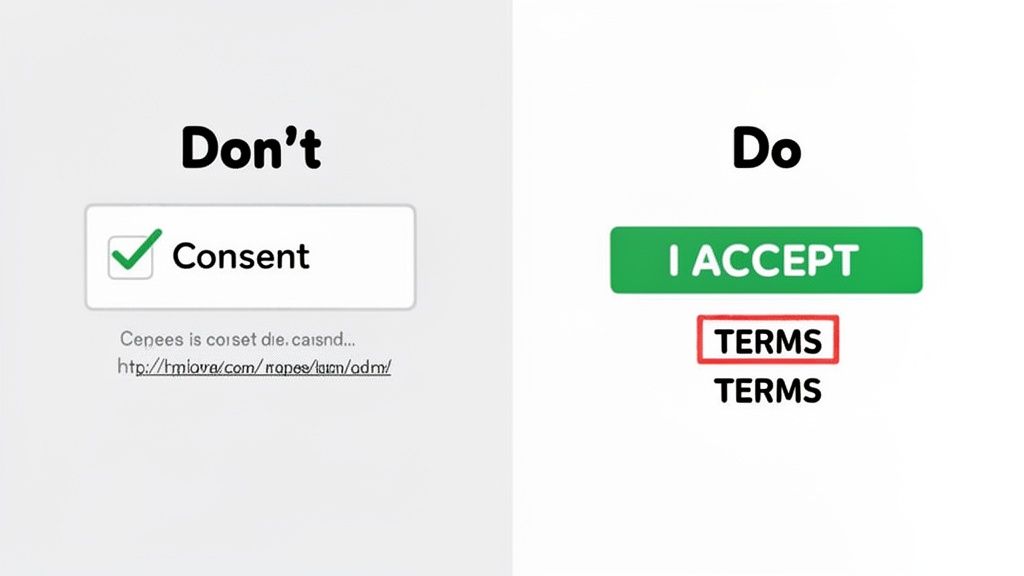
To keep your agreements solid, let’s walk through a simple "Do This, Not That" checklist. This will help you design a clickwrap process that’s both legally sound and transparent for your users.
A Practical Checklist for Stronger Agreements
Go through your own user sign-up or checkout flows and see how they stack up against these points. Each one is designed to patch a common hole that lawyers love to poke at.
1. Button Language
- Don't Do This: Use fuzzy calls to action like "Get Started" or "Download." The landmark Specht v. Netscape case is a perfect example—the court decided that clicking a "Download" button didn't count as agreeing to terms because the connection wasn't obvious.
- Do This Instead: Be explicit. Use action-oriented text that leaves no doubt, like "I Agree to the Terms of Service" or "Create Account and Accept Terms."
2. Consent Checkbox
- Don't Do This: Pre-check the consent box. Ever.
- Do This Instead: Always leave the checkbox empty. This forces the user to perform a deliberate physical act—the click—that demonstrates their consent.
3. Terms Accessibility
- Don't Do This: Bury the link to your terms in a page footer or use low-contrast text that's hard to read.
- Do This Instead: Make the hyperlink to your terms obvious. Place it right next to the checkbox or button where the user is making their decision. This satisfies the crucial legal standard of providing reasonable notice.
Frequently Asked Questions About Clickwrap Agreements
Even when you've got a good handle on how click wrap agreements work, things can get tricky when you try to apply them to your own business. It's one thing to understand the theory, but another to put it into practice.
This section tackles the real-world questions that pop up all the time. I'll give you straight, clear answers to help you navigate the practical side of implementing digital contracts that actually hold up in court.
Can I Use a Clickwrap for Any Type of Contract?
Clickwrap agreements are a fantastic tool, but they aren't a silver bullet for every single legal document you have. They absolutely shine for high-volume, standard agreements where you aren't negotiating terms one-on-one.
Think of the usual suspects:
- Terms of Service when a customer signs up.
- Privacy Policies you need users to accept.
- End-User License Agreements (EULAs) before someone downloads your software.
Where do they fall short? For complex, heavily negotiated contracts. Things like major B2B sales agreements, real estate transactions with specific legal disclosures, or any deal with unique, customized terms are better suited for a more traditional signature process. The key is to use clickwrap for getting standardized consent, at scale.
How Do I Prove a Specific User Agreed to My Terms?
This is where the rubber meets the road. Your proof is all in the audit trail, and it needs to be rock-solid. Just knowing that someone clicked "I Agree" is worthless. You have to be able to prove that a specific user agreed to a specific version of your terms, and you need to know exactly when it happened.
A detailed evidence log is your best—and frankly, only—defense if an agreement is ever challenged. You need to capture and store key data for every single acceptance, creating a digital receipt that turns a simple click into a legally defensible record.
Your system should automatically log this information without fail:
- Who: A unique ID for the user (like an account number or email).
- When: The exact date and time of the agreement, down to the second.
- Where: The user's IP address at the moment they clicked.
- What: The precise version of the legal terms they accepted.
What Should I Do When I Update My Terms?
When your terms change, you have to get everyone to agree to the new version. Period. The only safe way to do this is to have existing users actively accept the updated terms with another clickwrap agreement the next time they log in or use your service.
Just sending an email blast announcing the changes is a huge mistake. It’s a passive approach that leaves a massive legal gap. How could you ever prove a specific user even opened that email, let alone consented to the new terms? You can't. Proactively getting that click again is the only way to ensure your new policies are binding for your entire user base.
Ready to create enforceable, frictionless agreements in minutes? QuickSign provides a secure, cloud-based e-signature platform with robust audit trails to protect your business. Streamline your entire agreement workflow with QuickSign and get your documents signed faster.