What Is eSign? The Complete Guide to Electronic Signatures
What is eSign? This guide explains everything you need to know about electronic signatures, how they work, and why they are legally binding for your business.
So, what exactly is an eSign, or electronic signature? It’s a legally binding way to get consent or approval on electronic documents. Think of it less as a simple image of your signature and more like a secure, digital handshake that seals a deal without ever touching a piece of paper.
From Ink to Clicks: The Rise of the eSign
For centuries, the only way to make an agreement official was to sign on the dotted line with a pen. This "wet ink" signature is a physical, tangible act we all recognize. But in a world where business moves at the speed of light and teams are spread across the globe, the old print-sign-scan routine is a major drag. It creates frustrating delays and needless costs.
This is exactly the problem eSignatures were created to solve.
An eSign is much more than just a picture of your name on a screen. It’s an entire electronic process that securely captures a person’s intent to be legally bound by what’s in a document. To be valid and secure, this process needs a few key ingredients:
- Proof of Intent: The signer has to take a clear action. This could be clicking an "I Agree" button, typing their name, or even drawing their signature with a mouse or finger.
- Consent to Transact: Everyone involved has to agree upfront to do business electronically.
- Verifiable Audit Trail: This is the magic behind the curtain. The system records a detailed log of the entire signing event—timestamps, IP addresses, and every single action taken from start to finish.
The Modern Business Standard
The move to digital-first work has made eSignatures a non-negotiable part of doing business. The numbers speak for themselves. Projections show that by 2025, over 80% of organizations worldwide will be using them for everyday agreements, a trend that took off with the shift to remote work. You can discover more insights about these market trends on esignglobal.com. This isn't just about making things easier; it’s a smart move to boost efficiency and lock down security.
An eSign is a complete, auditable process, not just an image. Its legal strength comes from the data trail that proves who signed, when they signed, and that they intended to sign.
To really see the difference, let’s put the modern eSign head-to-head with the old-school wet ink signature.
eSign vs. Wet Ink Signature At a Glance
The table below gives you a quick breakdown of how these two methods stack up.
| Attribute | Electronic Signature (eSign) | Traditional Wet Ink Signature |
|---|---|---|
| Speed | Instantaneous signing and delivery | Slow; requires printing, mailing, or faxing |
| Security | High; includes a detailed, verifiable audit trail | Low; susceptible to forgery and document loss |
| Cost | Minimal; eliminates paper, printing, and postage costs | High; includes costs for materials, storage, and shipping |
| Accessibility | Accessible anywhere on any device with internet access | Limited to physical location and business hours |
As you can see, the advantages are pretty clear. And the best part? It's incredibly simple to get started. To see just how easy it is, take a look at our step-by-step guide on how to use electronic signatures.
Electronic vs. Digital Signatures: What's the Real Difference?
When you hear people talk about signing things online, the terms "electronic signature" and "digital signature" get tossed around interchangeably. But here’s the thing: they aren’t the same. While they're related, they operate on completely different levels of technology and security. Getting this right is crucial for picking the best tool for your agreements.
Let’s try a simple analogy. Think of a standard electronic signature as your everyday signature on a credit card slip. It’s a symbol of your intent to agree. This broad category covers any electronic sound, symbol, or process that shows you're accepting a deal—that could be typing your name, drawing your signature with a mouse, or even just clicking an "I Agree" button. The main goal here is to capture your intent.
A digital signature, however, is more like getting a document notarized and then sealing it in a tamper-proof vault. It's a specific, highly secure type of electronic signature, backed by some serious tech.
The Technology Behind a Digital Signature
What gives a digital signature its muscle is something called Public Key Infrastructure (PKI). It’s a mouthful, I know, but the concept is straightforward. When you sign a document this way, PKI uses powerful cryptography to generate a unique, encrypted "fingerprint" that gets permanently attached to the document.
This cryptographic seal does two incredibly important jobs:
- Authentication: It confirms the signer's identity with a high degree of certainty, using a secure, certificate-based digital ID. This is far more robust than just typing a name.
- Integrity: It locks the document down completely. If anyone tries to alter anything—even just a comma—after the digital signature is applied, the signature breaks and visibly shows it’s been tampered with.
In a nutshell: all digital signatures are electronic signatures, but not all electronic signatures qualify as digital signatures. A digital signature brings heavy-duty cryptographic security to the table to verify who signed and to protect the document from any future changes.
This is why modern e-signature platforms focus on providing a secure, legal, and efficient process from start to finish.
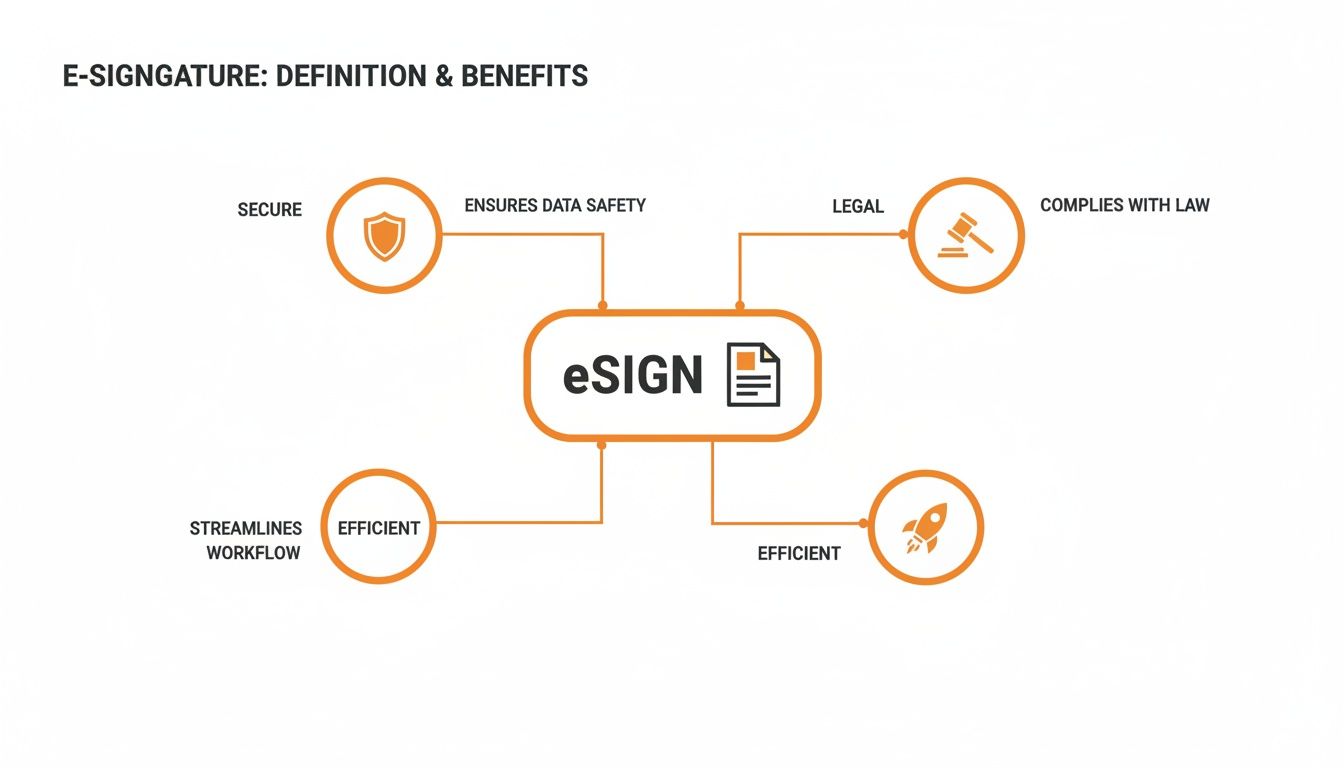
As the diagram shows, the core idea is to create a workflow that is not only faster but also safer and legally sound.
So, Which One Do You Actually Need?
For the vast majority of day-to-day business, a standard electronic signature is all you need. Think about things like sales contracts, new client agreements, or internal permission slips. A good e-signature platform will give you a solid audit trail that records every step of the signing process, which is more than enough to make it legally binding.
You'll want to step up to a digital signature only when the stakes are incredibly high and you need absolute, undeniable proof of identity and document integrity. These scenarios often include:
- Major financial agreements and high-value transactions
- Official government documents or court filings
- Real estate deeds and other sensitive property documents
These are situations where the ironclad security of a digital signature's cryptographic seal is non-negotiable. If you're curious about the nitty-gritty, you can explore how to create a digital signature to see what's involved.
Ultimately, your choice boils down to the risk level and the specific legal rules that apply to your document.
Are Electronic Signatures Legally Binding?
This is probably the first question that pops into your head when you think about ditching pen and paper. Will an electronic signature actually stand up in court?
The answer is a clear and resounding yes. The legal footing for e-signatures isn't some new, untested idea; it's built on solid legislation that has been in place for decades across the globe.
Think of it this way: the laws don't give e-signatures some kind of special treatment. Instead, they establish a simple but powerful principle: a contract or signature can't be dismissed as invalid just because it’s in an electronic format. An agreement you sign on your screen is just as official as one you sign on paper.
This legal certainty is why the e-signature market is booming. It's projected to hit USD 12.22 billion in 2025 and is expected to skyrocket to a massive USD 238.42 billion by 2034. That kind of growth only happens when there's real trust in the technology.
The Laws That Make E-Signatures Official
In the United States, two major laws created the legal backbone for e-signing, with Europe following a similar path.
The ESIGN Act (2000): Formally known as the Electronic Signatures in Global and National Commerce Act, this federal law gives e-signatures the same legal weight as handwritten ones in almost every type of transaction across the country.
The UETA (1999): The Uniform Electronic Transactions Act is a state-level framework that harmonizes e-signature laws. It has been adopted by 49 states, D.C., and several U.S. territories, creating a consistent legal environment.
Over in Europe, the framework is just as robust.
- The eIDAS Regulation (2016): This EU-wide regulation (short for Electronic Identification, Authentication and Trust Services) standardizes the rules for electronic identification, ensuring an e-signature from Spain is just as valid in Germany.
While the names and details differ, the core idea behind all these laws is the same: an electronic signature is legally binding as long as it meets a few key criteria.
What Makes an E-Signature Legally Enforceable?
Simply pasting an image of your signature onto a document won’t cut it. For an e-signature to hold up, it needs to be part of a secure process that proves who signed, when they signed, and that they intended to sign.
This is where professional e-signature platforms come in. They are built to capture all the evidence needed to make the signature legally defensible.
The real power of an e-signature isn’t the signature itself, but the digital audit trail attached to it. This record provides court-admissible proof of the entire signing event, making it far more secure than a simple pen-and-paper signature.
A legally sound e-signature process must lock down three key things:
Clear Intent to Sign: The signer has to do something to show they mean to sign, like clicking a button that says "I Agree" or using their mouse to draw their name. It’s an explicit, recordable action.
Consent to Do Business Electronically: Everyone involved has to agree to use electronic documents and signatures for that specific transaction. Usually, this is a simple consent clause you have to accept before you can even see the document.
A Verifiable Audit Trail: This is the game-changer. The system must create a detailed, tamper-proof log of everything that happened. This "Certificate of Completion" captures crucial data points like the signers' IP addresses, timestamps of when the document was viewed and signed, and other identifying information.
This rich data trail provides a much stronger form of evidence than a traditional "wet ink" signature, which can be easily forged or disputed. To get a closer look at the nuts and bolts, check out our guide on the legal requirements for electronic signatures.
The Real-World Benefits of Using eSignatures
Alright, we've covered the legal and technical bits of e-signatures. But let's be honest, that's not what gets you excited. The real magic happens when you see how they can completely change the way you do business day-to-day. This is where we move from the "what" to the "why"—and the "why" involves saving time, money, and a whole lot of headaches.
Think about it from the perspective of a freelance designer. In the old days, you’d finish a project proposal, email it, and then... wait. Days, sometimes weeks, would go by waiting for the client to print it, sign it, and mail it back. Now, you can send that same proposal and get a legally binding signature in less than an hour. That means you can start the project—and get paid—so much faster. It's not just a small convenience; it's a massive competitive edge.
Accelerate Your Entire Workflow
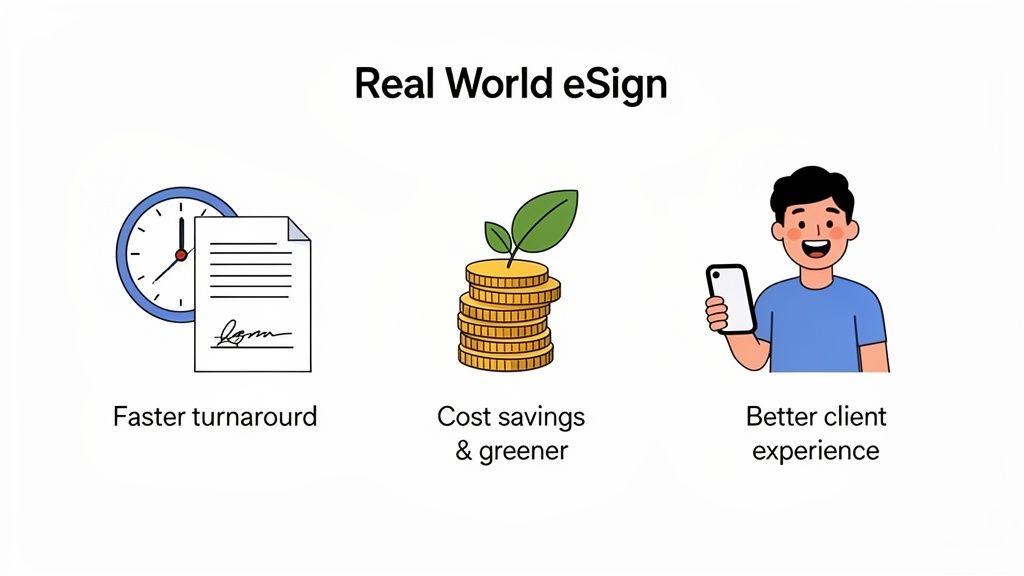
The first thing you’ll notice when you switch to an e-sign solution is the sheer speed. The old print-sign-scan-email routine is a classic bottleneck. It’s a process that can bring your entire business to a dead stop. Electronic signatures just blow that friction away, turning what used to take days into something you can knock out in minutes.
This boost in speed ripples through every part of your operation:
- Faster Sales Cycles: You can close deals while a prospect is still hot and excited, instead of giving them a week of "paperwork time" to have second thoughts.
- Quicker Onboarding: Get new clients or team members up and running on day one. Send them all the forms they need and get them back instantly.
- Instant Approvals: Internal stuff, like signing off on project plans or expense reports, becomes a simple, one-click affair.
By cutting out all those manual steps, you're not just saving time—you're building momentum. Agreements that used to get stuck in limbo for weeks can be wrapped up in a single afternoon, which has a direct and immediate impact on your revenue.
This kind of efficiency is exactly why the e-signature market is exploding. Driven by solid legal backing and the need for solutions that work on any device, its value is on track to skyrocket from USD 9.85 billion in 2025 to an incredible USD 104.49 billion by 2032. Fortune Business Insights has some great data on this massive growth.
Fortify Security and Compliance
While speed is the headline grabber, the added security you get from a proper e-sign process offers incredible peace of mind. A handwritten signature can be forged, and a paper document can be lost. An electronic signature, on the other hand, comes with a powerful, court-admissible audit trail.
This digital log, often called a Certificate of Completion, tracks every single interaction with the document. It captures critical details like who opened it, their IP address, when they looked at it, and the exact moment they signed. This creates a rock-solid, unchangeable record that is far more secure and easier to defend than a simple pen-on-paper signature ever could be.
Realize Significant Cost Savings
The little costs of doing business on paper are easy to ignore, but they add up fast. Think about it: paper, ink, printers, postage, and filing cabinets to store it all. When you tally it all up, the number can be shocking. Moving to an e-sign workflow makes those costs vanish.
But it's not just about the materials. You also get back countless hours of administrative work. Your time (or your team's time) is much better spent on growing the business, not chasing down signatures or organizing paper archives. For freelancers and small businesses where every dollar and minute counts, this is a huge win. For a closer look at the numbers, you can learn more about the benefits of digital signatures in our dedicated guide.
Improve the Client Experience
First impressions count for everything. In 2025, asking a new client to print, sign, and scan a document feels clunky and out of touch. It creates needless friction right at the start of your relationship. An electronic signature presents a modern, professional, and genuinely convenient alternative.
With a platform like QuickSign, your clients can review and sign documents on whatever device is in front of them—phone, tablet, or computer—with just a couple of clicks. It's a smooth, seamless process that shows you value their time and operate with modern standards. That’s how you build trust and satisfaction from the very first hello.
How to Choose the Right eSign Provider
With so many e-signature platforms out there, picking the right one can feel like a chore. They all promise to make your life easier, but the truth is, they aren't all built the same. The best choice isn't just about the price tag; it's about finding a tool that’s secure, genuinely easy to use, and can grow right alongside your business.
Think of it less like buying software and more like hiring a key team member. You need someone reliable you can trust, not another clunky system you have to wrestle with. A great provider should just work, letting you focus on what you do best—whether that's closing a deal, onboarding a new client, or just getting work done.
Focus on Security and Legal Compliance
Let's start with the absolute deal-breakers. An e-signature provider that skimps on security and legal compliance isn't a bargain—it's a massive risk. The entire point is to create legally binding signatures, so your chosen platform must adhere to major regulations like the ESIGN Act in the U.S. and eIDAS in the EU.
Here are the non-negotiables to look for:
- Comprehensive Audit Trails: Every single signed document needs a detailed log, often called a "Certificate of Completion." This file is your proof, capturing everything from signer IP addresses and timestamps to the complete history of actions. This is what stands up in court.
- End-to-End Encryption: Your documents are full of sensitive information. The platform has to use strong encryption to protect that data, both when it's being sent and when it's being stored.
- Tamper-Evident Sealing: Once a document is signed, it should be digitally sealed shut. This technology makes sure that any sneaky changes made after signing are immediately flagged, guaranteeing the integrity of your agreement.
Choosing a provider without these core security features is like building a house on a shaky foundation. No matter how fancy the other features are, if the legal and security aspects are weak, the whole thing could come crashing down.
Prioritize a Simple User Experience
What good are powerful features if no one can figure them out? The whole reason for using an e-signature tool is to make things easier. A confusing, cluttered interface completely defeats the purpose. A great user experience (UX) is critical for you, the sender, and especially for your clients who just need to sign something and move on.
Ask yourself these simple questions when evaluating a platform:
- Is the dashboard clean and easy to navigate?
- Can I upload a document and get it ready to send in just a few clicks?
- Will my clients know what to do without needing a manual?
The signing process has to be smooth on any device, too. People are on the move. Your client should be able to open an email on their phone and sign a contract in seconds—no frustrating pinch-and-zoom or app downloads required.
Evaluate Integrations and Scalability
Your e-signature tool shouldn't be a silo. It needs to play well with the other tools you use every day, like cloud storage from Google Drive or Dropbox, or even payment systems. Imagine collecting a payment the very moment a client signs the contract. That’s a game-changer for cash flow.
And as your business grows, your needs will evolve. A good provider will be ready for that with features like:
- Reusable Templates: Stop re-creating the same contracts or NDAs from scratch. Turn them into templates and save yourself a ton of time.
- Bulk Sending: Need to send a new policy update to your entire team? Bulk sending lets you send one document to hundreds of people at once.
- Team Features: Add colleagues to your account so everyone can manage and send documents from one central place.
Seeing how the big names in the industry compare can really highlight which features you’ll actually use. For a detailed breakdown, take a look at our guide on DocuSign vs. Adobe Sign and a modern alternative. It cuts through the marketing fluff to show you what functionality really matters for your business.
Sending Your First Document for Signature
You get the tech, you understand the legal side of things, and the benefits are clear. So, what's next? Let's put it all into action and see just how easy it is to send your first document for an e-signature. This isn’t some complicated technical chore; it's a simple, straightforward process that you can master in minutes.
The entire workflow is built to be user-friendly, getting rid of all the usual headaches that come with paper contracts. You don't need any special software or training. Seriously, if you can attach a file to an email, you’ve already got the skills you need.

A Simple Four-Step Process
Let’s walk through what a typical signing request looks like. The main goal here is to get your document out the door and into your signer's hands—quickly and securely.
Upload Your Document: First, you’ll upload the agreement. Most e-sign platforms, including QuickSign, handle all the common file types you'd expect, like PDFs and Word documents. You can pull them right from your computer or a cloud storage service.
Add Your Signers: Next, just type in the names and email addresses of everyone who needs to sign. You can even set a specific signing order if, say, a manager needs to approve it before it goes to the client.
Place Signature Fields: This part is kind of fun. You just drag and drop fields onto the document exactly where you need someone to take action. You can place fields for signatures, initials, dates, or even text boxes for them to fill in information.
Send and Track: All that's left is to click "send." The platform takes over from there, emailing a secure, unique link to each person. You can then track the entire process from your dashboard and see exactly when the document is opened and signed.
For a more detailed look at the nuts and bolts, this guide on how to electronically sign a PDF has some great, practical tips.
The real magic is in the simplicity. You can prep and send a secure, legally binding document in less time than it takes to make a coffee, wiping out delays and moving business forward.
Ready to See for Yourself?
The best way to really grasp the difference an e-signature workflow can make is to just try it. You'll see right away how much faster you can get agreements out the door, create a better experience for your clients, and speed up your entire operation.
Why let paper and ink slow you down? With a free trial from QuickSign, you can send your first document for signature today with no strings attached. It's time to discover how easy it is to modernize your agreements and get back to what you do best—running your business.
Got Questions About eSign? We've Got Answers
Even with the basics down, you probably still have a few practical questions. That’s perfectly normal. We’ve pulled together the most common ones we hear to give you clear, straightforward answers and get you signing with confidence.
Can I Just Type My Name and Call It a Signature?
You bet. A typed name is a perfectly valid and legal electronic signature. The real magic isn't what the signature looks like; it's the secure process running in the background that captures your intent to sign.
Legislation like the U.S. ESIGN Act defines an e-signature really broadly—it's any "electronic sound, symbol, or process" linked to a document. So, whether you type your name, scribble it with a mouse, or just click a big "I Agree" button, it can be legally binding. The legal weight comes from the system logging all the background details, like the timestamp and IP address, creating an airtight audit trail of who signed what, and when.
What Happens If Someone Tries to Dispute Their Signature?
This is where e-signatures really shine. If someone ever claims, "I didn't sign that," the audit trail—often called a Certificate of Completion—becomes your best friend. Every good e-signature platform automatically generates this digital report, which contains a detailed log of the entire signing ceremony from start to finish.
Think of it as a digital detective's notebook. It includes:
- Signer names and email addresses: Proof of who was invited to the party.
- IP addresses: A digital footprint showing where each action happened.
- A full timeline: Exact timestamps for when the document was opened, viewed, signed, and finalized.
This creates powerful, court-admissible evidence that makes it incredibly tough for someone to successfully back out of an agreement they signed.
An audit trail turns a simple signature into a secure, verifiable event. It’s like having a digital notary public watching over the entire process, giving you a level of proof that a simple ink signature on paper rarely offers.
Do I Need to Install Special Software to Use eSign?
Nope! One of the best things about modern e-signature tools is that they’re built for simplicity. Most are cloud-based, so they work right in your web browser. There’s nothing for you or your clients to download or install.
Your recipients just get a secure link in an email. They click it, and the document opens on whatever device they're using—a laptop, tablet, or smartphone. This dead-simple accessibility means you can get agreements finalized in minutes, no matter where your client is.
How Are My Signed Documents Stored Securely?
Keeping your documents safe is a top priority for any reputable e-signature service. These platforms use serious security measures, storing your files in encrypted cloud data centers with plenty of backups to prevent data loss.
Top-tier providers use end-to-end encryption, protecting your document both in transit (while it's being sent) and at rest (while it's being stored). Once everyone has signed, the final document is digitally sealed, making it tamper-evident. This means if anyone tries to alter the document after the fact, the change will be immediately obvious.
Ready to stop chasing paper and start closing deals faster? With QuickSign, you can send your first secure, legally binding document in minutes. Experience the ease of modern agreements and see how our platform can help you save time and impress clients. Start your free trial today at https://quicksign.it and transform your workflow.