8 Crucial Digital Signature Samples Explained (2025 Guide)
Explore 8 real-world digital signature samples, from PDF to blockchain. See how they work, when to use them, and why they matter for legal compliance.

Ever wondered what a digital signature really looks like under the hood? It's not just an image of your handwriting. A true digital signature is a powerful cryptographic tool that secures documents, verifies identity, and provides legally binding proof of consent. As businesses accelerate their workflows, understanding the different types of digital signatures is no longer optional-it's essential for compliance, security, and efficiency.
This guide breaks down eight distinct digital signature samples, revealing the technology, use cases, and strategic insights behind each one. We'll explore everything from the complex signatures securing your confidential emails to the cryptographic proofs validating blockchain transactions.
You won't just see a collection of images. We will dissect the "why" and "how" for each example, offering a deep dive into the specific components that make them work. By the end, you'll not only recognize these samples but also know how to strategically apply them in your own processes using platforms like QuickSign, ensuring your agreements are both secure and legally sound. This curated list provides actionable blueprints for implementing robust signature solutions across various industries and applications.
1. PKCS#7/CMS Email Signature
A PKCS#7/CMS signature is one of the most robust digital signature samples for securing email communications. This standard, often implemented through S/MIME (Secure/Multipurpose Internet Mail Extensions), uses public key cryptography to embed a digital signature directly into an email. This process ensures both sender authenticity and message integrity, proving the email came from the claimed sender and hasn't been altered in transit.
This method is fundamental for high-stakes communication where trust and non-repudiation are critical. When you send a signed email, your private key creates a unique digital signature. The recipient’s email client uses your corresponding public key, typically obtained from a trusted Certificate Authority (CA), to verify it.
Strategic Analysis & Application
The primary strength of a PKCS#7/CMS signature is its seamless integration into standard email clients like Outlook and Apple Mail. This makes it a powerful, behind-the-scenes security layer for sensitive correspondence.
- When to Use: Ideal for legally binding communications, financial transactions, and sharing confidential information. Corporate banking, legal firms, government agencies, and healthcare providers rely on this standard to secure their daily email exchanges.
- Key Benefit: Unlike simple e-signatures, this method provides cryptographic proof of integrity. If a single character in the email is changed after being sent, the signature validation will fail, immediately alerting the recipient to potential tampering.
Key Insight: This type of signature binds the sender's verified identity to the specific content of the message at a particular point in time, creating a verifiable and legally defensible record.
Actionable Takeaways
To implement PKCS#7/CMS signatures, focus on establishing a trusted foundation with digital certificates.
- Obtain a Certificate: Acquire a personal or business S/MIME certificate from a reputable Certificate Authority like DigiCert or Sectigo.
- Configure Your Email Client: Install the certificate in your email client (e.g., Outlook, Thunderbird) and configure it to sign outgoing messages automatically.
- Establish Organizational Policies: For businesses, create clear policies requiring the use of signed emails for specific types of communication and ensure all relevant employees have properly configured certificates.
- Secure Your Private Key: The security of your signature depends entirely on your private key. Store it securely and create a backup in a safe, encrypted location.
2. PDF Digital Signature (ISO 32000-2)
A PDF digital signature, standardized under ISO 32000-2, is a universally trusted method for securing electronic documents. This technology embeds a cryptographically secure signature directly into the PDF file, guaranteeing sender authenticity, data integrity, and non-repudiation. Unlike a simple image of a signature, this is one of the most common digital signature samples used in business today because it locks the document from further changes.
When a PDF is digitally signed, a unique cryptographic hash of the document is created and encrypted using the signer's private key. Anyone with the signer's public key can then decrypt the hash and verify that the document is authentic and has not been altered since it was signed.
Strategic Analysis & Application
The primary strength of a PDF digital signature is its platform independence and widespread adoption. PDFs maintain their formatting across all devices, and the signature validation is often built directly into free PDF readers like Adobe Acrobat Reader. This makes it a seamless and reliable method for formal agreements.
- When to Use: Essential for legal contracts, financial statements, real estate transaction documents, academic transcripts, and official government forms. Its use is critical wherever document immutability and long-term validity are required.
- Key Benefit: Beyond security, PDF digital signatures can include timestamps from a trusted Time Stamping Authority (TSA). This provides undeniable proof of when the document was signed, which is crucial for legal disputes and compliance with regulations like ESIGN and eIDAS.
Key Insight: This type of signature transforms a static document into a secure, verifiable asset. It provides an independent audit trail within the document itself, making it self-contained and easily verifiable without relying on external systems.
Actionable Takeaways
Implementing PDF digital signatures effectively requires a focus on both technology and process. You can learn more about how to digitally sign a PDF on QuickSign.it for detailed steps.
- Use Certified Software: Employ trusted e-signature platforms like QuickSign, DocuSign, or Adobe Acrobat which comply with ISO 32000-2 standards.
- Incorporate Timestamps: Configure your signing process to include a timestamp from a qualified TSA. This ensures Long-Term Validation (LTV) even after the original signing certificate expires.
- Prepare Documents Correctly: Create dedicated signature fields within your PDF templates before sending them for signature. This guides the signer and ensures the signature is placed correctly.
- Establish Clear Workflows: Develop a standardized process for document signing, including how documents are sent, who is authorized to sign, and how signed documents are archived for compliance.
3. Code Signing Certificates for Software
A code signing certificate is a critical type of digital signature sample used by software developers to sign their applications, drivers, and executable files. This process attaches a publisher’s verified identity to the software, ensuring end-users that the code is authentic and has not been tampered with since it was signed. It is the digital equivalent of shrink-wrapping software in a physical box.
When a user attempts to install an application, their operating system (like Windows or macOS) checks for a valid digital signature. If one is present from a trusted Certificate Authority (CA), the system confirms the publisher's identity and assures the user that the software is safe to install. Conversely, unsigned code triggers security warnings, eroding user trust and often blocking installation entirely.
Strategic Analysis & Application
The primary strength of code signing is building trust and ensuring a secure distribution channel. In today’s security-conscious environment, it is a non-negotiable requirement for professional software distribution, from Windows executables and macOS apps to mobile applications.
- When to Use: Mandatory for any publicly distributed software, including drivers, browser extensions, updates, and applications sold through official app stores like the Apple App Store and Microsoft Store.
- Key Benefit: Prevents malware distribution and protects your brand reputation. A valid signature confirms that your software is legitimate, significantly reducing the friction and security warnings that deter users from completing an installation. For a deeper look at the security implications, explore how software update signing confidence is crucial.
Key Insight: A code signing certificate does more than verify identity; it provides a timestamped, cryptographic seal that guarantees the integrity of the code at the moment it was signed, making any subsequent malicious modification immediately detectable.
Actionable Takeaways
Implementing a robust code signing process is essential for maintaining a secure software development lifecycle.
- Obtain a Certificate: Purchase a code signing certificate from a trusted CA like DigiCert or Sectigo. Choose between standard (OV) and Extended Validation (EV) certificates, with EV offering a higher level of trust and instant reputation with Microsoft SmartScreen.
- Secure Your Private Key: Store your private key on a Hardware Security Module (HSM). This is a best practice that prevents key theft, which could allow attackers to sign malicious software with your identity.
- Automate in CI/CD: Integrate the signing process directly into your Continuous Integration/Continuous Deployment (CI/CD) pipeline to ensure all official builds are automatically and consistently signed.
- Implement Timestamping: Always use a timestamping service provided by your CA. This ensures the signature remains valid long after the certificate itself has expired, as long as the signature was applied when the certificate was active.
4. Blockchain-Based Digital Signatures (Cryptocurrency)
A blockchain-based signature is one of the most powerful digital signature samples for ensuring decentralized trust and ownership. Used extensively in cryptocurrency systems, this method leverages public key cryptography (typically ECDSA) to authorize transactions on a distributed ledger. When a user initiates a transaction, their private key creates a unique signature, proving they own the assets being transferred.
This signature is then broadcast to the network, where nodes can independently verify it using the sender’s public key (their wallet address). This process ensures transaction authenticity and non-repudiation without relying on a central authority like a bank. It is the core mechanism that secures everything from Bitcoin transfers to smart contract executions.
Strategic Analysis & Application
The primary strength of a blockchain signature is its role in creating a tamper-proof, transparent, and auditable record of transactions. This decentralized trust model opens up new possibilities for asset ownership, financial agreements, and authentication in systems like Ethereum and Bitcoin.
- When to Use: Ideal for cryptocurrency transactions, verifying ownership of digital assets like NFTs, executing smart contracts, and engaging with decentralized finance (DeFi) protocols. It is essential for any interaction on a public blockchain.
- Key Benefit: This signature type provides absolute, mathematically verifiable proof of control over digital assets. Once a transaction is signed and confirmed on the blockchain, it is immutable and cannot be reversed or disputed, providing ultimate finality.
Key Insight: Unlike traditional signatures tied to legal identity, a blockchain signature is tied to control of a cryptographic key. This creates a system of "trustless" verification where mathematical proof replaces the need for institutional intermediaries.
Actionable Takeaways
To effectively use blockchain-based signatures, the focus must be entirely on uncompromising private key security.
- Use a Hardware Wallet: For significant assets, store your private keys on a hardware wallet like a Ledger or Trezor. This keeps your keys offline and isolated from internet-based threats.
- Secure Your Seed Phrase: Your seed phrase is the master backup for your private keys. Store it offline in multiple secure, non-digital locations and never share it with anyone or enter it online.
- Implement Multi-Signature Schemes: For businesses or shared funds, use multi-signature (multi-sig) wallets that require signatures from multiple parties to authorize a transaction, preventing single points of failure.
- Understand Private Key Management: Before engaging with cryptocurrencies, fully grasp that you are your own bank. Losing your private key means losing your assets permanently, with no recourse.
5. XML Digital Signature (XMLDSig)
An XML Digital Signature (XMLDSig) is a W3C standard designed specifically for signing data within XML documents. Unlike signatures that protect an entire file, XMLDSig offers granular control, allowing you to sign the whole document, specific sections, or even data referenced outside the XML. This makes it one of the most flexible digital signature samples for structured data exchange.
This standard is the backbone of many secure web services and data interchange formats. It works by creating a <Signature> element within the XML itself, containing cryptographic information that verifies the integrity and authenticity of the signed data. This approach is essential for complex workflows where different parties might need to sign different parts of the same document.
Strategic Analysis & Application
The core strength of XMLDSig lies in its ability to selectively apply cryptographic integrity to structured data. This makes it indispensable for machine-to-machine communication where trust and precision are paramount, such as in API interactions or automated financial reporting.
- When to Use: Perfect for web services security (WS-Security), identity federation using SAML assertions, and secure data interchange in healthcare (HL7) and finance. It is also used in government filings and complex B2B transactions where data integrity is audited.
- Key Benefit: XMLDSig enables "detached" signatures where the signature is separate from the data, "enveloping" signatures where the data is inside the signature, and "enveloped" signatures where the signature is inside the data it signs. This architectural flexibility supports a vast range of complex business logic and security models.
Key Insight: This signature type provides verifiable proof for structured data components, not just the entire file. This allows for multi-party workflows where each participant can sign their respective section without invalidating the others' signatures.
Actionable Takeaways
Implementing XMLDSig requires careful handling of XML specifics like canonicalization to ensure signatures remain valid across different systems.
- Use Established Libraries: Leverage robust, well-maintained libraries like Apache Santuario for Java or xmlsec1 for Python to handle the complexities of XML canonicalization and signature generation.
- Test Canonicalization Thoroughly: The process of converting XML into a standard byte stream (canonicalization) is critical. Minor differences can cause validation failures, so test this process rigorously before deployment.
- Implement Robust Validation: Always perform signature validation on both the client and server sides to protect against tampering during transmission.
- Stay Informed on Vulnerabilities: XML signature processing can be complex and has been a source of security flaws. Stay aware of potential issues, such as those related to XML Signature Wrapping attacks. You can read more about critical XML crypto flaws to understand the risks.
6. Qualified Electronic Signature (QES) under eIDAS
A Qualified Electronic Signature (QES) represents the gold standard among digital signature samples in the European Union. Defined by the eIDAS Regulation, it provides the highest level of legal assurance, granting it the same legal standing as a handwritten signature across all EU member states. This signature is not just a digital mark; it's a cryptographically secure process backed by a strict legal framework.
To create a QES, the signer’s identity must be verified in person (or via equivalent online methods) by a Qualified Trust Service Provider (QTSP). The signature itself must be generated using a qualified signature creation device (QSCD), such as a secure smart card or USB token, ensuring the private key remains under the signer's sole control.
Strategic Analysis & Application
The primary strength of a QES is its automatic legal recognition and non-repudiation across the EU. This eliminates any doubt about its validity in cross-border legal, commercial, and governmental transactions, making it an indispensable tool for high-value agreements.
- When to Use: Essential for legal contracts, real estate transactions, court filings, and official government submissions where the legal equivalence to a handwritten signature is mandatory. It is the required standard for many public sector and regulated industry processes within the EU.
- Key Benefit: A QES provides the highest possible level of trust and legal weight. Unlike other electronic signatures, its validity is presumed by law, meaning the burden of proof is on the party challenging the signature, not the one presenting it.
Key Insight: A QES goes beyond just securing a document; it creates a legally unimpeachable record of consent and identity, making it the most powerful form of electronic signature available for operating within the EU's single market.
Actionable Takeaways
Implementing a QES requires partnering with certified providers and adhering to strict procedural guidelines. You can learn more about the legal requirements for a QES to ensure full compliance.
- Select a Qualified TSP: Choose a provider from the EU's official Trusted List (ETL) to issue your qualified certificate and provide the QSCD.
- Complete Identity Verification: Undergo the rigorous identity verification process mandated by your chosen QTSP. This is a critical step for establishing the signature's legal standing.
- Use a Certified Device: Always create the signature using the supplied QSCD to ensure the cryptographic process meets eIDAS standards.
- Incorporate Qualified Timestamps: For long-term validity, especially for documents that must be preserved for years, ensure a qualified timestamp is applied during the signing process to protect against future cryptographic weaknesses.
7. Timestamp Authority (TSA) Authenticated Signatures
A Timestamp Authority (TSA) authenticated signature is a digital signature fortified with a secure, cryptographic timestamp from a trusted third party. This process provides irrefutable proof of the exact date and time a document was signed. By binding the signature to a specific moment, it ensures the signature's long-term validity, even after the original signing certificate expires.
This is a critical mechanism for long-term document archival and legal enforceability. When a document is signed, a hash of it is sent to a TSA server. The TSA then combines that hash with the current time and signs the package with its own private key, creating a trusted timestamp token that is embedded with the signature.
Strategic Analysis & Application
The core strength of a TSA signature is its ability to establish a definitive timeline for a document's existence and signed state. This is indispensable in scenarios where the "when" is just as important as the "who" and "what."
- When to Use: Essential for intellectual property filings, long-term legal contracts, financial records subject to multi-year audits, and medical records. Any document that must remain legally valid and verifiable for decades benefits from this method.
- Key Benefit: It decouples the signature's validity from the lifecycle of the signer's certificate. This prevents a signature from becoming invalid simply because the associated certificate expired or was revoked years later, a concept known as Long-Term Validation (LTV).
Key Insight: This type of signature provides definitive proof of integrity at a specific point in time. It answers the question, "Did this signed document exist in this exact state before this date?" which is a powerful defense against backdating and future disputes.
Actionable Takeaways
Implementing TSA-authenticated signatures involves integrating a trusted time source into your signing workflow.
- Select a Compliant TSA: Choose a Timestamp Authority that adheres to recognized standards like RFC 3161 or is qualified under regulations like eIDAS in the European Union.
- Automate Timestamping: Configure your e-signature platform or signing software to automatically request a timestamp from your chosen TSA server as part of every signing process.
- Validate the Timestamp: Your validation process should not only check the signature but also verify the integrity of the embedded timestamp token and the trustworthiness of the TSA’s certificate.
- Plan for Redundancy: For mission-critical operations, maintain a primary and a secondary TSA provider to ensure high availability and avoid disruptions in your signing workflow.
8. Biometric Digital Signatures (Handwriting Recognition)
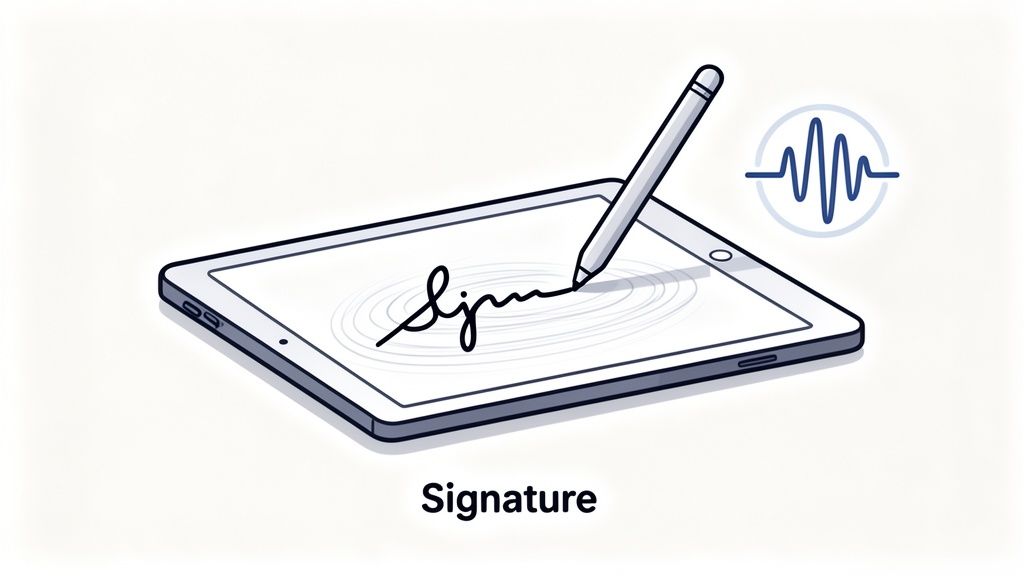
Biometric signatures leverage the unique characteristics of an individual's handwriting, such as pen pressure, speed, and stylus angle, to create a secure and verifiable digital identity. More than just a simple image of a signature, this method captures the dynamic behavioral traits of the signing process. These digital signature samples are then bound cryptographically to the document, offering a high degree of authentication.
This approach merges the familiarity of a traditional wet signature with advanced digital security. As a user signs on a tablet or signature pad, the software analyzes the unique rhythm and flow of their handwriting. This creates a biometric template that is extremely difficult to forge, providing strong evidence of the signer's identity and intent.
Strategic Analysis & Application
The core advantage of biometric signatures is their ability to link a specific individual to a specific act of signing, based on unique physical traits. This provides an additional layer of non-repudiation that is intuitive for the end-user, as it mimics a universally understood action.
- When to Use: Ideal for in-person or point-of-sale transactions where identity verification is crucial. Common applications include logistics for proof-of-delivery, healthcare for patient intake forms, retail for credit card transactions, and real estate for closing documents signed on a device.
- Key Benefit: This method captures forensic-level data that can be used to verify the signature's authenticity in the event of a dispute. The captured metrics (pressure, speed, rhythm) provide much stronger evidence than a simple static image of a signature.
Key Insight: Biometric signatures transform the act of signing from a simple visual representation into a quantifiable, data-driven event. This enriches the audit trail by embedding unique, personal biological and behavioral data directly into the signature evidence.
Actionable Takeaways
To effectively implement biometric signatures, focus on capturing high-quality data and ensuring the underlying technology is robust.
- Use Quality Hardware: Invest in high-fidelity signature pads or tablets (like those from Wacom or Topaz) that can accurately capture pressure, angle, and velocity data.
- Combine with Cryptography: Ensure the captured biometric data is securely hashed and embedded within a standard cryptographic digital signature to guarantee document integrity and legal validity.
- Establish a Baseline: For high-security applications, require users to provide multiple signature samples during enrollment to create a reliable biometric template for future verification.
- Inform the Signer: Clearly communicate to users that their biometric signature data is being captured for security and verification purposes. Learn more about the intricacies of signature verification to ensure compliance.
8-Point Digital Signature Comparison
| Method | Implementation Complexity 🔄 | Resource Requirements ⚡ | Expected Outcomes 📊 / Quality ⭐ | Ideal Use Cases 💡 | Key Advantages ⭐ |
|---|---|---|---|---|---|
| PKCS#7 / CMS Email Signature | Medium — requires PKI setup and client config 🔄 | Moderate — X.509 certs, CA trust, client support ⚡ | Strong message integrity & sender authenticity 📊 ⭐⭐⭐⭐ | Professional email, legal & government correspondence 💡 | Widely supported; embedded signature; non‑repudiation ⭐ |
| PDF Digital Signature (ISO 32000-2) | Medium — needs PDF tooling and signing workflow 🔄 | Moderate — certified PDF software, timestamps, certs ⚡ | High legal recognition; visible/invisible signatures 📊 ⭐⭐⭐⭐ | Contracts, invoices, official documents, archives 💡 | Preserves document layout; audit trail; industry standard ⭐ |
| Code Signing Certificates | Medium‑High — platform procedures, secure key storage 🔄 | High — expensive certs, HSMs/secure storage, CI integration ⚡ | High trust; reduces security warnings; protects integrity 📊 ⭐⭐⭐⭐ | Software distribution, drivers, app stores, installers 💡 | Verifies publisher identity; required by OS/app stores ⭐ |
| Blockchain-Based Digital Signatures | Medium — key management and ledger integration 🔄 | Moderate — wallets, node access, possible custody solutions ⚡ | Decentralized immutability and public verifiability 📊 ⭐⭐⭐⭐ | Crypto transactions, DeFi, NFTs, trustless systems 💡 | No central authority; transparent immutable audit trail ⭐ |
| XML Digital Signature (XMLDSig) | High — canonicalization, element-level signing complexity 🔄 | High — XML libraries, processing power, specialist devs ⚡ | Granular integrity for structured data; standard-based 📊 ⭐⭐⭐ | SAML, WS‑Security, API and enterprise message signing 💡 | Partial-document signing; W3C standard; flexible key info ⭐ |
| Qualified Electronic Signature (QES) under eIDAS | High — QSCD devices, qualified certs and processes 🔄 | Very High — QTSPs, certified hardware, compliance costs ⚡ | Maximum legal validity in EU; equivalent to handwritten 📊 ⭐⭐⭐⭐⭐ | Cross‑border legal contracts, government filings in EU 💡 | Highest regulatory assurance and cross‑border legal weight ⭐ |
| Timestamp Authority (TSA) Authenticated Signatures | Medium — integrate RFC‑3161 TSA into signing flow 🔄 | Moderate — trusted TSA service fees and management ⚡ | Proves signing time; extends long‑term validity 📊 ⭐⭐⭐⭐ | Archival, legal records, patents, time‑sensitive evidence 💡 | Timestamped non‑repudiation; validation beyond cert expiry ⭐ |
| Biometric Digital Signatures (Handwriting Recognition) | Medium — hardware + ML for dynamic capture and verification 🔄 | Moderate — tablets/stylus, ML models, capture SDKs ⚡ | User‑friendly biometric assurance; variable legal weight 📊 ⭐⭐⭐ | Mobile banking, POS, delivery PODs, healthcare intake forms 💡 | Familiar UX; biometric layer makes forging harder ⭐ |
From Theory to Action: Implementing the Right Signature for Your Needs
Navigating the diverse landscape of digital signatures can initially seem daunting, but as we've explored, each format serves a distinct and vital purpose. From the robust security of a PDF document signed under ISO 32000-2 standards to the immutable verification offered by blockchain-based signatures, the power lies in selecting the right tool for the specific job. The digital signature samples we've analyzed are not just theoretical constructs; they are practical solutions to real-world challenges of identity, integrity, and non-repudiation.
The central lesson is that context is king. A freelance developer distributing software needs the assurance of a Code Signing Certificate, while a European corporation executing a high-value merger agreement requires the legal certainty of a Qualified Electronic Signature (QES) under eIDAS. Your choice isn't about finding the single "best" signature, but about aligning the signature's technical and legal weight with the risk and requirements of the transaction.
Your Strategic Path Forward
To translate this knowledge into action, start with a focused assessment of your own processes. Where are the bottlenecks? Which documents carry the most risk or require the highest level of legal standing? Mapping your document workflows will reveal clear opportunities for implementation.
- Identify Your Core Needs: Are you primarily focused on internal approvals, client contracts, or regulatory filings? The answer will guide you toward the appropriate signature type. For many businesses, a robust PDF digital signature solution covers the majority of use cases.
- Prioritize Security and Compliance: Always consider the legal jurisdiction and industry standards relevant to your operations. Standards like the ESIGN Act, UETA, and eIDAS are the bedrock of digital signature legality, and your chosen solution must adhere to them.
- Focus on the Audit Trail: The value of a digital signature extends beyond the signature graphic itself. The underlying audit trail, certificate details, and timestamp are what provide its evidentiary weight. Always ensure you can easily access and present this comprehensive proof.
Beyond a Simple Signature
Mastering the application of these digital signature samples transforms a simple administrative task into a strategic advantage. It’s about more than just replacing ink on paper; it's about fundamentally accelerating your business operations, enhancing security, and building a foundation of trust in every digital interaction. By implementing a secure and efficient signing process, you reduce turnaround times from days to minutes, eliminate administrative overhead, and create a seamless, professional experience for your clients, partners, and employees. This operational agility is no longer a luxury but a competitive necessity in today's fast-paced digital economy.
Ready to move from reviewing samples to implementing secure, compliant digital signatures across your business? QuickSign provides a powerful, user-friendly platform that simplifies everything from advanced PDF signatures to comprehensive audit trails. Explore our solutions and start streamlining your workflows today at QuickSign.