Your Freelance Contract Template Free and Ready to Use
Stop worrying about payments and project scope. Download our freelance contract template free, customize it in minutes, and protect your business today.
Relying on a handshake deal might feel easy at first, but it's one of the biggest risks you can take in your business. It's a fast track to scope creep, chasing late payments, and souring a good client relationship. A solid freelance contract template free from ambiguity sets clear expectations from the moment you start, protecting both you and your client. Think of it not as a sign of distrust, but as a mark of true professionalism.
Why a Solid Contract Is Your Best Business Asset
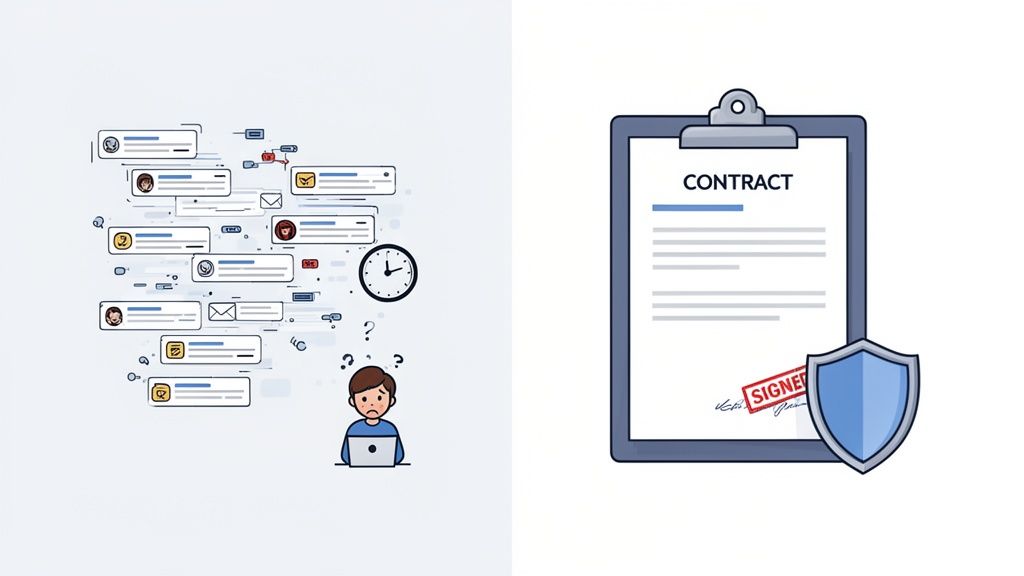
It’s a familiar story, especially when you're starting out. The discovery call is great, you outline the project in an email, and you jump right in. But what happens when the client's request for "a few small tweaks" snowballs into a complete project overhaul? Or when you send the final invoice and all you hear back is radio silence? This is exactly where verbal agreements and email chains fall apart.
Without a formal contract, you’re left with very little to stand on. The project scope becomes a matter of opinion, payment deadlines are merely suggestions, and nobody is quite sure who owns the final intellectual property. This kind of ambiguity is a recipe for disputes that can destroy client relationships and hit your wallet hard.
The Real Cost of Unclear Agreements
The number one headache for most freelancers? Unpredictable cash flow. It's a massive issue. Industry reports show that a staggering 70% of freelancers experience late payments, with invoices often going unpaid for 30 days or more past the due date. That financial stress is more than just an annoyance; it can seriously impact your business. You can find more details in this in-depth analysis of freelance payment statistics.
A contract transforms assumptions into obligations. It’s the framework that ensures your hard work is respected, your time is valued, and you get paid as agreed upon.
Building that strong foundation begins with understanding the fundamental principles of contract formation. A properly drafted agreement is your best defense against the classic freelance nightmares, including:
- Scope Creep: The client continuously adds "just one more thing" to the project without increasing the budget.
- Disappearing Clients: You deliver the final work, send the invoice, and suddenly your client is impossible to reach.
- Payment Disputes: The client decides to argue about the final invoice or flat-out refuses to pay for work they already approved.
From Document to Done Deal with QuickSign
This is where a tool like QuickSign really makes a difference. It’s designed to take you from a generic freelance contract template free of charge to a secure, legally binding agreement that protects your interests. You can easily tweak clauses, clearly define payment milestones, and send it off for a secure e-signature. With features like automated reminders and a clear audit trail, QuickSign gives you the professional structure needed to turn a simple document into your most valuable asset for a successful project.
Finding a Reliable Freelance Contract Template
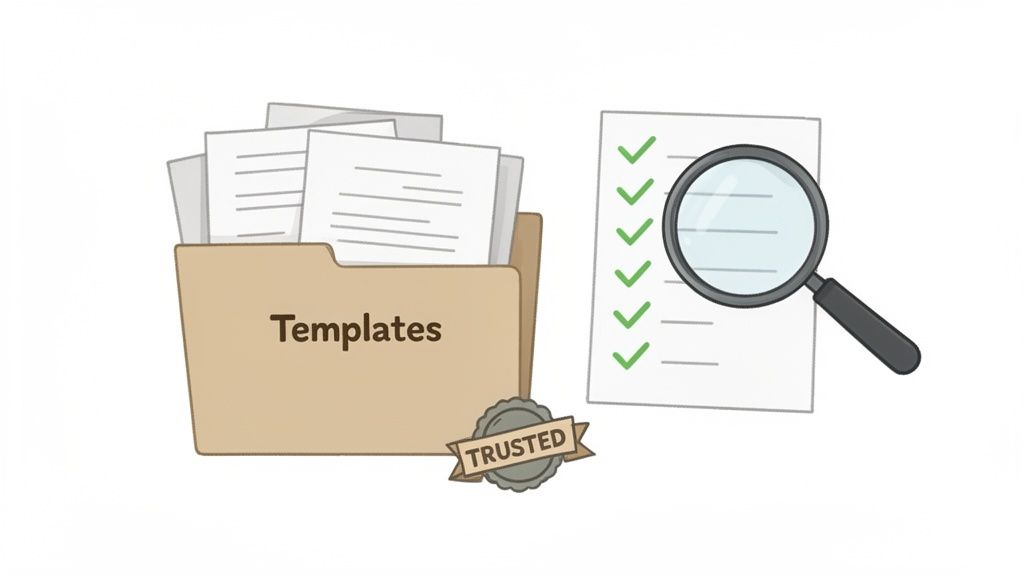
A quick search for "freelance contract template free" spits out an overwhelming number of options. It's tempting to just grab the first one and get to work, but that’s a rookie mistake that can cost you dearly down the road.
The truth is, not all templates are created equal. A simple, one-page document might look clean and easy, but it's often missing the crucial clauses that protect you when a project goes sideways. Think of it this way: a good contract is your business's insurance policy.
The best free resources almost always come from credible sources. I’m talking about templates created by legal professionals, well-known business platforms, or established freelance communities that have been around the block. These are far more likely to be thorough and reflect current business standards. Be wary of random documents from sketchy websites—they’re often outdated or missing critical protections for things like intellectual property rights or clear termination rules.
Where to Actually Look for a Good Template
When you’re sifting through options, you're not looking for a perfect, ready-to-sign document. You're looking for a solid foundation to build on. A quality starting point should feel substantial and professional, not like a flimsy checklist.
Here are a few reliable places to start your search:
- Legal Tech Companies: Platforms that specialize in legal documents for businesses are a great source. They usually offer well-vetted, basic templates you can trust.
- Reputable Freelance Hubs: Websites dedicated to the freelance world understand our specific challenges. Their resources are often tailored to the kind of work we do.
- Professional Associations: If you're part of an industry group or guild (for designers, writers, developers, etc.), check their member resources first. These are often goldmines for field-specific contract templates.
No matter where you find it, always remember the template is just a starting point. Customizing it for each unique project isn't just a good idea; it's a non-negotiable step to make sure your agreement actually does its job.
The biggest mistake you can make is assuming a free template is a final product. It’s a blueprint, not a finished house. You still have to do the work to make it yours.
The Modern Alternative: AI Document Generation
Let’s be honest, static templates have their limits. They can't magically adapt to a project's specific quirks, like a phased deliverable schedule or a non-standard payment plan. This is where newer tools really shine. Instead of hunting for a generic Word doc, you can use AI to generate a contract from scratch.
While a generic template gives you a basic outline, tools like QuickSign's AI Document Generation create a contract based on your specific inputs. You tell it the project details, and the AI drafts clauses that are actually relevant to your work. This not only saves a ton of time but also drastically reduces the risk of using an incomplete or ill-fitting template. See how this approach compares below.
Generic Template vs AI-Generated Contract
| Feature | Generic Downloadable Template | QuickSign AI-Generated Contract |
|---|---|---|
| Customization | Manual editing required; risk of errors or omissions. | Tailored to your project details from the start. |
| Relevance | Often contains generic clauses that may not apply. | Clauses are specific to your industry and project scope. |
| Time Investment | High. Requires finding, vetting, and heavily modifying. | Low. Generated in minutes based on your answers. |
| Legal Vetting | Origin and legal soundness can be questionable. | Based on sound legal principles and best practices. |
| Ease of Use | Can be cumbersome to format and fill out. | A simple, guided process—no legal jargon required. |
Ultimately, using AI to build your contract helps ensure it's as unique as the project itself. To learn more about how tools like these are changing the freelance game, check out our guide on modern solutions for freelancers at QuickSign.
The Clauses You Can't Afford to Ignore
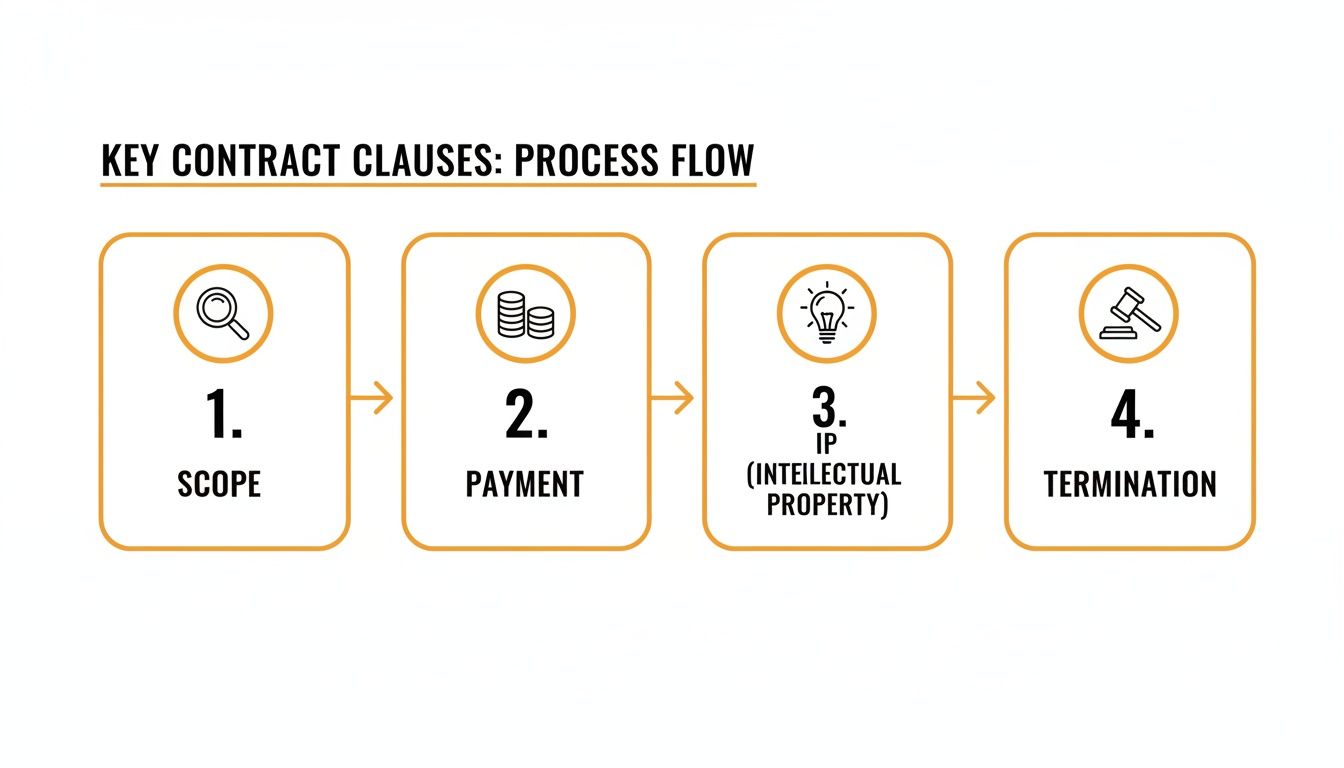
Once you've found a solid freelance contract template, that's where the real work starts. This is your chance to turn a generic document into a specific, project-based shield that protects your time, your money, and the work you produce. Skipping over these details is like building a house on a shaky foundation—it might look okay at first, but it's not going to hold up when things get complicated.
Think of each clause as a clear instruction for how your professional relationship with the client will run. When the language is precise and easy to understand, you head off the kind of miscommunications that turn into nasty disputes. You're not just filling in blanks; you're setting the rules of the game so everyone is on the same page from day one.
Nailing Down a Bulletproof Scope of Work
Vague project descriptions are the number one cause of scope creep. We've all been there—that slow, painful process where a project just keeps growing and growing, long after the original agreement was made, usually without any extra pay. A weak scope clause like "design a new website" is practically begging for trouble.
Your contract needs to be ruthlessly specific here. Instead of a general statement, you need to detail the exact deliverables. What are you handing over? How many pages or versions? And, just as importantly, what is not included? This kind of proactive clarity is your single best defense against unpaid extra work.
- Deliverables: List everything the client will receive, in plain language. For a writer, this might look like: "Three 1,500-word blog posts on topics X, Y, and Z."
- Revisions: Clearly state how many rounds of revisions are included in the price. Two rounds is a pretty common standard; anything beyond that should be billed at your hourly rate.
- Exclusions: Be explicit about what's out of scope. A designer might add: "This project does not include logo design, brand guide creation, or copywriting services."
A well-defined scope of work is your project's North Star. It keeps everyone aligned and gives you a concrete document to point to when new requests pop up, making sure you get paid for every ounce of your effort.
Setting Crystal-Clear Payment Terms
Chasing down invoices is draining. It’s frustrating, and it’s a massive waste of your valuable time. Unfortunately, late payments are a huge problem in the freelance world. Some studies show that 60-70% of freelancers deal with them, and many lose significant income every year because of it. Thankfully, new regulations are starting to push for fairer practices, which makes it even more important to spell out your payment structure. You can read more about these freelance payment trends and predictions.
Your payment clause should leave zero room for confusion. Don't just list the total project fee—break it all down.
- Deposit: I can't stress this enough: always, always require an upfront deposit. A 30-50% deposit is standard, and it secures your time while showing the client is serious about the project.
- Milestones: For bigger projects, it's a good idea to schedule payments as you hit specific milestones. This keeps cash flow steady and ties payment directly to progress.
- Payment Schedule: Use standard, unambiguous terms like "Net 15" or "Net 30" so there's no question about when an invoice is due.
- Late Fees: You absolutely need a clause that applies a small penalty for overdue payments. A simple 5% monthly fee is usually enough to encourage clients to pay on time.
Clarifying Intellectual Property and Termination
So, who owns the work after it’s all said and done? This is a critical question your contract has to answer. The standard approach is that the client owns the final work after they've paid for it in full. But—and this is important—you retain the rights to any preliminary concepts, drafts, or ideas they decided not to use. This keeps them from circling back later and using rejected ideas without paying for them.
Finally, every good contract needs an exit strategy. Your termination clause lays out how either you or the client can end the agreement professionally if things go south. This section must include a kill fee, which is a percentage of the total project fee (often 25-50%) the client agrees to pay if they cancel the project without a valid reason after you've already started the work. This fee isn't a penalty; it compensates you for the time you've already put in and the other projects you likely turned down. Making sure you understand all the essential elements of a contract is the best way to make sure you're protected from every angle.
Getting Your Freelance Contract Signed and Secured
You've done the hard work of finding and customizing a solid contract. You’ve tweaked every clause and clarified every deliverable. But here’s the thing: a contract isn't worth much sitting in your "drafts" folder. The real protection comes from getting it signed.
Thankfully, the days of print-sign-scan-email are long gone. With a tool like QuickSign, you can turn that polished document into a legally binding agreement in minutes. Just upload your final contract, and you’re ready to roll.
Prepping the Document for E-Signature
First things first, you need to tell the system where you and your client need to sign. This means dragging and dropping signature and initial fields onto the document.
It might seem like a small step, but it’s crucial. This simple action prevents the all-too-common problem of missed signature spots, which can be a real headache and potentially even invalidate the agreement. You're ensuring every page is acknowledged and the final document is buttoned up and legally sound.
Before you get to this stage, make sure you've locked in the absolute essentials of your agreement.
With your fields in place, you simply send the signing invitation to your client through the platform. QuickSign takes over from there, sending them a secure link to the document. It even handles the follow-up with automated reminders, so you don't have to waste time chasing signatures. It’s a professional touch that saves you a ton of admin work.
Why a Digital Audit Trail Is Your Best Friend
Here’s where e-signature platforms really shine: the audit trail. This isn’t just a simple timestamp. It’s a detailed, court-admissible log that tracks every single interaction with your contract.
Think of the audit trail as your legal safety net. It records who opened the document, when they signed it, and even their IP address. This creates a verifiable history that is often much stronger and more secure than a traditional pen-and-ink signature.
This digital receipt provides an unbiased record of the entire signing process, giving you incredible peace of mind and a solid legal foundation if a dispute ever pops up. To really nail this part, it helps to understand what makes a signature page bulletproof. You can dive deeper into that here: https://quicksign.it/blog/signature-page-for-contract.
Beyond just the signature, it’s smart to integrate your contracts into your broader client management workflow. Using some of the best CRM tools for freelancers can help you keep track of all your agreements and project milestones in one place.
Make Signing a Breeze for Your Client
Let's be honest—clients are busy. The more hoops they have to jump through, the longer it takes to get a project started. The beauty of a service like QuickSign is that it’s completely mobile-friendly.
Your client can review and sign your contract from their phone while waiting for a coffee, on a tablet during their commute, or from their desktop.
By removing that friction, you’re not just speeding up the process; you're showing that you’re professional and you respect their time. The easier you make it for them to say "yes," the faster you can get down to business.
Common Contract Mistakes That Cost Freelancers Money
One of the best shortcuts in business is learning from someone else's expensive mistakes. Even with a solid freelance contract template free of charge, a few small oversights can quickly spiral into huge headaches that drain your time and bank account. These aren't just obscure legal details; they're everyday traps that snag even experienced freelancers.
Vague language is probably the most common culprit. A scope of work that just says "develop a social media strategy" is asking for trouble. What does that actually mean? Does it include writing the posts, running the ads, or replying to DMs at 10 PM? If you don't define it, the client will. Ambiguity almost always works in their favor, leaving you exposed to endless requests and scope creep.
Another classic error is failing to specify the number of revisions. I know a graphic designer who got stuck in "revision hell" for weeks on a logo project. The client just kept coming back with "one more little tweak." Because the contract never stated that the fee included, say, only two rounds of revisions, the designer was trapped in a cycle of unpaid work.
Forgetting Key Protective Clauses
It's natural to focus on the scope and payment terms, but the "what if" clauses are what really protect you. For instance, what happens if a client pulls the plug on a project halfway through? Without a termination clause that spells out a "kill fee," you could be left with nothing to show for weeks of work. This fee isn't a penalty; it ensures you get paid for the time and effort you've already put in.
A clause addressing misclassification is also critical. All over the world, companies are facing massive fines for treating freelancers like employees without providing benefits. Your contract is your number one defense in establishing your independent status. One company in Latin America actually lost its funding after being forced to pay retroactive benefits to misclassified freelancers—you can read more in this breakdown of freelance business predictions.
Your contract isn't just about getting paid for the work you do; it's about getting paid for the work you might do before a project is unexpectedly cut short. A kill fee isn't a penalty—it's fair compensation for your reserved time and effort.
Failing to Formalize the Agreement
The final—and arguably most dangerous—mistake is starting work before the contract is signed. A verbal "go-ahead" or a long email chain just doesn't carry the same legal weight as a formally signed document. It creates too much room for misunderstandings and makes it incredibly difficult to enforce your terms if things go south.
The only way to consistently avoid these pitfalls is to build solid procedures into your workflow for every single project. Taking the time to learn the best practices for contract management helps you create a professional, repeatable process that truly protects your business. When you know the potential traps ahead of time, you can make sure your contract is an ironclad shield, not a leaky boat.
Frequently Asked Questions About Freelance Contracts
Once you've found a solid free freelance contract template, you're bound to have some questions. It's totally normal. Getting these sorted out upfront is the difference between a smooth project and a future headache. Let's tackle some of the most common ones I hear.
Are E-Signatures on a Free Contract Template Legally Binding?
This is probably the biggest question out there, and the answer is a firm "yes."
Thanks to laws like the ESIGN Act in the U.S. and eIDAS in the European Union, electronic signatures carry the same legal weight as a wet ink signature. The key is using a platform built for compliance. For a deeper dive into the legal side of things, check out our guide on why electronic signatures are legally binding.
Modern tools like QuickSign take this a step further. They automatically generate a detailed audit log for every document you send. This isn't just a simple timestamp; it's a verifiable trail that includes IP addresses and a timeline of who did what, and when. That's rock-solid proof.
What if a Client Wants to Change the Contract?
First off, don't panic. Negotiation is a healthy part of the freelance process. If a client asks for changes, it’s a good sign they're engaged and want to make sure the agreement works for both of you.
Your job is to manage the revisions professionally. Talk through their suggestions, come to an agreement, and then update the single master version of the contract. Avoid starting work based on a verbal "okay" or a messy email thread. Once the document is updated with the final terms, send it out for a fresh signature from everyone. This ensures the signed contract is the one true source of truth for the project.
Can I Collect a Deposit When the Contract Is Signed?
Not only can you, but you absolutely should. This is a non-negotiable for serious freelancers. The best signing platforms let you bake payment collection right into the signing process.
It's a game-changer. You can set it up so the client can't finalize their signature until they've paid your deposit. This single step secures your upfront payment, protects your time, and gets your cash flow moving in the right direction before you even think about starting the work.
Do I Need a Full Contract for a Small Project?
Even a "quick and easy" project can go south without a written agreement. While a massive, multi-page contract is probably overkill for a one-day gig, you still need something in writing to protect yourself.
For these smaller jobs, a simplified version often called a Statement of Work (SOW) is perfect. It just needs to nail down the essentials:
- Scope: What exactly are you delivering?
- Timeline: When is it due?
- Payment: How much will they pay, and by when?
Keeping a simple template for these on hand means you can send one out in minutes, giving you professional protection without the administrative drag.
Ready to turn that template into a signed, sealed, and paid deal? With QuickSign, you can customize your contract, get a secure e-signature, and collect your deposit all in one go. Start for free at QuickSign and stop chasing paperwork.