A Guide to the Signature Page for Contract Execution
Master the signature page for contract agreements. Learn how to create, format, and execute legally sound signature pages for both wet ink and e-signatures.
A signature page for a contract is where the rubber meets the road.A signature page for a contract is where the rubber meets the road. It’s the very last page of a legal agreement where everyone involved puts their name on the line, officially giving their consent and locking in the deal.
Think of it like this: a contract is a detailed blueprint for a project. The signature page is the final, official stamp of approval that lets construction begin. Without it, you just have a stack of well-thought-out plans with no power to make anything happen. This single page is what turns a simple draft into a legally binding commitment.
Why the Signature Page Is a Big Deal
You can spend weeks, even months, hammering out the perfect terms in a contract. But until that signature page is signed, sealed, and delivered, all those carefully chosen words are legally powerless. Signing is the final, critical act that brings the entire document to life. It’s the concrete proof that every party has read, understood, and willingly accepted their side of the bargain.
This page is what flips the switch from "discussion" to "done deal." It’s the moment a draft officially becomes an “executed contract,” kicking off the responsibilities and rights detailed inside. Skipping this step or doing it incorrectly leaves you with a useless piece of paper and opens the door to huge financial and legal headaches if someone acts like the deal is active when it isn't.
The Bridge From Draft to Executed Agreement
Every agreement starts as a draft and, hopefully, ends as a fully executed contract. The signature page is the crucial bridge between those two stages. To get the full picture, it helps to understand all the essential elements of a contract that come before this final step.
So, what does this page actually accomplish? It has a few vital jobs:
- Shows Clear Agreement: It’s the undeniable proof that everyone is on board with the terms.
- Identifies Who's Involved: It clearly states the names of the people or companies legally tied to the agreement.
- Makes It Enforceable: The act of signing is what gives the contract teeth, allowing it to be upheld in court.
- Makes It Official: It takes all the back-and-forth of negotiations and turns it into a formal, final record.
A well-crafted signature page is your best defense against future arguments. It leaves no room for doubt about who agreed to the terms or when they did it, creating a solid point of reference for everyone.
From Wet Ink to E-Signatures: How Signing Has Changed
Not too long ago, executing a contract meant printing out stacks of paper and getting "wet ink" signatures from everyone. This often involved overnight couriers, long waits, and a whole lot of hassle.
Thankfully, technology has changed the game. Secure electronic and digital signatures are now widely accepted and carry the same legal weight as a handwritten signature in most places. This evolution hasn't made the signature page any less important—it has just made the entire process faster and way more convenient. Now, agreements can be finalized in minutes, not days.
The Anatomy of a Legally Binding Signature Page
Think of a legally binding signature page as a puzzle. Each piece has a specific place and purpose. If one is missing or put in the wrong spot, the entire picture—your contract's enforceability—can fall apart. Let's walk through how to assemble that puzzle correctly every single time.
A signature page isn't just a blank space for a scribble. It's a formal declaration containing specific information that proves who signed, when they signed, and in what capacity they signed. Getting these details right is your best defense against any future disputes.
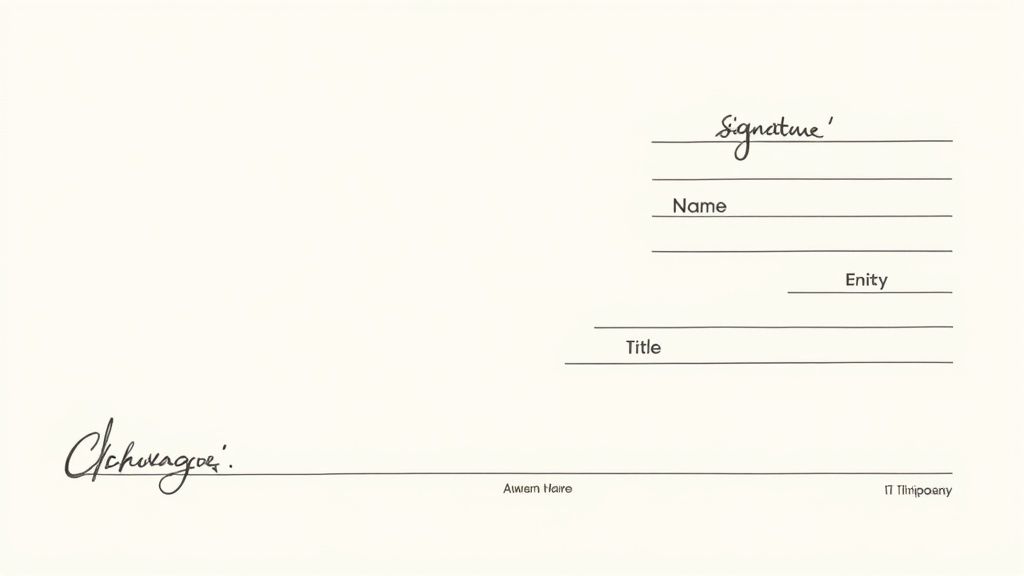
Core Components Every Signature Block Needs
To be legally sound, every signature block needs a few non-negotiable elements. These components work together to create a clear, undeniable record of consent.
- Full Legal Names: The page must clearly identify every party in the agreement. This means using the complete, official legal name of the person or business—no nicknames or abbreviations.
- The Signature Line: This is the dedicated space for the handwritten or electronic signature. It’s the physical (or digital) act of saying, "I agree."
- Printed Name: Right below the signature line, the signer's full name should be typed or printed. This is critical for legibility, since many signatures are hard to read.
- The Date: A line for the date of signing is crucial. It pinpoints the exact moment the agreement went into effect, which is often vital for tracking deadlines and obligations.
These four elements form the basic foundation. But for business contracts, we need to add another layer of detail to confirm the signer actually has the authority to sign.
Specifying Authority in Business Contracts
When someone signs a contract on behalf of a company, it’s not enough for them to just sign their name. You have to prove they have the legal right to bind the entire organization to the terms. This is where the signer's title becomes absolutely essential.
A person’s signature binds them personally. But by adding their official title and the company’s name, you legally transfer that commitment from the individual to the business entity. This small detail is what separates a personal promise from a corporate obligation.
To make sure this is documented correctly, the signature block should also include:
- Name of the Entity: The full legal name of the company, LLC, or corporation needs to be clearly stated.
- Signatory's Title: The person signing must include their official title, like "CEO," "President," or "Managing Member." This explicitly states their role and their authority to act on the company's behalf.
This structure prevents someone from later trying to argue they signed as an individual and didn't have the power to commit their company. It makes the business—not the person—the legally responsible party. While the physical act of signing is simple, understanding the legal weight behind it is key. You can dig deeper into the legal requirements for electronic signatures to see how these same principles apply in a digital world.
Formatting Examples for Different Entities
The exact layout of your signature block will change depending on who is signing. Getting this right is all about avoiding any and all ambiguity down the road.
For an Individual or Sole Proprietor:
This is the most straightforward format, as the individual is simply signing for themselves.
Signature
John Doe
Printed Name
Date
For a Corporation (Inc.):
This format clearly shows a corporate officer binding the company.
XYZ Corporation, Inc.
By: _________________________
Jane Smith, CEO
Date
For a Limited Liability Company (LLC):
Similar to a corporation, this format specifies the signer is an authorized member or manager of the LLC.
ABC Solutions, LLC
By: _________________________
Michael Chen, Managing Member
Date
Each format creates a direct, undeniable link between the individual's signature and the business entity they represent, closing off any potential loopholes. Once you master this anatomy, you turn a simple page into a powerful legal tool that solidifies your agreements and protects your interests.
The Shift from Wet Ink to Electronic Signatures
The days of printing out a contract, mailing it off, and then waiting by the mailbox for its return are fading fast. The traditional signature page for a contract, once a physical piece of paper needing a literal "wet ink" signature, has gone through a massive change. This isn't just a matter of convenience; it’s a complete overhaul of how we build trust and enter into legally binding agreements.
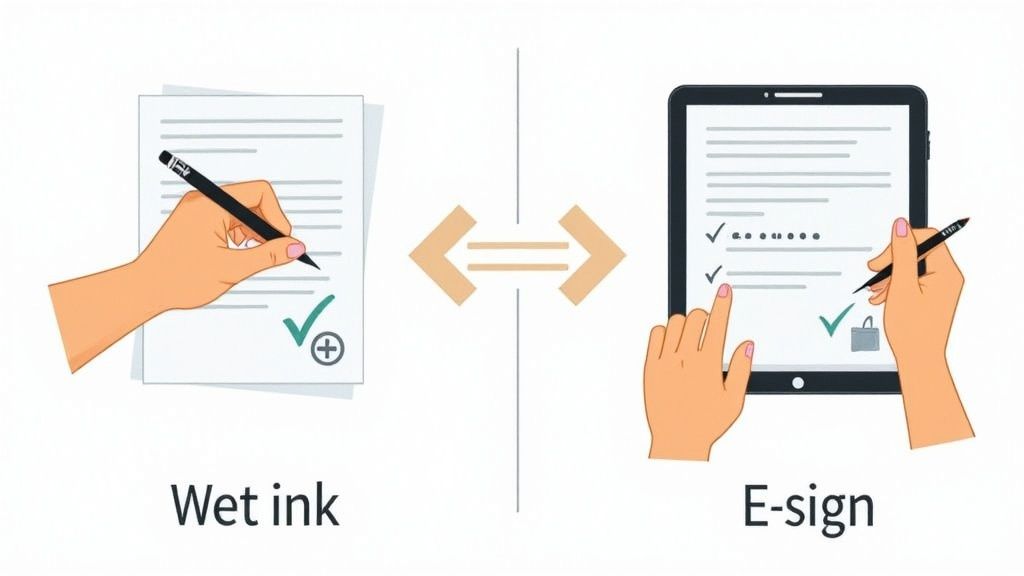
This evolution is all thanks to the worldwide embrace of electronic signatures. What was once a niche technology is now a cornerstone of modern business. The market size tells the story—in 2024 alone, the global digital signature market is valued somewhere between USD 5.2 billion and USD 8.65 billion. And it's not slowing down. Forecasts show it could explode to over USD 238 billion by 2034. If you're curious, you can dig into the data in reports from market research firms like Precedence Research.
The Legal Backbone of E-Signatures
I often get asked if a signature on a screen can really hold up in court like one signed with a pen. The answer is a resounding yes, and it's because of some incredibly solid legal frameworks built around the world. These laws were specifically created to make sure electronic contracts and signatures are just as enforceable as paper ones.
In most places, two key pieces of legislation cleared the path:
- The ESIGN Act (United States): Passed way back in 2000, the Electronic Signatures in Global and National Commerce Act gave e-signatures the same legal standing as handwritten ones across the entire country.
- eIDAS Regulation (European Union): This regulation—which stands for electronic IDentification, Authentication and trust Services—created a single, consistent legal framework for e-signatures and other digital trust services for all EU member states.
These laws made it official: you can't invalidate a contract just because it’s electronic. This legal certainty is what gave businesses the confidence to go digital with their most important agreements.
An electronic signature is far more than just a digital image of your name. It's a secure, data-rich process that captures intent, provides verifiable proof of identity, and ensures the document hasn't been tampered with after signing.
More Than Just a Digital Scribble
It’s easy to think of an e-signature as just a picture of your handwriting, but that's missing the point entirely. A modern e-signature created with a platform like QuickSign generates a comprehensive, secure record that is often more defensible in court than a wet signature ever was.
How? Every electronically signed document comes with a built-in audit trail. Think of it as a tamper-proof digital receipt that logs every single action taken on that document.
This audit trail captures everything:
- Timestamps: It records the exact date and time the document was created, sent, viewed, and signed.
- IP Addresses: The system logs the IP address from each signer's device, giving you a geographical breadcrumb for the signing event.
- Signer Information: It verifies the name and email address of everyone who touched the document.
- Cryptographic Proof: Once signed, the document is "sealed" with advanced encryption. Any attempt to alter it after the fact becomes instantly obvious.
This level of detail creates an objective, third-party record of the entire signing journey, from start to finish. It leaves no room for doubt and makes it incredibly difficult for someone to later claim they never saw or agreed to the terms. To really see how this works in practice, you can learn more about how to use electronic signatures in your own workflows. It's a technology that has made signing contracts not just faster, but remarkably more secure and transparent.
Practical Templates for Common Signature Scenarios
Knowing what goes into a signature page is one thing, but seeing how it works in the real world is another. The way a signature block is laid out depends entirely on who’s signing—an individual, a representative for a company, or even multiple people from the same organization.
Getting these details right isn't just about looking professional; it's a matter of legal clarity and making sure the contract holds up. To take the guesswork out of it, here are some ready-to-use templates for the most common situations you'll run into.
Template 1: Signing as an Individual
This is the most straightforward setup. It’s for when a single person is entering an agreement on their own behalf, like a freelance writer signing a project contract or someone taking out a personal loan. The goal is to make it crystal clear that the individual is personally responsible.
Here’s all you need:
[PARTY A NAME]
Signature
John Doe
Printed Name
Date
This simple format leaves no room for confusion. It plainly states that John Doe, and John Doe alone, is bound by the terms of the agreement.
Template 2: Signing on Behalf of a Corporation
When a business is involved, the signature block has a much bigger job to do. It needs to show that the person signing is acting as an official representative of the company, not as a private citizen. This is a crucial distinction that binds the company to the contract while protecting the individual from personal liability.
The format should clearly separate the business entity from the person signing for it.
ABC Corporation, Inc.
By: _________________________
Signature
Name: Jane Smith
Title: Chief Executive Officer
Date
See how the company's full legal name comes first? Then, you have the signer's name and, critically, their official title—Chief Executive Officer. This structure makes it legally indisputable that Jane Smith is acting in her official capacity to bind ABC Corporation, Inc. to the deal.
A correctly formatted corporate signature block is non-negotiable. Think of it as a legal firewall. It separates a corporate commitment from a personal one, ensuring the business, not the individual, is on the hook.
Template 3: Multiple Signatories for the Same Entity
Sometimes, one signature isn't enough. A company's own rules—or the importance of the agreement—might require two or more people to sign off. For instance, a major financial commitment might need the approval of both the CEO and the CFO.
In that case, the signature page just needs to provide clean, separate blocks for each signatory.
Global Tech Innovations, LLC
AGREED AND ACCEPTED:
By: _________________________
Signature
Name: Maria Garcia
Title: Chief Executive Officer
Date
By: _________________________
Signature
Name: David Lee
Title: Chief Financial Officer
Date
This layout neatly organizes the page, giving each required person their own designated spot to sign. It ensures every necessary approval is captured without clutter.
Assembling and Sending Your Signature Page
Once your signature blocks are drafted, it's time to get them signed. Thankfully, modern tools have made this part of the process a breeze. With a platform like QuickSign, you can upload your document, drag and drop the signature fields right where they need to go, and send it off in a few clicks.
To see just how easy it is, take a look at our detailed guide on how to send a document for signature. It walks you through the entire workflow, showing how you can save time and create a secure, verifiable audit trail for every agreement.
How to Properly Execute a Signature Page
Once you’ve drafted the perfect signature page, the next move is getting it signed. This isn't just a formality—it's the final step that breathes life into the agreement and makes it legally binding. Whether you're using traditional pen and paper or a slick digital platform, there are specific steps to follow to ensure the process is smooth, secure, and above all, enforceable.
The method you choose often comes down to logistics and preference, but the goal remains the same: create a rock-solid record of consent from everyone involved. Let's walk through the best practices for both approaches so you can sidestep common mistakes that might delay or even void your contract.
Executing a Traditional Paper Contract
Even in our digital-first world, the classic wet ink signature is far from extinct. But what happens when the signers are hundreds of miles apart? The answer lies in a handy legal concept called counterpart execution.
This simply means that each party signs their own identical copy of the signature page. When you bring all those separately signed pages together, they combine to form one complete, legally sound agreement.
A counterpart clause is a specific provision in the contract that says it's okay for everyone to sign separate copies. It confirms that all those copies, when taken together, make up the one and only agreement. This little clause is a lifesaver for validating contracts signed across different locations.
Here’s how counterpart signing typically works:
- Prepare Identical Copies: First, make absolutely sure that every single person gets the exact same version of the full contract. No exceptions.
- Sign and Distribute: Each party signs their copy of the signature page.
- Exchange the Pages: The signed pages are then exchanged, usually via courier or mail, so every party ends up with a full set of everyone's signature.
Navigating the Digital Workflow
Electronic signatures have completely changed the game, making it faster and more secure to execute a signature page for contract agreements. This shift from paper has led to a handful of major platforms handling the vast majority of e-signature transactions. Industry reports from sources like Exploding Topics consistently point to DocuSign, Adobe, and Zoho as the heavy hitters in this space.
A good e-signature workflow takes the headache out of the entire process.
The flow below shows just how simple it is to set up signature templates, whether for an individual, a company, or a group of people.
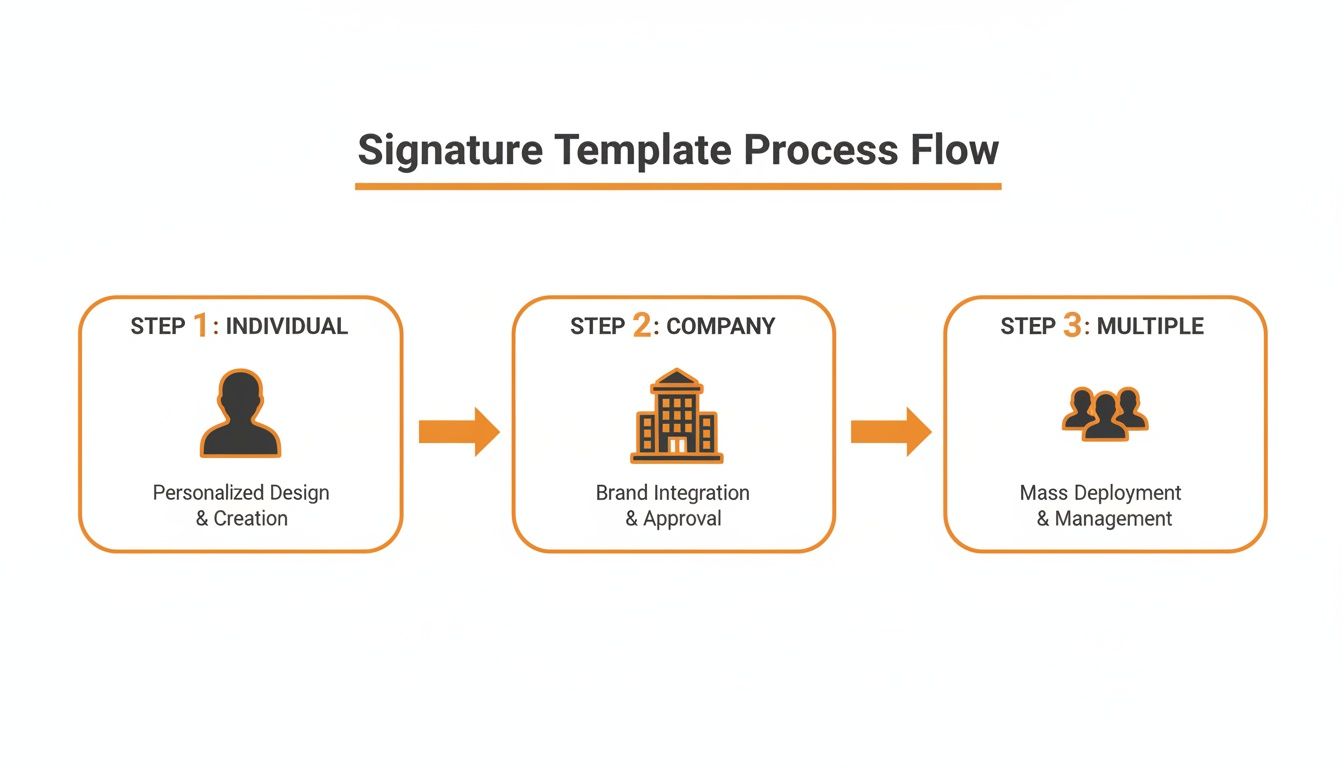
As you can see, modern platforms let you create custom signature blocks designed for specific roles—whether it’s a single person, a designated company officer, or a document needing multiple approvals in a specific order.
Steps for a Smooth E-Signing Process
Platforms like QuickSign boil the signing process down to a few clicks, creating a secure, verifiable audit trail automatically.
- Step 1: Upload Your Document: Kick things off by uploading your final contract, which is almost always a PDF. For a full breakdown, take a look at our guide on how to digitally sign a PDF.
- Step 2: Place Signature Fields: This is the fun part. Just drag and drop the fields for signatures, initials, dates, and names right where you need them on the document.
- Step 3: Assign Signers: Type in the names and email addresses for everyone who needs to sign, and then assign each person to their specific fields.
- Step 4: Send for Execution: Hit send. The platform takes over from here, automatically notifying each person and guiding them through the signing process one step at a time.
Common Mistakes That Can Invalidate Your Contract
A simple mistake on the signature page for contract agreements can do more than just cause a headache—it can blow up the entire deal. Think of it like building a house on a shaky foundation. No matter how solid the rest of the structure is, one critical flaw at the base can bring the whole thing crashing down.
Even tiny, seemingly innocent errors can open up legal loopholes. One party might try to exploit these later, leading to expensive disputes or, even worse, making your contract completely worthless. Getting familiar with these common traps is the best way to protect your agreements and make sure they stand strong when it counts.
Signatories Lacking Proper Authority
One of the most common and damaging mistakes is getting the wrong person to sign the document. If the person signing doesn't actually have the legal authority to commit their company to the agreement, their signature is basically meaningless. It’s a surprisingly frequent issue that can void a contract on the spot.
Let’s say a Marketing Manager signs a $200,000 software license. If that manager’s role doesn't grant them the power to approve contracts of that size, the company could later claim it was never legally bound to the deal. You’re left with a useless agreement and a major financial hole. It's absolutely essential to confirm the person signing has a title like CEO, President, or Managing Member—someone with clear, established authority.
Always confirm the signer's capacity to act on behalf of their entity. A signature without authority is like a key that doesn't fit the lock; it looks the part but ultimately fails to secure the agreement.
Ambiguous or Incorrect Entity Names
When it comes to naming the parties in a contract, you have to be precise. Using an incorrect or vague legal name for a business is a rookie mistake with serious consequences. For example, having someone sign on behalf of "Global Tech" when the company’s officially registered name is "Global Tech Innovations, LLC" creates a dangerous gray area.
This kind of oversight can cause huge problems if you ever need to enforce the contract. If a dispute comes up, the other party could argue that the contract was with the wrong entity—or one that doesn't even exist—giving them an easy way out of their obligations.
To dodge this bullet, always make sure you:
- Use Full Legal Names: Never use abbreviations, DBAs ("doing business as"), or casual company names on the signature page.
- Include the Entity Type: Clearly state whether the business is an Inc., LLC, Corp., or another entity type. This leaves no doubt about who is legally on the hook.
- Double-Check Everything: Before you send a contract out for signature, take a few minutes to verify the official business names. A quick search of public records can save you from months of legal headaches later on.
Frequently Asked Questions About Signature Pages
When you get down to the brass tacks of signing a contract, a few practical questions always seem to pop up. Let's walk through some of the most common ones so you can handle the final step of any agreement with confidence.
Can a Signature Page Be a Separate, Stand-Alone Page?
Absolutely. It's not only common but often practical for the signature page to be the last, separate page of a contract, especially when you're coordinating multiple signers.
The key is to make sure it's crystal clear which agreement that signature page belongs to. A simple but effective trick is to have the last sentence on the previous page lead directly into the signatures, something like: "The parties have executed this Agreement as of the date first written above." This creates a seamless link and prevents any claims that the signature page was attached to something else.
What Happens if Someone Signs a Contract but Forgets the Date?
Forgetting to date a signature doesn't automatically kill the contract, but it definitely opens a can of worms. That date is what sets the clock ticking—it establishes the agreement's official start date, which impacts deadlines, performance obligations, and the contract's overall term.
Without a date, you might have to rely on other evidence, like email chains or testimony, to figure out when the agreement actually became effective. This creates ambiguity and invites potential disputes down the road. It’s a simple detail, but an important one: always make sure the date is filled in.
Do We Need to Get a Witness for the Signatures?
For the vast majority of business contracts—think service agreements, sales orders, or partnership agreements—a witness is not legally required. The signature itself, whether it's wet ink on paper or a valid electronic signature, is enough to show that the person intended to be bound by the terms.
That said, some specific legal documents absolutely require a witness to be valid. These usually involve major life events or high-stakes transfers, such as:
- Wills and testaments
- Real estate deeds
- Powers of attorney
The rules here can vary by location, so it's always a good idea to check local laws if you're dealing with documents like these.
Why Do Contracts Include a "Counterpart Clause"?
A counterpart clause is a logistical lifesaver. It’s a small provision that says the contract can be signed in separate copies, and all those copies, when put together, form one single, binding agreement.
Think of it as the legal glue that lets modern, decentralized deals happen. It confirms that a PDF signed in New York and another signed in London are just two pieces of the same puzzle.
This clause eliminates the old-fashioned headache of mailing a single physical document from one person to the next.
These questions show just how much legal practice has evolved to keep up with how business actually gets done today. Landmark laws like the ESIGN Act in the U.S. (passed way back in 2000) and the EU’s eIDAS regulation paved the way for electronic signatures to become mainstream. Today, North America alone accounts for a dominant ~39% of the multi-billion dollar digital signature market. You can dive deeper into this trend and see the full report on Fortune Business Insights.
Ready to stop worrying about the details and create secure, legally binding signature pages in just a few clicks? With QuickSign, you can upload your document, drag and drop signature fields, and send it off for signing with a complete, court-admissible audit trail. Try QuickSign for free today and see how simple your contract workflow can be.