How to use electronic signatures: A Practical Guide to Secure E-Signatures
Learn how to use electronic signatures in your business with a practical guide to sending, validating, and securing compliant e-signature workflows.
Using an electronic signature is actually pretty simple. You just upload your document, tell the software where you need people to sign, and then send it off to them. That's it. This one change completely gets rid of the old, slow routine of printing, signing, scanning, and mailing paperwork.
Getting Started with Electronic Signatures
Making the switch to electronic signatures can seem like a big change, but it’s far more intuitive than you might think. All you're really doing is taking a process you already know—signing a document—and moving it into a faster, more secure digital environment. Tools like QuickSign are built to walk you through a simple, three-part workflow that feels natural from the start.
This digital approach is quickly becoming the norm. The global e-signature market is expected to explode from USD 12.22 billion in 2025 to almost USD 238.42 billion by 2034. That kind of growth sends a clear message: businesses are ditching paper for good.
The Basic E-Signature Workflow
At its heart, the entire process is about cutting out manual tasks to get your agreements finalized faster. Once you understand this flow, you'll be well on your way to making electronic signatures a core part of your business. If you’re just starting out, our guide on how to create an e-signature is a great resource for business professionals.
The diagram below breaks down the core journey of a document from draft to legally-binding agreement.
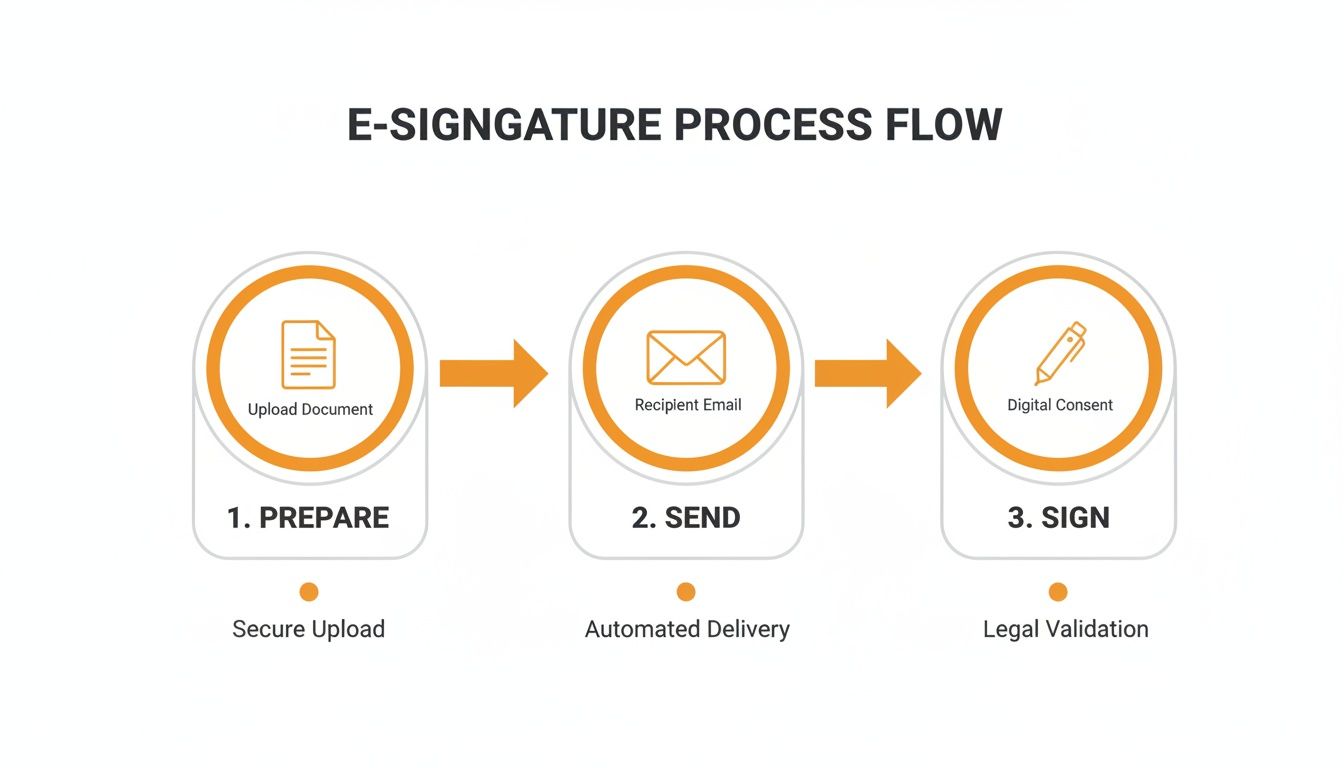
As you can see, it all comes down to preparing your file, sending it out securely, and giving your recipients a super easy way to sign.
To make this even clearer, here’s a quick breakdown of what a typical e-signature workflow looks like.
Your Electronic Signature Workflow at a Glance
| Phase | Key Action | Primary Goal |
|---|---|---|
| Preparation | Upload your document (PDF, Word, etc.) and add signature, initial, and date fields. | To create a ready-to-sign digital version of your agreement. |
| Sending | Add recipient emails and customize the signing order and message. | To securely deliver the document to the right people for their signature. |
| Signing | Recipients click a link, review the document, and add their digital signature. | To capture a legally binding agreement from all parties involved. |
| Management | Track the document's status, send reminders, and view the audit trail. | To maintain visibility and control over the signing process. |
| Archiving | A final, signed copy with a certificate of completion is stored securely. | To create a permanent, verifiable record of the executed agreement. |
This table shows how each step logically flows into the next, creating a seamless and trackable process from beginning to end.
The real power of an electronic signature isn't just the signature itself—it's the verifiable, time-stamped audit trail created at every step. This digital receipt provides a level of security and proof that traditional ink signatures simply can't match.
Ultimately, this isn't just about convenience. It’s about injecting speed, robust security, and a professional touch into every single agreement you handle.
Preparing and Sending Your First Document

This is where the rubber meets the road. Getting a document ready to sign isn't just a matter of uploading a file—it’s about crafting a seamless experience for your signer that leads them right where you need them to be, without any guesswork.
Before anything else, you need to pick your file format. While you can often get away with Word docs or even images, the gold standard for a reason is the Portable Document Format (PDF). PDFs are fantastic because they lock in the document's formatting. What you see on your screen is precisely what your signer sees on theirs, which is absolutely essential for legal agreements where the layout can be just as important as the text.
Getting the Document Field-Ready
After you upload your PDF into a tool like QuickSign, you’ll land in the prep space. This is where you bring the document to life by dragging and dropping interactive fields onto it. It's a proactive step that makes a world of difference, preventing confusion and getting you a signed document back in record time.
You'll want to place a few key fields to guide your signer:
- Signature: The main event. This is where they'll draw, type, or upload their signature.
- Initials: Perfect for the bottom of each page on a long contract, confirming they’ve seen it all.
- Date Signed: This field automatically fills in the exact date the signature is added, giving you a perfect timestamp.
- Text Box: Incredibly useful for grabbing extra details like a printed name, title, or address.
Think of yourself as a digital cartographer. Each field you place is a clear landmark on a map, telling your signer exactly what to do and where to do it.
Setting Up a Signing Order
What if you need more than one person to sign, and in a specific order? This is a classic scenario. Say you're onboarding a new client; you need them to sign off on the service agreement before it gets kicked over to your manager for the final countersignature. E-signature platforms make this a breeze.
When you're setting up the document, you can define a signing order.
First, you'd add your new client as Recipient 1. Then, you'd add your manager as Recipient 2.
The system handles the rest. It sends the document to your client, and only once they’ve signed does it automatically forward it to your manager. This simple workflow ensures everything happens in the right sequence, eliminating the back-and-forth emails and keeping the whole process on track. To see this in action, check out our complete guide on how to send a document for signature.
The ultimate goal is to create a signing experience so intuitive that your recipient doesn't even have to think. When they open that document, the path forward should be so obvious they can sign and return it in less than a minute.
One last tip: don't skip the email invitation. Customizing the subject line and message is a small touch that goes a long way. Instead of the default "A document is ready for your signature," try something clearer like, "Action Required: Please Sign Your Service Agreement with [Your Company Name]." It immediately tells them what it is and why it's important, encouraging a much faster turnaround.
Are E-Signatures Actually Legal? (Yes, and Here’s Why)
Let's get straight to the biggest question on everyone's mind: are electronic signatures legally binding? The answer is a clear and resounding yes. For decades, the legal framework has been firmly in place, making e-signatures just as enforceable as a pen-and-paper signature—and in many ways, far more secure.
This isn't some new, untested concept. Foundational laws have cemented their validity worldwide. In the United States, the Electronic Signatures in Global and National Commerce (ESIGN) Act of 2000 gives e-signatures the same legal standing as handwritten ones for virtually all business. Over in the European Union, the eIDAS regulation serves a similar purpose, standardizing electronic identification and trust services across the member states.
The Power of the Audit Trail
What really gives a modern electronic signature its legal muscle isn't just the digital squiggle on the page. It's the incredibly detailed audit trail that comes with it. Think of it as a digital notary that records every single step of the signing process.
This trail, automatically created by platforms like QuickSign, captures crucial evidence that’s nearly impossible to get with a wet signature. It logs everything:
- The signer's email and IP address.
- Precise timestamps for every interaction, from the moment the document was opened to the second it was signed.
- A full history of all notifications and communications sent to the signer.
This verifiable chain of custody provides undeniable proof of who signed what, when, and where. It effectively eliminates any "he said, she said" arguments and replaces them with a rock-solid, impartial record.
The audit trail is your most important legal asset. It creates a digital footprint so detailed and secure that it often makes an electronic signature more defensible in court than its traditional counterpart.
Making Sure Your E-Signature Holds Up
While the laws are on your side, not all e-signatures are created equal. For a signature to be truly enforceable, it needs to check a few key boxes. It must show clear intent from the signer, be directly attributable to that specific person, and prove that the document hasn't been tampered with after signing.
If you want to dive deeper into the nuts and bolts, we cover this in our post on the legal requirements for electronic signatures.
The legal validity is a settled matter. In fact, sticking with paper is what creates real business risk. For about 65% of U.S. firms, managing physical signatures can add an entire business day to their workflows—a costly and unnecessary delay. As confirmed by market insights from Precedence Research, moving to e-signatures isn't just about speed; it's about building your agreements on a stronger legal foundation.
Managing Your Document Signing Workflows
So, you’ve sent your document out for a signature. Now what? Your job isn't quite done. The real power of an e-signature tool comes into play right now, helping you manage the entire process without getting lost in a sea of follow-up emails. It’s time to move beyond the old "send and pray" method.
Think of your e-signature platform as a command center for your agreements. Instead of digging through your inbox, you get a clean, centralized dashboard showing the exact status of every document in real-time. For anyone juggling multiple contracts or proposals at once, this kind of clarity is a lifesaver.
Staying on Top of Every Document
A good dashboard cuts through the noise. It sorts your documents into simple, intuitive categories so you know exactly where to focus your energy.
You’ll typically see statuses like these:
- Draft: Agreements you’re still working on that haven’t been sent.
- Pending: Out for signature and waiting on one or more people to sign.
- Viewed: This one is key. It tells you the recipient has opened the document but hasn’t signed yet.
- Completed: Everyone has signed. The document is now legally binding and securely stored.
Imagine seeing that a potential client viewed your proposal two days ago but hasn't signed. That’s your cue. You can now follow up with a pointed, helpful call instead of a generic "just checking in" email. That’s a much stronger position to be in.
The Power of Automated Reminders
Let's be honest, manually chasing people for signatures is a soul-crushing waste of time. This is where automated reminders become your best friend, acting as a polite but persistent nudge for you. With a tool like QuickSign, you can set a reminder schedule and forget about it.
For instance, you could set an automatic reminder to go out three days after you send the document, with another a week later if it's still unsigned. This keeps your agreement on the signer's radar without you having to lift a finger. It's a surprisingly simple feature that dramatically speeds up your turnaround time.
A well-managed signing workflow does more than just get signatures; it builds momentum. By automating follow-ups and providing clear visibility, you eliminate the dead time where documents sit idle, accelerating your entire business cycle from proposal to payment.
Secure Archiving and Easy Retrieval
Once an agreement is signed by all parties, its journey isn't over. You need a secure, reliable place to store it for compliance and your own records. E-signature platforms handle this automatically, creating a central archive for all your executed documents.
Each signed document comes with its certificate of completion—a detailed audit trail that proves who signed, when, and where. This gives you a single, verifiable file. No more physical filing cabinets or messy shared drives. Everything is indexed, searchable, and available whenever you need it, all locked down with serious security.
This is a fundamental piece of effective document workflow automation, which you can learn more about in our complete guide for modern businesses. A system that manages the full lifecycle, from creation to archival, makes sure your agreements are always safe and easy to pull up in a pinch.
Best Practices for Secure and Professional Signing
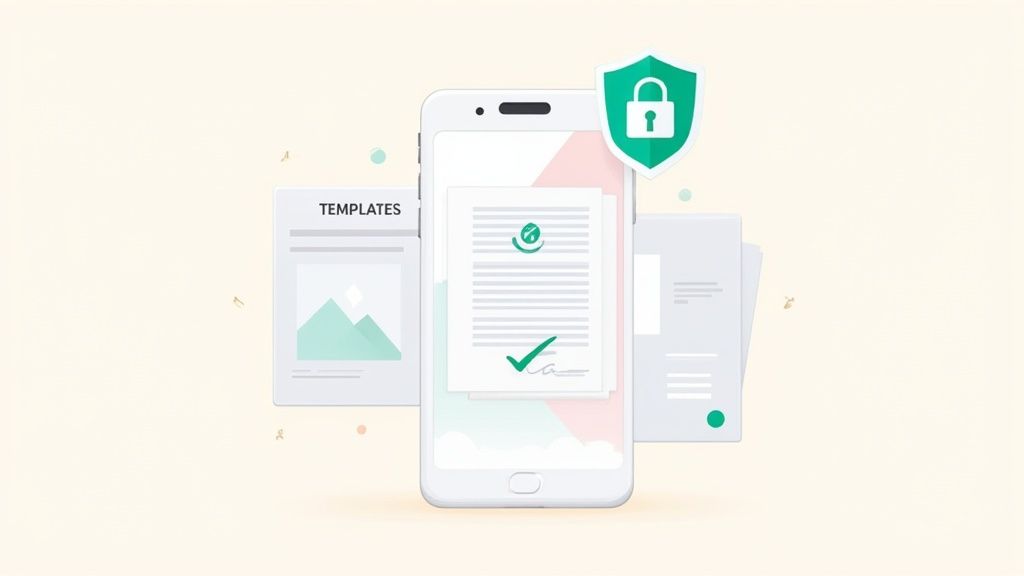
Once you've got the hang of sending and signing documents, it's time to refine your process. Moving from a casual user to a pro is all about focusing on security and efficiency. It’s not just about getting a signature; it’s about building a rock-solid, professional workflow that gives everyone peace of mind.
This is especially true when you're dealing with high-stakes documents like financial agreements or contracts involving intellectual property. The right platform offers layers of protection that make your agreements truly ironclad.
Double Down on Security
Think of your security settings as the digital equivalent of a vault. You wouldn't leave sensitive papers lying around, and the same principle applies here. Always enable advanced security features to ensure only the right people can access and sign your documents.
Here are the non-negotiables to look for in any e-signature platform:
- Two-Factor Authentication (2FA): This is a must. It forces signers to confirm their identity using a second device, usually by entering a code sent to their phone. It's simple, effective, and proves they are who they claim to be.
- End-to-End Encryption: This feature scrambles your document's data the moment it leaves your computer and only unscrambles it for the intended recipient. It makes the document completely unreadable to anyone who might try to intercept it.
Flipping these switches adds a serious layer of protection. For a more detailed look, check out our guide on how to protect your business with secure document signing.
Use Templates to Work Smarter, Not Harder
Security is crucial, but so is your time. If you’re sending out the same kinds of documents repeatedly—think NDAs, client contracts, or onboarding paperwork—templates will be your new best friend.
A template lets you save a document with all the signature fields, text boxes, and recipient roles already in place. The next time you need it, you just pull up the template, pop in the new signer’s details, and click send. It eliminates repetitive setup and guarantees you don't miss a field.
Building a library of templates for your most-used documents is one of the biggest productivity hacks you can implement. It literally turns a 10-minute task into a 30-second one.
Think Mobile-First, Always
Here’s a reality check: your clients, partners, and new hires are probably not sitting at a desk waiting for your document. They’re on their phones—in a coffee shop, at the airport, or on the go. The signing experience has to be flawless on a small screen.
This isn’t just a nice perk anymore; it’s essential for getting things signed without delay. In industries like finance and real estate, an estimated 70% of e-signatures are completed on mobile devices. Despite this, some businesses are slow to adapt, with about 17% still worried about mobile security. This is exactly why you need a platform that’s both incredibly secure and built for mobile from the ground up. You can read more stats on how professionals are signing at Text Control.
Got Questions About E-Signatures? We’ve Got Answers.
When you’re first dipping your toes into electronic signatures, a few questions always seem to pop up. It's totally normal. Getting a handle on these key points will help you move forward with confidence and really make the most of what this technology can do for your business. Let's clear up some of the most common uncertainties right now.
Aren’t “Electronic” and “Digital” Signatures the Same Thing?
It's a common mix-up, but there's actually a key difference. People often use the terms interchangeably, but they refer to two distinct concepts.
An electronic signature is the broad, legally recognized category. It’s essentially any electronic symbol or process attached to a document that shows you intend to sign it. Think about typing your name at the end of an email, drawing your signature with a mouse, or simply clicking an "I Agree" button. For 99% of day-to-day business contracts, this is exactly what you need.
A digital signature, however, is a very specific type of electronic signature that comes with a much higher level of security. It uses some heavy-duty cryptography to create a unique, encrypted "fingerprint" on a document. This process locks the document down and verifies the signer's identity using a special certificate, almost like a digital passport.
Here's a simple way to think about it: An electronic signature is like your everyday handwritten signature—it shows you agree. A digital signature is more like getting that signature notarized by a trusted authority, adding an extra layer of verification.
While digital signatures are critical for certain high-stakes government or legal filings, a solid electronic signature with a detailed audit trail is legally binding and perfect for most business agreements.
What if Someone Doesn't Want to Sign Electronically?
This is a totally fair question. The whole system is built on consent, so you can't make someone sign a document electronically if they're not comfortable with it. In fact, laws like the ESIGN Act in the U.S. explicitly state that all parties must agree to do business electronically.
So, what happens if someone says no? The legal fallback is to provide a non-electronic option, like mailing a physical copy for them to sign with a pen. But honestly, this is becoming less and less common. Most people have come to expect and appreciate the speed and convenience of signing online.
A lot of the time, a little bit of explanation is all it takes to win someone over. Walking them through how simple and secure the process is can easily clear up any hesitation they might have.
How Can I Actually Prove the Signature is Real?
This is where the real magic happens. The strength of an electronic signature isn't just the signature itself—it's the audit trail that comes with it. This document, sometimes called a certificate of completion, is your rock-solid proof.
Every time a document is sent, viewed, or signed through a platform like QuickSign, a detailed, time-stamped log is created in the background. This record captures every single interaction, making it far more reliable and easier to verify than a simple ink signature that could be forged.
Your audit trail will typically include critical details like:
- Who signed: The signer's name and email address.
- Where they signed from: The IP address of the computer or device they used.
- When it happened: Precise timestamps for every step—when it was sent, opened, and signed.
- The full story: A complete history of every action taken on the document.
This comprehensive, third-party record provides a clear, court-admissible chain of custody. It gives you undeniable proof of who signed what, when they did it, and that they fully intended to agree to the terms.
Ready to stop chasing paperwork and get your agreements signed faster? QuickSign gives you a secure, simple, and legally binding e-signature solution built for businesses just like yours. Start for free today and see how easy it is to get documents signed in minutes, not days.